
1. Bezpečnostní informace
Před použitím spotřebiče si pečlivě přečtěte všechny bezpečnostní pokyny. Nedodržení těchto pokynů může vést k úrazu elektrickým proudem, požáru nebo vážnému zranění.
- Zajistěte napájení objtage odpovídá specifikacím spotřebiče.
- Neponořujte spotřebič do vody nebo jiných kapalin.
- Udržujte ventilační otvory bez překážek.
- Spotřebič nepoužívejte, pokud je poškozen napájecí kabel nebo zástrčka.
- Avoid touching internal components while the appliance is powered on.
- Tento spotřebič není určen k používání osobami se sníženými fyzickými, smyslovými nebo duševními schopnostmi, pokud nejsou pod dohledem nebo jim nejsou dány pokyny.
- Před čištěním nebo údržbou odpojte napájení.
2. Konec produktuview
The ICECO VL35+PB1000 is a portable fridge freezer designed for various applications, including automotive, camping, and travel. It features a SECOP compressor for efficient cooling and comes bundled with a 1075Wh PB1000 portable power station for extended off-grid use.
Klíčové vlastnosti:
- 35L kapacita: Poskytuje ample storage for food and beverages.
- SECOP Compressor: Ensures reliable and efficient cooling performance.
- Multi-opening Lid Design: Allows for flexible lid opening direction without reassembly, convenient for tight spaces.
- Dvojitý napájecí vstup: Pracuje s napětím 12/24 V DC a 110–240 V AC.
- Integrated PB1000 Power Station: 1075Wh capacity with 1200W AC output and 9 outlets for powering various devices.
- USB nabíjecí porty: Two USB outlets (USB-C PD100W Max, USB-A 18W Max) for mobile devices (available under DC power).
- Humanizovaný design: Includes a drain hole, waterproof baffle, LED lights, and removable handles.
- Funkce UPS: The PB1000 offers Uninterruptible Power Supply (UPS) with instant switching for emergency power.
Obsah balení:
- ICECO 35L Portable Fridge Freezer
- ICECO PB1000 Portable Power Station
- Vyjímatelný koš
- Náhradní rukojeti
- Chrániče rohů
- Vypouštěcí zátky
- Síťový napájecí kabel
- DC napájecí kabel


3. Nastavení
3.1 Vybalení a počáteční kontrola
- Opatrně vyjměte všechny součásti z obalu.
- Inspect the fridge freezer and power station for any signs of damage during transit. Contact customer support if any damage is found.
- Clean the interior of the fridge freezer with a damp hadříkem před prvním použitím.
3.2 Připojení napájení
The fridge freezer can be powered by either AC (home socket) or DC (car 12/24V) power. The PB1000 power station provides additional power options and portability.
AC Power Connection (110-240V):
- Locate the AC power input port on the fridge freezer.
- Connect the provided AC power cable to the fridge freezer and then to a standard wall outlet.
- The built-in AC transformer allows for direct connection to pre-cool the fridge.
DC Power Connection (12/24V):
- The fridge freezer has 12/24V DC ports on both sides.
- Connect the provided DC power cable to one of the DC ports on the fridge freezer and to your vehicle's 12V or 24V power outlet.

3.3 PB1000 Power Station Setup
The PB1000 power station can be used to power the fridge freezer or other electronic devices.
Charging the PB1000:
- Connect the PB1000 to an AC wall outlet using the provided charging cable for fast charging.
- The PB1000 supports 800W AC fast charging, achieving 0-100% in approximately 1.6 hours.

3.4 Multi-opening Lid Adjustment
The lid can be adjusted to open from different directions to suit your space requirements. No tools or reassembly are required for this adjustment.

4. Provoz
4.1 Powering On/Off and Temperature Control
- Connect the fridge freezer to a power source (AC or DC).
- Stiskněte tlačítko napájení na ovládacím panelu pro zapnutí jednotky.
- Use the temperature adjustment buttons (usually '+' and '-') to set the desired temperature between 0℉ and 50℉ (approximately -18℃ to 10℃).
- Na displeji se zobrazí aktuální vnitřní teplota a nastavená teplota.
- Pro vypnutí stiskněte a podržte tlačítko napájení.
4.2 Using the PB1000 Power Station
The PB1000 power station can be used independently or in conjunction with the fridge freezer.
Napájecí zařízení:
- The PB1000 features multiple output ports: 1x Car Outlet (12V-10A), 2x DC Outlets (12V-5A), 2x USB-C (PD100W Max), 2x USB-A (18W Max), and 2x AC Wall Outlets (Total Output Power 2400W).
- Připojte svá zařízení k příslušným výstupním portům.
- The power display on the PB1000 clearly shows charging and power status.
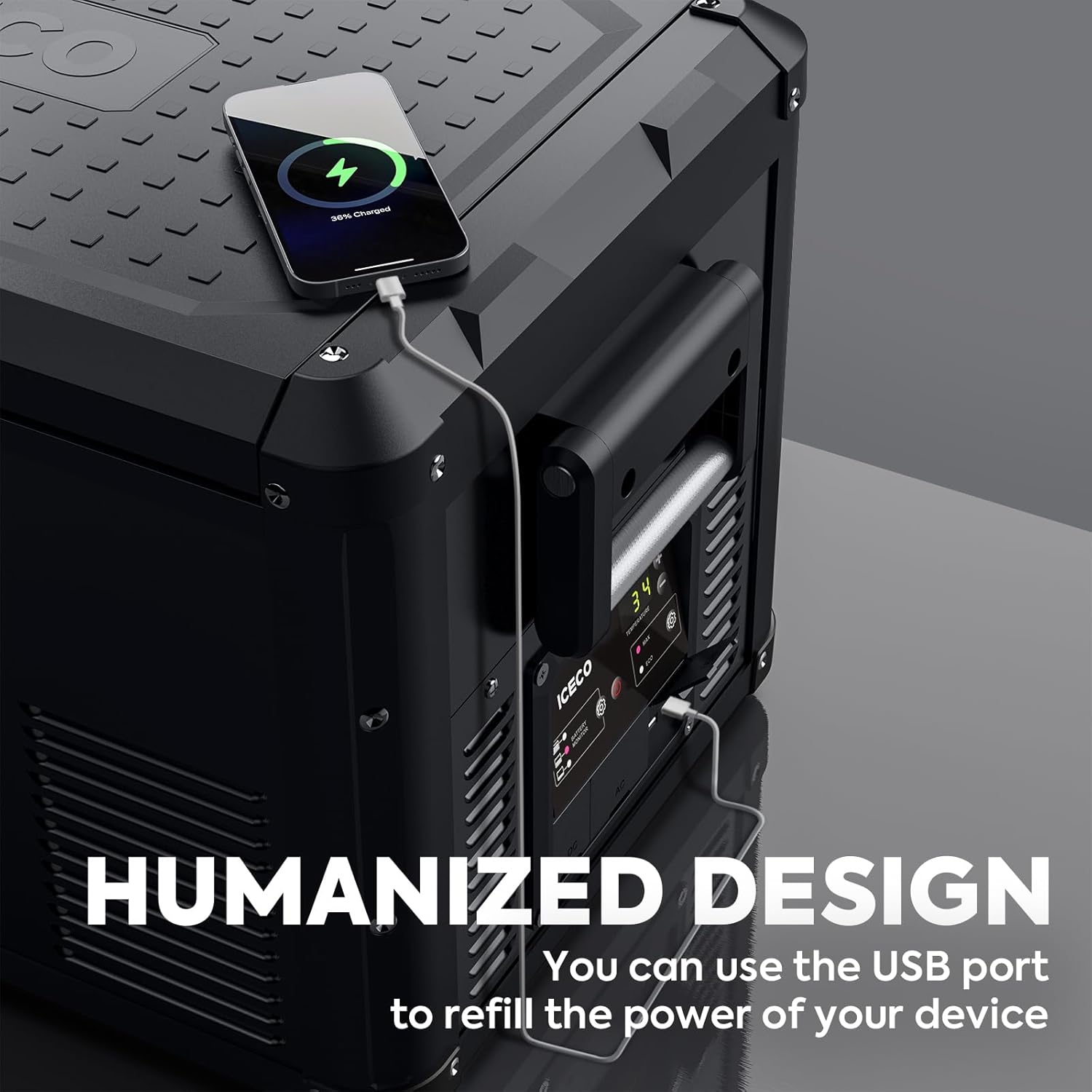
USB Charging from Fridge Freezer:
- The fridge freezer itself includes 2 USB outlets for charging mobile devices.
- These USB outlets are only available when the fridge freezer is powered by DC.

Funkce nepřerušitelného napájení (UPS):
- The PB1000 can function as a UPS, providing seamless emergency power.
- Power switches instantly (within 0.01s) when the main power source is interrupted.
- Pozor: Test this function thoroughly before relying on it for sensitive data or medical equipment to prevent potential damage.

5. Údržba
5.1 Cleaning the Fridge Freezer
- Odpojit napájení: Always unplug the appliance from all power sources before cleaning.
- Čištění interiéru: Použijte měkký hadřík dampened with mild detergent and warm water to clean the interior surfaces. Avoid abrasive cleaners.
- Vypouštěcí otvor: The integrated drain hole allows for easy removal of melted ice or spilled liquids. Ensure the drain plug is securely in place during operation and removed for draining.
- Čištění exteriéru: Otřete exteriér reklamouamp hadříkem. Nestříkejte vodu přímo na jednotku.
- Waterproof Baffle: The waterproof baffle helps protect internal components. Ensure it is properly seated after cleaning.
- Sušení: Allow the interior to air dry completely before closing the lid or reconnecting power.
5.2 Obecná péče
- Regularly check power cables for any signs of wear or damage.
- Keep the ventilation grilles clear of dust and debris to ensure proper airflow for the compressor.
- When not in use for extended periods, clean the unit, leave the lid slightly ajar to prevent odors, and store it in a dry, well-ventilated area.
6. Řešení problémů
If you encounter issues with your ICECO fridge freezer or PB1000 power station, refer to the following common troubleshooting steps:
| Problém | Možná příčina | Řešení |
|---|---|---|
| Spotřebič se nezapíná | No power supply; Damaged power cable; Blown fuse in vehicle | Check power connection; Inspect cable; Check vehicle fuse; Try different power source |
| Nedostatečné chlazení | Ventilation blocked; Door not sealed properly; Ambient temperature too high; Overloaded with warm items | Clear vents; Ensure lid is closed tightly; Move to cooler area; Allow time to cool |
| Neobvyklý hluk | Appliance not level; Fan obstruction; Normal compressor operation | Place on a flat surface; Check for obstructions; Some noise is normal for compressors |
| PB1000 not charging devices | PB1000 battery low; Output port not activated; Device incompatible | Recharge PB1000; Ensure output port is turned on; Check device power requirements |
| Kód chyby na displeji | Vnitřní chyba; Problém se senzorem | Refer to specific error code in a more detailed manual (if available) or contact customer support. |
If the problem persists after attempting these solutions, please contact ICECO customer support for further assistance.
7. Specifikace
Detailed technical specifications for the ICECO VL35+PB1000 unit:
| Funkce | Specifikace |
|---|---|
| Značka | ICECO |
| Číslo modelu | VL35+PB1000 |
| Kapacita | 35 litru (37 litru) |
| Rozměry produktu | 28.1 x 15.9 x 15.7 palce (71.4 x 40.4 x 39.9 cm) |
| Typ instalace | Volné stání |
| Speciální funkce | Přenosný |
| Barva | Černý |
| Odmrazovací systém | Manuál |
| Počet dveří | 1 |
| PB1000 Battery Capacity | 1075 Wh |
| PB1000 AC Output | 1200W (Total Output Power 2400W) |
| PB1000 AC Fast Charging | 800W (0-100% in 1.6 hours) |
| Teplotní rozsah | 0℉ - 50℉ (approximately -18℃ - 10℃) |
| Power Consumption (Max mode at 0℉) | ~0.43 kWh/24h |
8. Záruka a podpora
8.1 Informace o záruce
The ICECO VL35+PB1000 comes with a 5-year warranty on the SECOP compressor. For specific details regarding the full product warranty, please refer to the warranty card included with your purchase or visit the official ICECO webmísto.

8.2 Zákaznická podpora
For technical assistance, warranty claims, or general inquiries, please contact ICECO customer support through their official website or the contact information provided in your product packaging. Please have your model number (VL35+PB1000) and purchase date ready when contacting support.