
1. Přesview & Funkce
The SYLVOX 43-inch Deck Pro 2.0 Outdoor Smart TV is designed to provide a high-quality entertainment experience in outdoor environments. It combines advanced display technology with robust weatherproofing to ensure performance in various conditions.
- 4K UHD Picture Quality: Enjoy stunning 4K UHD resolution with vibrant colors and sharp details.
- 1000nit High Brightness: Optimized for partial sun environments, ensuring clear visibility even in bright daylight.
- All-Weather Durability (IP56): Features a full metal casing and IP56 waterproof rating, designed to withstand rain, snow, and extreme temperatures.
- Integrated Google TV OS: Access a wide range of streaming apps, personalized recommendations, Google Assistant, and Chromecast built-in.
- Zvuk Dolby Atmos: Experience immersive 3D surround sound from the built-in speakers.
- Všestranná konektivita: Includes HDMI, USB, Bluetooth, Wireless, and Ethernet options for seamless integration with your devices.

Obrázek 1: Přední strana view of the SYLVOX 43-inch Deck Pro 2.0 Outdoor Smart TV.
Video 1: Konecview of the Deck Pro 2.0 Outdoor TV's features, including Google TV and Dolby Atmos.
2. Co je v krabici
Před zahájením instalace ověřte, zda jsou v balení přítomny všechny součásti.
- SYLVOX 43-inch Deck Pro 2.0 Outdoor Smart TV
- Napájecí kabel
- Remote Control (Waterproof)
- Uživatelská příručka
- Záruční list

Figure 2: Package contents of the SYLVOX 43-inch Deck Pro 2.0 Outdoor Smart TV.
3. Nastavení
Proper setup ensures optimal performance and longevity of your outdoor TV. Consider the mounting location carefully to maximize viewing experience and protection.
3.1 Možnosti montáže
The SYLVOX Deck Pro 2.0 offers versatile mounting options:
- Montáž na stěnu: Securely attach the TV to a sturdy outdoor wall using a compatible VESA mount (sold separately). Ensure the wall can support the TV's weight and that the mounting hardware is suitable for outdoor use.
- Mobile Stand: Utilize a portable stand for flexibility in placement, allowing you to move the TV to different outdoor areas as needed.
- Držák na strop: For covered patios or gazebos, a ceiling mount can provide an elevated viewúhel.
3.2 Počáteční připojení
- Connect the power cable to the TV and a suitable outdoor power outlet.
- Press the power button on the TV or the remote control to turn on the device.
- Postupujte podle pokynů na obrazovce a dokončete počáteční nastavení, včetně výběru jazyka, síťového připojení (Wi-Fi nebo Ethernet) a přihlášení k účtu Google.
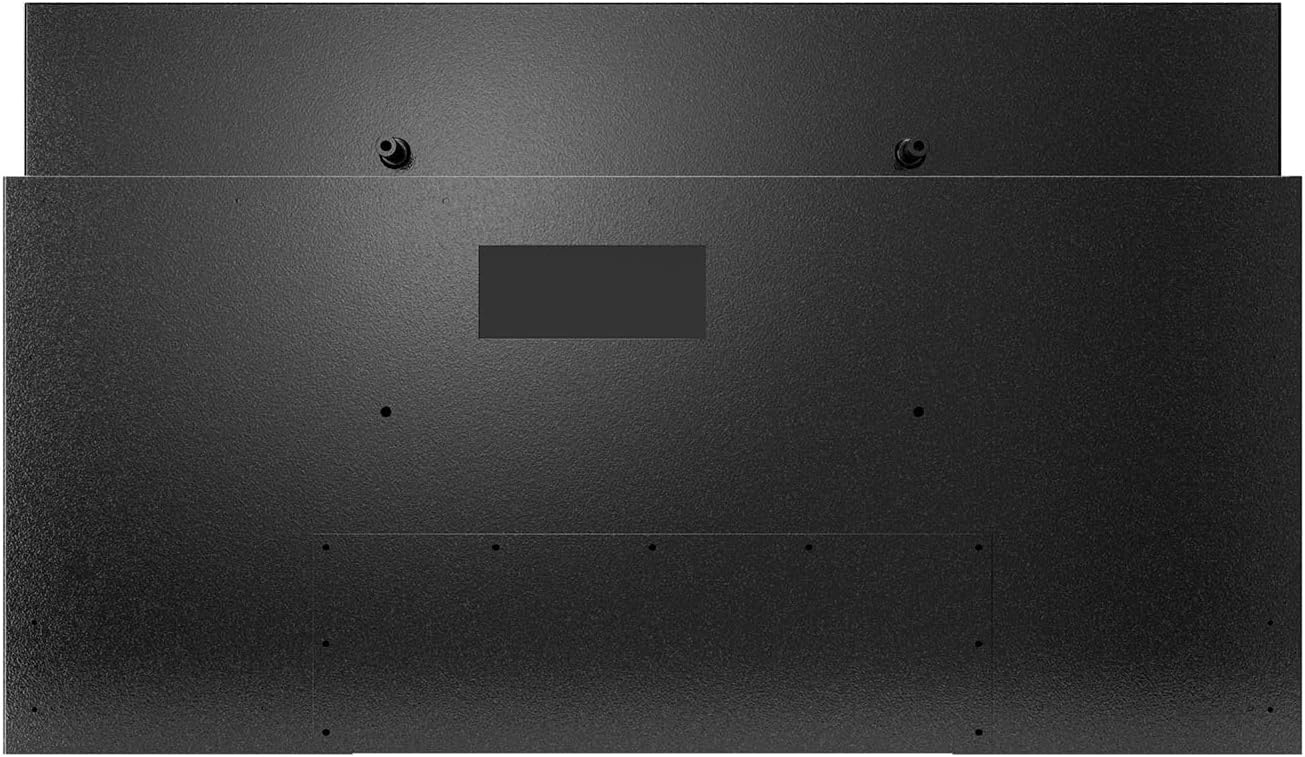
Obrázek 3: Zadní view of the TV, highlighting mounting points and the sealed input panel.
Video 2: Unboxing and initial setup process for the Deck Pro 2.0 Series Outdoor TV.
4. Návod k obsluze
Your SYLVOX Outdoor Smart TV is powered by Google TV, offering a user-friendly interface and smart features.
4.1 Rozhraní Google TV
The home screen provides access to your favorite apps, personalized content recommendations, and live TV options. Navigate using the waterproof remote control.

Figure 4: Google TV home screen with apps and content suggestions.
4.2 Google Assistant & Chromecast
- Asistent Google: Use the voice control feature on your remote to search for content, control smart home devices, and get information.
- Vestavěný Chromecast: Easily cast movies, shows, photos, and more from your compatible smartphone or tablet directly to the TV.

Figure 5: Chromecast functionality for streaming content from mobile devices.
4.3 Nastavení zvuku
The TV features built-in Dolby Atmos speakers for an immersive audio experience. Adjust volume and sound modes via the remote or on-screen settings.

Figure 6: Dolby Atmos audio for enhanced sound quality.
Video 3: Demonstration of the SYLVOX Outdoor Google TV's smart features and interface.
5. Údržba
The SYLVOX Deck Pro 2.0 is built for outdoor conditions, but proper maintenance will extend its lifespan and ensure continued performance.
- Čištění: Použijte měkký, damp hadřík k čištění obrazovky a casing. Avoid harsh chemicals or abrasive materials that could damage the waterproof seals or screen coating.
- Vystavení vodě: While IP56 rated, avoid directing high-pressure water jets directly at the TV. The sealed design protects against rain and splashes.
- Řízení teploty: The TV is designed to operate in a wide temperature range. Ensure adequate airflow around the unit, especially in hot environments, to prevent overheating.
- Správa kabelů: Ensure all cables connected to the sealed input panel are properly secured and the cover is tightly closed to maintain water resistance.

Figure 7: The TV's IP56 waterproof rating ensures durability against outdoor elements.
Video 4: The SYLVOX Outdoor TV is designed to withstand rain and shine.
6. Řešení problémů
If you encounter issues with your SYLVOX Outdoor Smart TV, try the following basic troubleshooting steps:
- Bez napájení: Ensure the power cable is securely connected to both the TV and the power outlet. Check if the outlet is functioning.
- Žádný obraz/zvuk: Ověřte, zda je vybrán správný vstupní zdroj. Zkontrolujte všechna kabelová připojení (HDMI atd.), zda nejsou uvolněná.
- Dálkové ovládání nereaguje: Check the batteries in the remote control. Ensure there are no obstructions between the remote and the TV.
- Problémy s připojením k síti: Restart your Wi-Fi router. Reconnect the TV to the Wi-Fi network via the settings menu.
- Kvalita obrázku: Adjust picture settings (brightness, contrast, color) in the TV's menu. Ensure the content source is high-resolution.
For persistent issues, please refer to the detailed troubleshooting section in the full user manual or contact SYLVOX customer support.
7. Specifikace
| Značka | SYLVOX |
| Číslo modelu | Deck Pro 2.0 |
| Velikost obrazovky | 43 palce |
| Technologie displeje | 4K UHD |
| Rezoluce | 4K |
| Obnovovací frekvence | 60 Hz |
| Jas | 1000 nit |
| Hodnocení voděodolnosti | IP56 |
| Operační systém | Google TV |
| Speciální funkce | Built-In Speaker, Chromecast, Parental Controls, Weatherproof, Water-resistant, Wide Viewúhel |
| Technologie připojení | Bluetooth, USB, Wireless, HDMI, WiFi, Ethernet |
| Hmotnost položky | 32.2 libry |
| Rozměry produktu | 3.45"H x 38.4"Š x 22.56"V |
8. Záruka a podpora
SYLVOX is committed to customer satisfaction and product reliability.
- Záruka: The product typically includes a 12-month free defect protection. Please refer to the included Warranty Card for full terms and conditions.
- Vrácení: Free returns are offered for quality issues. 30-day hassle-free returns are available, requiring original packaging.
- Služby zákazníkům: SYLVOX customer support is available to assist with any questions or issues. Contact information can be found on the Warranty Card or the official SYLVOX webmísto.
Many users have reported positive experiences with SYLVOX customer service, highlighting their responsiveness and helpfulness in resolving concerns.