
1. Úvod
This manual provides essential instructions for the safe and efficient operation, setup, and maintenance of your Ohaus STX1202 Portable Balance. Designed for precision and versatility, the STX1202 features an intuitive touchscreen interface, rapid stabilization time, and multiple weighing modes to suit various laboratory and industrial applications. Please read this manual thoroughly before using the device to ensure optimal performance and longevity.

The Ohaus STX Series Portable Balance, designed for precision in various settings.
2. Bezpečnostní informace
Always follow these safety guidelines to prevent injury and ensure proper operation of your balance:
- Váhu používejte pouze ve stabilním, rovném prostředí bez vibrací a průvanu.
- Nevystavujte váhu extrémním teplotám, vlhkosti nebo přímému slunečnímu záření.
- Do not overload the weighing pan beyond the specified maximum capacity.
- Use only the provided AC adapter or recommended batteries for power.
- Keep the balance clean and free from dust and corrosive substances.
- Do not attempt to disassemble or repair the balance yourself. Refer to qualified service personnel.
3. Konec produktuview
The Ohaus STX1202 Portable Balance is equipped with a large color touchscreen display for easy navigation and operation. Key components include the weighing pan, display unit, control buttons (Zero, Tare, Menu), and adjustable leveling feet.
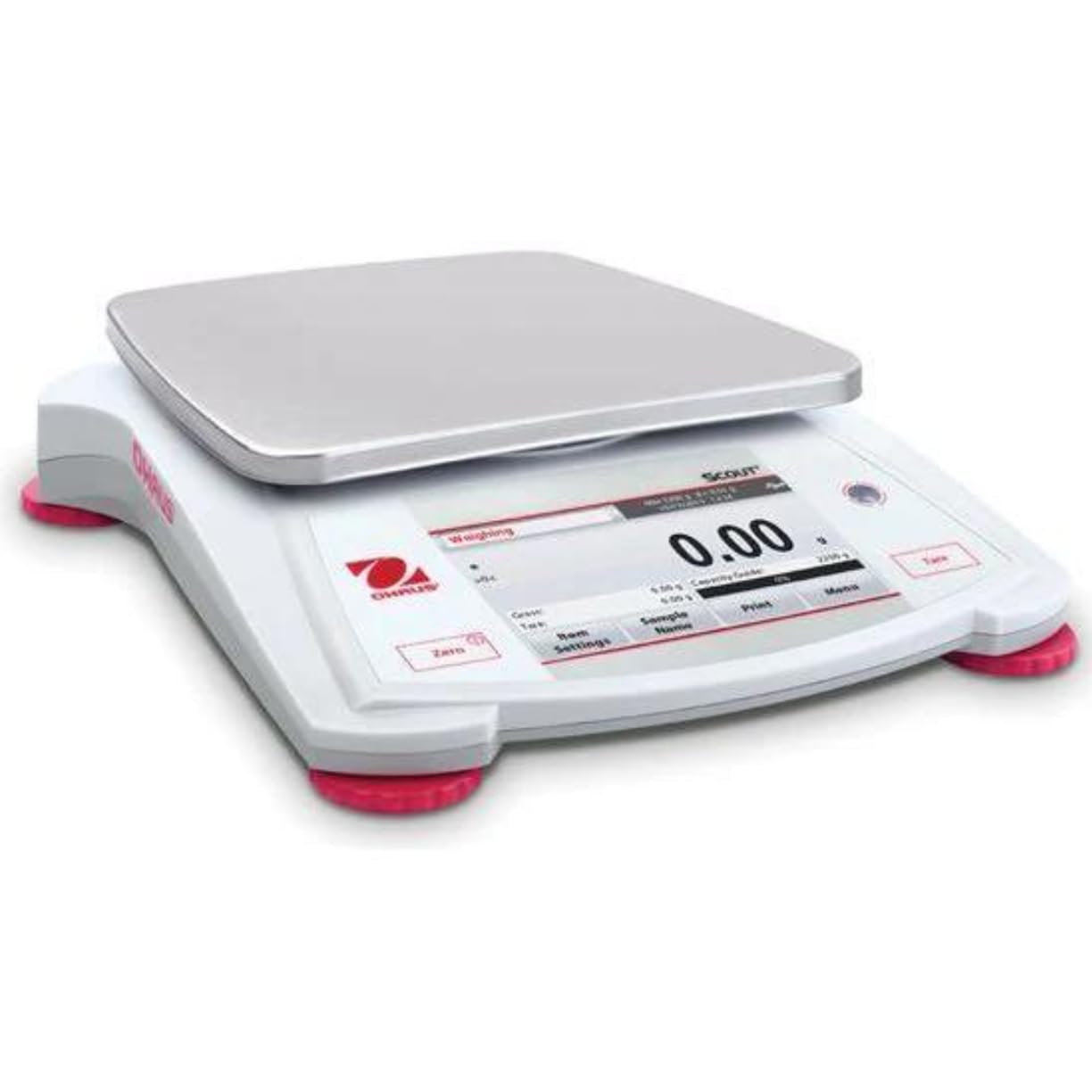
Přední view of the Ohaus STX1202 Portable Balance, highlighting the display and weighing pan.

Detailní view of the balance's high-resolution display, showing a measurement.
4. Nastavení
Pro počáteční nastavení postupujte takto:
- Rozbalení: Opatrně vyjměte váhu a veškeré příslušenství z obalu. Obal uschovejte pro budoucí přepravu nebo skladování.
- Umístění: Place the balance on a firm, level, and stable surface, away from direct sunlight, heat sources, air currents, and vibrations.
- Vyrovnání: Adjust the four leveling feet until the bubble in the illuminated up-front level indicator is centered. This ensures accurate measurements.
- Připojení napájení: Connect the supplied AC adapter to the balance and a suitable power outlet. Alternatively, for portable operation, insert 4 AA batteries (not included) into the battery compartment.
- Počáteční zapnutí: Press the power button to turn on the balance. Allow a brief warm-up period for optimal stability.
5. Návod k obsluze
The STX1202 features an intuitive touchscreen interface for easy operation.
5.1 Základní vážení
- Zapnutí/vypnutí: Press the power button to turn the balance on or off.
- Nulování: With an empty pan, press the Nula tlačítko pro vynulování displeje.
- Tárování: Place an empty container on the pan and press the Tára button. The display will show zero, allowing you to weigh the net content.
- Vážení: Place the item to be weighed on the pan. The stable weight will be displayed within approximately one second.
5.2 Weighing Modes
The STX1202 supports various application modes accessible via the touchscreen:
- Základní vážení: Standardní měření hmotnosti.
- Počítání dílů: Count a large number of identical items based on a sample hmotnost.
- Percent Weighing: Measure the weight of a sample jako procentotage referenční hmotnosti.
- Stanovení hustoty: Calculate the density of a substance.

The touchscreen interface displaying available application modes for versatile weighing.
5.3 Konektivita
The balance offers multiple connectivity options for data transfer and integration:
- RS232
- Zařízení USB
- USB Host
- Ethernet
- Bluetooth (for certain models or with optional accessories)

Illustration of the balance's multiple connectivity ports and options.
6. Údržba
Proper maintenance ensures the accuracy and longevity of your balance:
- Čištění: Otřete vnější povrch váhy měkkým hadříkemamp cloth. Use mild soap if necessary. Avoid abrasive cleaners, solvents, or harsh chemicals. Do not allow liquids to enter the balance housing.
- Vážící miska: The stainless steel weighing pan can be removed for cleaning. Wash with mild detergent and dry thoroughly before reattaching.
- Skladování: When not in use, store the balance in a clean, dry place. The stackable design and included storage cover provide convenience and protection during transport and storage.
- Kalibrace: Regular calibration with certified weights is recommended to maintain accuracy. Refer to the on-screen menu for calibration procedures.
7. Řešení problémů
Pokud narazíte na problémy, podívejte se do níže uvedené tabulky, kde najdete běžné problémy a jejich řešení:
| Problém | Možná příčina | Řešení |
|---|---|---|
| Balance does not power on | No power, dead batteries, faulty AC adapter | Check AC adapter connection, replace batteries, try a different power outlet. |
| Nepřesné nebo nestabilní hodnoty | Not level, vibrations, drafts, temperature changes, dirty pan, calibration needed | Re-level the balance, move to a stable environment, clean the pan, perform calibration. |
| Display shows "Overload" or "Underload" | Weight exceeds/is below capacity | Remove excess weight or ensure minimum weight is met. |
| Dotykový displej nereaguje | Software glitch, extreme temperature | Restart the balance. Ensure operating within specified temperature range. |
| Indikátor slabé baterie | Baterie jsou vybité | Replace batteries or connect to AC power. |
Pokud problém přetrvává i po vyzkoušení těchto řešení, kontaktujte zákaznickou podporu.
8. Specifikace
| Funkce | Detail |
|---|---|
| Model | STX1202 |
| Kapacita | 1,200 g |
| Čitelnost | 0.01 g |
| Čas stabilizace | 1 sekunda |
| Zobrazit | Velký barevný dotykový displej |
| Režimy vážení | Weighing, Parts Counting, Percent Weighing, Density Determination |
| Konektivita | RS232, USB Device, USB Host, Ethernet (Bluetooth optional) |
| Moc | AC Adapter (included), 4 AA Batteries (not included) |
| Speciální funkce | Illuminated up-front level indicator, Mechanical and software overload/underload protection, Auto shut-off, Auto tare, Stackable design, Storage cover |
| Značka | Ohaus (Manufactured by Liberty Scales) |
9. Záruka a podpora
The Ohaus STX1202 Portable Balance is covered by a manufacturer's warranty against defects in materials and workmanship. For specific warranty terms and conditions, please refer to the documentation included with your product or visit the official Ohaus webmísto.
For technical assistance, troubleshooting beyond this manual, or to inquire about service and parts, please contact Liberty Scales, Inc. customer support. Contact details can typically be found on the product packaging or the seller's webmísto.