
1. Úvod
The EazeID M950 is a versatile label maker designed for home, office, and school use. It offers two primary printing modes: direct input via its integrated QWERTY keyboard and wireless control through the 'Print Master' mobile application via Bluetooth. Featuring a rechargeable battery and a backlit LCD screen, the M950 provides convenience and clarity for all your labeling needs. This manual provides detailed instructions for setting up, operating, and maintaining your device.
2. Obsah balení
Ověřte prosím, zda jsou ve vašem balení obsaženy všechny níže uvedené položky:
- 1 x EazeID M950 Label Maker
- 1 x 3M21 Black on White Label tape (12mm*4M)
- 1 x datový kabel typu C
- 1 x Balicí krabice
- 1 x Uživatelská příručka (tento dokument)

Figure 2.1: EazeID M950 Label Maker package contents.
3. Konec produktuview
The EazeID M950 Label Maker features a compact design with an integrated QWERTY keyboard and a backlit LCD screen for ease of use. It utilizes thermal printing technology, eliminating the need for ink or toner.

Obrázek 3.1: Přední strana view of the EazeID M950 Label Maker and accessories.

Figure 3.2: Key features and components of the EazeID M950 Label Maker.
4. Nastavení
4.1 Nabíjení zařízení
The M950 Label Maker is equipped with a built-in 1200mAh rechargeable lithium battery. Before first use, or when the battery is low, charge the device using the provided Type-C USB cable.
- Connect the Type-C end of the cable to the charging port on the side of the label maker.
- Connect the USB-A end of the cable to a 5V-2A charging adapter (not included) or a compatible USB port.
- The device will indicate charging status on the LCD screen. A full charge typically takes 1-2 hours.
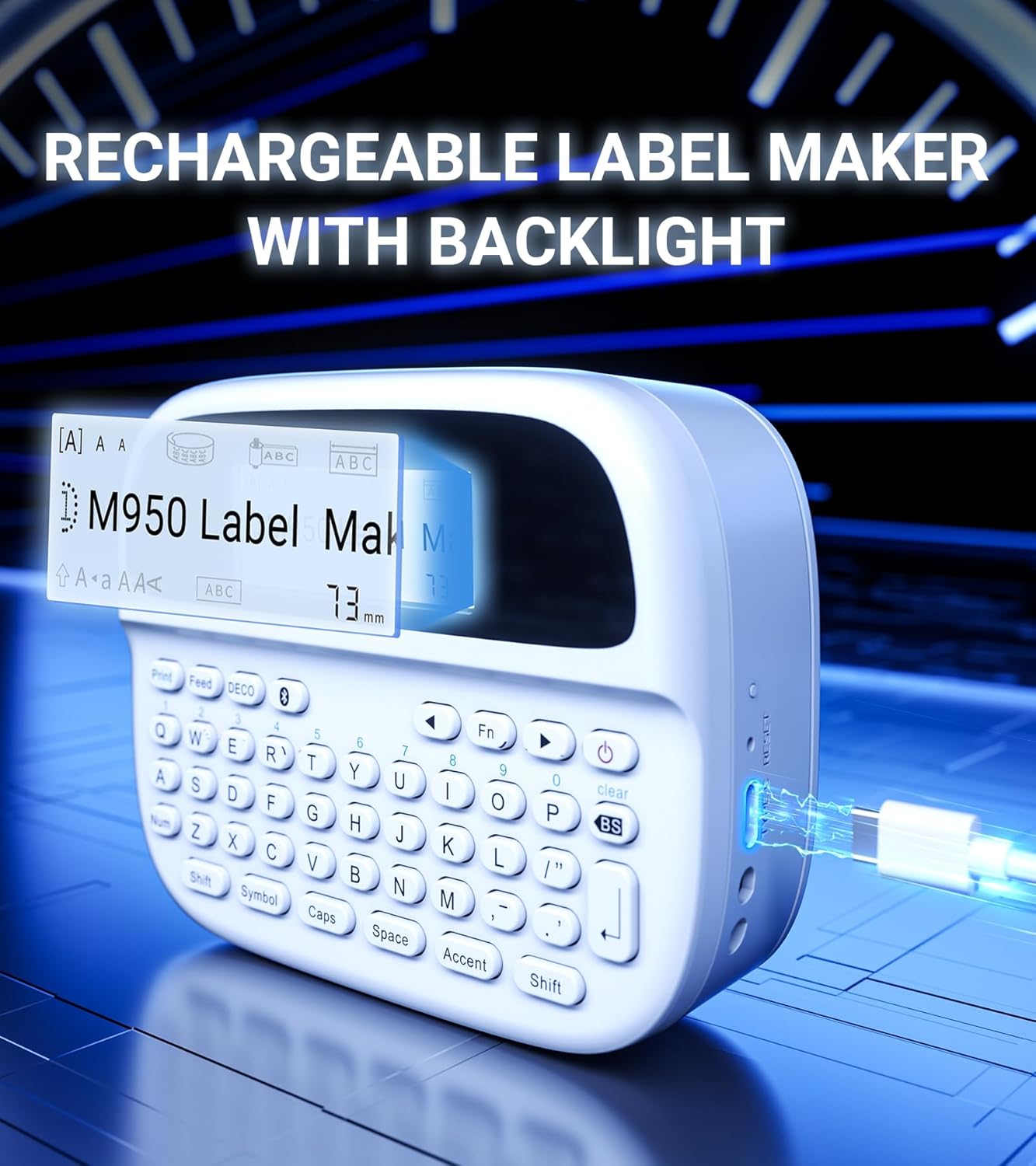
Figure 4.1: Charging the EazeID M950 Label Maker.
4.2 Instalace štítkové pásky
To install or replace the label tape cassette:
- Ensure the label maker is powered off.
- Locate the tape compartment cover on the top of the device. Gently open the cover.
- Insert the label tape cassette into the compartment, ensuring it clicks into place. The tape should feed smoothly out of the slot.
- Close the tape compartment cover securely.

Obrázek 4.2: Vnitřní view of the M950 label maker showing tape cassette placement.
5. Návod k obsluze
5.1 Zapnutí/vypnutí
- Zapnutí: Stiskněte a podržte tlačítko Moc button (usually marked with a power symbol) until the LCD screen illuminates.
- Vypnutí: Stiskněte a podržte tlačítko Moc tlačítko znovu, dokud se obrazovka nevypne.
5.2 Direct Printing via QWERTY Keyboard
The M950 features an ergonomic QWERTY keyboard for direct label creation.
- Zapnutí: Turn on the label maker.
- Vstupní text: Use the QWERTY keyboard to type your desired label text. The text will appear on the backlit LCD screen.
- Formatting Options: Use the function keys (e.g., Fn, Symbol, Čepice, Přízvuk) to access various fonts, sizes, symbols, and other formatting options.
- Vytisknout: Stiskněte tlačítko Vytisknout tlačítko pro vygenerování štítku.
- Střih: Use the built-in cutter to cleanly separate the printed label from the tape roll.

Figure 5.1: Using the QWERTY keyboard for direct label printing.
5.3 Bluetooth App Printing (Print Master App)
For advanced features and customization, connect your M950 to the 'Print Master' app via Bluetooth.
- Stáhnout aplikaci: Download the 'Print Master' app from your device's app store (available on Android and iOS).
- Power On & Bluetooth: Turn on the label maker and ensure Bluetooth is enabled on both the label maker and your smartphone.
- Připojit: Open the 'Print Master' app. The app will search for nearby EazeID label makers. Select 'EazeID M950' from the list to connect.
- Štítek designu: Use the app's interface to create your label. The app offers a vast library of customizable templates, over 1000 patterns, 100+ frames, 100+ fonts, barcodes, and QR codes.
- Vytisknout: Once your label is designed, tap the 'Print' icon in the app.
- Střih: Use the built-in cutter on the label maker to separate the printed label.

Figure 5.2: The EazeID M950 supports both keyboard and Bluetooth app printing modes.

Figure 5.3: Connecting to the 'Print Master' app via Bluetooth.
6. Údržba
6.1 Čištění zařízení
To ensure optimal performance and longevity of your label maker:
- Před čištěním zařízení vypněte.
- K otření vnější strany štítkovače použijte měkký, suchý hadřík.
- Tiskovou hlavu jemně otřete vatovým tamponem, lehceampošetřeno isopropylalkoholem. Před použitím nechte zcela vyschnout.
- Nepoužívejte abrazivní čisticí prostředky nebo rozpouštědla.
6.2 Péče o baterii
Chcete-li maximalizovat životnost baterie:
- Vyhněte se častému úplnému vybíjení baterie.
- Zařízení pravidelně nabíjejte, i když jej nepoužíváte neustále.
- Pokud zařízení delší dobu nepoužíváte, skladujte jej na chladném a suchém místě.
7. Řešení problémů
If you encounter issues with your EazeID M950 Label Maker, refer to the following common problems and solutions:
| Problém | Možná příčina | Řešení |
|---|---|---|
| Zařízení se nezapne | Slabá baterie; Porucha zařízení | Nabíjejte zařízení alespoň 30 minut. Pokud stále nereaguje, kontaktujte podporu. |
| Žádný tisk nebo slabý tisk | Tape installed incorrectly; Print head dirty; Low battery | Reinstall tape cassette. Clean the print head. Charge the device. |
| Připojení Bluetooth se nezdařilo | Bluetooth off; App not updated; Device too far | Ensure Bluetooth is enabled on both devices. Update 'Print Master' app. Move label maker closer to smartphone. Restart both devices. |
| Labels are difficult to peel | Specific label tape characteristic | Ensure you are using genuine EazeID label tape. Try bending the label backing slightly to separate. |
8. Specifikace
Technical specifications for the EazeID M950 Label Maker:
- Název modelu: EazeID M950 Label Maker
- Technologie tisku: Tepelný
- Rozlišení tisku: 203 DPI
- Konektivita: Bluetooth, USB typu C
- Maximální velikost média: 12 mm (0.47 palců)
- Baterie: 1200mAh lithium-iontová (dobíjecí, součástí balení)
- Způsob ovládání: App (Print Master), QWERTY Keyboard
- Speciální vlastnosti: Backlit LCD Screen, Built-in Cutter, Portable
- Rozměry produktu: Přibližně 1 x 1 x 1 palce
- Hmotnost položky: 1.06 libry
- Zahrnuté komponenty: Label maker, tape, USB-C cable, user manual

Figure 8.1: EazeID M950 Label Maker dimensions and key features.
9. Záruka a podpora
The EazeID M950 Label Maker comes with a limited warranty. For specific warranty terms and conditions, please refer to the warranty card included in your product packaging or visit the official EazeID webmísto.
For technical support, troubleshooting assistance, or inquiries about replacement parts and accessories, please contact EazeID customer service through the contact information provided on the official webweb nebo vaše nákupní platforma.