
CENAVA W10N
Uživatelská příručka k odolnému tabletu CENAVA W10N
Model: W10N | Brand: CENAVA
Your guide to setting up, operating, and maintaining your rugged tablet.
1. Úvod
The CENAVA Rugged Tablet W10N is a robust and high-performance device designed for demanding environments. Featuring Windows 11 Pro, an Intel N5100 processor, 8GB RAM, and 128GB storage, it offers powerful computing capabilities. Its IP68 waterproof and MIL-STD-810H certified rugged design ensures durability in harsh conditions, while the sunlight-readable display makes it ideal for outdoor use. This manual provides essential information to help you get the most out of your tablet.

Figure 1: CENAVA Rugged Tablet W10N with Windows 11 Pro interface and stylus.
2. Co je v krabici
Ověřte, zda jsou v balení přítomny všechny položky:
- 1 x Rugged Tablet W10N
- 1 x AC Power Charger
- 1x madlo na přenášení
- 1 x Stylus
- 1 x Four-point Strap & 4 x Screws
3. Vlastnosti produktu
3.1 Výkon
The W10N tablet is equipped with an Intel Jasper Lake N5100 CPU a Windows 11 Pro, offering significantly improved performance. With 8GB RAM and 128GB storage, it handles memory-intensive applications efficiently, enhancing overall operating speed and user experience.

Figure 2: Performance comparison highlighting the Intel Jasper Lake N5100 CPU.

Figure 3: The tablet runs Windows 11 Pro, supporting a wide range of applications.
3.2 Trvanlivost a ochrana
Built for resilience, the CENAVA Rugged Tablet is Certifikace MIL-STD-810H, capable of withstanding drops from up to 4 feet. It also boasts an Stupeň krytí IP68 pro odolnost proti vodě a prachu, making it suitable for use in construction sites, warehouses, or other harsh outdoor environments.

Figure 4: The tablet's robust design with IP68 and MIL-STD-810H certifications.
Video 1: Demonstration of the CENAVA Rugged Tablet's IP68 waterproof and drop resistance capabilities.
3.3 Displej
The 10.1-palcový IPS displej features a resolution of 1920x1200 pixelů and a brightness of up to 700 cd/m². This high brightness, combined with a sunlight visibility film, ensures content is readable even under intense sunlight, reducing eye strain during outdoor operations.
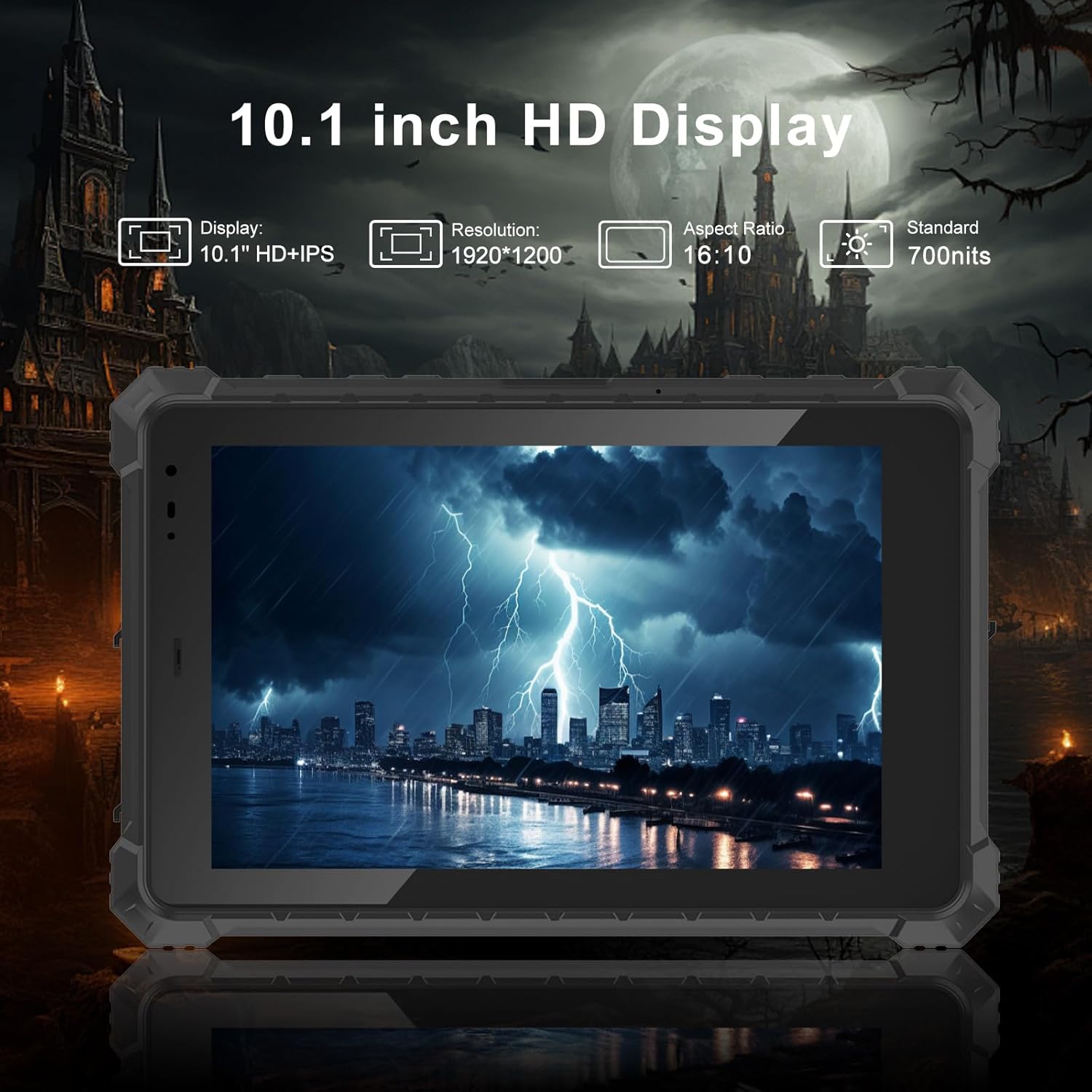
Figure 5: The tablet's 10.1-inch HD display is designed for clarity and outdoor visibility.
3.4 Životnost baterie
Vestavěný 5550mAh vysokokapacitní baterie provides up to 7 hours of uninterrupted usage, meeting the demands for extended battery life during long work shifts.

Figure 6: High-capacity battery for extended operational hours.
3.5 Konektivita
The tablet supports high-speed 4G LTE with a SIM card slot compatible with major mobile carriers (Verizon, AT&T, T-Mobile), ensuring stable signal connections. It also features dual-band 2.4GHz and 5.8GHz Wi-Fi 6 technology for faster and more reliable network access, and Bluetooth 5.2 for wireless peripheral connections.

Figure 7: Comprehensive connectivity options including 4G LTE and Wi-Fi 6.
For navigation, the tablet includes built-in GPS, Beidou, Galileo, and GLONASS, providing accurate positioning and navigation capabilities.

Figure 8: Integrated GPS for reliable navigation and traffic monitoring.
3.6 Rozhraní
The tablet offers a variety of rich interfaces for versatile connectivity:
- 1 x port typu C
- 1 x Type-A USB 3.0 port
- 1x port RS232
- 1 x 3.5mm Standard headphone jack
- 1 x Standard Micro SIM card slot
- 1 x Micro HDMI port
- 1 x 12V-4A DC plug (outer diameter 3.5mm, inner diameter 1.35mm)
- 1 x 12Pin USB+charger port

Figure 9: Multiple interfaces for connecting various devices and peripherals.
4. Průvodce nastavením
4.1 Počáteční zapnutí
- Ensure the tablet is charged or connected to the AC power charger.
- Stiskněte a podržte tlačítko napájení na boku tabletu, dokud se obrazovka nerozsvítí.
- Follow the on-screen prompts to complete the initial Windows 11 Pro setup, including language, region, network connection, and user account creation.
4.2 Vložení SIM/TF karty
To utilize 4G LTE connectivity or expand storage:
- Locate the sealed port cover on the side of the tablet (refer to Figure 9).
- Carefully open the cover to reveal the Micro SIM card slot and TF card slot.
- Insert your Micro SIM card and/or TF card into the respective slots, ensuring correct orientation.
- Securely close the port cover to maintain the IP68 waterproof rating.
5. Návod k obsluze
5.1 Základní navigace
The tablet operates on Windows 11 Pro, providing a familiar desktop experience. Use the touch screen for navigation, tapping to select items, swiping to scroll, and pinching to zoom.
Video 2: Konecview of the tablet's features, including touch screen operation and port accessibility.
5.2 On-Screen Keyboard Settings
To enable or adjust the on-screen keyboard for touch input:
- Přejít na Nastavení systému.
- Klikněte na "Personalization".
- Scroll down and click on "Taskbar".
- Under "System tray icons" or "Taskbar items", find "Touch keyboard".
- Vyberte "Always" option to the right of the Touch Keyboard to ensure it's always available.
Video 3: Guide on how to configure the on-screen keyboard settings in Windows 11 Pro.
6. Údržba a péče
To ensure the longevity and optimal performance of your CENAVA Rugged Tablet, follow these maintenance guidelines:
- Čištění: Použijte měkký, damp cloth to clean the screen and body. Avoid harsh chemicals or abrasive materials.
- Ochrana portů: Always ensure all port covers are securely closed when not in use, especially in dusty or wet environments, to maintain the IP68 rating.
- Teplota: Operate and store the tablet within the recommended temperature ranges to prevent damage to internal components.
- Péče o baterie: Pro optimální výdrž baterie se vyvarujte častého úplného vybíjení baterie. Tablet pravidelně nabíjejte.
7. Řešení problémů
Zde jsou některé běžné problémy a jejich možná řešení:
| Problém | Možná příčina | Řešení |
|---|---|---|
| Tablet se nezapne. | Slabá baterie; tlačítko napájení nebylo stisknuto dostatečně dlouho. | Connect to charger and allow to charge for at least 30 minutes. Press and hold power button for 5-10 seconds. |
| Dotyková obrazovka nereaguje. | Softwarová závada; rušení ochranné fólie na displej. | Restart the tablet. Ensure screen protector is properly applied or remove it for testing. |
| Žádné připojení Wi-Fi. | Wi-Fi disabled; out of range; router issue. | Check Wi-Fi settings to ensure it's enabled. Move closer to the Wi-Fi router. Restart router. |
| 4G LTE not working. | SIM card not inserted correctly; no signal; carrier issue. | Reinsert SIM card. Check for network signal. Contact your mobile carrier. |
8. Specifikace
| Funkce | Detail |
|---|---|
| Značka | CENAVA |
| Model | W10N |
| Operační systém | Windows 11 Professional |
| Velikost obrazovky | 10.1 palce |
| Rozlišení obrazovky | 1920 x 1200 pixelů (IPS) |
| Jas | Až 700 cd/m² |
| Procesor | Intel Jasper Lake N5100 (1.1 GHz) |
| BERAN | 8 GB |
| Skladování | 128GB Flash Memory (expandable via TF card) |
| Kapacita baterie | 5550mAh (7.6V) |
| Průměrná životnost baterie | 8 hodiny (v závislosti na využití) |
| Bezdrátový typ | 802.11n, 802.11a, 802.11g, 802.11ac (Wi-Fi 6), Bluetooth 5.2 |
| Mobilní připojení | 4G LTE (compatible with Verizon, AT&T, T-Mobile) |
| GPS | Built-in GPS, Beidou, Galileo, GLONASS |
| Porty | Type-C*1, Type-A USB3.0*1, RS232*1, 3.5mm Headphone Jack*1, Micro SIM Slot*1, Micro HDMI*1, DC Plug*1, 12Pin USB+charger*1 |
| Trvanlivost | IP68 Waterproof, MIL-STD-810H Certified (4-foot drop resistance) |
| Hmotnost položky | 4.1 libry |
| Rozměry produktu | 14.7 x 8.5 x 2.4 palce |
9. Quality Assurance and Certifications
CENAVA is committed to delivering high-quality, durable products. Our manufacturing process adheres to strict quality control standards, including over 120 rigorous tests such as Key Life Test, Screen Touch Test, Plug Life Test, Salt Spray Test, Roller Test, Drop Test, Paper Tape Abrasion Test, Boiling Test, Vibration Test, Ball Impact Test, and Electrostatic Discharge Test.
Video 4: Overview of CENAVA's manufacturing process and rigorous quality control testing for rugged tablets.
Our products have obtained numerous domestic and international authoritative certifications, including CCC, CE, RoHS Environmental Protection Certification, FCC Certification, and MIL-STD-810H Standard Reports, as well as ISO management system certifications.
10. Záruka a podpora
For detailed warranty information and technical support, please refer to the official CENAVA webnebo se obraťte přímo na jejich zákaznický servis. Uschovejte si účtenku jako doklad o koupi pro případné reklamace.
Pro další pomoc můžete navštívit CENAVA Store on Amazon.
Ask a question about this manual
Ask about setup, troubleshooting, compatibility, parts, safety, or missing instructions. Manuals+ will review the question and use this page’s manual context to help answer it.