
Cello C2224SH
Uživatelská příručka k televizoru Cello C2224SH s úhlopříčkou 22 palců a Full HD bezrámečkovým displejem
Model: C2224SH | Brand: Cello
Zavedení
Welcome to the user manual for your new Cello C2224SH 22 inch Full HD Frameless TV. This television is designed to provide a crisp and clear viewing experience with its 1080p Full HD resolution. It features built-in Freeview HD DVB-T2 and satellite tuners, along with Cello's patented Pitch Perfect Speakers for immersive sound. This manual will guide you through the setup, operation, and maintenance of your television to ensure optimal performance and enjoyment.

The Cello C2224SH 22 inch Full HD Frameless TV, showcasing its sleek design and 22-inch screen.
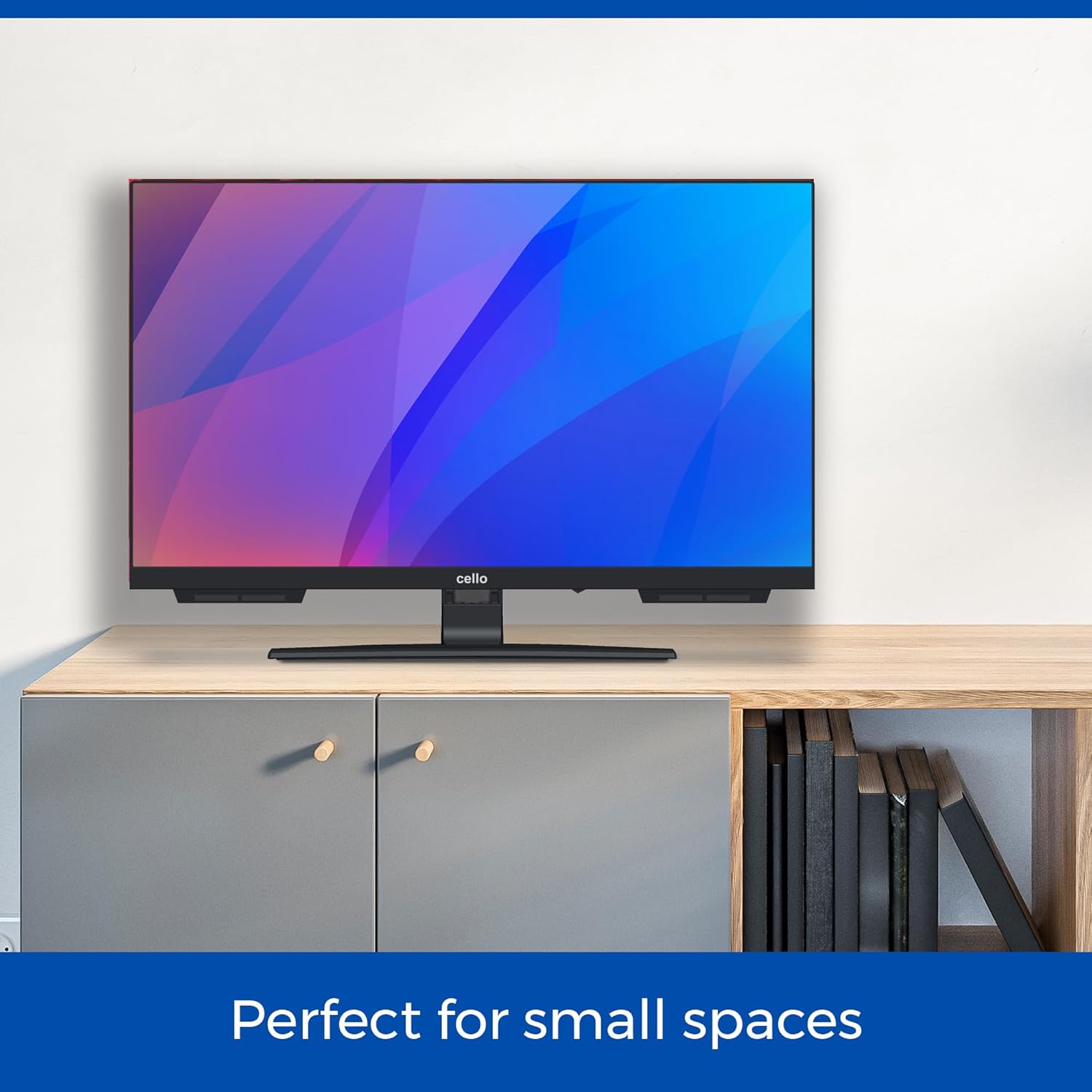
The Cello C2224SH TV is perfectly sized for smaller environments such as kitchens or bedrooms.
Nastavení
Rozbalení a počáteční umístění
Carefully remove the TV from its packaging. Ensure you have all included components: the TV unit, power cable, and remote control. Place the TV on a stable, flat surface or mount it securely to a wall using a compatible VESA mount (not included).
Connecting Power and Antenna/Satellite
- Připojte dodaný napájecí kabel k napájecímu vstupu televizoru a poté do zásuvky ve zdi.
- Zdarmaview HD, connect your terrestrial antenna cable to the RF input on the TV.
- For satellite channels, connect your satellite dish cable to the DVB-S2 input on the TV.
Připojení externích zařízení
The Cello C2224SH TV offers various connectivity options:
- HDMI porty: Connect devices such as Blu-ray players, gaming consoles, or streaming sticks using an HDMI cable. The TV has 1 HDMI port.
- USB porty: Connect USB storage devices for media playback or to record Freeview programs. The TV has 2 USB ports.
- Optický port: For high-quality audio output to a soundbar or home theatre system.

Illustration of the TV's USB and HDMI connectivity options for various external devices.
Průvodce prvním nastavením
Po prvním zapnutí vás televizor provede průvodcem počátečním nastavením. Postupujte podle pokynů na obrazovce:
- Vyberte svůj jazyk.
- Scan for available Freeview (DVB-T2) and/or Satellite (DVB-S2) channels.
- Set up network connections if applicable (though this model is not a Smart TV, some features might require a network connection via an external device).
Provozní
Základní funkce
- Zapnutí/vypnutí: Stiskněte tlačítko napájení na dálkovém ovladači nebo na televizoru.
- Výběr kanálu: Use the number buttons or CH+/- on the remote to change channels.
- Ovládání hlasitosti: Use VOL+/- on the remote to adjust the volume.
- Vstupní zdroj: Press the SOURCE button on the remote to switch between HDMI, USB, DVB-T2, and DVB-S2 inputs.
Uvolnitview HD and Satellite TV
Your Cello TV includes built-in tuners for Freeview HD (DVB-T2) and Satellite (DVB-S2), providing access to a wide range of digital channels without the need for an external set-top box. After the initial channel scan, you can browse channels using the Electronic Program Guide (EPG).

The TV's integrated tuners allow access to numerous channels, reducing clutter from external devices.
USB Recording and Media Playback
Connect a USB storage device (e.g., a USB flash drive or external hard drive) to one of the TV's USB ports to:
- Record Live TV: Use the PVR (Personal Video Recorder) function to record Freeview programs directly to your USB device. Consult the on-screen menu for recording options.
- Přehrát média Files: View photos, play music, or watch videos stored on your USB device. Access the media player through the TV's menu.
Pitch Perfect Sound
The Cello C2224SH features a patented Pitch Perfect Sound design, which incorporates a speaker enclosure positioned below the TV. This innovative design enhances bass, clarifies mid-range frequencies, and refines high notes, delivering a more immersive audio experience.

Detail of the Pitch Perfect Sound speaker system, designed for enhanced audio quality.
Údržba
Čištění vašeho televizoru
- Před čištěním vždy odpojte televizor od elektrické zásuvky.
- K jemnému otření obrazovky a skříně použijte měkký, suchý hadřík, který nepouští vlákna.
- Pro odolné skvrny na obrazovce lehceamphadřík vodou nebo specializovaným čističem obrazovek. Nikdy nestříkejte čistič přímo na obrazovku.
- Nepoužívejte abrazivní čisticí prostředky, vosky ani rozpouštědla, protože by mohly poškodit povrchovou úpravu televizoru.
Obecná péče
- Neblokujte větrací otvory na televizoru.
- Uchovávejte televizor mimo dosah přímého slunečního záření, zdrojů tepla a nadměrného prachu.
- Chraňte napájecí kabel před pošlapáním nebo přiskřípnutím.
- If the TV will not be used for an extended period, unplug it from the wall outlet.
Odstraňování problémů
If you encounter issues with your Cello TV, please refer to the following common problems and solutions:
| Problém | Možná příčina | Řešení |
|---|---|---|
| Žádná síla | Napájecí kabel není připojen; Zásuvka ve zdi není aktivní. | Ujistěte se, že je napájecí kabel bezpečně připojen. Vyzkoušejte zásuvku s jiným zařízením. |
| Žádný obraz / Černá obrazovka | Incorrect input source selected; Loose antenna/HDMI cable. | Press SOURCE button to select correct input. Check all cable connections. |
| Žádný zvuk | Volume too low or muted; External audio device issues. | Increase volume, check mute status. If using external speakers, check their connections and power. |
| Špatná kvalita obrazu | Slabý signál; Nesprávné nastavení obrazu. | Check antenna/satellite signal strength. Adjust picture settings (brightness, contrast, sharpness) in the TV menu. |
| Dálkové ovládání nefunguje | Vybité baterie; Překážka mezi dálkovým ovladačem a televizorem. | Replace batteries (2 AAA batteries required). Ensure no objects block the remote's signal path to the TV's IR receiver. |
Pokud problém přetrvává i po vyzkoušení těchto řešení, kontaktujte zákaznickou podporu Cello.
Specifikace
Below are the technical specifications for the Cello C2224SH 22 inch Full HD Frameless TV:
| Funkce | Detail |
|---|---|
| Číslo modelu | C2224SH |
| Velikost obrazovky | 22 palce (56 cm) |
| Rezoluce | 1080p Full HD (1920 x 1080) |
| Technologie displeje | LED |
| Obnovovací frekvence | 60 Hz |
| Konektivita | 1x HDMI, 2x USB, 1x Optical, 1x RF (Antenna), 1x DVB-S2 (Satellite) |
| Speciální funkce | Built-In Speaker (Pitch Perfect Sound), Bezel-Less Design, USB Recording (DVR) |
| Rozměry produktu (D x Š x V) | 16 D x 49 W x 34 V centimetrů |
| Hmotnost | 2.6 kg |
| Třída energetické účinnosti | E |
| Zahrnuté komponenty | Power Cable, Remote Control (requires 2 AAA batteries, included) |

Detailed product dimensions for the Cello C2224SH TV.
Záruka a podpora
Informace o záruce
Your Cello C2224SH TV comes with a manufacturer's warranty. Please refer to the warranty card included in your product packaging for specific terms and conditions, including the warranty period and coverage details. Keep your proof of purchase for warranty claims.
Zákaznická podpora
For any technical assistance, troubleshooting not covered in this manual, or warranty inquiries, Cello's dedicated customer care team is available to help. Please have your model number (C2224SH) and purchase details ready when contacting support.
- Telefon: 0333-433-0312
- E-mail: consumersupport@celloelectronics.com

Cello provides round-the-clock post-purchase support for all customer inquiries.
Ask a question about this manual
Ask about setup, troubleshooting, compatibility, parts, safety, or missing instructions. Manuals+ will review the question and use this page’s manual context to help answer it.