
Zavedení
This manual provides essential information for the safe and efficient operation of your DOOGEE T30E 11 inch Tablet. Please read this manual thoroughly before using the device to ensure proper functionality and to understand all features.

Obrázek: Přední a zadní strana view of the DOOGEE T30E 11 inch Tablet, showcasinjeho elegantní design a modul fotoaparátu.
Nastavení
1. Obsah balení
Ověřte, zda jsou v balení přítomny všechny položky:
- DOOGEE T30E Tablet
- Nabíjecí adaptér
- USB kabel
- Nástroj pro vysunutí SIM karty
- Rychlý průvodce
2. Instalace SIM karty a TF karty
The DOOGEE T30E supports dual SIM cards or one SIM card and one TF card for expandable storage.
- Vyhledejte držák SIM karty na boku tabletu.
- Vložte nástroj pro vysunutí SIM karty do malého otvoru vedle zásobníku a jemně zatlačte, dokud zásobník nevyskočí.
- Vložte kartu (karty) Nano-SIM a/nebo kartu TF do určených slotů v držáku. Ujistěte se, že zlaté kontakty směřují dolů.
- Opatrně zasuňte zásobník zpět do tabletu, dokud nezacvakne na místo.

Image: Illustration of inserting SIM cards into the DOOGEE T30E tablet's tray, highlighting 4G network support.
3. První zapnutí a nabíjení
Before first use, it is recommended to fully charge the tablet. Connect the USB cable to the tablet's charging port and the adapter to a power outlet.
- Stiskněte a podržte tlačítko napájení, dokud se nezobrazí logo DOOGEE.
- Postupujte podle pokynů na obrazovce a dokončete počáteční nastavení, včetně výběru jazyka, připojení k Wi-Fi a přihlášení k účtu Google.
Návod k obsluze
1. Zobrazení a vizuální zážitek
The DOOGEE T30E features an 11-inch IPS full-color HD display, offering vibrant visuals and a comfortable touch experience. It supports Widevine L1 for high-quality streaming of copyrighted content.

Image: Comparison illustrating the larger screen size of the 11-inch DOOGEE T30E tablet versus a standard 10-inch tablet.

Image: Display showing Widevine L1 support, indicating compatibility with major streaming platforms like Amazon Prime Video, YouTube, Disney, and Hulu for high-definition content.
2. Operační systém Android 14
The tablet runs on Android 14, providing enhanced security, stability, and a rich user experience with features like:
- Paralelní View: Optimizes landscape experience for certain applications.
- Hlavní panel: Provides convenient multitasking capabilities.
- Soukromí a zabezpečení: Advanced controls for managing permissions and protecting user data.

Image: Screenshot of the Android 14 interface on the DOOGEE T30E, highlighting new features such as Parallel View, Taskbar, and enhanced Privacy & Security settings.
3. Výkon a úložiště
Equipped with an octa-core processor, 9GB RAM (4GB physical + 5GB expansion), and 128GB ROM, the T30E delivers responsive performance. Storage can be expanded up to 1TB via a TF card.

Image: Diagram detailing the tablet's powerful and efficient performance components, including the Octa-Core processor, LPDDR4X RAM, ARM Cortex cores, Mali-G57 GPU, and eMMC 5.1 storage.

Image: Visual representation of the tablet's memory and storage, showing 9GB (4+5) RAM and 128GB ROM with 1TB TF expansion capability.
4. Konektivita
Stay connected with versatile network options:
- 4G LTE: Provides cellular data connectivity for on-the-go internet access.
- Wi-Fi: Supports 2.4GHz and 5GHz bands for fast and stable wireless internet.
- Bluetooth 5.0: Pro připojení bezdrátového příslušenství, jako jsou sluchátka a klávesnice.

Image: The tablet displaying its high-quality dual speakers and icons for 4G Dual SIM, 2.4/5G WiFi, and Bluetooth 5.0, indicating ultra-fast connection capabilities.
5. Funkce fotoaparátu
Capture moments and engage in video calls with the integrated cameras:
- Hlavní fotoaparát: 13MP for clear photos and videos.
- Přední kamera: 5MP, ideal for video conferencing and selfies.
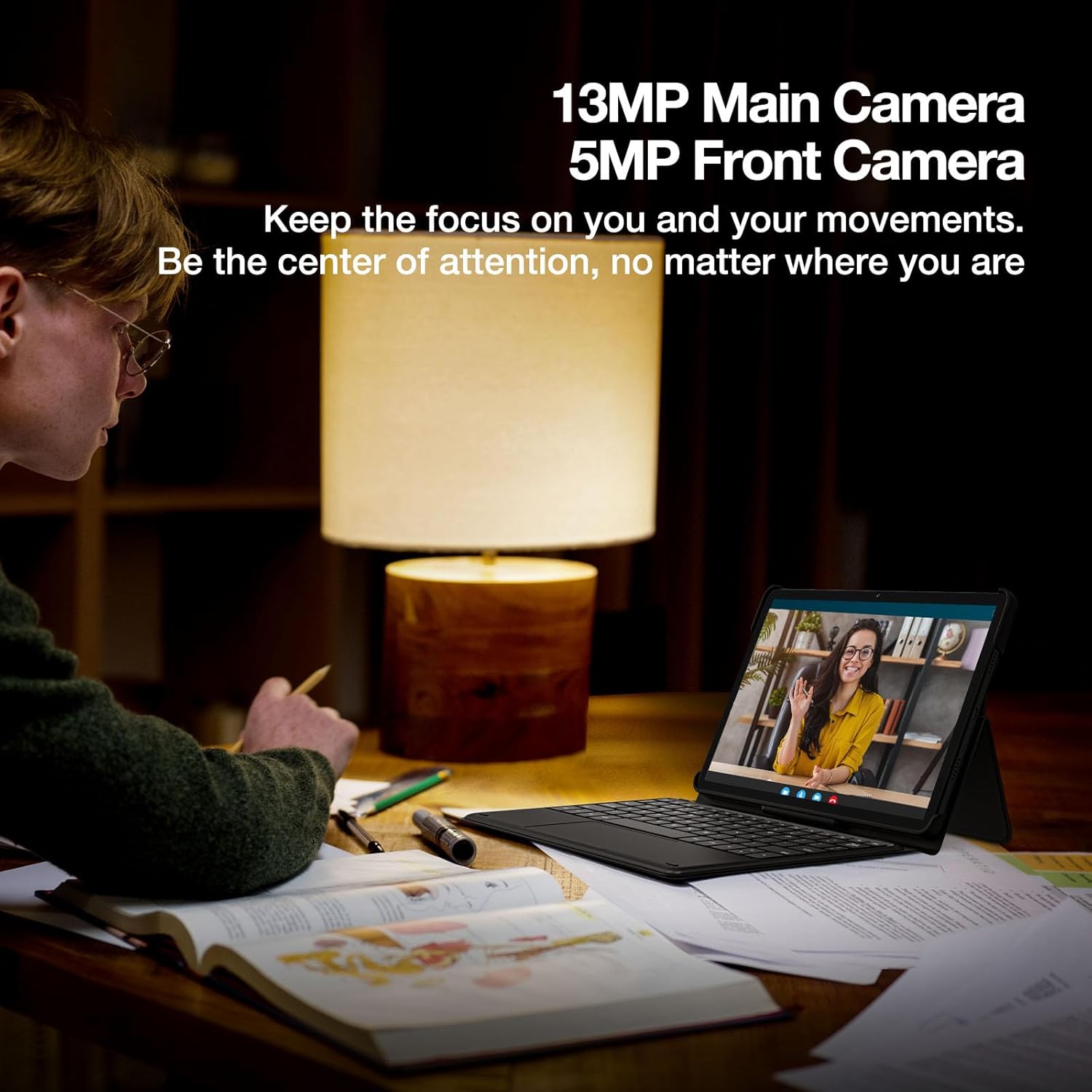
Image: A person engaged in a video call using the DOOGEE T30E tablet, emphasizing the 13MP main camera and 5MP front camera for clear communication.
6. Audio
Experience immersive sound with high-quality dual speakers and the convenience of a 3.5mm headphone jack.
7. Správa baterií
The 8000mAh high-capacity battery provides extended usage times. The tablet supports 5V/2A 10W fast charging.
- Až 671 hodin v pohotovostním režimu.
- Až 17 hodin přehrávání hudby.
- Až 11 hodin přehrávání videa.
- Až 9 hodin hraní.
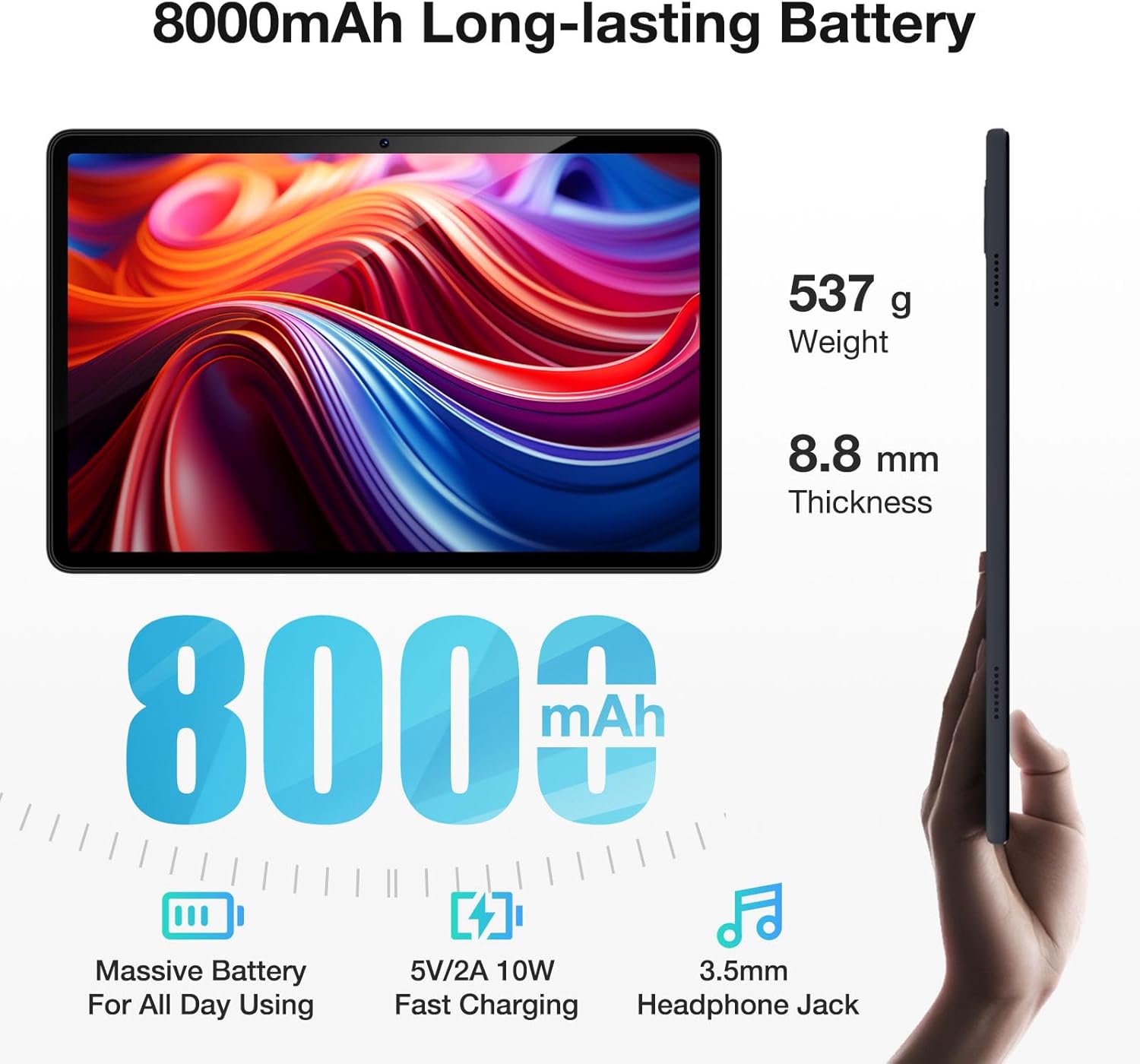
Image: The DOOGEE T30E tablet shown with its dimensions (8.8mm thickness, 537g weight) and key battery features, including 8000mAh capacity, 5V/2A 10W fast charging, and a 3.5mm headphone jack.

Image: Graphic illustrating the long-lasting 8000mAh battery, with estimated usage times for standby (671H), music (17H), video (11H), and gaming (9H).
8. Navigace
The tablet supports 5 satellite navigation systems for accurate positioning: GPS, Beidou, GLONASS, Galileo, and AGPS.

Image: The DOOGEE T30E tablet mounted in a car, displaying a navigation map, demonstrating its 5-satellite navigation capabilities for accurate positioning.
9. Identifikace obličeje
Unlock your tablet securely and conveniently using Face ID recognition.

Image: A user unlocking the DOOGEE T30E tablet using its Face ID feature, with a visual representation of facial recognition technology.
10. Bezdrátová projekce
Easily connect your tablet to digital TVs, electronic blackboards, or projectors for a larger viewzkušenosti.

Image: A meeting room setup where the DOOGEE T30E tablet is wirelessly projecting its content to a large display, demonstrating its utility for meetings, movies, and games.
11. Multitasking
Utilize the split-screen mode for enhanced productivity, allowing you to run two applications side-by-side.

Image: The DOOGEE T30E tablet displaying two applications simultaneously in split-screen mode, illustrating its multitasking capability.
Údržba
1. Čištění
- K čištění obrazovky a těla tabletu použijte měkký hadřík, který nepouští vlákna.
- Vyhněte se používání agresivních chemikálií, abrazivních čisticích prostředků nebo aerosolových sprejů.
- Na odolné šmouhy lehce otřeteampOtřete hadřík vodou nebo čističem obrazovek speciálně určeným pro elektroniku.
2. Aktualizace softwaru
Regularly check for and install software updates to ensure optimal performance, security, and access to new features. You can usually find this option in the tablet's Settings menu under "System" or "About tablet".
3. Péče o baterie
- Nevystavujte tablet extrémním teplotám (velmi vysokým nebo velmi nízkým).
- Nenechávejte baterii často úplně vybít.
- Pro dlouhodobé skladování nabijte baterii přibližně na 50 % a zařízení skladujte na chladném a suchém místě.
Odstraňování problémů
If you encounter issues with your DOOGEE T30E tablet, refer to the following common solutions:
- Tablet se nezapíná: Ujistěte se, že je baterie nabitá. Připojte nabíječku a před opětovným zapnutím počkejte několik minut.
- Obrazovka nereaguje: Try restarting the tablet by holding the power button for an extended period (e.g., 10-15 seconds).
- Problémy s připojením k Wi-Fi:
- Restartujte Wi-Fi router.
- Zapomeňte na síť v tabletu a znovu se připojte.
- Ujistěte se, že jste v dosahu signálu Wi-Fi.
- Aplikace padá nebo zamrzá:
- Zavřete a znovu otevřete aplikaci.
- Vymažte mezipaměť a data aplikace v Nastavení > Aplikace.
- Ujistěte se, že je aplikace aktualizována na nejnovější verzi.
- Pomalý výkon:
- Zavřete nepotřebné aplikace na pozadí.
- Vymažte mezipaměť a dočasně files.
- Consider performing a factory reset as a last resort (Poznámka: This will erase all data on the tablet, so back up important information first).
V případě složitějších problémů se prosím obraťte na zákaznickou podporu.
Specifikace
Detailed technical specifications for the DOOGEE T30E tablet:
| Funkce | Specifikace |
|---|---|
| Velikost zobrazení na stojící obrazovce | 11 palce |
| Rozlišení obrazovky | 1280 x 800 pixelů |
| Maximální rozlišení obrazovky | 1280*800 pixelů |
| Operační systém | Android 14 |
| Procesor | MediaTek Octa-Core |
| Typ paměti počítače | DDR3 SDRAM |
| Kapacita paměti | 128 GB (rozšiřitelné až na 1 TB pomocí TF karty) |
| BERAN | 9 GB (4GB + 5GB RAM expansion) |
| Bezdrátový typ | 802.11ac, 802.11ax, 802.11g, 802.11n (2.4/5GHz WiFi) |
| Mobilní připojení | 4G LTE (Dual SIM support) |
| Bluetooth | Bluetooth 5.0 |
| Baterie | 8000mAh Lithium Ion (5V/2A 10W Fast Charging) |
| Průměrná životnost baterie | Až 2 dní (v závislosti na používání) |
| Hmotnost položky | 1.96 libry (cca 537 g) |
| Rozměry produktu | 10 x 7 x 0.4 palce (přibližně 254 x 178 x 10.2 mm) |
| Barva | Černý |
| Název modelu | T30E |
Záruka a podpora
DOOGEE provides comprehensive support for your T30E tablet:
- 30denní záruka vrácení peněz: If you are not satisfied with your purchase, you may be eligible for a refund or return within 30 days.
- 2letá omezená záruka: The tablet is covered by a 2-year limited warranty against manufacturing defects.
- Nepřetržitá online podpora: Access to online support for any technical assistance or inquiries.

Image: Summary of after-sales support, including a 30-day money-back guarantee, 2-year limited warranty, and 24/7 online support.
Pro další pomoc navštivte oficiální podporu DOOGEE. webnebo kontaktujte jejich zákaznický servis.