
1. Konec produktuview
The ZTE U50 is a portable 5G WiFi hotspot designed to provide high-speed internet connectivity for multiple devices. It features an unlocked SIM slot, supporting 5G and 4G+ networks, and utilizes AX1800 WiFi 6 technology. This device is suitable for home, business, and travel use, allowing up to 32 devices to connect simultaneously.

Image: ZTE U50 5G WiFi Hotspot shown from various perspectives, highlighting its compact design and ports.
2. Klíčové vlastnosti
- Vysokorychlostní 5G připojení: Equipped with Qualcomm Snapdragon X55, supporting all 5G networks for fast internet access. LTE downlink speed reaches 5G+ EN-DC 2.63 Gbit/s.
- Rozsáhlá podpora zařízení: Connects up to 32 WiFi-enabled devices, including laptops, tablets, phones, and gaming consoles.
- Dlouhá výdrž baterie: Features a 4500 mAh battery, providing approximately 8 hours of stable 5G network service with high speed and low latency.
- Enhanced Signal & Security: Integrated 4x4 MIMO high-gain antennas improve speed by 15% compared to standard 5G hotspots. A security firewall with PP2P/L2TP protection ensures network safety.
- Snadné nastavení: No complex configuration required. Simply insert a 5G nano-SIM card. Manage the device using the ZTE Link app on iOS and Android.

Image: Visual summary of ZTE U50 features, including 5G speed, Qualcomm Snapdragon X55 processor, support for 32 devices, and secure network encryption.
3. Obsah balení
Ujistěte se, že v balení jsou přítomny všechny položky:
- ZTE U50 5G WiFi Hotspot Device
- Nabíjecí kabel USB-C
- Rychlý průvodce (tento návod)
- Záruční list
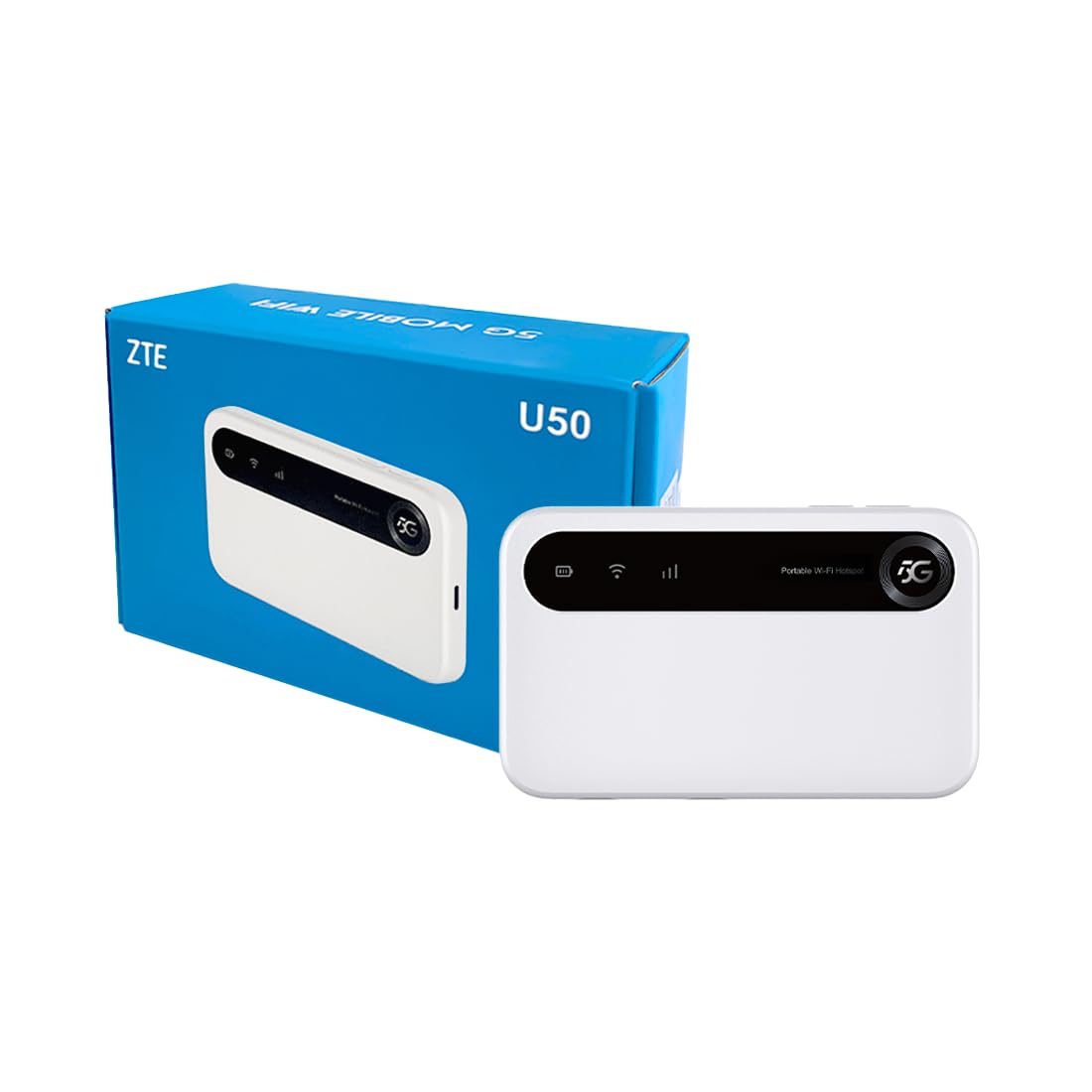
Image: The ZTE U50 device and its accompanying USB-C cable, representing the typical package contents.
4. Průvodce nastavením
4.1. Vložení SIM karty
- Locate the SIM card slot on the device. Refer to the device diagram in the Product Overview sekce.
- Opatrně otevřete kryt slotu pro SIM kartu.
- Insert a 5G nano-SIM card into the slot with the gold contacts facing down and the notched corner aligned correctly.
- Bezpečně zavřete kryt slotu pro SIM kartu.
4.2. Zapnutí zařízení
Press and hold the Power button for a few seconds until the screen illuminates. The device will begin to search for a network connection.
4.3. Připojení zařízení přes Wi-Fi
- Once the device is powered on and connected to a mobile network, the Wi-Fi network name (SSID) and password will be displayed on the device screen.
- On your Wi-Fi enabled device (laptop, smartphone, tablet), search for available Wi-Fi networks.
- Select the SSID corresponding to your ZTE U50 hotspot.
- Po zobrazení výzvy zadejte heslo Wi-Fi.
- Your device should now be connected to the internet through the ZTE U50 hotspot.

Image: Illustration showing the ZTE U50 hotspot wirelessly connecting to various devices like laptops, phones, and gaming consoles.
5. Návod k obsluze
5.1. Device Management via ZTE Link App
The ZTE Link app (available on iOS and Android) allows you to manage your U50 hotspot settings, monitor data usage, change Wi-Fi passwords, and more. Download the app from your device's app store and follow the on-screen instructions to connect to your U50.
5.2. Checking Device Status
The device's screen displays important information such as signal strength, battery level, connected devices, and data usage. Periodically check the screen for updates on your hotspot's status.
5.3. Správa baterií
The ZTE U50 is equipped with a 4500 mAh battery. To maximize battery life:
- Charge the device using the provided USB-C cable and a compatible power adapter.
- Reduce the number of connected devices if extended battery life is needed.
- Pokud zařízení nepoužíváte, vypněte jej.
6. Údržba
6.1. Aktualizace softwaru
Regularly check for and install software updates for your ZTE U50. Updates can improve performance, enhance security, and add new features. You can typically check for updates via the ZTE Link app or the device's web rozhraní pro správu.
6.2. Čištění zařízení
Use a soft, dry cloth to clean the exterior of the device. Avoid using liquid cleaners or abrasive materials, as these can damage the device.
6.3. Skladování
When storing the device for extended periods, ensure it is fully charged and then powered off. Store it in a cool, dry place away from direct sunlight and extreme temperatures.
7. Řešení problémů
| Problém | Možná příčina | Řešení |
|---|---|---|
| Žádné připojení k internetu | No SIM card, incorrect SIM, no network signal, data plan expired. | Ensure SIM is correctly inserted and active. Check for network signal. Verify data plan status with your provider. Restart the device. |
| Pomalá rychlost internetu | Slabý signál, příliš mnoho připojených zařízení, přetížení sítě. | Move to an area with better signal. Disconnect unnecessary devices. Contact your service provider if congestion is suspected. |
| Nelze se připojit k Wi-Fi | Incorrect Wi-Fi password, device out of range, Wi-Fi disabled. | Verify Wi-Fi password. Move closer to the hotspot. Ensure Wi-Fi is enabled on both the hotspot and your connecting device. |
| Zařízení se nezapíná | Low battery, faulty power button. | Nabíjejte zařízení alespoň 30 minut. Pokud se stále nezapne, kontaktujte podporu. |
8. Specifikace
| Funkce | Detail |
|---|---|
| Značka | ZTE |
| Název modelu | U50 |
| Technologie připojení | 5G, WiFi 6 |
| Standard bezdrátové komunikace | 802.11ax |
| Třída frekvenčního pásma | Dvoupásmový (2.4 GHz) |
| Rychlost přenosu dat | 150 Megabits per second (Upstream) |
| Šířka pásma LAN portu | 1000 Mbps |
| Počet antén | 4 (Internal) |
| Speciální funkce | Režim přístupového bodu |
| Kompatibilní zařízení | Laptop, Smartphone, Game Console, Tablet |
| Doporučená použití | Gaming, Business, Home |
| Zahrnuté komponenty | Směrovač |
| Bezpečnostní protokol | WPA2-PSK |
| Kontrolní metoda | App (iOS & Android) |
| Barva | Bílý |
| Hmotnost položky | 163.7 gramů |
| Kapacita baterie | 4500 mAh (Built-in rechargeable) |
9. Záruka a podpora
9.1. Informace o záruce
The ZTE U50 5G WiFi Hotspot comes with a 2letá záruka výrobce. Please retain your proof of purchase for warranty claims. The warranty covers defects in materials and workmanship under normal use. It does not cover damage caused by misuse, accidents, unauthorized modifications, or external causes.
9.2. Zákaznická podpora
For technical assistance, troubleshooting, or warranty inquiries, please contact ZTE customer support through their official website or the contact information provided in your product packaging. You can also refer to the ZTE Link app for additional support resources.