
1. Úvod
Thank you for choosing the UHURU UM2S Gaming USB Microphone. This manual provides detailed instructions for setting up, operating, and maintaining your microphone to ensure optimal performance. The UM2S is designed for gamers, streamers, and podcasters, offering features like noise cancellation, RGB lighting, and broad compatibility.
2. Obsah balení
Ověřte prosím, zda jsou ve vašem balení obsaženy všechny níže uvedené položky:
- UHURU UM2S Gaming Microphone
- Stojan na rameno výložníku
- Shock Mount
- Popový filtr
- 5.9ft USB A&C to USB-C 2-in-1 Cable
- Uživatelská příručka (tento dokument)

Image: All components included in the UHURU UM2S microphone package, laid out neatly.
3. Pokyny k nastavení
Follow these steps to set up your UHURU UM2S Gaming USB Microphone:
- Attach the Boom Arm Stand: Bezpečně třamp the boom arm stand to your desk. Ensure the desk thickness is less than 2 inches for proper fit.
- Install the Shock Mount: Mount the shock mount onto the boom arm.
- Vložení mikrofonu: Carefully place the UHURU UM2S microphone into the shock mount.
- Připojení pop filtru: Connect the pop filter to the boom arm or microphone stand to reduce plosive sounds.
- Připojte kabel USB: Use the provided 5.9ft USB A&C to USB-C 2-in-1 Cable. Connect the USB-C end to the microphone and the USB-A or USB-C end to an available port on your computer (PC/Laptop), PS4, or PS5.
- Plug and Play: The microphone is plug-and-play, requiring no additional drivers for Windows, macOS, PS4, or PS5. (Note: Not compatible with Xbox).

Image: The UHURU UM2S microphone mounted on its boom arm stand, ready for connection.

Image: Diagram illustrating the boom arm's reach and the maximum desk thickness for clampIng.

Image: Visual representation of the microphone connected to a PC, highlighting compatibility with Windows, macOS, PS4/PS5, and PC/Laptop, and incompatibility with Xbox.
Video: Demonstrates the plug-and-play setup and connection of the UHURU UM2S microphone to a computer.
4. Návod k obsluze
The UHURU UM2S microphone offers several features for enhanced audio control and user experience:
4.1. Potlačení hluku
The microphone features a professional chipset for Environmental Noise Cancellation (ENC). To activate noise reduction, simply tap the dedicated noise reduction button on the microphone. This will isolate ambient noise, providing a clearer sound.

Image: Visual representation of the noise cancellation feature, showing sound waves before and after activation, with the noise reduction button highlighted.
4.2. Ovládání RGB osvětlení
The microphone includes 3 RGB lighting modes:
- 7 solid color static
- Mix-color breathing
- Mix-color gradient
Tap the lighting icon to cycle through the modes. To turn off the lighting, long-press the lighting icon.

Image: The UHURU UM2S microphone displaying various RGB lighting modes, with a diagram showing the different patterns.
4.3. Tap-to-Mute Function
Tap the top of the microphone to instantly mute or unmute. An LED indicator shows the microphone's status:
- Zelené světlo: Mikrofon je aktivní.
- Červené světlo: Mikrofon je ztlumený.

Image: Close-up of the microphone's top, showing the tap-to-mute button and the LED indicator displaying red for muted and green for active.
4.4. Gain Control and Real-time Monitoring
Adjust the microphone's gain by turning the dial located at the bottom of the unit. This allows you to control the input sensitivity for optimal voice capture. The integrated 3.5mm headphone jack enables real-time audio monitoring, allowing you to hear your output directly.

Obrázek: Podrobný view of the microphone's bottom, showing the gain control knob and the 3.5mm headphone jack for real-time monitoring.
4.5. Kardioidní polární charakteristika
The UM2S features a cardioid polar pattern, which primarily captures sound from the front of the microphone while suppressing unwanted background noise from the sides and rear. For best results, position the microphone 6-12 inches from your mouth.
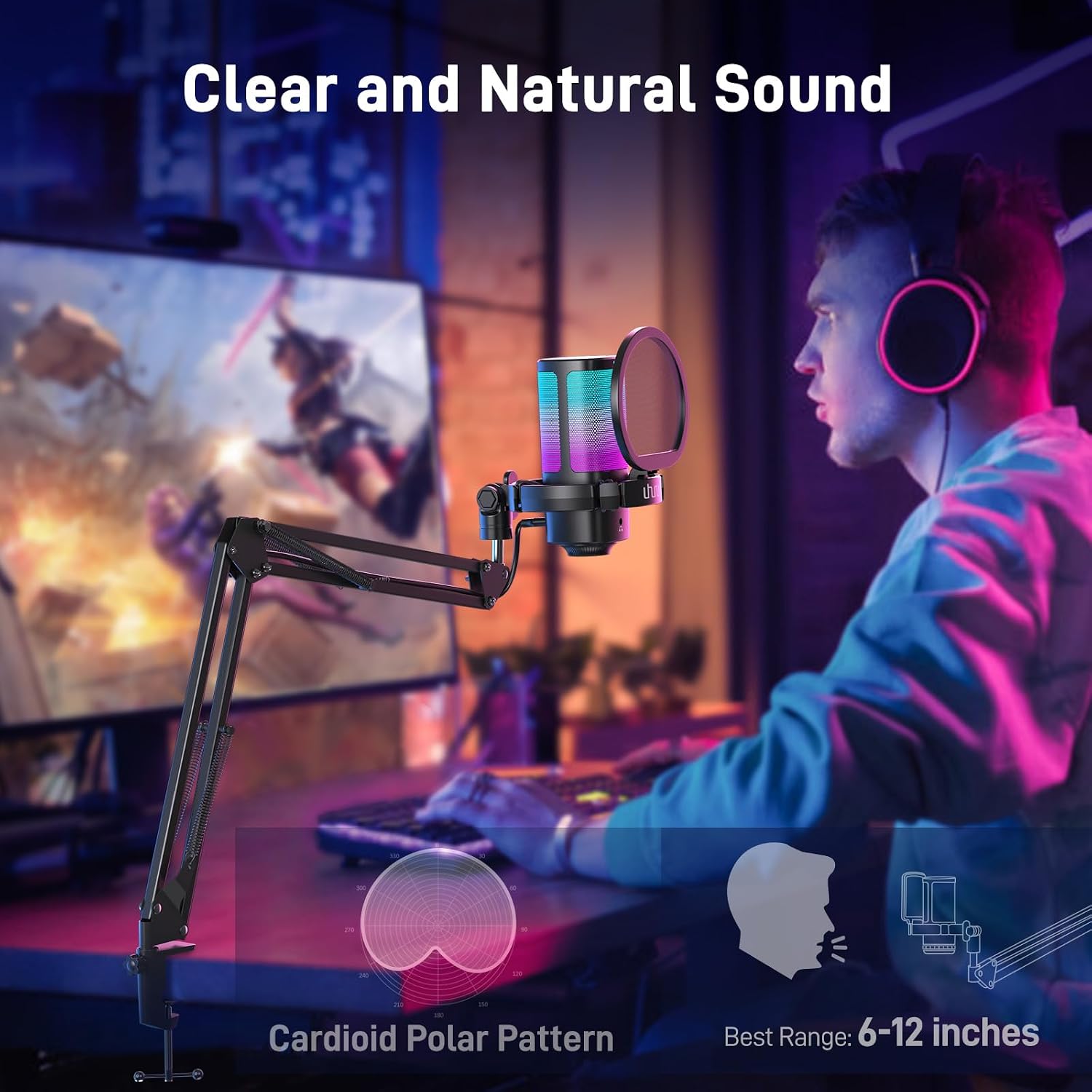
Image: Diagram illustrating the cardioid polar pattern of the microphone, showing its directional sound pickup, along with the recommended best range of 6-12 inches.
5. Údržba
To ensure the longevity and optimal performance of your UHURU UM2S microphone, follow these maintenance guidelines:
- Čištění: Use a soft, dry cloth to wipe the microphone body and stand. Avoid using liquid cleaners or abrasive materials, as they may damage the finish or internal components.
- Skladování: Pokud mikrofon nepoužíváte, skladujte jej v čistém a suchém prostředí mimo dosah extrémních teplot a vlhkosti.
- Péče o kabely: Avoid sharp bends or kinks in the USB cable. Always grasp the plug, not the cable, when disconnecting.
6. Řešení problémů
If you encounter issues with your UHURU UM2S microphone, please refer to the following common solutions:
- Žádný zvukový výstup/vstup:
- Ujistěte se, že je kabel USB bezpečně připojen k mikrofonu i k zařízení.
- Check your device's sound settings to confirm the UHURU UM2S is selected as the input and output device.
- Verify the microphone is not muted (red LED indicator).
- Adjust the gain knob on the microphone.
- Špatná kvalita zvuku:
- Ujistěte se, že je mikrofon umístěn 6–12 cm od vašich úst.
- Activate noise cancellation if you are in a noisy environment.
- Check for any obstructions between you and the microphone.
- Adjust the gain knob to prevent clipping or low volume.
- RGB světla nefungují:
- Ujistěte se, že je mikrofon zapnutý.
- Tap the lighting icon to cycle through modes. If off, long-press to turn on.
If the problem persists, please contact UHURU customer support for further assistance.
7. Specifikace
| Funkce | Detail |
|---|---|
| Značka | UHURU |
| Název modelu | UM2S |
| Technologie připojení | USB |
| Typ konektoru | USB Type-C |
| Speciální funkce | Controllable RGB, Mute Function, Noise Reduction, Plug and Play, Volume Control |
| Kompatibilní zařízení | MAC OS, PS4/PS5, Personal Computer, Tablet, WINDOWS (Xbox not included) |
| Barva | Černý |
| Polární vzor | Jednosměrný (kardioidní) |
| Tvarový faktor mikrofonu | Gooseneck (with Boom Arm) |
| Zdroj napájení | Elektrický kabel (USB) |
| Odstup signálu od šumu | 78 dB |
| Hardwarová platforma | PC |
| Materiál pouzdra | Kov |
8. Záruka a podpora
8.1. Informace o záruce
The UHURU UM2S Gaming USB Microphone comes with a Záruka 12 měsíců from the date of purchase. This warranty covers manufacturing defects and issues arising from normal use. It does not cover damage caused by misuse, accidents, unauthorized modifications, or improper installation. Please retain your proof of purchase for warranty claims.
8.2. Zákaznická podpora
For any questions, technical assistance, or warranty claims, please contact UHURU customer support. You can typically find contact information on the official UHURU webwebu nebo prostřednictvím prodejce, u kterého jste produkt zakoupili.
- Online podpora: Visit the official UHURU webweb s nejčastějšími dotazy a zdroji podpory.
- E-mailová podpora: Refer to your product packaging or the UHURU webweb pro e-mailovou adresu zákaznického servisu.
- Doba odezvy: UHURU aims to reply to inquiries within 24 hours.