
DOOGEE N55 Pro
DOOGEE N55 Pro Cell Phone User Manual
Váš komplexní průvodce nastavením, provozem a údržbou.
1. Úvod
Welcome to the DOOGEE N55 Pro user manual. This guide provides detailed instructions to help you get the most out of your new smartphone. The DOOGEE N55 Pro is designed for optimal performance and user experience, featuring the latest Android 14 OS, a powerful octa-core processor, and a large 5150mAh battery.
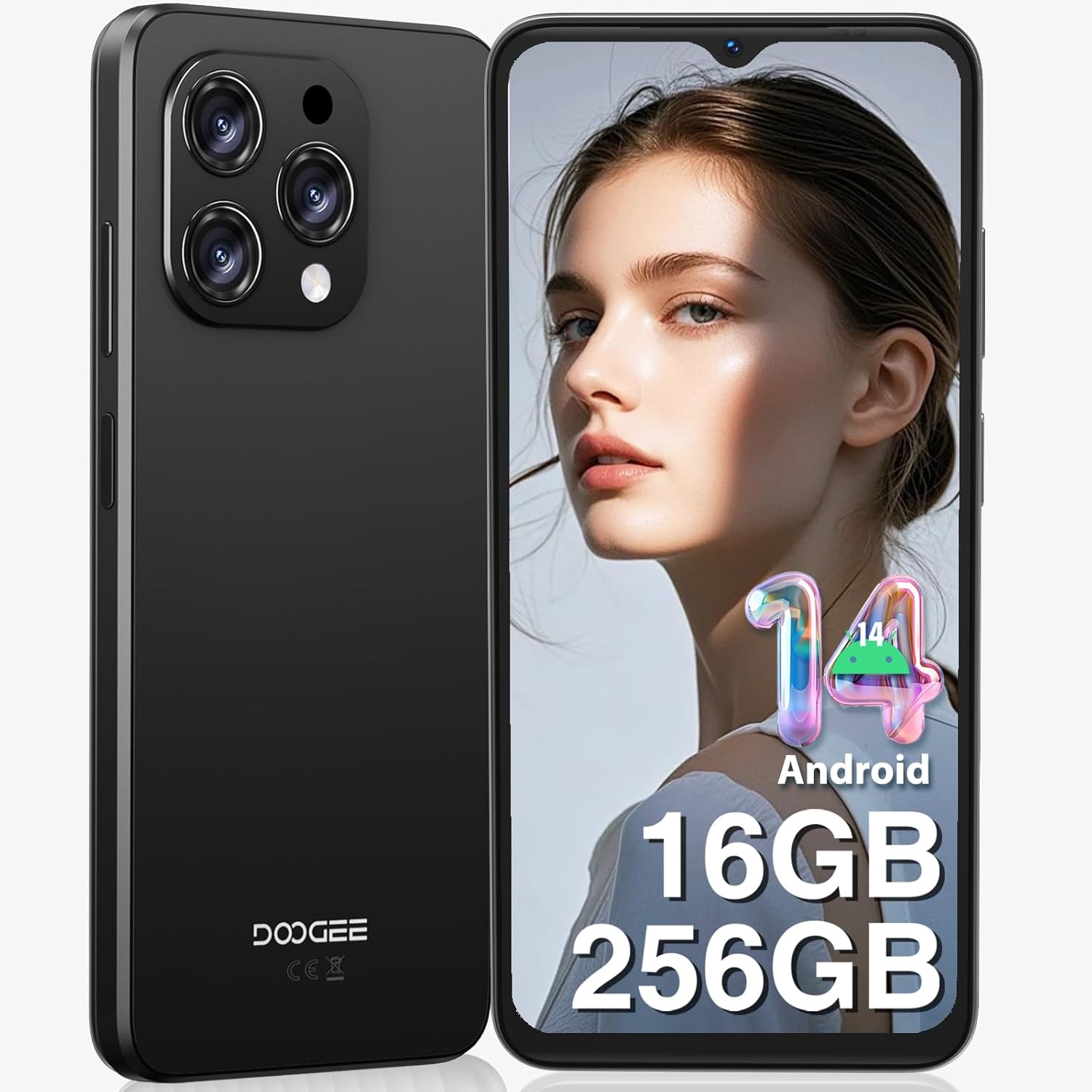
Obrázek 1: Přední a zadní strana view of the DOOGEE N55 Pro Cell Phone, showcasinjeho elegantní design a modul fotoaparátu.
2. Co je v krabici
Upon unboxing your DOOGEE N55 Pro, please verify that all the following items are included:
- 1 x DOOGEE N55 Pro Android 14 Cellphone
- 1 x kabel portu typu C
- 1x Nabíječka
- 1 x PIN SIM karty
- 1 x ochranná fólie TP (předem nalepená)
- 1 x Ochranné pouzdro z TPU
- 1 x Uživatelská příručka
- 1 x Záruční list

Figure 2: Illustration of the DOOGEE N55 Pro and its included accessories, such as the charger, USB-C cable, and protective case.
3. Konec produktuview
3.1 Klíčové vlastnosti
- Operační systém: Android 14
- Procesor: Octa-core processor for smooth performance
- Paměť a úložiště: Up to 16GB RAM (6GB physical + 10GB virtual) and 256GB ROM, expandable up to 1TB via TF card
- Zobrazit: 6.56-inch HD+ 90Hz IPS Waterdrop Screen (720 x 1612 resolution)
- Baterie: Velkokapacitní baterie 5150mAh
- Kamery: 13MP AI Main Camera and 8MP Front Camera
- Zabezpečení: Support for Face Unlock
- Konektivita: Dual SIM 4G, Bluetooth, Wi-Fi, GPS, 3.5mm Audio Jack
3.2 Design a zobrazení
The DOOGEE N55 Pro features a refined and elegant design, with an ultra-lightweight body weighing only 186g and a slim thickness of 8.6mm. The 6.56-inch HD+ IPS Waterdrop Screen offers a 90Hz refresh rate for a smooth and immersive visual experience.

Figure 3: The 6.56-inch HD+ 90Hz IPS Waterdrop Screen, highlighting its resolution, PPI, and aspect ratio for a dynamic display.

Figure 4: The lightweight and elegant design of the DOOGEE N55 Pro, emphasizing its slim profile (8.6mm thickness, 186g weight) and comfortable grip.
Video 1: A visual demonstration of the DOOGEE N55 Pro's 6.56-inch HD+ 90Hz IPS Waterdrop Screen, showcasing its vibrant display and smooth refresh rate.
Video 2: This video highlights the refined and elegant design of the DOOGEE N55 Pro, showcasing its sleek aesthetics and comfortable form factor.
3.3 Výkon a operační systém
Equipped with a powerful octa-core processor, the DOOGEE N55 Pro ensures smooth multitasking and efficient handling of demanding applications. It runs on the latest Android 14 operating system, offering enhanced security, improved privacy features, and a more intuitive user interface.

Figure 5: Visual representation of the DOOGEE N55 Pro's memory configuration, including 16GB RAM (6GB physical + 10GB virtual) and 256GB ROM, with expansion capability up to 1TB.

Figure 6: Screenshots demonstrating the upgraded Android 14 interface on the DOOGEE N55 Pro, highlighting its safety and fluency improvements.
Video 3: This video showcases the latest Android 14 system on the DOOGEE N55 Pro, demonstrating its features and smooth operation.
4. Nastavení
4.1 Vložení SIM karty a TF karty
The DOOGEE N55 Pro supports dual Nano SIM cards or a combination of one Nano SIM and one TF card for expanded storage. Use the provided SIM ejector tool to open the SIM tray located on the side of the device. Carefully place your SIM card(s) and/or TF card into the tray according to the diagram on the tray, then reinsert it into the phone.
Note: This device does not support Verizon, AT&T, and Xfinity networks. Please check compatibility with your local frequency band before purchasing.
4.2 Počáteční zapnutí a průvodce nastavením
Press and hold the power button on the side of the phone until the DOOGEE logo appears. Follow the on-screen instructions to complete the initial setup, including language selection, Wi-Fi connection, Google account sign-in, and security settings (Face ID, PIN, pattern, or password).
5. Návod k obsluze
5.1 Navigace
Navigate through the Android 14 interface using gestures or the traditional navigation bar. Swipe up from the bottom to go home, swipe up and hold for recent apps, and swipe from the left or right edge to go back.
NIKDY Přizpůsobení
Personalize your phone by changing wallpapers, widgets, and notification settings. Access these options through the Settings app or by long-pressing on the home screen.
6. Použití fotoaparátu
The DOOGEE N55 Pro is equipped with a 13MP AI Main Camera and an 8MP Front Camera. The camera system supports various modes including HDR, Water Mark, Video, Picture, Beauty, Pro Mode, Portrait, Gif, Panorama, Filter, QR Code, and Night mode.

Obrázek 7: Přesview of the DOOGEE N55 Pro's camera system, detailing the 13MP main camera and 8MP front camera, along with supported features like HDR and Night mode.
6.1 Pořizování fotografií a videí
Open the Camera app. Select your desired mode (Photo, Video, Portrait, etc.). Tap the shutter button to capture a photo or start/stop video recording. Adjust settings like flash, timer, and aspect ratio from the camera interface.
7. Správa baterií
The DOOGEE N55 Pro features a 5150mAh large battery, providing extended usage times. To optimize battery life:
- Snižte jas obrazovky.
- V případě potřeby povolte režim úspory baterie.
- Zavřete nepoužívané aplikace na pozadí.
- Vypněte Wi-Fi, Bluetooth a GPS, když je nepoužíváte.

Figure 8: Visual representation of the 5150mAh large battery, indicating estimated standby time (419 hours), video playback (9.5 hours), calling (36 hours), and music playback (35 hours).
8. Konektivita
8.1 Wi-Fi a Bluetooth
Connect to Wi-Fi networks via Settings > Network & internet > Wi-Fi. Pair Bluetooth devices via Settings > Connected devices > Bluetooth.
8.2 GPS and OTG
The phone supports GPS, Glonass, Galileo, and Beidou for accurate navigation. OTG (On-The-Go) functionality allows you to connect USB devices like flash drives or keyboards using an OTG adapter (not included).
9. Údržba
To ensure the longevity and optimal performance of your DOOGEE N55 Pro:
- Udržujte zařízení čisté pomocí měkkého, suchého hadříku.
- Nevystavujte telefon extrémním teplotám nebo přímému slunečnímu záření.
- Nepokoušejte se zařízení rozebírat.
- Regularly update the operating system to receive the latest security patches and features.
- Používejte pouze originální nebo certifikované příslušenství.
10. Řešení problémů
| Problém | Možné řešení |
|---|---|
| Telefon se nezapíná | Ensure the battery is charged. Press and hold the power button for at least 10 seconds to force restart. |
| Aplikace padá nebo zamrzávají | Vymažte mezipaměť aplikace (Nastavení > Aplikace > [Název aplikace] > Úložiště a mezipaměť > Vymazat mezipaměť). Restartujte telefon. |
| Slabý signál sítě | Check SIM card insertion. Move to an area with better coverage. Verify network compatibility with your carrier. |
| Baterie se rychle vybíjí | Reduce screen brightness, disable unused features (Wi-Fi, Bluetooth, GPS), close background apps. |
| Odemknutí obličejem nefunguje | Ensure proper lighting and clear camera lens. Re-register your face data in security settings. |
11. Specifikace
- Název modelu: N55 Pro
- Operační systém: Android 14
- Model CPU: 1.2GHz Cortex A8 Processor (Octa Core)
- BERAN: 16 GB (6 GB fyzického + 10 GB virtuálního)
- Úložná kapacita paměti: 256 GB (rozšiřitelné až na 1 TB)
- Velikost obrazovky: 6.56 palce
- Rezoluce: 720 x 1612
- Obnovovací frekvence: 90 Hz
- Kapacita baterie: 5150 miliamp hodiny
- Hlavní fotoaparát: 13MP AI fotoaparát
- Přední kamera: 8 MP
- Konektivita: Bluetooth, Wi-Fi, GPS
- Speciální vlastnosti: Support Face Unlock, Widevine L1
- Rozměry: 7.68 x 4.09 x 2.05 palce
- Hmotnost položky: 13.7 unce
12. Záruka a podpora
DOOGEE offers comprehensive support for your N55 Pro device:
- 30denní záruka vrácení peněz a bezplatné vrácení zboží: Pokud nejste s nákupem spokojeni.
- 2letá omezená záruka: Kryje výrobní vady.
- Nepřetržitá online podpora: Dedicated one-on-one assistance for any queries or issues.
For further assistance, please visit the official DOOGEE store or contact their customer service through the provided warranty card information.
Ask a question about this manual
Ask about setup, troubleshooting, compatibility, parts, safety, or missing instructions. Manuals+ will review the question and use this page’s manual context to help answer it.