
Zavedení
The Tech Feel smartwatch with ECG combines the primary functionalities of a smart watch with comprehensive 360° cardiac monitoring. It is an ideal tool for individuals who wish to monitor their heart functions, as well as for athletes who want to track their performance. Please note: This device is not a medical device and should not be used for medical diagnosis or treatment.
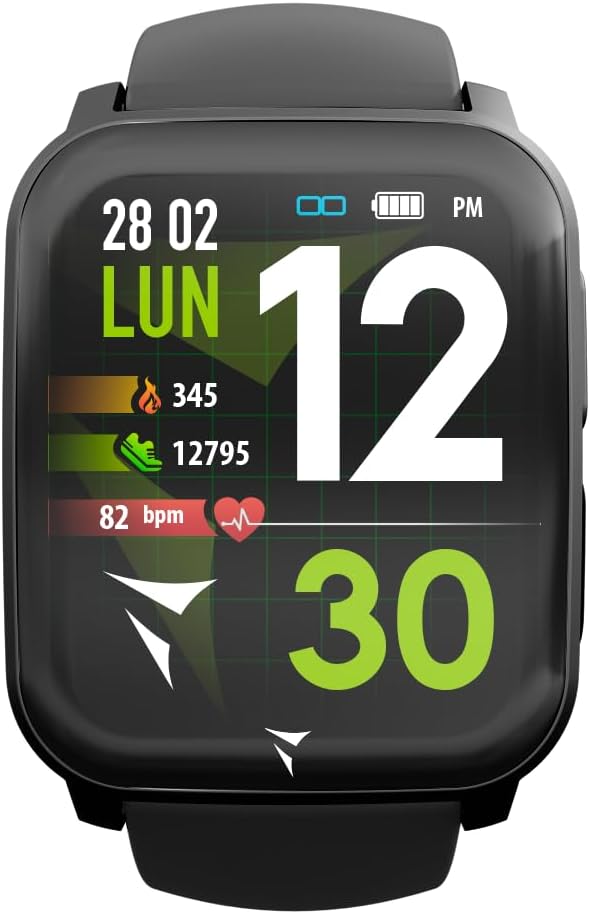
Figure 1: Tech Feel Smartwatch displaying activity data.
1. Nastavení
1.1 Nabíjení zařízení
Before first use, fully charge your Tech Feel smartwatch. Connect the magnetic charging cable to the charging contacts on the back of the watch and plug the USB end into a standard USB power adapter (not included) or a computer's USB port. The watch display will indicate charging status.
1.2 Instalace a párování aplikace
- Stáhněte si doprovodnou aplikaci: Hledat the official Techmade companion app (e.g., "Techmade Fit" or similar, check product packaging or quick start guide for exact name) on the Apple App Store (for iOS devices) or Google Play Store (for Android devices).
- Vytvořit účet: Otevřete aplikaci a postupujte podle pokynů na obrazovce k vytvoření nového uživatelského účtu nebo se přihlaste, pokud již nějaký máte.
- Povolit Bluetooth: Ujistěte se, že je na vašem smartphonu povoleno Bluetooth.
- Spárování chytrých hodinek: Within the app, navigate to the device pairing section. Select your Tech Feel smartwatch from the list of available devices. Follow any prompts on both the app and the watch to complete the pairing process. A successful connection will usually be indicated on the watch display.
2. Návod k obsluze
2.1 Základní navigace
- Dotyková obrazovka: Swipe left/right, up/down to navigate through different screens and menus. Tap to select an option.
- Side Button/Digital Crown: Press the side button (often also a digital crown) to return to the home screen, wake the device, or access the app menu. Rotate the digital crown (if applicable) to scroll through lists.
2.2 Měření EKG
The Tech Feel smartwatch is equipped with additional electrodes to perform a single-lead Electrocardiogram (ECG) measurement. This feature provides insights into your heart rate and rhythm.
- Příprava: Ujistěte se, že máte hodinky pevně nasazené na zápěstí.
- Zahájení měření: Přejděte na funkci EKG na chytrých hodinkách.
- Pozice prstu: While wearing the smartwatch, place your fingertip (typically the index finger of the opposite hand) on the digital crown located on the side of the screen. This action closes an electrical circuit through your fingertip, which then reaches the sensor on your wrist.
- Proces měření: Hold your finger still for approximately 30 seconds while the watch records the electrical signals.
- Výsledky: An algorithm within the Techmade application processes the data and generates an ECG graph. This single-lead ECG can provide information on heart rate and rhythm and may assist in the classification of atrial fibrillation.
- Sharing Data: The generated ECG data can be viewed in the companion app and potentially shared with your doctor for review.
Důležitá poznámka: A single-lead ECG cannot be used to detect all heart problems, such as heart attacks. This device is not a medical device and should not replace professional medical advice or diagnosis.
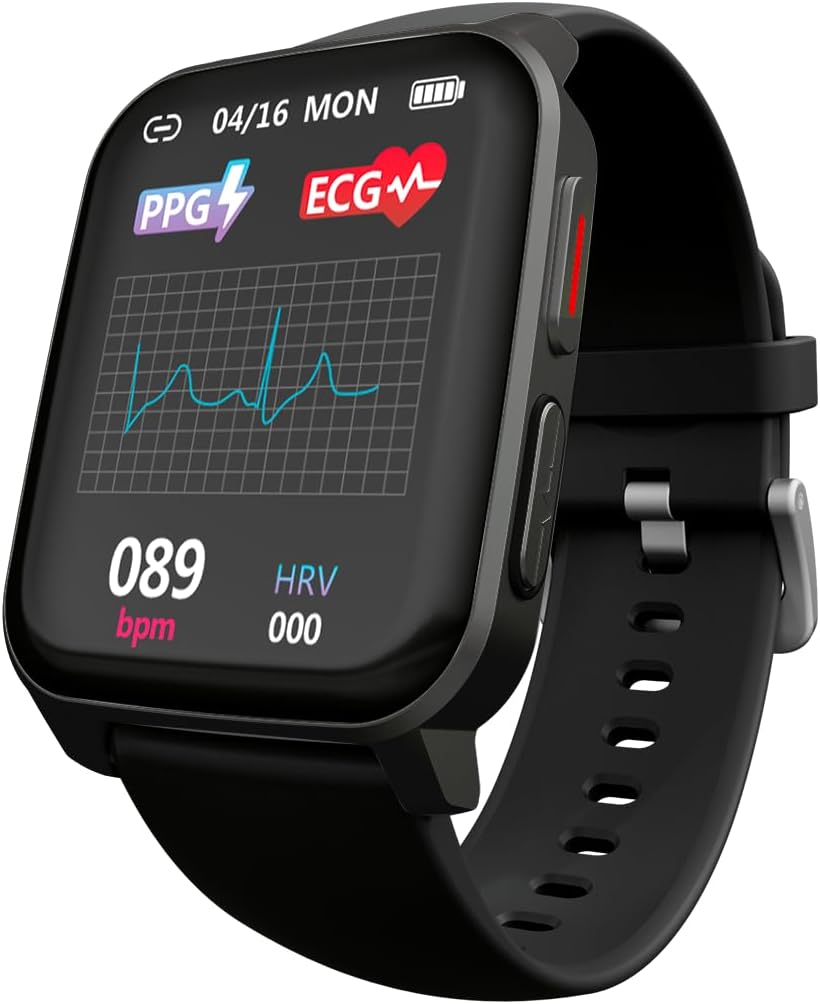
Figure 2: ECG waveform display on the smartwatch.

Figure 3: Smartwatch on wrist with companion app displaying ECG analysis.
2.3 Monitorování srdeční frekvence a hladiny kyslíku v krvi
The smartwatch continuously monitors your heart rate and can measure blood oxygen saturation (SpO2). Access these features through the dedicated menus on the watch or view historical data in the companion app.
2.4 Sportovní režimy
The Tech Feel smartwatch supports various sport modes to track your physical activity. Select the desired sport mode before starting your workout to record metrics such as steps, distance, calories burned, and heart rate during exercise.

Figure 4: Smartwatch displaying Sport mode during an outdoor activity.
2.5 Monitorování spánku
Wear the smartwatch to bed to automatically monitor your sleep patterns. The app provides detailed analysis of your sleep stagfáze (hluboká, lehká, REM) a trvání.
2.6 Oznámení
Once paired with your smartphone, the Tech Feel smartwatch can receive notifications for calls, messages, and app alerts directly on your wrist. Configure notification settings within the companion app.
3. Údržba
- Čištění: Pravidelně čistěte hodinky a řemínek měkkým hadříkemamp hadříkem. Nepoužívejte agresivní chemikálie ani abrazivní materiály. Před nabíjením se ujistěte, že jsou nabíjecí kontakty čisté a suché.
- Skladování: Když chytré hodinky nepoužíváte, uchovávejte je na chladném a suchém místě.
- Voděodolnost: Refer to the product specifications for water resistance ratings. Avoid exposing the watch to hot water, steam, or high-pressure water jets.
- Vyhněte se extrémním teplotám: Do not expose the device to extremely high or low temperatures, as this can damage the battery and internal components.
4. Řešení problémů
| Problém | Možná příčina | Řešení |
|---|---|---|
| Hodinky se nezapínají. | Slabá baterie. | Nabíjejte hodinky alespoň 30 minut. |
| Nelze spárovat se smartphonem. | Bluetooth je vypnutý; hodinky jsou mimo dosah; problém s aplikací. | Ensure Bluetooth is on. Bring watch closer to phone. Restart both watch and phone. Reinstall the app if necessary. |
| Inaccurate heart rate/ECG readings. | Watch not worn snugly; sensor dirty; movement during measurement. | Ensure watch is snug on wrist. Clean the sensor on the back of the watch. Remain still during measurements. |
| Oznámení nebyla přijata. | Oprávnění k oznámením nebyla udělena; aplikace neběží na pozadí. | Check app notification settings on your phone. Ensure the app is running or allowed to run in the background. |
5. Specifikace
| Funkce | Detail |
|---|---|
| Značka | Technologicky vyrobené |
| Název modelu | ECG Tech Feel |
| Číslo modelu položky | TM-FEEL-BK |
| Barva | Black Case and Strap |
| Operační systém | Wear OS |
| Technologie připojení | Bluetooth |
| Standard bezdrátové komunikace | Bluetooth |
| Speciální funkce | Blood Pressure Monitoring, ECG, Heart Rate, Oxygenation, Sport, Sleep Monitor, Call Notification |
| Kompatibilní zařízení | Chytrý telefon (iOS a Android) |
| Složení baterie | Lithium-polymer |
| Nabíjecí baterie | Ano |
| Kapacita baterie | 180 mAh (přibližně) |
| GPS | GPS přes chytrý telefon |
| Tvar | Náměstí |
| Výrobce | Technologicky vyrobené |
| Země původu | Čína |
| Dostupnost náhradních dílů | Informace o náhradních dílech nejsou k dispozici |
| Aktualizace softwaru zaručeny do | Informace nejsou k dispozici |
| Datum prvního uvedení na trh na Amazon.com.be | 26. dubna 2024 |
6. Informace o záruce
Specific warranty details for the Tech Feel Smartwatch are not provided in the product information. Please refer to the warranty card included with your product or visit the official Techmade webpodrobné záruční podmínky naleznete na webu.
7. Zákaznická podpora
For technical assistance, troubleshooting beyond this manual, or product inquiries, please visit the official Techmade support webnebo kontaktujte jejich oddělení zákaznických služeb. Kontaktní informace jsou obvykle k dispozici na webových stránkách výrobce webmístě nebo na obalu produktu.