
1. Úvod
Děkuji za nákupasing the plplaaoo Cordless Table LampTato příručka obsahuje základní informace pro bezpečný a efektivní provoz vašeho nového lampPřed použitím si jej pečlivě přečtěte a uschovejte si jej pro budoucí použití.
2. Bezpečnostní pokyny
- Nevystavujte lamp vodě nebo nadměrné vlhkosti.
- Vyhněte se demontáži nebo úpravě lamp, protože to může zrušit záruku a představovat bezpečnostní riziko.
- K nabíjení používejte pouze dodaný kabel USB typu C.
- Nechte si lamp away from heat sources and direct sunlight to prevent battery damage.
- Ujistěte se, že lamp je umístěn na stabilním, rovném povrchu, aby se zabránilo převrácení.
- Tento lamp je určen pouze pro vnitřní použití.
3. Obsah balení
Ověřte, zda jsou v balení přítomny všechny položky:
- 1 x Cordless Table Lamp
- 1 x USB nabíjecí kabel typu C

4. Konec produktuview
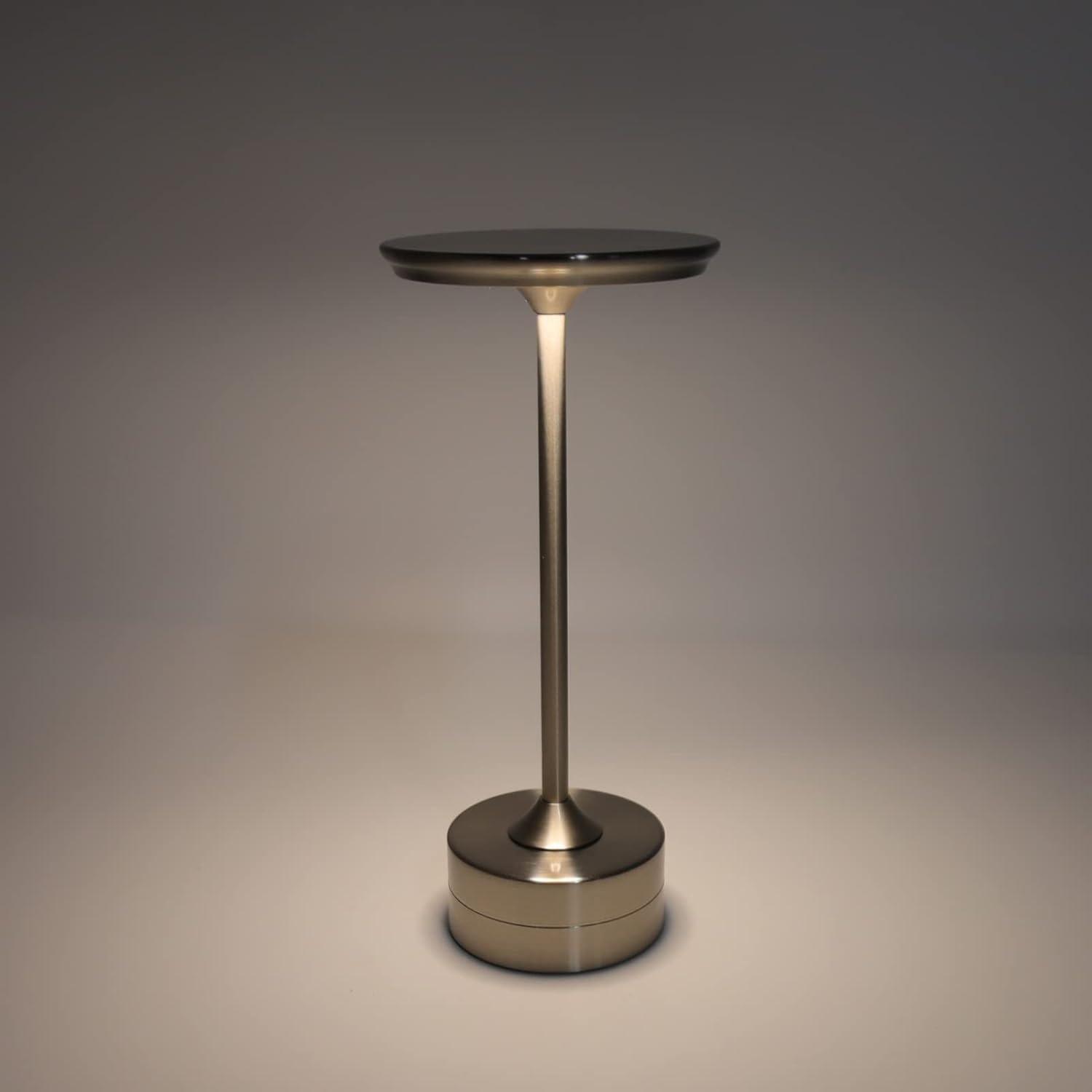
The plplaaoo Cordless Table Lamp features a sleek design with a durable iron, aluminum, and acrylic construction. It includes a built-in 2000mAh rechargeable lithium battery, offering 10-15 hours of working time on a full charge. The lamp provides three light sources: white light, warm light, and ordinary light, with adjustable brightness up to 150lm.


5. Nastavení
Počáteční nabíjení
Před prvním použitím plně nabijteamp. Connect the provided USB Type-C cable to the charging port on the lamp's base and plug the other end into a compatible USB power adapter (not included).
- Locate the USB Type-C charging port on the base of the lamp.
- Insert the USB Type-C cable into the lampnabíjecí port.
- Connect the USB-A end of the cable to a standard USB power adapter (e.g., phone charger, computer USB port).
- The charging indicator (if present) will show the charging status. Allow several hours for a full charge.
6. Návod k obsluze
Zapnutí/vypnutí a nastavení jasu
Jáamp features both a bottom switch and a top touch control for operation.
- Spodní spínač: Flip the switch on the bottom of the lamp to the 'ON' position to enable the touch control function.
- Top Touch Control: Gently touch the top surface of the lamp to cycle through the three light modes: white light, warm light, and ordinary light. Continue touching to adjust brightness levels within each mode.
- Chcete-li vypnout lamp, either cycle through all light modes until it turns off via touch control, or flip the bottom switch to the 'OFF' position.


7. Údržba
- Čištění: Otřete lamp měkkým, suchým hadříkem. Nepoužívejte abrazivní čisticí prostředky ani rozpouštědla.
- Skladování: Pokud přístroj delší dobu nepoužíváte, uložte jejamp na chladném a suchém místě. Před uskladněním se ujistěte, že je baterie částečně nabitá, abyste prodloužili její životnost.
- Péče o baterie: Abyste zachovali stav baterie, vyvarujte se častého úplného vybíjení. Nabijte ji.amp když světelný výstup znatelně poklesne.
8. Řešení problémů
| Problém | Možná příčina | Řešení |
|---|---|---|
| Lamp nezapne. | Battery is depleted. Bottom switch is off. | Nabijte lamp using the USB Type-C cable. Ensure the bottom switch is in the 'ON' position. |
| Světlo je tlumené nebo bliká. | Slabá baterie. | Nabijte lamp. |
| Cannot change light mode/brightness. | Bottom switch is off. Touch control malfunction. | Ensure the bottom switch is 'ON'. Try restarting the lamp by turning the bottom switch off and on again. |
| Lamp nenabíjí. | Faulty cable or adapter. Charging port issue. | Try a different USB Type-C cable and power adapter. Ensure the cable is fully inserted. |
9. Specifikace
| Funkce | Detail |
|---|---|
| Model | B0D2LG61MQ |
| Materiál | Iron, Aluminum, Acrylic |
| Výška | Přibl. 28.5 cm / 11.2 palce |
| Průměr | Přibl. 13 cm / 5.1 palce |
| Hmotnost | Approx. 0.66 kg / 23.4 oz |
| Vestavěná baterie | Lithium 2000mAh |
| Světelný zdroj | White light, Warm light, Ordinary light (3 levels brightness) |
| Maximální jas | 150lm |
| Způsob nabíjení | USB Type-C |
| Řízení | Bottom switch, Top touch control |

10. Záruka a podpora
This product is covered by a standard manufacturer's warranty. For specific warranty details, please refer to the product packaging or contact the retailer where you purchased the item. For technical support or inquiries, please visit the official plplaaoo store or contact customer service.