
WOLFANG WT03
WOLFANG Solar Wildlife Camera WT03 User Manual
Model: WT03
Značka: WOLFANG
Zavedení
Thank you for choosing the WOLFANG WT03 Solar Wildlife Camera. This advanced trail camera is designed for wildlife monitoring, outdoor security, and nature observation, offering high-resolution imaging, robust features, and sustainable power solutions. Please read this manual carefully before operating the camera to ensure optimal performance and longevity.
Obsah balení

Image: The WOLFANG WT03 Solar Wildlife Camera, user manual, mounting strap, USB cable, and mounting hardware.
Ensure all items are present and in good condition. If any items are missing or damaged, please contact WOLFANG customer support.
- WOLFANG WT03 Wildlife Camera
- Montážní popruh
- USB kabel
- Montážní materiál (šrouby, hmoždinky)
- Uživatelská příručka
- 32GB Micro SD karta (předinstalovaná)
Konec produktuview

Obrázek: Přední strana view of the WOLFANG WT03 camera, highlighting the integrated solar panel, main lens, and motion sensor.
The WOLFANG WT03 features an integrated solar panel for continuous power, a high-resolution camera for capturing 4K video and 46MP images, and advanced night vision capabilities. Its robust IP66 waterproof design ensures reliable operation in various outdoor conditions.
Klíčové vlastnosti:
- 4K@30FPS Video & 46MP Image Resolution: Zachycuje jasné a detailní snímky jídlatage a fotografie.
- Integrated Solar Panel & 4400mAh Battery: Provides sustainable power and extended battery life.
- Připojení Wi-Fi a Bluetooth: Allows for easy app control, live viewing, a file transfer to your smartphone (within 33 feet).
- Rychlost spouštění 0.1 s: Ensures rapid capture of motion-activated events.
- 120° Night Vision: Equipped with 850nm low-luminescence LEDs for clear nighttime images up to 65 feet.
- Vodotěsnost IP66: Designed to withstand harsh weather conditions.
- Nahrávání ve smyčce: Automaticky přepisuje starší files když je SD karta plná.
Nastavení
1. Instalace baterie
The camera has a built-in 4400mAh lithium battery. For extended operation, especially in low temperatures, it is recommended to install 4 AA batteries (not included) as backup power.
- Open the camera's side latch and swing open the housing.
- Najděte přihrádku na baterie.
- Vložte 4 baterie AA, dbejte na správnou polaritu (+/-).
- Close the battery compartment and secure the housing latch.
Poznámka: The built-in lithium battery is the priority power source. AA batteries serve as backup. Ensure the built-in battery is charged via the solar panel or USB-C before first use.
2. Instalace SD karty
A 32GB Micro SD card is pre-installed. The camera supports Micro SD cards up to 128GB.
- S vypnutým fotoaparátem otevřete kryt.
- Najděte slot pro kartu Micro SD.
- Vložte kartu Micro SD zlatými kontakty směrem dolů, dokud nezacvakne na místo.
- To remove, push the card in until it clicks, then release.
Důležité: Format the SD card in the camera's settings menu before first use to ensure compatibility and optimal performance.
3. Montáž kamery
The camera can be mounted using the included strap or mounting hardware.

Image: The WOLFANG WT03 camera mounted on a tree, illustrating its integrated solar panel technology for power supply.
- Montáž popruhu: Thread the provided strap through the slots on the back of the camera and secure it around a tree or pole.
- Šroubová montáž: Use the included mounting bracket and screws to attach the camera to a wall or flat surface.
Tipy pro umístění:
- Mount the camera at a height of 3-6 feet (1-2 meters) for optimal detection.
- Pro maximální účinnost nabíjení zajistěte, aby byl solární panel vystaven přímému slunečnímu záření.
- Avoid placing the camera directly facing the sun or strong light sources to prevent overexposure.
- Clear any obstacles (branches, tall grass) that might trigger false detections or obstruct the view.
Operace
1. Zapnutí/vypnutí
- Pro zapnutí přepněte přepínač režimů z polohy OFF do polohy SETUP nebo ON.
- Chcete-li přístroj vypnout, přepněte přepínač režimů do polohy OFF.
2. Basic Settings (SETUP Mode)
In SETUP mode, you can access the camera's menu and adjust various parameters using the control buttons.
- režim: Vyberte možnost Foto, Video nebo Foto+Video.
- Rozlišení fotografie: Choose from various MP settings (e.g., 46MP, 30MP, 20MP).
- Rozlišení videa: Select 4K, 2.7K, 1080P, etc. (4K 30fps recommended).
- Interval PIR: Nastavte prodlevu mezi detekcemi.
- Rychlost spouštění: Fixed at 0.1s for fast capture.
- Časosběr: Set intervals for continuous recording without motion detection.
- Formátovat SD kartu: Vymažte všechna data na SD kartě.
- Datum a čas: Nastavte aktuální datum a čas.
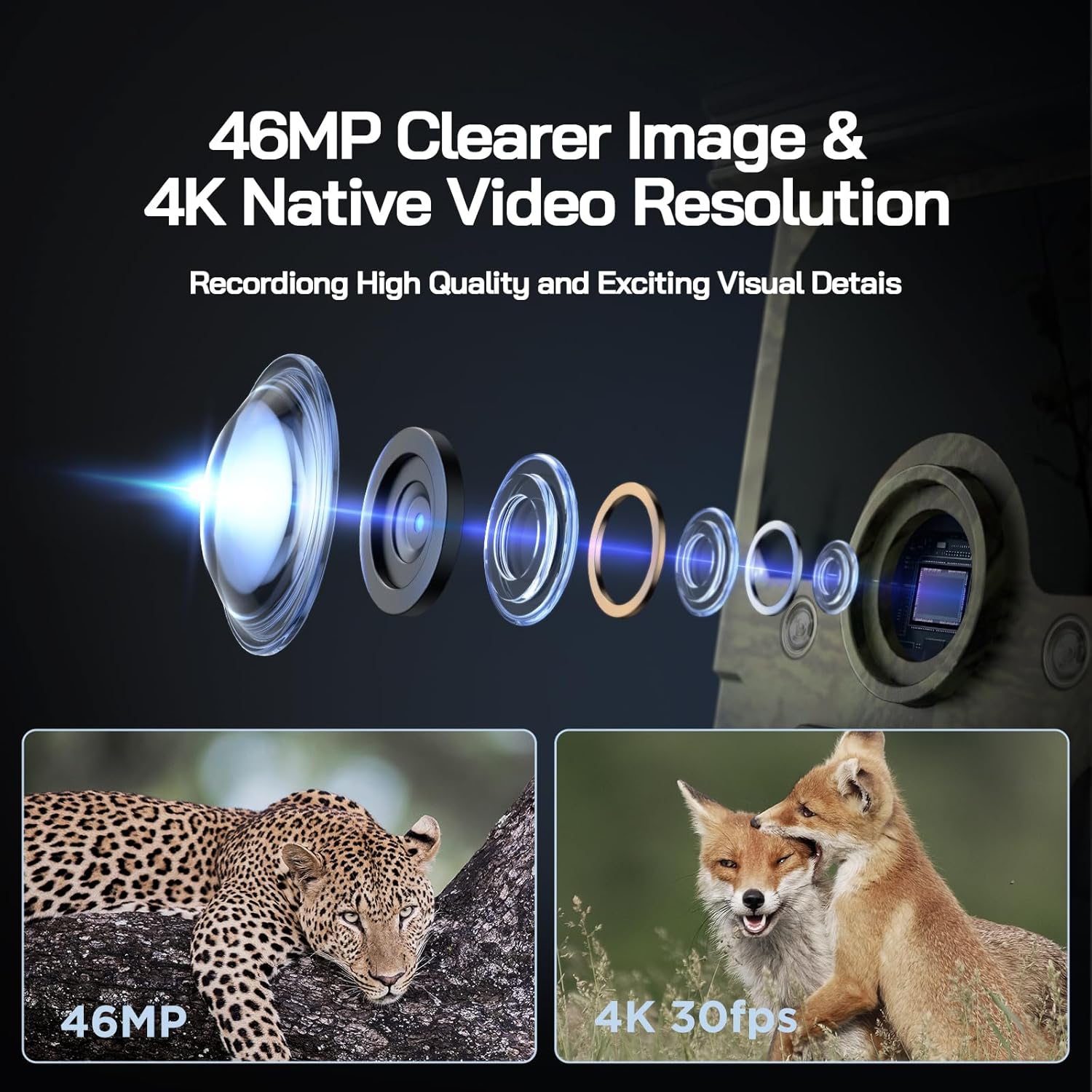
Image: Visual representation of the camera's 46MP image and 4K 30fps video resolution capabilities.

Image: A squirrel captured mid-air, illustrating the camera's ultra-fast 0.1s trigger speed.

Image: A side-by-side comparison demonstrating the superior night vision quality of the WOLFANG camera using 850nm IR lamps.
3. Připojení k Wi-Fi a aplikaci
The WOLFANG WT03 can be controlled and monitored via a smartphone app. The WiFi connection range is limited to 33 feet (10 meters).

Image: A smartphone showing the camera's app interface with a live view of deer, demonstrating WiFi connection and app control.
- Download the "WOLFANG Wildlife" app from your smartphone's app store or scan the QR code provided in the camera's interface (usually in SETUP mode). A relevant link for the app is zde.
- Turn the camera's mode switch to SETUP.
- Open the WOLFANG Wildlife app on your phone.
- Follow the in-app instructions to connect to the camera's WiFi network. You may need to enable Bluetooth on your phone first to discover the camera.
- Po připojení můžete view živé footage, upravte nastavení a stáhněte filepřímo do vašeho telefonu.
Odstraňování problémů s připojením: If connection issues occur, try plugging in the charging cable to the camera and setting the app to manual connection. Reconnecting might require re-plugging the charging cable.
4. Viewing/Downloading Files
- Přes aplikaci: Connect to the camera via WiFi using the app. Navigate to the album/gallery section to view and download photos/videos.
- Přes USB kabel: Connect the camera to a computer using the provided USB cable. The camera will appear as a removable disk, allowing you to access files.
- Directly on Camera: In SETUP mode, use the navigation buttons to browse captured photos and videos on the camera's screen.
- Čtečka SD karet: Remove the Micro SD card from the camera and insert it into a compatible card reader connected to a computer.

Image: A visual explanation of the loop recording function, showing how the camera overwrites the oldest footage when the SD card reaches full capacity.
Údržba
- Čištění: Use a soft, dry cloth to clean the camera lens and solar panel. Avoid abrasive cleaners.
- Péče o baterie: For optimal battery life, ensure the solar panel is regularly exposed to sunlight. If storing the camera for extended periods, fully charge the built-in battery and remove any AA batteries.
- Skladování: Pokud fotoaparát nepoužíváte, uchovávejte jej na chladném a suchém místě.
- Aktualizace firmwaru: Check the official WOLFANG webpravidelně kontrolujte webové stránky, zda nejsou k dispozici aktualizace firmwaru pro zlepšení výkonu a přidání dalších funkcí.

Image: The WOLFANG WT03 camera shown in rainy conditions, emphasizing its IP66 super waterproof rating and protective eave design.
Odstraňování problémů
| Problém | Možné řešení |
|---|---|
| Fotoaparát se nezapíná. |
|
| Špatná kvalita obrazu/videa. |
|
| Problémy s připojením k Wi-Fi. |
|
| Kamera nedetekuje pohyb. |
|
| Chyba SD karty. |
|
Specifikace
| Funkce | Detail |
|---|---|
| Název modelu | WT03 |
| Rozlišení záznamu videa | 4K (30 snímků za sekundu) |
| Efektivní rozlišení | 46 MP |
| Zdroj napájení | Solar Powered (Built-in 4400mAh battery), 4x AA batteries (backup, not included) |
| Technologie připojení | WiFi, Bluetooth |
| Úroveň odolnosti proti vodě | IP66 Vodotěsný |
| Rychlost spouštění | 0.1 sekund |
| Rozsah nočního vidění | Až 65 stop (20 metrů) |
| Úhel detekce PIR | 120° |
| Kapacita úložiště | Podporuje Micro SD kartu až do 128 GB (32 GB součástí balení) |
| Rozměry (D x Š x V) | 14.3 x 10.7 x 9.5 cm |
| Hmotnost | 730 gramů |
Záruka a podpora
WOLFANG poskytuje 2-letý záruční servis for the WT03 Solar Wildlife Camera. Additionally, a 1-month free return & exchange zásada je k dispozici.
For any support needs, questions, or accessory package upgrades, please contact WOLFANG customer service directly.
E-mail: support.vc@wolfang.co
WOLFANG is committed to providing high-quality imaging products and prompt customer support.
Ask a question about this manual
Ask about setup, troubleshooting, compatibility, parts, safety, or missing instructions. Manuals+ will review the question and use this page’s manual context to help answer it.