
ASD A-SFL-20WH-SC
Venkovní bezpečnostní kamera ASD s prosvětlovacím světlem - Inteligentní kamera s prosvětlovacím světlem, model A-SFL-20WH-SC. Uživatelská příručka
Komplexní pokyny pro instalaci, provoz a údržbu.
1. Úvod
Thank you for choosing the ASD Security Flood Light Camera Outdoor. This smart floodlight camera is designed to provide enhanced security and illumination for your outdoor spaces. Featuring a 180° motion sensor, adjustable light heads, and smart app control, it integrates seamlessly with your smart home ecosystem, including Alexa and Google Assistant. This manual provides essential information for safe installation, operation, and maintenance of your device.
2. Důležité bezpečnostní informace
Před instalací a použitím si pečlivě přečtěte všechny pokyny. Uschovejte si tento návod pro budoucí použití.
- Elektrická bezpečnost: Instalaci musí provést kvalifikovaný elektrikář nebo osoba se znalostí elektrotechniky. Před instalací nebo servisem se ujistěte, že je vypnuto napájení jističem.
- svtage: This product is designed to operate on 120V circuits.
- Montáž: Mount the fixture securely to a junction box. Ensure the mounting surface can support the weight of the fixture.
- Vlhká místa: This product is Wet Locations rated (IP54), suitable for outdoor use. However, avoid submerging the unit in water.
- Teplo: Do not operate the fixture near flammable materials. Allow the fixture to cool before handling.
- Objektiv fotoaparátu: Avoid touching the camera lens directly to prevent smudges or damage.
3. Obsah balení
Před zahájením instalace ověřte, zda jsou všechny komponenty přítomny:
- ASD Security Flood Light Camera Outdoor (1 unit)
- Mounting Crossbar
- Montážní šrouby
- Drátěné matice
- EVA podložka
- Uživatelská příručka (tento dokument)
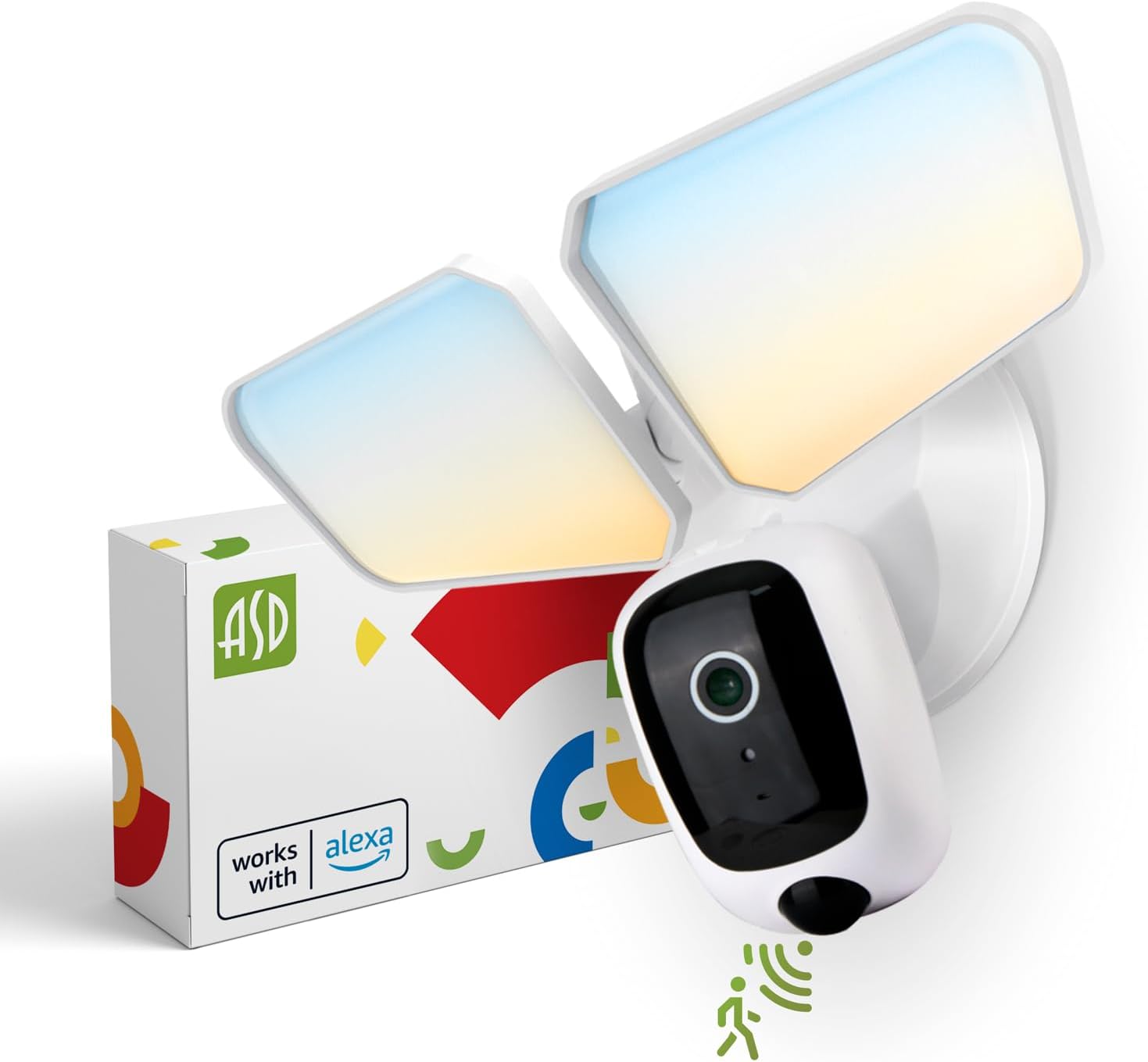
Image 1: ASD Security Flood Light Camera Outdoor and its packaging.
4. Vlastnosti produktu
- Nastavitelné světelné hlavy: Side-to-side (150°) and up-and-down (180°) rotatable light heads for directional illumination.
- Integrated Smart Camera: Monitor, record, and engage in two-way audio communication.
- 180° Motion Sensor: Automatically activates light and camera recording upon motion detection.
- Dusk-to-Dawn Photocell: Automatically turns the light on at dusk and off at dawn.
- Volitelná barva: Choose from 5 color temperatures: 2700K (Soft White), 3000K (Warm White), 3500K (Neutral White), 4000K (Cool White), or 5000K (Daylight).
- Integrace chytré domácnosti: Kompatibilní s Amazon Alexa a Google Assistant pro hlasové ovládání.
- Ovládání aplikace: Spravovat nastavení, view live feed, and receive motion-activated push notifications via the dedicated app.
- Možnosti úložiště: Records can be stored on a Micro SD card (not included) or in a Cloud service (subscription may be required).
- Odolná konstrukce: Made from Aluminum and Polycarbonate.
- certifikace: UL and DLC Premium certified, ensuring quality and safety.

Image 2: Key features of the ASD Security Flood Light Camera.
5. Technické specifikace
| Specifikace | Detail |
|---|---|
| Číslo modelu | A-SFL-20WH-SC |
| Zdroj napájení | Pevně zapojené |
| svtage | 120 voltů |
| Wattage | 20 wattů |
| Typ světelného zdroje | LED |
| Teplota barev (CCT) | 2700K, 3000K, 3500K, 4000K, 5000K (volitelné) |
| Úhel detekce pohybového senzoru | 180° |
| Vzdálenost detekce pohybového senzoru | 16.4–32.9 stopy (5–10 m) |
| Úhel paprsku | 100° |
| Materiál | Hliník, Polykarbonát |
| Rozměry produktu | 10.24 cm D x 4.45 cm Š x 7.68 cm V |
| Hmotnost položky | 1.2 libry |
| Vnitřní/venkovní použití | Venkovní |
| Klasifikace plošného osvětlení | IP54 (Wet Locations Rated) |
| Protokol připojení | Wi-Fi |
| Typ ovladače | Amazon Alexa, Google Assistant, aplikace |
| Životnost | 145,000 hodin |

Obrázek 3: Podrobné specifikace a rozměry produktu.
6. Kroky instalace
Než začnete: Turn off power at the circuit breaker. Ensure you have the necessary tools (screwdriver, wire strippers, etc.).
- Připravte přípravek:
Attach the crossbar to the outlet box using two mounting screws. Remove the cover on the top of the camera. Insert a Micro SD card (sold separately) into the slot until it clicks. Place the cover back on. Change the position of the CCT switch on the housing to the desired color temperature (2700K, 3000K, 3500K, 4000K, or 5000K). - Mount and Wire:
Tear off the EVA pad adhesive and stick it on the rear cover (pay attention to the direction of the gap). Thread the fixture wire through the gasket. Connect the wires: Black to Black, White to White, and Green to Green (ground). Secure the connection with wire nuts. - Zajistěte přípravek:
Drive the bracket screw through the center hole of the fixture base to the crossbar and secure it by tightening.

Obrázek 4: Vizuální průvodce procesem instalace.
7. Návod k obsluze
7.1 Provoz senzoru pohybu
The built-in 180° motion sensor detects movement within its range (16.4-32.9 ft or 5-10 m). When motion is detected, the floodlight will illuminate, and the camera will begin recording. You can adjust the sensitivity and duration settings via the ASD SMART app.

Image 5: The built-in motion sensor detects movement.
7.2 Dusk-to-Dawn Photocell
The integrated photocell automatically senses ambient light levels. It will turn the floodlight on when it gets dark and turn it off when daylight returns, ensuring efficient operation without manual intervention.

Image 6: Built-in dusk-to-dawn photocell for automatic operation.
7.3 Výběr teploty chromatičnosti (CCT)
Before final installation, you can select your preferred color temperature using the switch located on the fixture's housing. Choose from 2700K (Soft White), 3000K (Warm White), 3500K (Neutral White), 4000K (Cool White), or 5000K (Daylight) to match your aesthetic and lighting needs.

Image 7: Selectable color temperature options.
8. App Control and Smart Integration
8.1 ASD SMART App Setup
To unlock the full potential of your floodlight camera, download and set up the ASD SMART app:
- Stáhněte si ASD SMART app z App Storu (iOS) nebo z Obchodu Google Play (Android).
- Zaregistrujte se nebo se přihlaste ke svému účtu.
- Select "Add a device" and choose "Camera and lock".
- Follow the on-screen instructions to connect your device to your Wi-Fi network.
- Scan the QR code on your camera when prompted.
For a detailed guide, please refer to the full manual PDF: ASD Security Flood Light Camera Manual PDF
Stáhněte si aplikaci:
- iOS App Store: ASD SMART on App Store
- Android Google Play: ASD SMART on Google Play

Image 8: App control interface and smart assistant compatibility.
8.2 Remote Monitoring and Two-Way Audio
Through the ASD SMART app, you can:
- View live video feed from your camera anytime, anywhere.
- Engage in two-way audio communication with visitors or deter intruders.
- Receive instant motion-activated push notifications on your smartphone.
8.3 Recording Storage
Video recordings can be stored in two ways:
- Micro SD karta: Insert a Micro SD card (up to 128GB, not included) into the designated slot on the camera for local storage.
- Cloudová služba: Opt for a cloud storage subscription (available through the app) for secure, remote access to your recordings.

Image 9: Remote monitoring and recording storage options.
8.4 Integrace chytrého asistenta
Connect your ASD Security Flood Light Camera to Amazon Alexa or Google Assistant for convenient voice control. Follow the instructions within the ASD SMART app to link your accounts and enable features like turning the light on/off or viewpřehrávání obrazu z kamery na kompatibilních chytrých displejích.
9. Údržba
- Čištění: Před čištěním se ujistěte, že je zařízení vypnuté. Otřete svítidlo měkkým hadříkem.amp tkanina. Nepoužívejte abrazivní čisticí prostředky nebo rozpouštědla.
- Péče o čočky: Gently clean the camera lens with a microfiber cloth to maintain clear image quality.
- Pravidelné kontroly: Periodically check for any loose connections or damage to the wiring and housing.
10. Řešení problémů
| Problém | Možná příčina | Řešení |
|---|---|---|
| Světlo se nerozsvítí. | No power, faulty wiring, photocell issue, CCT switch not set. | Check circuit breaker. Verify wiring connections. Ensure photocell is not obstructed. Confirm CCT switch is set. |
| Pohybový senzor nedetekuje. | Incorrect sensitivity settings, obstruction, improper installation height. | Adjust motion sensor sensitivity in the app. Clear any obstructions. Ensure installation height is appropriate (approx. 9.8 ft / 3 m). |
| Fotoaparát se nepřipojuje k Wi-Fi. | Nesprávné heslo k Wi-Fi, slabý signál, problémy s routerem. | Double-check Wi-Fi password. Move router closer or use a Wi-Fi extender. Restart router. Ensure 2.4GHz Wi-Fi network is used. |
| Špatná kvalita videa. | Dirty lens, poor Wi-Fi signal, low light conditions. | Clean camera lens. Improve Wi-Fi signal strength. Ensure adequate lighting. |
| Obousměrný zvuk nefunguje. | Problémy s mikrofonem/reproduktorem, oprávnění aplikací. | Check app permissions for microphone. Ensure volume is up on your device. |
11. Informace o záruce
ASD poskytuje 5letá omezená záruka for this Security Flood Light Camera. This warranty covers defects in materials and workmanship under normal use. Please retain your proof of purchase for warranty claims. For full warranty terms and conditions, please refer to the official ASD webwebu nebo kontaktujte zákaznickou podporu.
12. Zákaznická podpora
For additional assistance, technical support, or warranty inquiries, please visit the ASD Lighting Corporation website or refer to the comprehensive manual available online.
- ASD Lighting Corporation Store: Visit ASD Store on Amazon
- Full Product Manual (PDF): Download PDF Manual
Ask a question about this manual
Ask about setup, troubleshooting, compatibility, parts, safety, or missing instructions. Manuals+ will review the question and use this page’s manual context to help answer it.