
Zavedení
The M-VAVE SMK-25 MINI is a compact and portable 25-key USB MIDI keyboard controller designed for music production on Mac and PC. It features velocity-sensitive keys, assignable controls, pitch and modulation functions, and versatile connectivity options including USB and Bluetooth. This manual provides detailed instructions for setting up, operating, maintaining, and troubleshooting your device.

Image: The M-VAVE SMK-25 MINI MIDI Keyboard Controller, showcasing its compact design and 25 velocity-sensitive keys.
Nastavení
1. Zapnutí
The SMK-25 MINI features a built-in rechargeable battery. To power on the device, press and hold the power button located on the side or top panel until the indicator light illuminates.
2. Připojení USB
For a wired connection to your computer (Mac or PC), use the provided USB-C cable. Connect one end to the USB-C port on the SMK-25 MINI and the other end to an available USB port on your computer. The device is plug-and-play, requiring no additional drivers for basic functionality.

Image: Illustration of the plug-and-play USB connection process for the MIDI keyboard controller to a computer.
3. Připojení Bluetooth
Bezdrátové připojení přes Bluetooth:
- Ensure the SMK-25 MINI is powered on.
- Stiskněte tlačítko BT button on the controller to activate Bluetooth pairing mode. The Bluetooth indicator light will flash.
- On your computer or mobile device, navigate to Bluetooth settings and select "SMK-25 MINI" from the list of available devices.
- Po připojení se kontrolka Bluetooth rozsvítí nepřerušovaně.
4. Software Setup (DAW Compatibility)
The SMK-25 MINI is compatible with various Digital Audio Workstations (DAWs) such as Ableton Live, GarageBand, Logic Pro, Studio One, Cubase, Pro Tools, and Reason Studios. After connecting the controller, open your preferred DAW and ensure the SMK-25 MINI is recognized as a MIDI input device in the software's preferences or settings.

Image: The M-VAVE SMK-25 MINI shown with various DAW logos, indicating broad software compatibility.
Návod k obsluze
1. Základní ovládací prvky
- Klávesy citlivé na rychlost: The 25 keys respond to how hard you press them, allowing for dynamic expression in your playing.
- Pitch Bend Buttons: Použijte PITCH UP a PITCH DOWN buttons to momentarily raise or lower the pitch of notes.
- Modulation Button: The MOD button can be assigned to control various parameters within your DAW or instrument, such as vibrato or filter cutoff.
- Tlačítko pro udržení: Stiskněte tlačítko SUS button to sustain notes, similar to a piano sustain pedal. An external sustain pedal can also be connected via the 3.5mm port.
- Posun oktávy: Použijte OC+ a OC- buttons to shift the keyboard's octave range up or down.
- Customization Knob: The rotary knob typically controls volume or can be assigned to other MIDI CC parameters for real-time control.

Obrázek: Detail view of the M-VAVE SMK-25 MINI's control panel, highlighting the pitch, mod, sustain, arpeggiator, and octave shift buttons.
2. Pokročilé funkce
- Arpeggiator: Stiskněte tlačítko ARP button to activate the arpeggiator. You can then use the keys and other controls to adjust arpeggio patterns, tempo, gate length, and octave range. Refer to your DAW's manual for specific arpeggiator synchronization settings.
- Smart Chord & Scale Modes: The SC/CH button enables Smart Chord and Smart Scale modes. These modes assist in playing harmonically correct notes and chords within a selected scale, simplifying music creation.
Údržba
To ensure the longevity and optimal performance of your M-VAVE SMK-25 MINI, follow these maintenance guidelines:
- Čištění: K čištění povrchu ovladače používejte měkký, suchý hadřík. Nepoužívejte abrazivní čisticí prostředky, rozpouštědla ani vosky.
- Skladování: Zařízení skladujte na chladném a suchém místě mimo dosah přímého slunečního záření, extrémních teplot a vysoké vlhkosti.
- Zacházení: S ovladačem zacházejte opatrně. Nevystavujte jej pádu ani silným nárazům.
- Péče o baterie: Pro optimální výdrž baterie se vyvarujte častého úplného vybíjení. Zařízení pravidelně nabíjejte, zejména pokud bude skladováno po delší dobu.
Odstraňování problémů
| Problém | Možná příčina | Řešení |
|---|---|---|
| Zařízení se nezapne. | Slabá baterie nebo problém s napájením. | Charge the device using the USB-C cable. Ensure the power button is pressed correctly. |
| V DAW není žádný zvuk ani MIDI vstup. | Incorrect connection or software settings. | Verify USB or Bluetooth connection. Check your DAW's MIDI input settings to ensure the SMK-25 MINI is selected and enabled. |
| Připojení Bluetooth se nezdařilo. | Pairing mode not active or interference. | Zajistěte BT button is pressed and flashing. Move closer to the host device. Try restarting both devices. |
| Klávesy nereagují nebo jsou nekonzistentní. | Software issue or physical obstruction. | Restart your DAW and the controller. Ensure no debris is lodged under the keys. |
Specifikace
| Funkce | Detail |
|---|---|
| Model | SMK-25 MINI |
| Počet klíčů | 25, Velocity-Sensitive |
| Konektivita | USB-C, Bluetooth |
| MIDI porty | 3.5mm MIDI Out (TRS Type A compatible) |
| Vstup Sustain pedálu | 3.5mm (shared with MIDI Out) |
| Ovládací prvky | Pitch Up/Down, Mod, Sustain, Arpeggiator, Smart Chord/Scale, Octave Up/Down, Customization Knob |
| Baterie | Built-in, 780 mAh Lithium |
| Doba nabíjení | Přibližně 5 hodiny |
| Pracovní doba | Přibližně 30 hodiny |
| Pohotovostní doba | Přibližně 40 hodiny |
| Kompatibilní zařízení | PC, Mac, Tablet, Smartphone |
| Rozměry | 15.12 x 5.63 x 2.64 palce (přibližně) |
| Hmotnost | 1.2 liber (cca) |
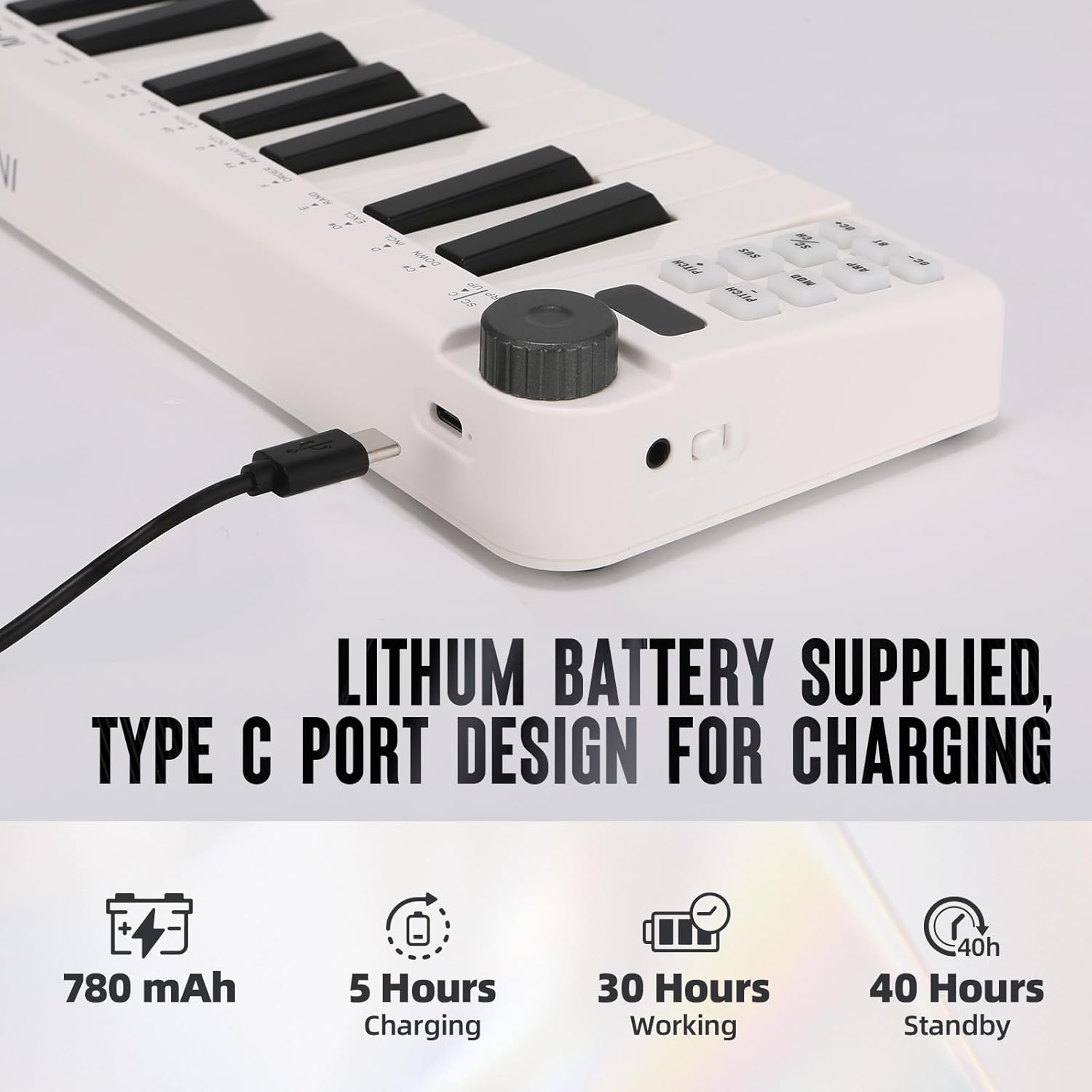
Image: Visual representation of the M-VAVE SMK-25 MINI's battery capacity, charging time, working time, and standby time.
Záruka a podpora
M-VAVE products are designed for reliability and performance. For warranty information, technical support, or service inquiries, please refer to the official M-VAVE webwebu nebo se obraťte přímo na jejich zákaznickou podporu. Uschovejte si účtenku jako doklad o koupi pro případ reklamace.
M-VAVE aims to provide high-quality audio equipment and instruments. For assistance, their professional sales support team can address questions within 24 hours.
Navštivte Obchod M-VAVE na Amazonu pro více informací.