
1. Úvod
The XGODY Gimbal5 Smart Mini-projector offers a full HD 1080p native resolution with 4K support, 18000 lumens brightness, and a 10,000:1 dynamic contrast ratio. Featuring Android 11.0, WiFi 6, Bluetooth 5.0, and automatic keystone correction, this portable projector is designed for versatile home entertainment. This manual provides essential information for safe and effective use of your projector.
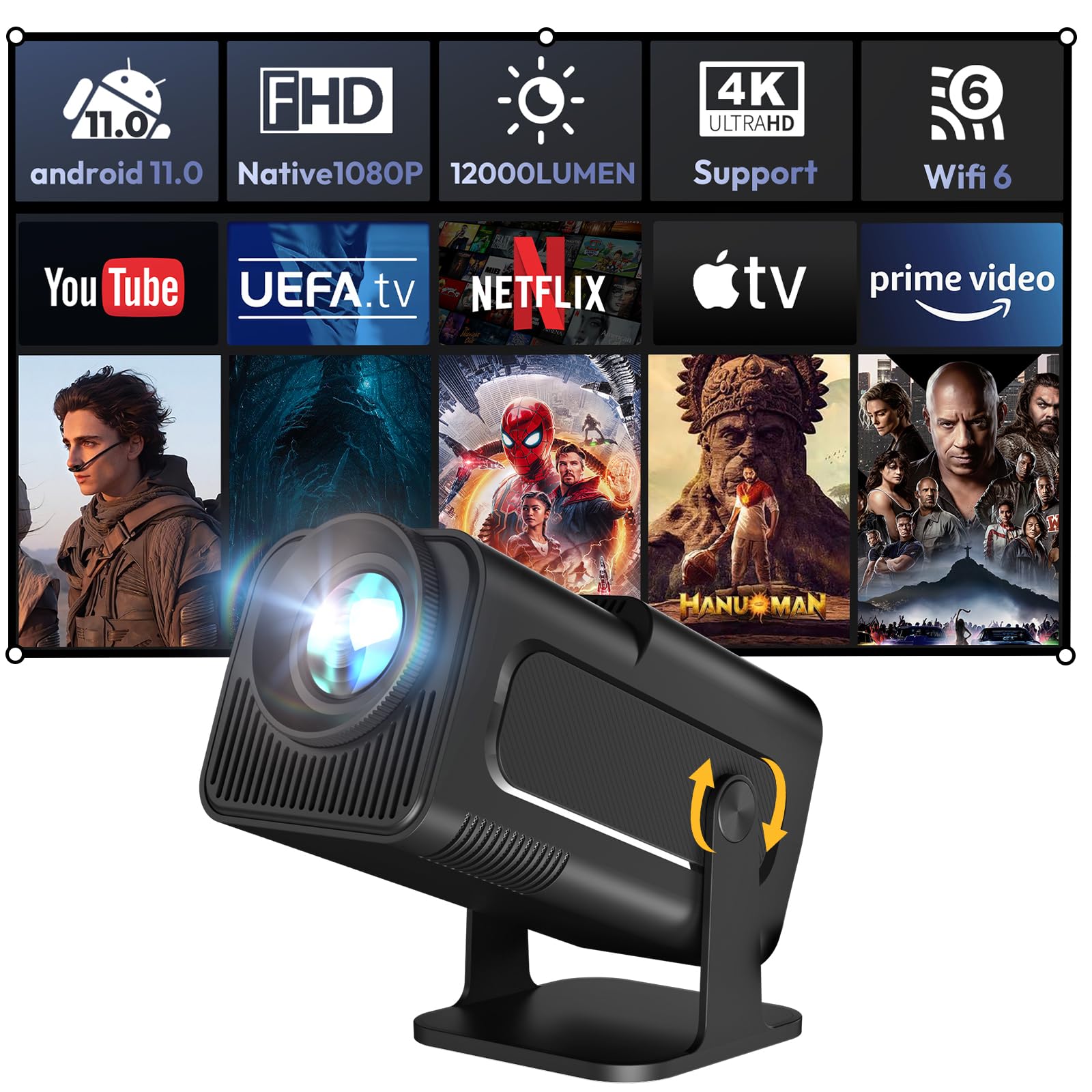
Image 1.1: The XGODY Gimbal5 Smart Mini-projector.
2. Bezpečnostní informace
Please read all safety instructions before using the projector to prevent injury or damage. Keep this manual for future reference.
- Napájení: Používejte pouze dodaný napájecí adaptér. Ujistěte se, že hlasitosttage odpovídá místnímu napájení.
- Větrání: Neblokujte větrací otvory. Zajistěte dostatečné proudění vzduchu kolem projektoru, abyste zabránili přehřátí.
- Voda a vlhkost: Do not expose the projector to rain, moisture, or liquids.
- Čištění: Před čištěním projektor odpojte ze zásuvky. Použijte měkký, suchý hadřík. Nepoužívejte tekuté ani aerosolové čisticí prostředky.
- Umístění: Umístěte projektor na stabilní, rovný povrch. Neumísťujte jej na přímé sluneční světlo ani do blízkosti zdrojů tepla.
- Bezpečnost očí: Nedívejte se přímo do objektivu projektoru, když je zapnutýamp je zapnuto.
3. Obsah balení
Ověřte, zda jsou v balení přítomny všechny položky:
- XGODY Gimbal5 Smart Mini-projector
- Dálkové ovládání
- Napájecí kabel
- Uživatelská příručka (tento dokument)
4. Konec produktuview
4.1 Fyzické vlastnosti
The Gimbal5 projector features a compact design for portability and a versatile stand that allows for 180° rotation, enabling projection onto walls or ceilings.

Image 4.1: The compact size of the XGODY Gimbal5, designed for portability.

Image 4.2: The projector's 180-degree rotation feature for flexible projection angles.
4.2 Porty a ovládací prvky
The projector is equipped with various ports for connectivity and is controlled via the included remote.

Obrázek 4.3: Zadní strana view showing HDMI, USB, and 3.5mm audio ports for diverse connectivity.
5. Nastavení
5.1 Počáteční zapnutí
- Connect the power cable to the projector and a power outlet.
- Stisknutím tlačítka napájení na projektoru nebo na dálkovém ovladači jej zapněte.
5.2 Síťové připojení
Connect your projector to a stable internet connection for optimal performance and access to online content.
- Pomocí dálkového ovladače přejděte do nabídky nastavení.
- Vybrat Síť a internet and choose your desired Wi-Fi network.
- Enter the Wi-Fi password if prompted. The projector supports the latest 5G dual-band WiFi 6 for faster speeds.

Image 5.1: Demonstrating the Dual-Band WiFi 6 for enhanced connectivity.
5.3 Automatic Image Adjustments
The projector features automatic keystone correction and electric focus for a clear and properly aligned image.
- The projector will automatically adjust the image shape (keystone) to be rectangular.
- Electric focus ensures a sharp image without manual adjustment.

Image 5.2: The Auto-Vertical Keystone feature automatically corrects image distortion.
6. Návod k obsluze
6.1 Inteligentní systém Android 11.0
Projektor běží na operačním systému Android 11.0, který poskytuje přístup k široké škále aplikací.
- Pro navigaci v rozhraní systému Android použijte dálkové ovládání.
- Access pre-installed apps like Netflix and YouTube, or download more from the integrated Google Store.

Image 6.1: The Android 11.0 interface displaying various streaming applications.
6.2 Screen Mirroring (Eshare)
Share content from your mobile device directly to the projector screen using the Eshare function.
- Ensure your mobile device and projector are connected to the same Wi-Fi network.
- Select the Eshare application on the projector.
- Follow the on-screen instructions to connect your iOS or Android device.
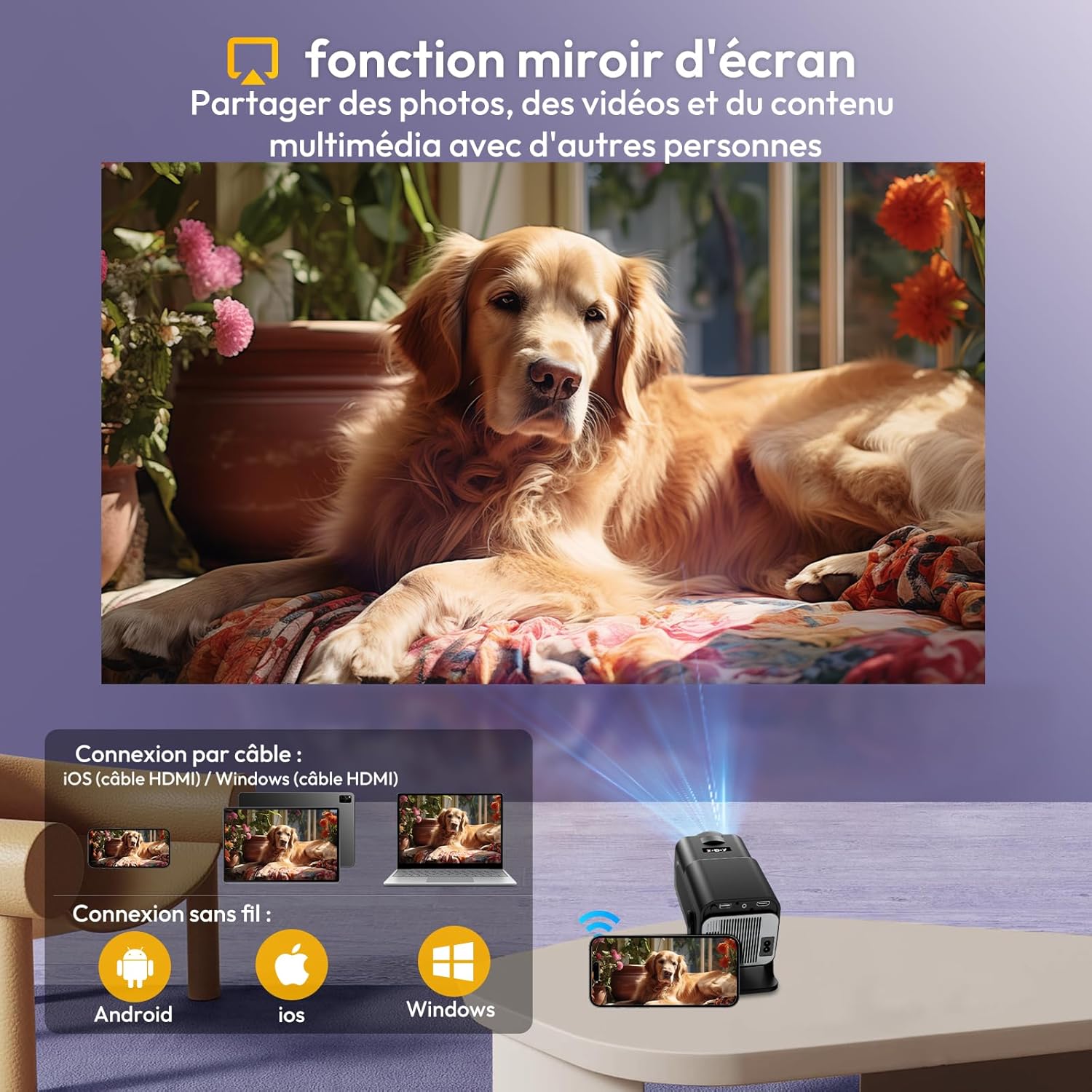
Image 6.2: Screen mirroring functionality, allowing content sharing from mobile devices.
6.3 Připojení externích zařízení
The projector supports various external devices via HDMI, USB, and Bluetooth.
- HDMI: Connect TV sticks, laptops, game consoles (PS5) using an HDMI cable.
- USB: Připojte USB disky pro přehrávání médií.
- Bluetooth 5.2: Connect external Bluetooth speakers for an enhanced audio experience. The projector also has a built-in 3W Hi-Fi speaker.
- 3.5 mm zvuk: Connect headphones or external speakers via the audio jack.
Obrázek 6.3: Konecview of multiple connection options including HDMI, USB, and audio interfaces.
6.4 Kvalita obrazu
The projector delivers vivid and detailed picture quality with its native 1080p resolution and high brightness.

Image 6.4: Visual representation of the projector's vivid and detailed picture quality.
6.5 Projection Distance and Size
The short-throw projection ratio allows for large images even in limited spaces.
- Minimum projection distance: 1.5 meters for a 30-inch image.
- Maximum projection distance: 5 meters for a 200-inch image.
- Recommended display size: up to 150 inches for optimal viewIng.
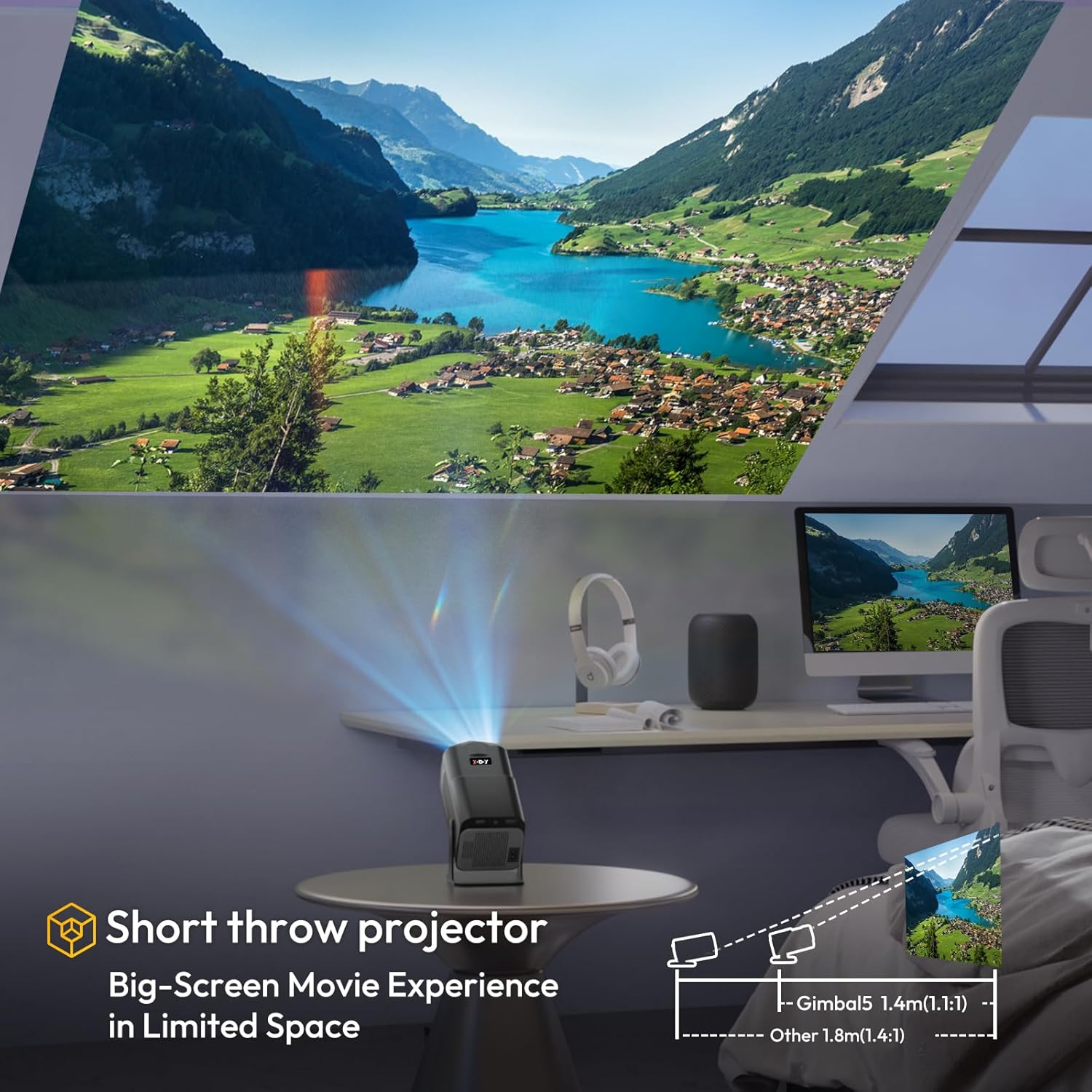
Image 6.5: Illustration of the short-throw projection, enabling large screens in small rooms.
7. Údržba
Správná údržba zajistí dlouhou životnost a výkon vašeho projektoru.
- Čištění objektivu: Use a soft, lint-free cloth specifically designed for optical lenses to gently wipe the projector lens. Avoid harsh chemicals.
- Větrání: Regularly check and clean the ventilation grilles to prevent dust buildup, which can lead to overheating. Use a soft brush or compressed air.
- Skladování: Pokud projektor delší dobu nepoužíváte, skladujte jej na chladném a suchém místě, mimo dosah přímého slunečního záření a extrémních teplot.
8. Řešení problémů
Pokud se s projektorem setkáte s problémy, podívejte se na následující běžné problémy a jejich řešení:
| Problém | Možná příčina | Řešení |
|---|---|---|
| Žádná síla | Napájecí kabel odpojen; Problém se zásuvkou | Ujistěte se, že je napájecí kabel bezpečně připojen. Zkuste jinou zásuvku. |
| Žádný obrázek | Input source not selected; Device not connected; Projector in standby mode | Select correct input source (HDMI, USB). Check device connection. Press power button to wake up. |
| Rozmazaný obrázek | Focus issue; Keystone issue | The projector has electric focus and auto-keystone. If issues persist, check for obstructions or try restarting. |
| Žádný zvuk | Volume too low; Muted; External audio device issue | Increase volume. Check if muted. Ensure external audio devices are properly connected and powered on. |
| Dálkové ovládání nefunguje | Slabé/vybité baterie; Překážka; Dálkový ovladač není spárovaný | Replace batteries. Remove obstructions between remote and projector. Re-pair the remote if necessary (refer to Android TV settings). |
9. Specifikace
Key technical specifications of the XGODY Gimbal5 Smart Mini-projector:
| Funkce | Detail |
|---|---|
| Značka | XGODY |
| Číslo modelu | Gimbal5 |
| Rozměry produktu | 14 l x 15 š x 25.5 v centimetrů |
| Hmotnost | 1 kilogram |
| Nativní rozlišení | 1920 x 1080 (Full HD) |
| Maximum Screen Resolution | 1920 x 1080 |
| Jas | 18000 XNUMX lumenů |
| Kontrastní poměr | 10000:1 |
| Typ zobrazení | LCD |
| Operační systém | Android 11.0 |
| Technologie připojení | USB, 3.5 mm audio, HDMI, WLAN (WiFi 6), Bluetooth (5.0) |
| Speciální funkce | Speaker, Auto-Keystone, 180° Rotation |
| Minimální projekční vzdálenost | 1.5 metrů |
| Maximální projekční vzdálenost | 5 metrů |
| Minimální velikost obrázku | 30 palců |
| Maximální velikost obrázku | 200 palců |
| Kompatibilní zařízení | TV Stick, laptop, iOS, Android, PS5 |
10. Záruka a podpora
The XGODY Gimbal5 Smart Mini-projector comes with a manufacturer's warranty. Please refer to the warranty card included in your package for specific terms and conditions.
- For technical support or warranty claims, please contact XGODY customer service through their official webwebu nebo kontaktních informací uvedených v záruční dokumentaci.
- Uschovejte si účtenku jako doklad o koupi pro účely záruky.