
1. Úvod
Thank you for choosing the VECELO 2-Tier Monitor Stand. This product is designed to elevate your monitor to an ergonomic viewing height, reduce neck and eye strain, and optimize your desk space. Made from high-quality MDF, it offers a sturdy and stylish solution for a more organized and comfortable work environment. Please read this manual carefully before assembly and use to ensure proper setup and longevity of your product.
2. Vlastnosti produktu
- Ergonomický design: Elevates your monitor to an optimal viewing height, approximately 13cm, promoting better posture and reducing strain on your neck and eyes. This helps prevent slouching during long working hours.
- Optimalizace prostoru: The two-tier design provides convenient storage space underneath for your keyboard, mouse, laptop, and other office supplies, helping to declutter your desktop and create a cleaner workspace.
- Vylepšený odvod tepla: By raising your monitor, the stand improves air circulation around your computer, which can help lower operating temperatures and extend the lifespan of your devices.
- Odolná konstrukce: Crafted from high-quality MDF (Medium-Density Fiberboard), ensuring stability and durability. The stand can support up to 18kg.
- Snadná údržba: The surface is resistant to wear and dirt, making it simple to clean with a damp tkanina.
- Všestranné použití: Suitable for various devices including desktop monitors, laptops, and printers, making it a flexible addition to any home or office setup.

The monitor stand helps adjust your eye level by approximately 13cm, promoting a healthier posture.

Maximize your desktop space and achieve a tidy workspace with the 2-tier design.
3. Obsah balení
Please check that all components are present and in good condition before beginning assembly.
- Horní panel (1)
- Boční panely (2)
- Prostřední police (1)
- Spodní panel (1)
- Screws (various sizes, with spares)
- Šroubovák (1)
- Soft Rubber Feet (4)
4. Montážní návod
Follow these steps to assemble your VECELO 2-Tier Monitor Stand. Assembly is simple and requires minimal tools.
- Připravte si komponenty: Lay out all panels and hardware on a clean, flat surface. Identify the top panel, side panels, middle shelf, and bottom panel.
- Attach Side Panels to Middle Shelf: Use the provided screws and screwdriver to attach the two side panels to the middle shelf. Ensure the pre-drilled holes align correctly.
- Připevněte horní panel: Secure the top panel to the assembled side panels and middle shelf using the appropriate screws.
- Připevněte spodní panel: Fasten the bottom panel to the side panels, creating the lower storage compartment.
- Instalace gumových nožiček: Peel and stick the soft rubber feet to the bottom corners of the stand. These feet provide stability and protect your desk surface.
Watch this video for a visual guide on assembling the monitor stand and its features.

Visual representation of the assembly process, highlighting the use of screws and panel connections.
5. Pokyny k použití
Once assembled, place your monitor stand on a stable, flat surface. Position your monitor on the top tier. Utilize the lower tier and the space beneath the stand for storing your keyboard, mouse, laptop, notebooks, and other desk accessories. The integrated cable management feature helps keep your cables tidy.
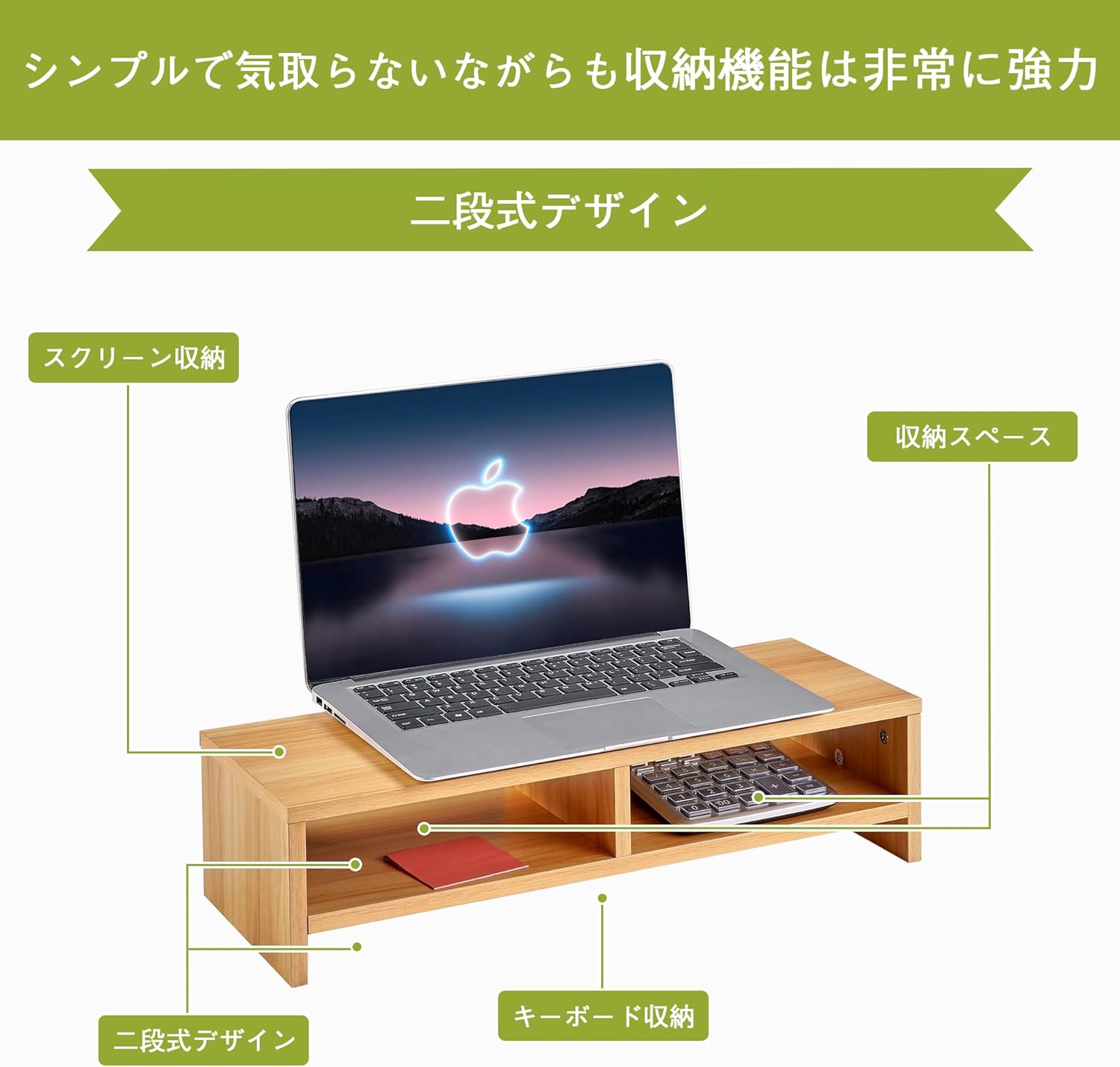
The 2-tier design provides dedicated space for your monitor, keyboard, and other essentials.
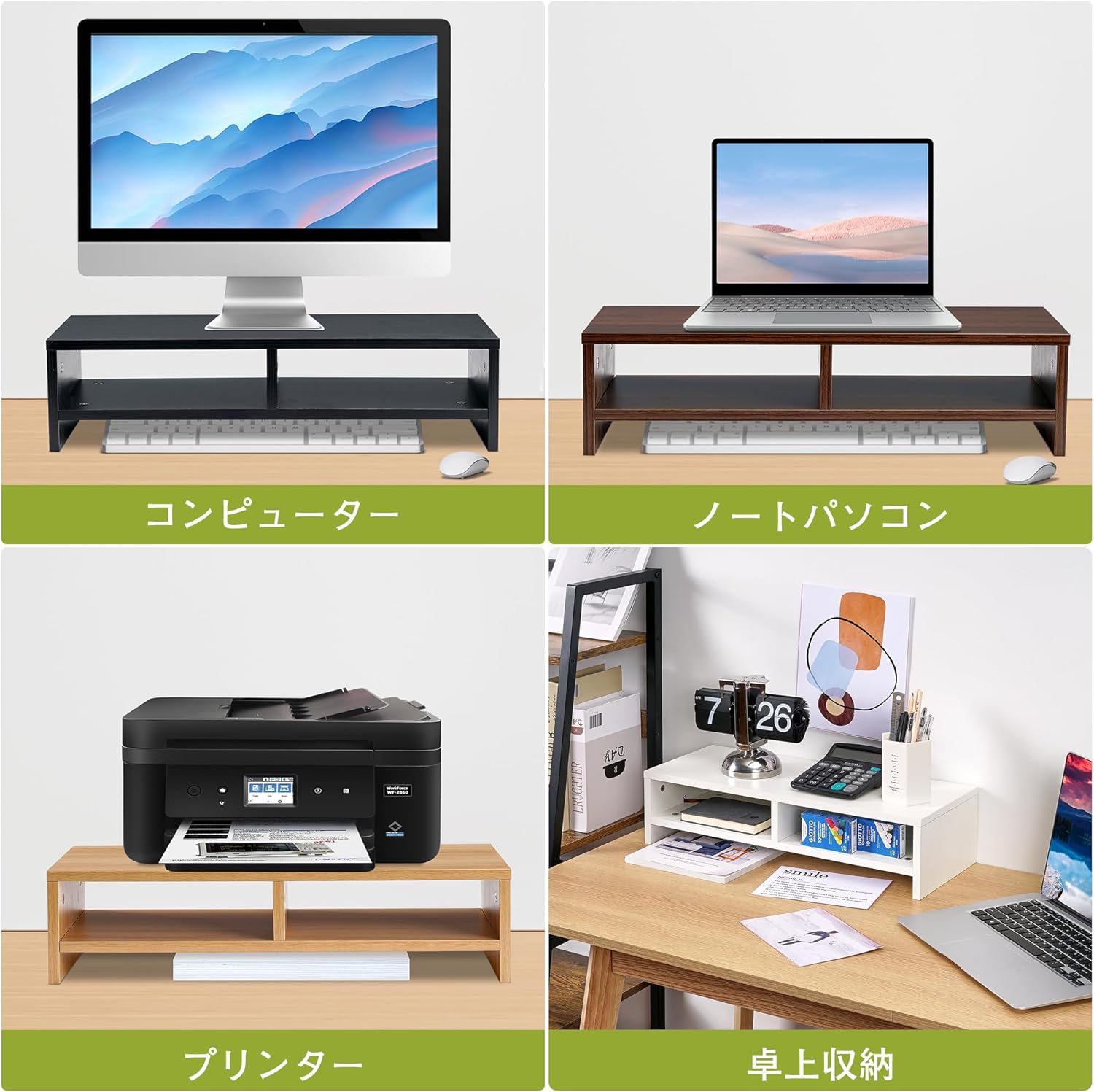
The stand is versatile and can be used with various devices and for different storage needs.
6. Péče a údržba
To maintain the appearance and longevity of your VECELO Monitor Stand, follow these simple care instructions:
- Čištění: Otřete povrch měkkým, damp hadříkem. Nepoužívejte agresivní chemikálie nebo abrazivní čisticí prostředky, protože by mohly poškodit povrchovou úpravu.
- Rozlití: Veškeré rozlité tekutiny ihned setřete, abyste zabránili poškození vlhkostí.
- Umístění: Avoid placing the stand in direct sunlight or near heat sources, which can cause discoloration or warping.
- Hmotnostní limit: Do not exceed the maximum load capacity of 18kg to prevent damage to the stand or your devices.

The stand's surface is easy to clean, keeping it looking new with minimal effort.
7. Řešení problémů
Pokud narazíte na jakékoli problémy se stojanem monitoru, podívejte se na následující běžná řešení:
- kolísání: Ensure all screws are tightened securely. Check that the stand is placed on a completely flat and stable surface. The rubber feet should be evenly applied.
- Chybějící části: If any parts are missing upon unboxing, please contact VECELO customer support immediately for assistance.
- Poškození během montáže: If a part is damaged during assembly, stop and contact customer support. Do not attempt to force parts together.
8. Specifikace
| Funkce | Detail |
|---|---|
| Číslo modelu | B0D1XZ2WW1 |
| Rozměry (přibližně) | Šířka 49.7 cm x hloubka 19.5 cm x výška 12.8 cm |
| Hmotnost (přibližně) | 2.25 kg |
| Materiál | Oak Wood (MDF) |
| Kapacita zatížení | 18 kg |
| Barva | Dub |
| Úrovně | 2 |

Detailed product dimensions and load capacity.
9. Záruka a podpora
For warranty information, technical support, or any questions regarding your VECELO 2-Tier Monitor Stand, please refer to the contact information provided with your purchase or visit the official VECELO webmísto. Uschovejte si doklad o koupi pro případ záručních reklamací.