
1. Úvod
This manual provides detailed instructions for the Odokee Digital Alarm Clock, Model U2-SV-001. Please read this manual thoroughly before using the product to ensure correct operation and to maximize its features. Keep this manual for future reference.
2. Konec produktuview
The Odokee Digital Alarm Clock is designed for ease of use and clear visibility, featuring a large display, adjustable brightness, multiple alarm sounds, and a multi-color night light. It also includes a convenient USB charging port.
Klíčové vlastnosti:
- Large, bold 2-inch numbers for easy readability.
- 5-level adjustable brightness dimmer for the time display.
- Extra loud alarm with 5 selectable wake-up sounds and adjustable volume (30-110dB).
- Záložní baterie pro nastavení času a budíku při výpadku napájenítages (display off).
- Integrated USB charging port for external devices.
- 8-color night light with adjustable brightness.
- Front-facing buttons for effortless setup and operation.
Komponenty:
Refer to the image below for a visual representation of the clock's front panel and buttons.

Obrázek 2.1: Přední strana view of the Odokee Digital Alarm Clock showing the display and control buttons.
The back of the clock features the power input, USB charging port, and battery compartment.

Obrázek 2.2: Zadní view of the alarm clock with power input and USB charging port.
3. Nastavení
3.1 Připojení napájení
- Connect the provided AC adapter to the DC 5V input port on the back of the alarm clock.
- Zapojte síťový adaptér do standardní elektrické zásuvky. Displej se rozsvítí.

Figure 3.1: Connecting the alarm clock to power using the included AC adapter.
3.2 Instalace záložní baterie
The clock requires 2 AAA alkaline batteries (not included) for backup. These batteries maintain time and alarm settings during a power outage, but the display will not light up when running on battery power alone.
- Otevřete kryt přihrádky na baterie na zadní straně hodin.
- Insert 2 AAA alkaline batteries, ensuring correct polarity (+/-).
- Zavřete kryt prostoru pro baterie.

Obrázek 3.2: Přihrádka na baterie typu AAA.
4. Návod k obsluze
4.1 Nastavení času
- Stiskněte a podržte NASTAVENÍ ČASU po dobu 2 sekund pro vstup do režimu nastavení času. Číslice hodin budou blikat.
- Stiskněte tlačítko HOUR 12/24H nastavte hodinu.
- Stiskněte tlačítko MIN AL ON/OFF minutu.
- Stiskněte NASTAVENÍ ČASU znovu pro potvrzení a ukončení režimu nastavení času.

Figure 4.1: Time setting button layout.
4.2 12/24hodinový formát
Přepínání mezi 12hodinovým a 24hodinovým formátem času:
- V normálním režimu zobrazení času stiskněte HOUR 12/24H tlačítko pro přepínání mezi 12hodinovým (s indikátorem AM/PM) a 24hodinovým formátem času.

Figure 4.2: Toggling between 12-hour and 24-hour display.
4.3 Stmívač jasu displeje
The clock display has 5 brightness levels and can be turned off completely.
- Stiskněte tlačítko LIGHT DIM button (also the Snooze button) repeatedly to cycle through the 5 brightness levels and the 'off' state.

Figure 4.3: Adjusting the display brightness.
4.4 Nastavení alarmu
- Stiskněte a podržte NASTAVENÍ ALARMU button for 2 seconds. The alarm hour digits will flash.
- Stiskněte tlačítko HOUR 12/24H tlačítko pro nastavení hodiny budíku.
- Stiskněte tlačítko MIN AL ON/OFF tlačítko pro nastavení minuty budíku.
- Stiskněte NASTAVENÍ ALARMU znovu pro potvrzení času budíku.
- After setting the alarm time, the alarm will be automatically activated. A bell icon will appear on the display.
4.5 Výběr zvuku alarmu
The clock offers 5 different alarm sounds.
- While the alarm is not sounding, press the ZVUK ALARMU button repeatedly to cycle through the 5 available sounds: Birds Chirping, Beep, Soft Music, Ode to Joy, Siren.

Obrázek 4.4: Dostupné zvuky alarmu.
4.6 Nastavení hlasitosti alarmu
The alarm volume can be adjusted from 30dB to 110dB.
- While the alarm is not sounding, press the ALARM VOL button repeatedly to cycle through the available volume levels.
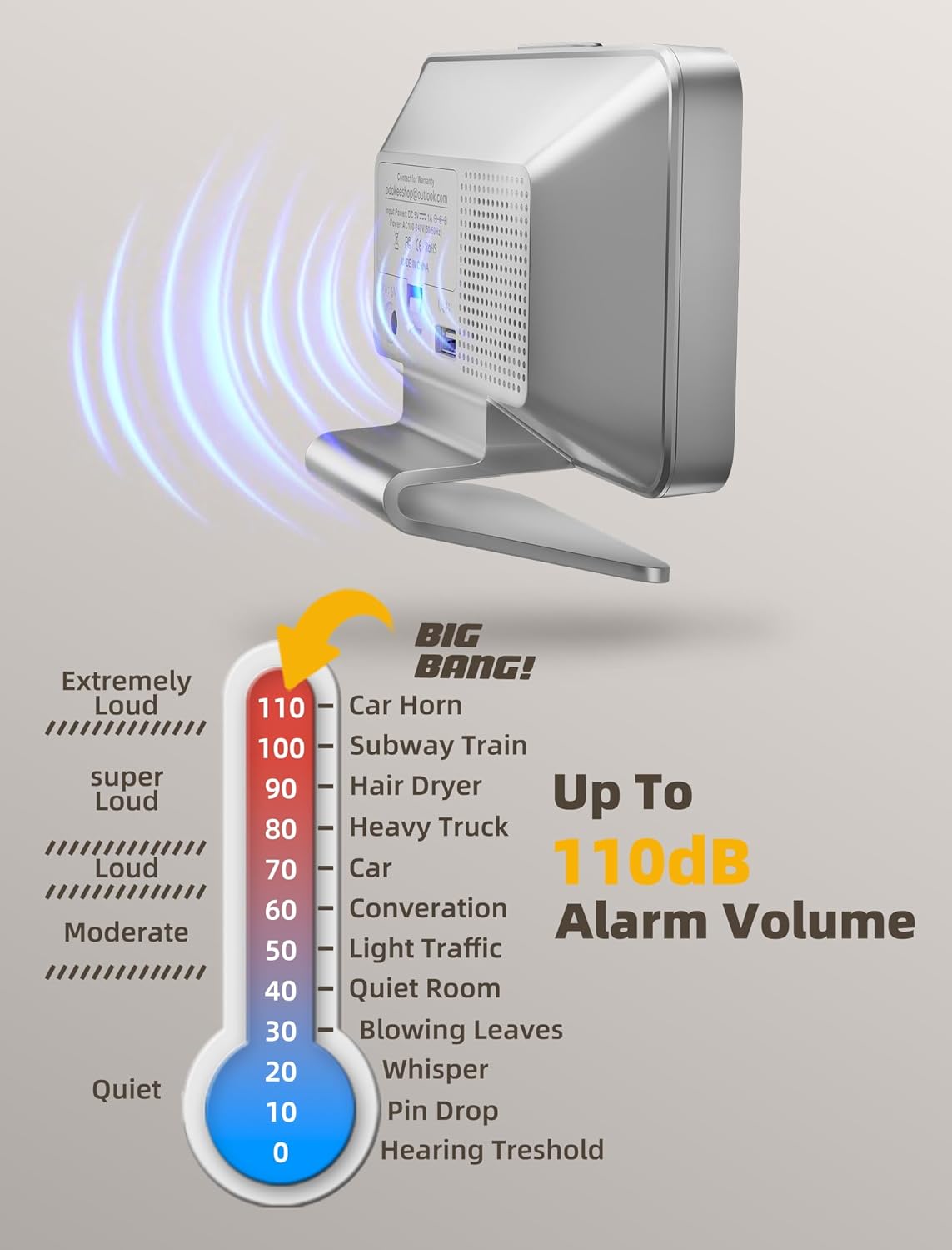
Figure 4.5: Alarm volume adjustment range.
4.7 Funkce odložení
Když zazní budík:
- Stiskněte velký LIGHT DIM button (Snooze button) on top of the clock to activate snooze. The alarm will pause for 9 minutes and then sound again.
- To turn off the alarm completely, press any other button on the front panel.

Figure 4.6: Location of the Snooze/Dimmer button.
4.8 Funkce nočního světla
The clock features an 8-color night light with adjustable brightness.
- Stiskněte tlačítko SVĚTLO button (sun icon) to turn on the night light.
- Stiskněte tlačítko SVĚTLO button repeatedly to cycle through the 8 colors and adjust their brightness levels.
- To turn off the night light, continue pressing the SVĚTLO tlačítko, dokud se nevypne.

Figure 4.7: The 8-color night light feature.
4.9 USB nabíjecí port
A USB charging port is located on the back of the clock.
- Connect your smartphone or other USB-powered device to this port using a compatible USB cable (not included) to charge it.

Figure 4.8: Using the integrated USB charging port.
5. Údržba
5.1 Čištění
- Hodiny otřete měkkým, suchým hadříkem.
- Nepoužívejte abrazivní čisticí prostředky ani rozpouštědla, protože by mohly poškodit povrch.
5.2 Výměna baterie
- Pokud hodiny často dochází k výpadkům napájenítages or if the backup function is unreliable, replace the 2 AAA batteries in the battery compartment.
- Ensure proper polarity when inserting new batteries.
6. Řešení problémů
| Problém | Možná příčina | Řešení |
|---|---|---|
| Displej je vypnutý. | Clock is not plugged in, or brightness is set to 'off'. | Ensure AC adapter is securely plugged in. Press the LIGHT DIM tlačítko pro nastavení jasu. |
| Display is off during power outage. | This is normal. Battery backup only maintains settings, not display. | No action needed. Display will return when power is restored. |
| Alarm se nespustí. | Alarm is not set or is turned off. Volume is too low. | Ensure alarm is set and the bell icon is visible. Adjust alarm volume using ALARM VOL tlačítko. |
| Čas je po výpadku proudu nesprávnýtage. | Záložní baterie jsou vybité nebo nejsou nainstalovány. | Install or replace 2 AAA batteries. Reset the time if necessary. |
| Nabíjecí port USB nefunguje. | Clock is not powered, or device cable is faulty. | Ensure clock is plugged into an outlet. Try a different USB cable or device. |
7. Specifikace
- Model: U2-SV-001
- Značka: Odokee
- Typ displeje: Digitální
- Zdroj napájení: Elektrické s kabelem (včetně síťového adaptéru)
- Bateriová záloha: 2 x AAA baterie (nejsou součástí balení)
- Rozměry produktu: 5.5 cm Š x 4 cm V
- Materiál: Plast
- Speciální vlastnosti: Adjustable Brightness, Adjustable Volume, USB Charging Port, Large Display, Mood Light (8 colors)
- Hmotnost položky: 6 unce (171 gramů)
8. Záruka a podpora
8.1 Informace o záruce
This Odokee Digital Alarm Clock (Model U2-SV-001) comes with an 18-month warranty from the date of purchase. This warranty covers manufacturing defects and ensures the product functions as described under normal use.
8.2 Zákaznická podpora
For any questions, technical assistance, or warranty claims, please contact Odokee customer support:
- E-mail: odokeeshop@outlook.com
Please provide your model number (U2-SV-001) and purchase details when contacting support to facilitate a quicker resolution.