
Mycket 012-2402B
Mycket Star Projector Instruction Manual
Model: 012-2402B | Značka: Mycket
1. Úvod
Děkuji za nákupasing the Mycket Star Projector. This device combines a galaxy projector, night light, and Bluetooth speaker to create a relaxing and immersive environment. Please read this manual thoroughly before use to ensure proper operation and to maximize your experience.
2. Co je v krabici
Ověřte, zda jsou v balení přítomny všechny komponenty:
- 1 x Mycket Snail Galaxy Star Projector
- 1 x Remote Control (with 1 AAA battery included)
- 1 x USB kabel (typu C)
- 1 x Uživatelská příručka

Image: Packaging contents showing the snail projector, remote control, USB cable, and user manual.
3. Bezpečnostní informace
- Do not look directly into the projector light source to avoid eye strain.
- Udržujte zařízení mimo dosah vody nebo jiných kapalin.
- Nerozebírejte ani se nepokoušejte zařízení sami opravovat. Požádejte o pomoc zákaznickou podporu.
- Pro napájení používejte pouze dodaný kabel USB.
- Keep out of reach of small children to prevent choking hazards from small parts (e.g., remote battery).
- Ensure proper ventilation; do not cover the device during operation.
4. Vlastnosti produktu
- Dual Projection Lenses: Projects both northern lights (aurora) and star light effects.
- Více režimů světla: Offers various aurora effects, star mode, and combined aurora + star modes.
- Nastavitelný jas: 5 levels of brightness (20%, 40%, 60%, 80%, 100%).
- Nastavitelná rychlost otáčení: 4 levels of speed (Stop, Slow, Medium, Fast).
- Vestavěný Bluetooth reproduktor: Connects to your device via Bluetooth for audio playback.
- Režim hudebního rytmu: Synchronizes light effects with music beats.
- Funkce časovače: Automatic shut-off options for 1 or 2 hours, or default 4-hour auto-off.
- Dálkové ovládání: Full control over all functions.
- Snail Design: Unique and appealing aesthetic.

Obrázek: Overview of the snail-shaped projector highlighting its key features.
5. Nastavení
- Rozbalit: Opatrně vyjměte projektor a veškeré příslušenství z obalu.
- Připojení napájení: Connect the provided USB cable to the Type-C charging port on the projector. Plug the other end into a standard USB power adapter (not included) or a compatible USB port. The projector will power on automatically.
- Baterie dálkového ovládání: The remote control comes with one AAA battery pre-installed. Remove the plastic tab from the battery compartment if present to activate it.
- Umístění: Place the projector on a stable, flat surface. For optimal projection, position it in a dark room, facing a ceiling or wall.

Obrázek: Podrobný view of the projector's control buttons and the remote control functions.
6. Návod k obsluze
6.1 Zapnutí/vypnutí
- Zapnutí: Connect the USB cable. The projector will turn on automatically. Alternatively, press the Tlačítko napájení on the remote or the unit.
- Vypnout: Stiskněte tlačítko Tlačítko napájení on the remote or the unit.
6.2 světelné režimy
The projector offers various light modes, controlled via the remote or the unit's buttons.
- Star Light Mode: Stiskněte tlačítko Star Light Mode button on the remote or the unit to activate the star projection.
- Northern Lights (Aurora) Mode: Stiskněte tlačítko Northern Lights Mode button on the remote or the unit to activate the aurora projection. You can cycle through different aurora colors (Red, Green, Blue, White) using the corresponding buttons on the remote (R, G, B, W).
- Kombinovaný režim: Activate both Star Light and Northern Lights modes simultaneously for a combined effect.

Obrázek: Přamples of different light modes: star, aurora, and combined effects.
6.3 Nastavení jasu
Adjust the brightness of the projection using the remote control.
- Stiskněte tlačítko Nastavení jasu button on the remote to cycle through 5 brightness levels (20%, 40%, 60%, 80%, 100%).
6.4 Rychlost otáčení
Control the rotation speed of the projected lights.
- Stiskněte tlačítko Speeds Up or Speeds Down buttons on the remote to adjust the rotation speed (Stop, Slow, Medium, Fast).
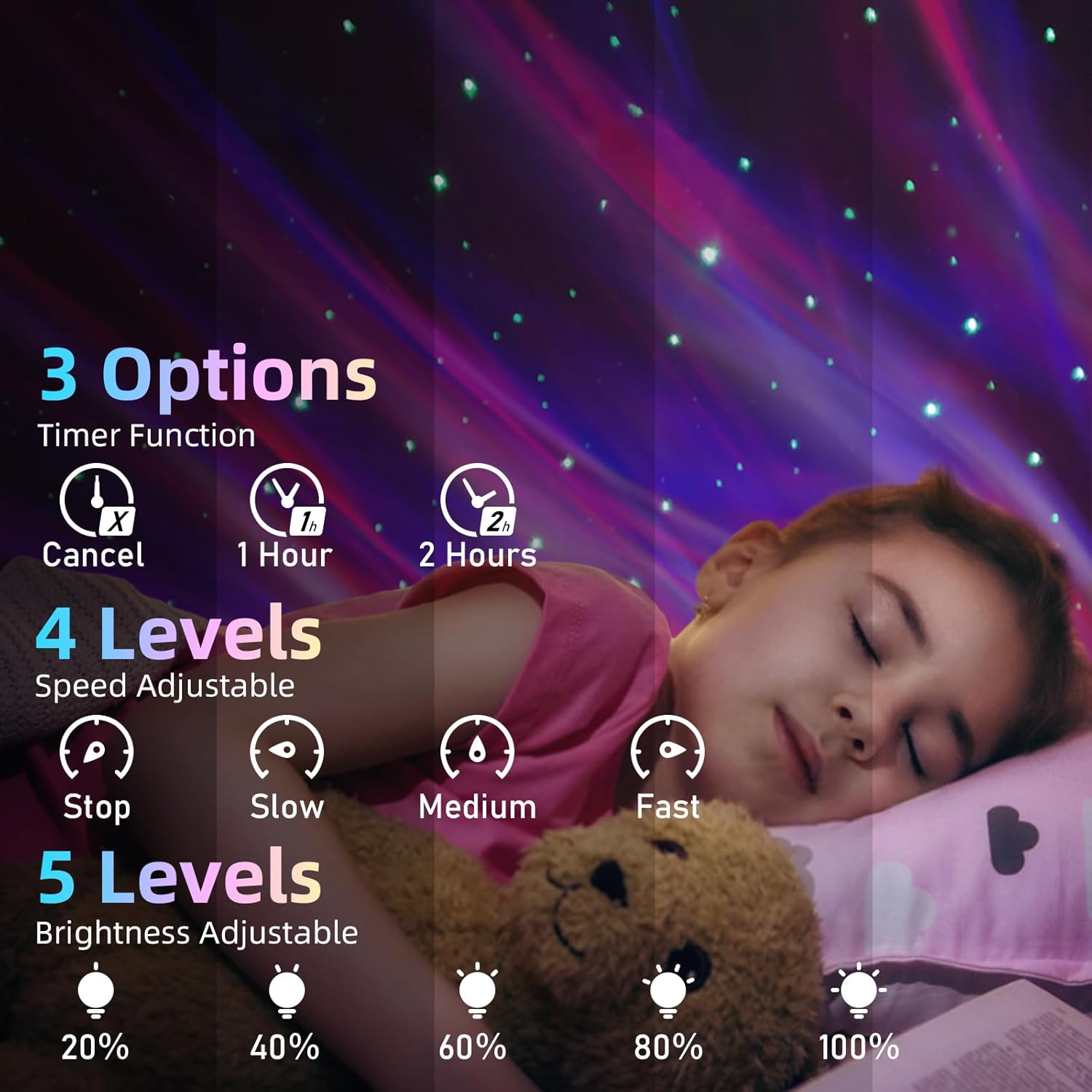
Image: Visual guide for timer, speed, and brightness settings.
6.5 Párování Bluetooth reproduktorů
Connect your mobile device to the projector's built-in Bluetooth speaker.
- Ujistěte se, že je projektor zapnutý.
- Na svém mobilním zařízení povolte Bluetooth a vyhledejte dostupná zařízení.
- Vybrat "XB2308" from the list of devices to pair.
- Once connected, you can play audio through the projector's speaker.

Image: Bluetooth speaker functionality with a connected smartphone.
6.6 Music Rhythm Mode
Activate this mode to synchronize the light effects with the beat of your music.
- After connecting via Bluetooth and playing music, press the Režim hudebního rytmu button on the remote to enable this feature.
6.7 Funkce časovače
Set the projector to automatically turn off after a specified time.
- Stiskněte tlačítko 1 Hour Timing button on the remote for a 1-hour shut-off.
- Stiskněte tlačítko 2 Hour Timing button on the remote for a 2-hour shut-off.
- Chcete-li časovač zrušit, stiskněte tlačítko Zrušit časovač tlačítko.
- If no timer is set, the projector will automatically turn off after 4 hours of continuous operation.
7. Údržba
- Čištění: Use a soft, dry cloth to wipe the surface of the projector. Do not use abrasive cleaners or solvents.
- Skladování: When not in use for extended periods, store the projector in a cool, dry place, away from direct sunlight.
- Péče o čočky: Gently clean the projection lenses with a lens cleaning cloth to maintain clear projection quality.
8. Řešení problémů
8.1 Projector Does Not Turn On
- Ensure the USB cable is securely connected to both the projector and the power source.
- Verify that the power adapter or USB port is functional.
- Check if the remote control battery is inserted correctly and has power.
8.2 Lights Are Dim or Not Projecting Clearly
- Upravte nastavení jasu pomocí dálkového ovladače.
- Ensure the room is sufficiently dark for optimal projection.
- Clean the projection lenses with a soft cloth.
- Adjust the projector's position and distance from the projection surface.
8.3 Bluetooth Speaker Not Connecting
- Ujistěte se, že je projektor zapnutý.
- Ujistěte se, že je na vašem mobilním zařízení povoleno Bluetooth.
- Check that you are selecting the correct device name: "XB2308".
- Move your mobile device closer to the projector.
- Pokud bylo zařízení dříve spárováno, zkuste jej zrušit a znovu spárovat.
8.4 Dálkové ovládání nefunguje
- Ensure the remote control has a working AAA battery and the plastic tab is removed.
- Point the remote directly at the projector's infrared receiver.
- Ujistěte se, že mezi dálkovým ovladačem a projektorem nejsou žádné překážky.
8.5 Projector Turns Off Unexpectedly
- Check if a timer (1-hour or 2-hour) is activated. Cancel the timer if continuous operation is desired.
- The projector has an automatic 4-hour shut-off feature if no timer is manually set. This is normal operation.
9. Specifikace
| Číslo modelu | 012-2402B |
| Rozměry (D x Š x V) | 14.8 cm H x 10 cm Š x 12.2 cm V (přibližně 5.83 cm x 3.94 cm x 4.8 cm) |
| Hmotnost položky | 13 unce (přibližně 368 g) |
| Materiál | Plast |
| Zdroj napájení | Elektrický kabel (USB) |
| Wattage | 4 wattů |
| Typ světelného zdroje | LED (Star Light, Aurora) |
| Kontrolní metoda | Dálkové ovládání, dotyková tlačítka |
| Vzdálená baterie | 1 x AAA (součástí balení) |
| Název Bluetooth | XB2308 |
| Vnitřní/venkovní použití | Krytý |
10. Záruka a podpora
10.1 Omezená záruka
Mycket products are designed and manufactured to the highest quality standards. This product is covered by a limited warranty from the date of purchase against defects in materials and workmanship. Please retain your proof of purchase for warranty claims. This warranty does not cover damage caused by misuse, accident, unauthorized modification, or normal wear and tear.
10.2 Zákaznická podpora
If you encounter any issues or have questions regarding your Mycket Star Projector, please contact our customer support team. For the fastest service, please have your model number (012-2402B) and purchase information ready.
Kontaktní údaje:
- E-mail: [Zde vložte e-mail zákaznické podpory]
- Webmísto: Mycket Official Store on Amazon
Ask a question about this manual
Ask about setup, troubleshooting, compatibility, parts, safety, or missing instructions. Manuals+ will review the question and use this page’s manual context to help answer it.