
1. Úvod a bezpečnostní informace
This manual provides essential instructions for the installation, operation, and maintenance of your GAMEMAX GX-850 80 Plus Gold Fully Modular Power Supply. Please read this manual thoroughly before installation and retain it for future reference.
1.1 Důležitá bezpečnostní upozornění
- Nebezpečí úrazu elektrickým proudem: Napájecí zdroje obsahují vysoké napětítage components. Do not open the power supply unit. There are no user-serviceable parts inside. Opening the unit will void the warranty.
- Správné uzemnění: Ensure your computer system is properly grounded to prevent electrical hazards.
- Odpojit napájení: Always disconnect the AC power cord from the wall outlet before installing, removing, or servicing the power supply or any other computer components.
- Větrání: Zajistěte dostatečné větrání kolem zdroje napájení. Neblokujte žádné větrací otvory.
- Moisture and Temperature: Do not operate the power supply in high humidity or high-temperature environments. Keep it away from water and heat sources.
- Profesionální instalace: Pokud si nejste jisti některými kroky instalace, vyhledejte pomoc kvalifikovaného technika.
2. Obsah balení
Verify that all items are present in your GAMEMAX GX-850 package:
- GAMEMAX GX-850 80 Plus Gold Fully Modular Power Supply
- Modular Cable Set (including ATX 24-pin, CPU 8-pin, PCIe 6+2-pin, SATA, Peripheral 4-pin cables)
- AC napájecí kabel
- Montážní šrouby
- Uživatelská příručka (tento dokument)
3. Konec produktuview
The GAMEMAX GX-850 is an 850-watt 80 Plus Gold certified fully modular power supply designed for desktop computers. It features an LLC and DC-DC circuit design for high efficiency and stable power delivery, along with an ultra-quiet FDB (Fluid Dynamic Bearing) fan for optimal cooling and low noise.
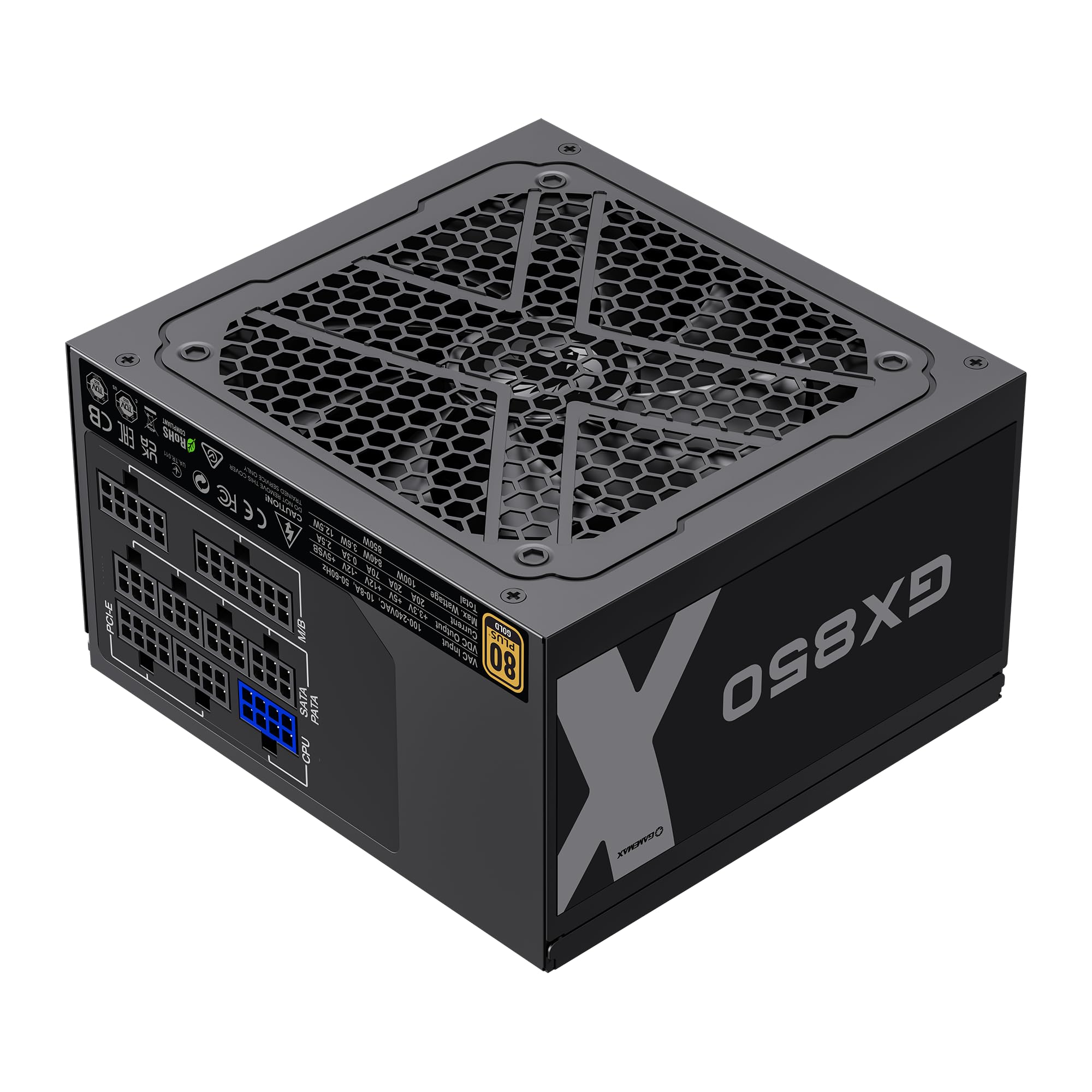
Image: The GAMEMAX GX-850 80 Plus Gold Fully Modular Power Supply, showcasing its black finish and modular design.
3.1 Klíčové vlastnosti
- Certifikace 80+ Gold: Ensures high power efficiency, reducing heat and operating costs.
- LLC+DC-DC Circuit: Advanced circuit design for stable voltage output and improved efficiency.
- Plně modulární design: Allows for custom cable management, reducing clutter and improving airflow.
- FDB Fan: Ultra-quiet temperature-controlled Fluid Dynamic Bearing fan for silent operation and extended lifespan.
- 105℃ Mainstream Capacitor: High-quality capacitors ensure long life and smooth power output.
- Komplexní ochrana: Features SIX levels of protection: Over Temperature Protection (OTP), Over Current Protection (OCP), Short Circuit Protection (SCP), Over Voltage Ochrana (OVP), pod svtage Protection (UVP), and Over Power Protection (OPP).
4. Nastavení a instalace
Follow these steps to properly install your GAMEMAX GX-850 power supply into your computer system.
4.1 kroky instalace
- Připravte si systém: Ujistěte se, že je počítač zcela vypnutý a odpojený od zásuvky. Otevřete kryt počítače.
- Demontáž starého zdroje (pokud je k dispozici): Odpojte všechny kabely od starého napájecího zdroje a vyjměte jej ze skříně.
- Montáž nového zdroje: Carefully place the GAMEMAX GX-850 into the power supply bay of your computer case. Secure it with the provided mounting screws. Ensure the fan is facing the correct direction for optimal airflow (typically facing down if your case has a bottom vent, or up if it's a top-mounted PSU).
- Připojení modulárních kabelů: Identify the necessary cables for your components. Connect the modular cables to the corresponding ports on the power supply first, then route them to your components.
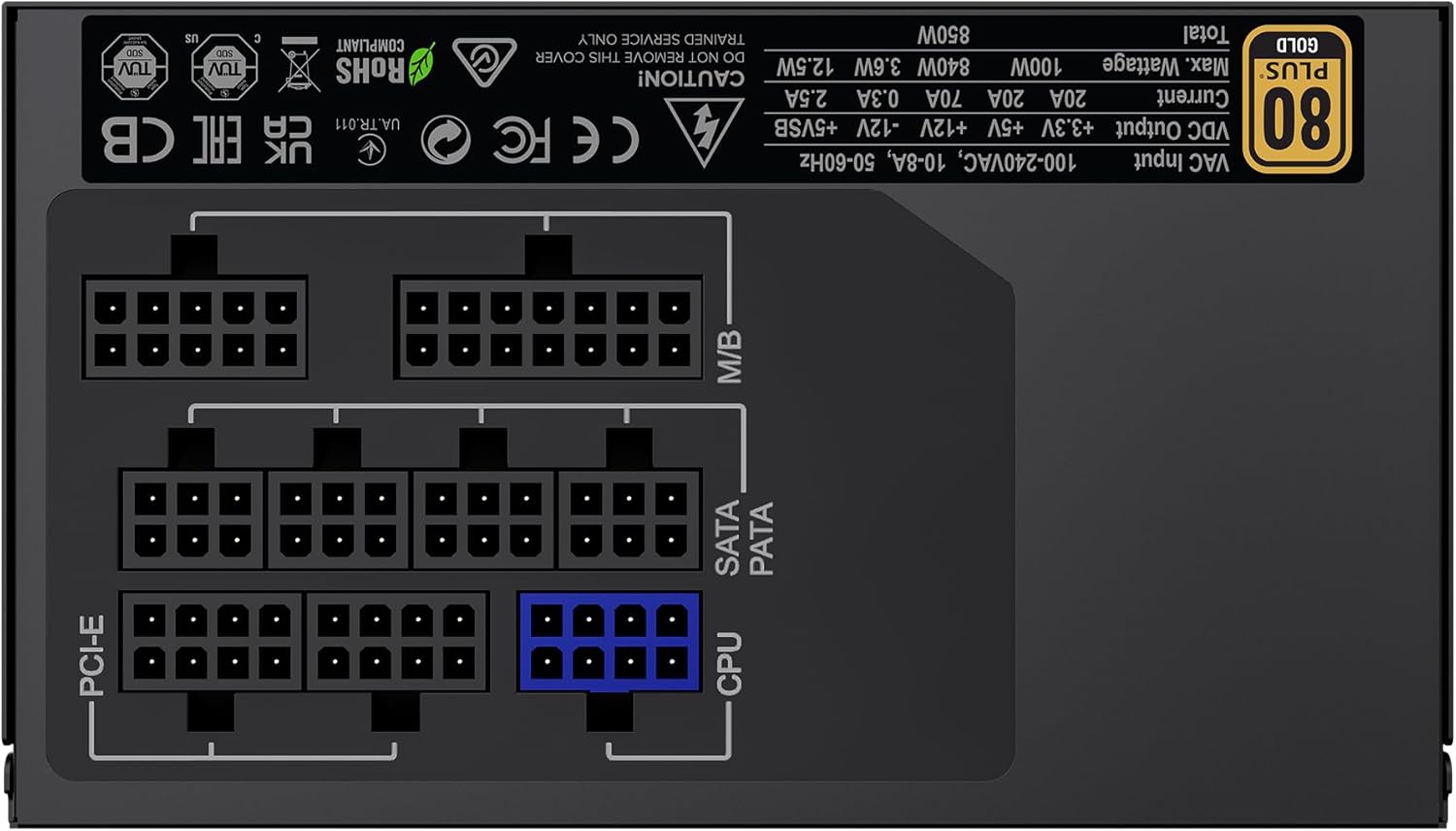
Obrázek: Zadní view of the GAMEMAX GX-850 showing the fully modular cable connection ports for PCI-e, M/B (Motherboard), SATA/PATA, and CPU cables.
- Motherboard (M/B): Připojte 24kolíkový kabel ATX k základní desce.
- CPU: Connect the 8-pin (or 4+4-pin) CPU power cable to the CPU power connector on your motherboard.
- Graphics Cards (PCI-e): Connect the 6+2-pin PCIe power cables to your graphics card(s). Use separate cables for each connector if your GPU requires multiple.
- Storage Devices (SATA): Připojte napájecí kabely SATA k diskům SSD, pevným diskům a optickým jednotkám.
- Peripherals (PATA/Molex): Connect peripheral power cables to any other devices requiring them (e.g., fan controllers, older drives).
- Správa kabelů: Kabely veďte úhledně pro zlepšení proudění vzduchu a estetiky.
- Zavřete pouzdro a připojte napájení: Close your computer case. Connect the AC power cord to the power supply and then to a grounded wall outlet.
5. Návod k obsluze
After successful installation, follow these steps to operate your system.
- Vypínač: Ujistěte se, že je vypínač na zadní straně napájecího zdroje v poloze „ON“ (I).
- Zapnutí systému: Press the power button on your computer case to turn on the system.
- System Power Off: To turn off your system, use the operating system's shutdown procedure. For a hard shutdown, hold the case power button for several seconds. For complete power disconnection, switch the PSU's power switch to 'OFF' (O) and unplug the AC cord.
6. Údržba
Pravidelná údržba pomáhá zajistit dlouhou životnost a optimální výkon vašeho zdroje napájení.
- Čištění prachu: Periodically clean the power supply's fan and ventilation grilles using compressed air to prevent dust buildup, which can impede cooling. Ensure the system is powered off and unplugged before cleaning.
- Kontrola kabelu: Occasionally check all modular cable connections to ensure they are securely seated.
- Podmínky prostředí: Maintain a clean, dry, and well-ventilated environment for your computer.
7. Řešení problémů
Pokud narazíte na problémy se zdrojem napájení, postupujte podle následujících běžných kroků pro řešení problémů:
- Bez napájení:
- Ensure the AC power cord is securely plugged into both the wall outlet and the power supply.
- Zkontrolujte, zda je vypínač na zadní straně zdroje v poloze „ON“ (I).
- Verify that the 24-pin ATX and 8-pin CPU power cables are correctly and firmly connected to the motherboard.
- Otestujte zásuvku ve zdi pomocí jiného zařízení, abyste se ujistili, že je pod proudem.
- Nestabilita systému/náhodné vypnutí:
- Ensure all modular cables are fully seated at both the PSU and component ends.
- Check for proper ventilation and ensure the PSU fan is spinning. Overheating can cause shutdowns.
- If you have recently added new components, ensure your 850W power supply is sufficient for the total system wattage.
- Ventilátor se netočí:
- The GX-850 features a temperature-controlled fan. It may not spin at low loads or temperatures. This is normal operation.
- If the fan does not spin under load and the PSU feels hot, ensure there are no obstructions and consider contacting support.
If problems persist after performing these steps, contact GAMEMAX customer support or your retailer for further assistance.
8. Specifikace
Detailed technical specifications for the GAMEMAX GX-850 80 Plus Gold Power Supply:
| Funkce | Specifikace |
|---|---|
| Název modelu | GX-850 Modular |
| Značka | GAMEMAX |
| Výstupní Wattage | 850 wattů |
| Form Factor | ATX |
| Certifikace účinnosti | 80 plus zlato |
| Návrh napájecího zdroje | Plně modulární |
| Způsob chlazení | Vzduch (ventilátor FDB) |
| Počet fanoušků | 1 |
| Minimální vstupní objtage | 115 voltů |
| Maximální vstupní objemtage | 240 voltů (AC) |
| Hodnocení vyšší teploty | 105 Degrees Celsius (Capacitors) |
| Kompatibilní zařízení | Stolní počítač |
| Typy konektorů | ATX, PCI-e, SATA |
9. Záruka a podpora
GAMEMAX products are manufactured to high-quality standards. For warranty information, please refer to the warranty card included with your product or visit the official GAMEMAX webZáruční podmínky se mohou lišit v závislosti na regionu a prodejci.
For technical support or further inquiries, please contact GAMEMAX customer service through their official webwebové stránky nebo kontaktní informace poskytnuté vaším prodejcem.