
CHUWI CHUWI GemiBook Plus (HEROBOOK)
Uživatelská příručka k notebooku CHUWI GemiBook Plus
Model: CHUWI GemiBook Plus (HEROBOOK)
15.6 inch Laptop Computer, 8GB LPDDR5 256GB SSD, Intel N100, Windows 11
1. Úvod
This manual provides essential information for the proper setup, operation, maintenance, and troubleshooting of your CHUWI GemiBook Plus laptop. Please read this manual thoroughly before using your device to ensure optimal performance and longevity.

Obrázek 1.1: Přední strana view of the CHUWI GemiBook Plus laptop, showcasing its 15.6-inch display with system specifications like 8GB DDR5 RAM, 256GB SSD, Intel N100 processor, and Windows 11 Home operating system.
2. Co je v krabici
Ověřte, zda jsou v balení přítomny všechny položky:
- Notebook CHUWI GemiBook Plus
- Charger set (Power Adapter and Cable)
- Vícejazyčný manuál
- Osvědčení o shodě
3. Konec produktuview
3.1 Klíčové vlastnosti
- Procesor: 12th Gen Intel Alder Lake N100 CPU (up to 3.4GHz)
- Paměť: 8GB LPDDR5 RAM (4800 MHz)
- Skladování: 256GB SSD (expandable up to 1TB via M.2 2280 SSD slot)
- Zobrazit: 15.6-inch FHD IPS screen (1920 × 1080p, 16:9 aspect ratio)
- Grafika: Grafika Intel UHD pro procesory Intel 12. generace
- Operační systém: Windows 11 Home
- Konektivita: Wi-Fi 6, Bluetooth 5.2, HDMI, USB 3.0, Type-C, RJ45 Ethernet
- Baterie: 38Wh for 6 to 8 hours of usage
- Design: Lightweight (1.74kg) and thin (19mm) with 180° opening hinge
- Zabezpečení: Physical camera switch for privacy

Obrázek 3.1: Overview of the CHUWI GemiBook Plus's key features, including its 15.6-inch IPS screen, 12th Gen Intel Alder Lake-N100 processor, 38Wh Li-ion battery, FHD resolution, 12th Gen Intel UHD Graphics, 8GB LPDDR5 RAM, 256GB M.2 SSD, and WiFi6+BT5.2 connectivity.
3.2 Porty a konektory
Familiarize yourself with the various ports and connectors on your laptop:

Image 3.2: Diagram illustrating the various ports on the CHUWI GemiBook Plus laptop. On one side, it shows the charging port, HDMI port, USB-A 3.0 port, Type-C port, and Audio Jack. On the other side, it displays another Type-C port, USB-A 2.0 port, USB-A 3.0 port, RJ45 LAN Port, and a lock slot.
- Nabíjecí port: Zde připojte napájecí adaptér.
- Port HDMI: Pro připojení k externím displejům.
- Porty USB-A 3.0: Pro vysokorychlostní přenos dat s kompatibilními zařízeními.
- Port USB-A 2.0: Pro standardní USB zařízení.
- Porty typu C: Versatile ports for data, display, and power delivery (check specific functionality).
- Audio jack: Pro sluchátka nebo externí reproduktory.
- Port RJ45 LAN: Pro kabelové síťové připojení.
- Slot zámku: Pro bezpečnostní lankové zámky.
4. Začínáme (Nastavení)
4.1 Počáteční zapnutí
- Connect the charger to the laptop's charging port and a power outlet.
- Otevřete víko notebooku.
- Press the power button, usually located on the keyboard deck.
- Postupujte podle pokynů na obrazovce a dokončete proces instalace systému Windows 11, včetně výběru jazyka, síťového připojení a vytvoření uživatelského účtu.
4.2 Připojení k Wi-Fi
- During Windows setup, you will be prompted to connect to a network. Select your Wi-Fi network from the list.
- V případě potřeby zadejte heslo Wi-Fi.
- Pokud nastavujete později, klikněte na ikonu Wi-Fi na hlavním panelu, vyberte síť a připojte se.
5. Návod k obsluze
5.1 Klávesnice a touchpad
The GemiBook Plus features a full-size keyboard and a large touchpad for comfortable interaction.

Obrázek 5.1: Detailní záběr view of the CHUWI GemiBook Plus laptop's full-size keyboard and large touchpad, highlighting its ergonomic design for comfortable typing.
- Klávesnice: Use for typing and system commands. Function keys (Fn) combined with F1-F12 keys provide additional shortcuts (e.g., volume, brightness).
- Touchpad: Podporuje vícedotyková gesta pro navigaci, posouvání a zoomování.
5.2 Displej
The 15.6-inch FHD IPS screen offers vibrant visuals. The laptop supports a 180° opening angle for flexible viewIng.
5.3 Webcam and Privacy
The laptop includes a webcam for video calls and conferencing. A physical camera switch is provided to block the camera lens, ensuring privacy when not in use.
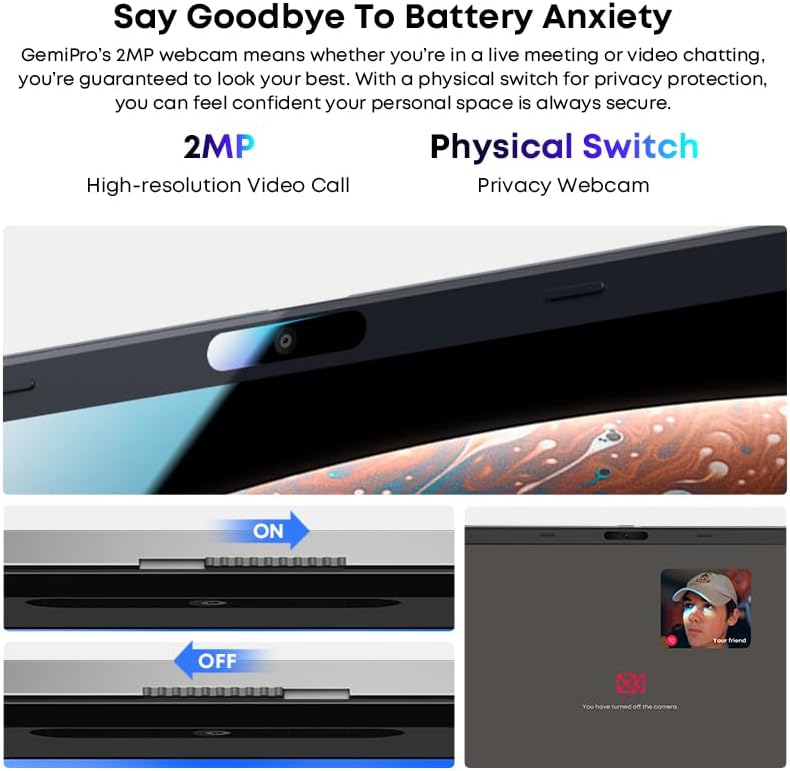
Image 5.2: Close-up of the CHUWI GemiBook Plus webcam with a physical privacy switch. The image shows the switch in both 'ON' (camera exposed) and 'OFF' (camera covered) positions, demonstrating how to physically block the camera lens for enhanced privacy.
5.4 Bezdrátové připojení
The GemiBook Plus supports Wi-Fi 6 and Bluetooth 5.2 for fast and stable wireless connections.

Image 5.3: A visual representation of the CHUWI GemiBook Plus's seamless wireless experience, highlighting Wi-Fi 6, Bluetooth 5.2, Ethernet RJ45, and HD Camera features. A user is shown participating in a video call on the laptop.
- Wi-Fi 6: Provides faster internet speeds and improved network efficiency compared to previous Wi-Fi standards.
- Bluetooth 5.2: Pro připojení bezdrátových periferií, jako jsou sluchátka, myši a klávesnice.
6. Správa baterií
The laptop is equipped with a 38Wh battery, providing approximately 6 to 8 hours of usage on a full charge. A full recharge typically takes about 3 hours.
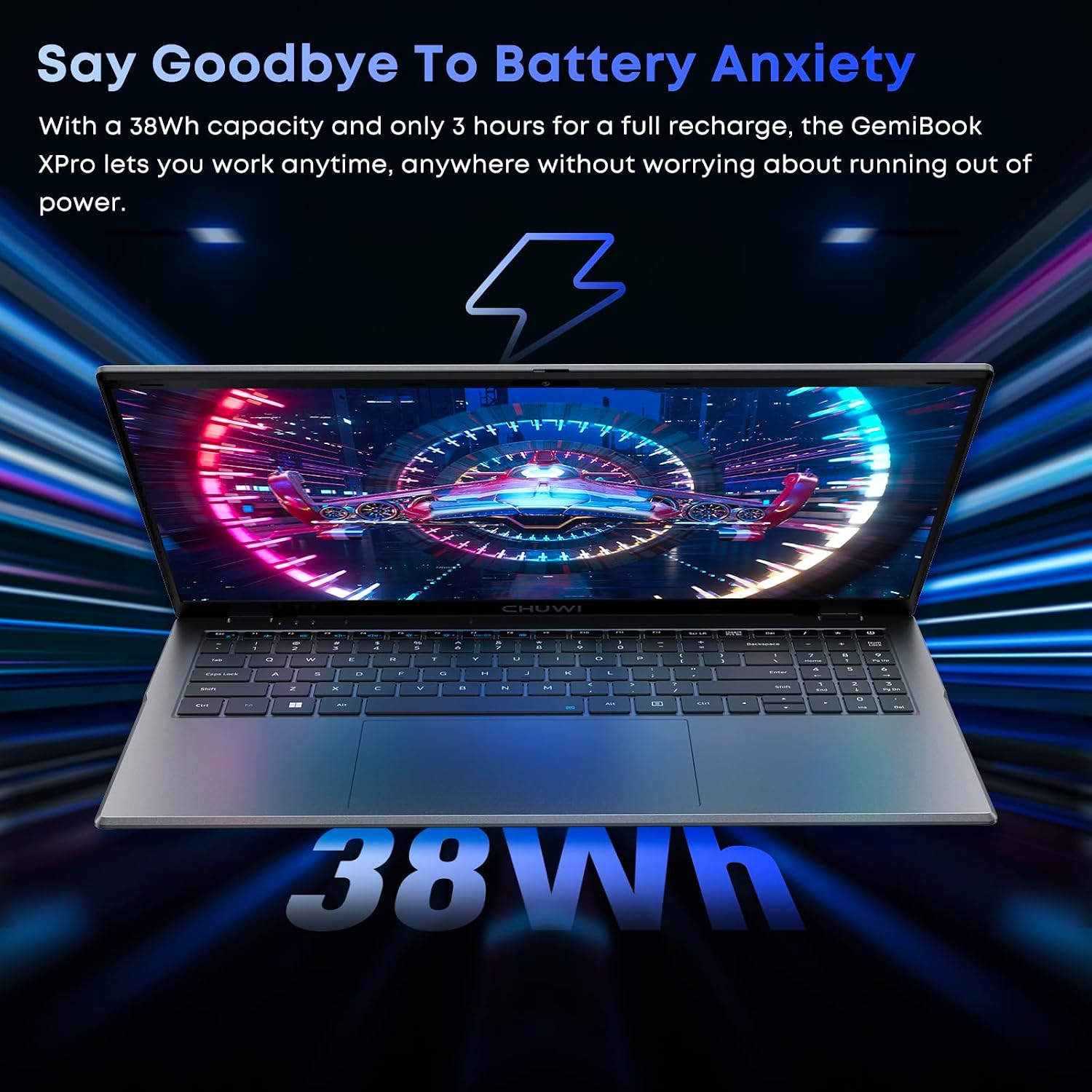
Image 6.1: The CHUWI GemiBook Plus laptop displayed with a visual representation of its 38Wh battery capacity, emphasizing its ability to provide extended usage without frequent recharging.
- Nabíjení: Connect the provided charger to the laptop and a power outlet. The charging indicator light will typically show the charging status.
- Péče o baterie: Chcete-li prodloužit životnost baterie, vyvarujte se častého úplného vybíjení. Pokud notebook delší dobu nepoužíváte, skladujte jej na chladném a suchém místě.
7. Údržba a péče
- Čištění: K čištění obrazovky a vnějšího povrchu použijte měkký hadřík, který nepouští vlákna. V případě odolných skvrn lehceampOtřete hadřík vodou nebo čističem obrazovek. Vyhněte se agresivním chemikáliím.
- Skladování: When not in use, store the laptop in a protective sleeve or bag to prevent scratches and dust accumulation.
- Teplota: Operate the laptop within recommended temperature ranges. Avoid exposing it to extreme heat or cold.
- Větrání: Ujistěte se, že ventilační otvory nejsou zablokovány, aby nedošlo k přehřátí.
8. Řešení problémů
8.1 Běžné problémy a řešení
| Problém | Možné řešení |
|---|---|
| Notebook se nezapne | Ensure the power adapter is securely connected and the outlet is working. Try a different power outlet. If the battery is completely drained, it may take a few minutes to respond after connecting the charger. |
| Žádné Wi-Fi připojení | Check if Wi-Fi is enabled in Windows settings. Restart your router and modem. Ensure you are entering the correct Wi-Fi password. |
| Pomalý výkon | Close unnecessary applications. Check for background processes consuming resources. Ensure Windows is updated. Consider running a disk cleanup. |
| Obrazovka je prázdná nebo bliká | Adjust screen brightness. Connect to an external monitor to check if the issue is with the laptop screen. Restart the laptop. |
| Webkamera nefunguje | Ensure the physical camera switch is in the 'ON' position. Check privacy settings in Windows to allow apps access to the camera. Update camera drivers. |
9. Technické specifikace
| Funkce | Specifikace |
|---|---|
| Velikost zobrazení na stojící obrazovce | 15.6 palce |
| Rozlišení obrazovky | 1920 x 1080 pixelů (FHD) |
| Procesor | Intel Alder Lake N100 (up to 3.4 GHz) |
| BERAN | 8 GB LPDDR5 |
| Pevný disk | 256 GB SSD (M.2 2280, expandable to 1TB) |
| Grafický koprocesor | Grafika Intel UHD |
| Operační systém | Windows 11 |
| Bezdrátový typ | Wi-Fi 6, Bluetooth 5.2 |
| Počet portů USB 3.0 | 2 |
| Průměrná životnost baterie | 6 hodin (38 Wh) |
| Hmotnost položky | 3.7 libry (přibližně 1.74 kg) |
| Rozměry produktu | 14 x 0.78 x 9.5 palců (přibližně 35.5 x 1.98 x 24.1 cm) |
| Barva | Stříbro |
10. Záruka a podpora
10.1 Záruční doba
Notebook CHUWI GemiBook Plus je dodáván s... 1-letá záruka, valid immediately after purchase.
10.2 Zákaznická podpora
CHUWI offers lifetime factory professional support and 24-hour online support. For any issues or inquiries, please contact CHUWI customer service. They aim to provide professional and timely assistance.
Ask a question about this manual
Ask about setup, troubleshooting, compatibility, parts, safety, or missing instructions. Manuals+ will review the question and use this page’s manual context to help answer it.