
1. Úvod
The HIKMICRO B10S Thermal Camera is a robust and versatile thermal imaging device designed for various inspection tasks, including home inspection, electrical, mechanical, and HVAC maintenance. It features a 256 x 192 IR resolution, a 2MP visual camera, and a 3.2-inch LCD screen. Equipped with advanced technologies like SuperIR and SuperScene, the B10S provides enhanced image clarity and intelligent detection capabilities to quickly identify temperature anomalies and potential issues.

Figure 1: The HIKMICRO B10S Thermal Camera displaying a thermal image.
2. Klíčové vlastnosti
- Super IR Enhanced Imaging: HIKMICRO's exclusive SuperIR technology upscales the resolution from 256 x 192 (49,152 pixels) to 640 x 480 (307,200 pixels), providing finer details on thermal images. The 2MP visual camera further enhances clarity.
- Advanced Smart Scene Detection: Features HIKMICRO's SuperScene and Pro Scene Color Alarm, powered by deep learning, to quickly and accurately detect water leaks and insulation problems. Pro Scene provides data-driven diagnostics for experts.
- Přesné měření: With a thermal sensitivity of less than 40mK, the B10S controls temperature reading discrepancy within 2% (±3.6°F). Adjustable emissivity settings and distance parameters ensure greater accuracy.
- Fast Trouble Shooting: Supports thermal, optical, fusion, and Picture-in-Picture (PIP) image modes, along with 6 color palettes to efficiently identify temperature differences. Automatic Center Spot, Hot Spot, Cold Spot, and 3 user-defined spots help pinpoint abnormal areas.
- Snadné použití: Features a built-in Li-Ion rechargeable battery supporting 6 hours of continuous operation, 16GB eMMC flash storage for over 35,000 images, an ergonomic grip, audio alarm, warning light, LED work light, and one-click visual & thermal capture.
- Odolný design: Designed with an IP54 waterproof and dustproof case, and tested for 2m drop resistance, ensuring a long lifespan.

Figure 2: SuperIR technology enhances thermal image resolution for greater detail.

Figure 3: SuperScene automatically detects moisture leaks.

Figure 4: Pro Scene Color Alarm provides detailed diagnostics for experts.

Figure 5: Fusion mode merges thermal and visual imaging for improved accuracy.
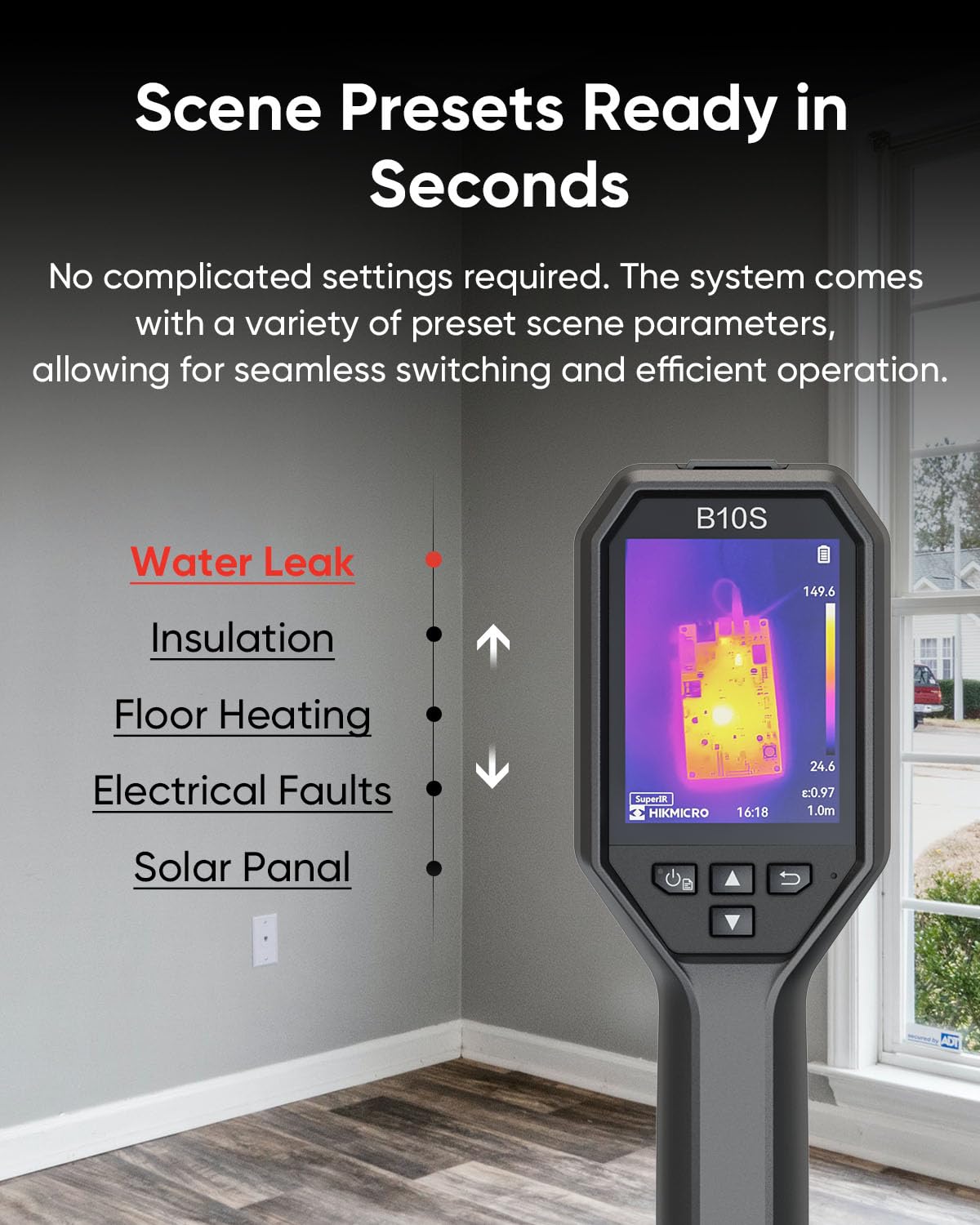
Figure 6: Scene presets allow for quick and efficient operation without complex settings.
3. Nastavení
3.1 Nabíjení zařízení
Before first use, ensure the HIKMICRO B10S is fully charged. Connect the device to a power supply using the provided USB-C to USB-A cable. The charging indicator will show solid red while charging and turn solid green when fully charged.
3.2 Zapnutí/vypnutí
To power on the device, press and hold the power button (usually located near the display) for over six seconds until the HIKMICRO logo appears on the screen. To power off, press and hold the power button again until the device shuts down.
3.3 Basic Menu Navigation
Once powered on, short press the power button to access the main menu. Use the navigation arrows (up, down, left, right) to scroll through options such as Albums, Super Resolution, Emissivity, Distance, Palettes, Display Settings, Level & Span, Alarm, Temperature Range, and More Settings. Press the OK button to select an option and the back button to return to the previous screen or live view.
Video 1: This video demonstrates basic setup, including charging, powering on, and navigating the menu of a similar HIKMICRO device.
4. Návod k obsluze
4.1 Režimy obrazu a barevné palety
The B10S supports multiple image modes (Thermal, Optical, Fusion, PIP) and 6 color palettes (White Hot, Black Hot, Rainbow, Ironbow, Red Hot, Fusion) to visualize temperature differences. Access these options through the main menu or dedicated shortcut buttons for quick switching.

Figure 7: Choose from various image modes and color palettes for optimal thermal visualization.
4.2 Měření teploty
The device automatically tracks up to 6 spots simultaneously to instantly reveal hot/cold anomalies. Utilize the Automatic Center Spot, Hot Spot, Cold Spot, and 3 user-defined spots for precise temperature analysis. The wide temperature range of -4°F to 1022°F (-20°C to 550°C) adapts to diverse environments.

Figure 8: Instant temperature display with multiple measurement presets.
4.3 Image/Video Capture
Press the trigger button to capture a thermal image. The device supports one-click visual and thermal capture, allowing simultaneous capture of both image types. For video recording, long press the trigger button. Captured images and videos are saved to the internal 16GB eMMC storage.

Figure 9: Capture simultaneous thermal and visual images with a single action.
4.4 Přenos dat
Connect the device to a PC via USB-C cable to transfer images and videos. The device can also connect wirelessly for real-time transfer and analysis using the HIKMICRO Viewer aplikace.
Video 2: This video demonstrates real-time wireless transfer of thermal images to a mobile device.
4.5 Adjustable Measurement Settings
Adjust object emissivity, distance to spot, and temperature range to increase accuracy. The device offers both manual and automatic level and span adjustments to highlight specific temperature ranges.

Figure 10: Adjustable measurement settings for various materials and conditions.
5. Údržba
5.1 Čištění
Otřete zařízení dočista měkkým, suchým hadříkem. Nepoužívejte abrazivní čisticí prostředky ani rozpouštědla, která by mohla poškodit zařízení.asing or lens. The built-in protective lens cover helps prevent dust, moisture, and scratches.
5.2 aktualizací firmwaru
Lifetime firmware updates are included with your device. Regularly check the HIKMICRO official website for the latest firmware versions to ensure optimal performance and access to new features. Updates can typically be performed by connecting the device to a computer via USB and following the instructions provided by HIKMICRO.
6. Řešení problémů
If you encounter any issues with your HIKMICRO B10S Thermal Camera, please refer to the detailed user manual available on the HIKMICRO official website or contact technical support for assistance. Common issues may include:
- Zařízení se nezapíná: Ujistěte se, že je baterie plně nabitá.
- Problémy s kvalitou obrazu: Check focus, adjust emissivity settings, or switch image modes/palettes.
- Data transfer problems: Verify USB connection or Wi-Fi hotspot settings.
7. Specifikace
| Funkce | Detail |
|---|---|
| Číslo modelu | B10S-V1 |
| Rozlišení IR | 256 x 192 pixelů |
| Vizuální kamera | 2 MP |
| Zobrazit | 3.2" 640 x 480 LCD Screen |
| Tepelná citlivost | < 40 mK |
| Teplotní rozsah | -4 °F až 1022 °F (-20 °C až 550 °C) |
| Přesnost | ±2% or ±3.6°F (±2°C) |
| Obnovovací frekvence | 25 Hz |
| Skladování | 16GB eMMC (up to 35,000 images) |
| Životnost baterie | Až 6 hodin nepřetržitého provozu |
| Hodnocení IP | IP54 |
| Drop test | 2 m (6.56 stop) |
| Konektivita | USB-C |
8. Záruka a podpora
The HIKMICRO B10S Thermal Camera comes with a comprehensive warranty:
- Celé zařízení: 3 roky
- Tepelný senzor: 10 roky
Lifetime firmware updates and technical support are included. For further assistance, please visit the HIKMICRO official webnebo kontaktujte jejich zákaznickou podporu.