
1. Úvod
Thank you for choosing the LanLuk 200W GaN IV 8-Port USB-C Charging Station. This device is designed to provide efficient and safe charging for a wide range of electronic devices, including laptops, smartphones, tablets, and more. Please read this manual carefully before use to ensure proper operation and to maximize the lifespan of your product.
2. Bezpečnostní pokyny
- Nevystavujte zařízení vodě, vlhkosti ani extrémním teplotám.
- Zabraňte pádu zařízení nebo jeho vystavení silným nárazům.
- Do not disassemble, modify, or attempt to repair the device yourself. This will void the warranty and may cause damage or injury.
- Používejte pouze dodaný napájecí kabel.
- Ensure proper ventilation around the charging station during use to prevent overheating.
- Uchovávejte mimo dosah dětí.
- Unplug the charging station from the power outlet when not in use or during electrical storms.
3. Obsah balení
Ověřte, zda jsou v balení přítomny všechny položky:
- 1 x LanLuk 200W 8-in-1 USB-C Charging Station
- 1 x Napájecí kabel
- 1 x Návod k použití
4. Konec produktuview
The LanLuk 200W GaN IV 8-Port USB-C Charging Station features advanced GaN IV technology for higher energy efficiency, upgraded heat dissipation, and a compact design. It provides a total of 200W power output across 8 ports, allowing you to charge multiple devices simultaneously.
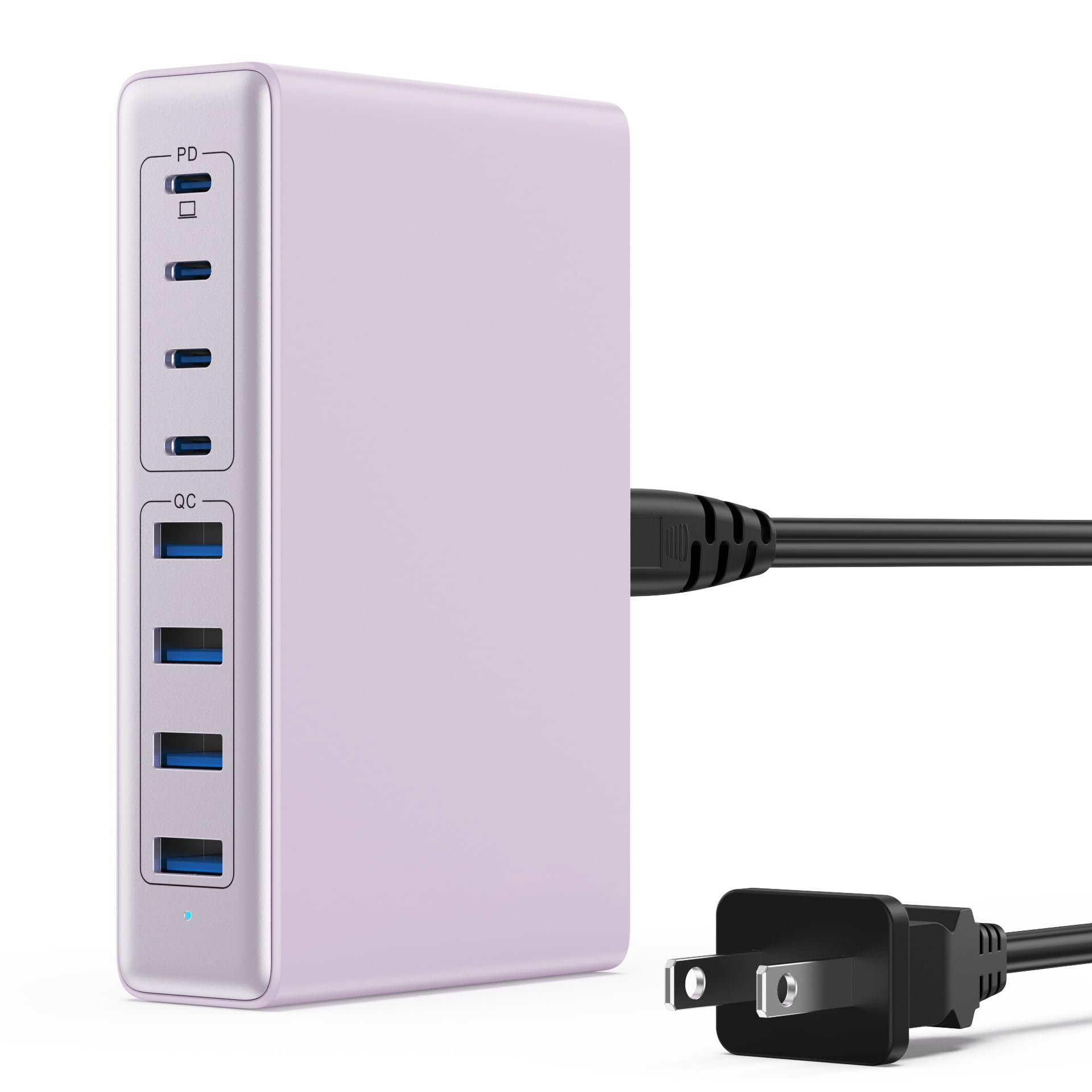
Image: The LanLuk 200W GaN IV 8-Port USB-C Charging Station in purple.
Klíčové vlastnosti:
- GaN IV Technology: Utilizes the latest Gallium Nitride (GaN) IV chip for enhanced efficiency, reduced heat, and a smaller form factor.
- Celkový výkon 200W: Delivers optimal power to charge up to 8 devices simultaneously at full speed.
- 8 Nabíjecí porty: Includes 4 USB-C ports (PD 3.0) and 4 USB-A ports (QC 4.0) for broad compatibility.
- Napájení 65 W (PD): One dedicated USB-C port provides up to 65W, capable of fast-charging laptops like MacBook Pro/Air, Dell XPS, and more.
- Vícenásobný bezpečnostní systém: Built-in intelligent IC with six safety protections: over-voltage, over-current, over-charge, over-temperature, static electricity, and short circuit.
- Univerzální kompatibilita: Supports a wide range of devices including iPhones, iPads, Android phones, laptops, gaming consoles (Steam Deck, Nintendo Switch), smartwatches, and headphones.
- Přenosný design: Compact size (approximately 5 inches by 3 inches) with a 1.5M/5FT AC extension power cord for flexible placement.
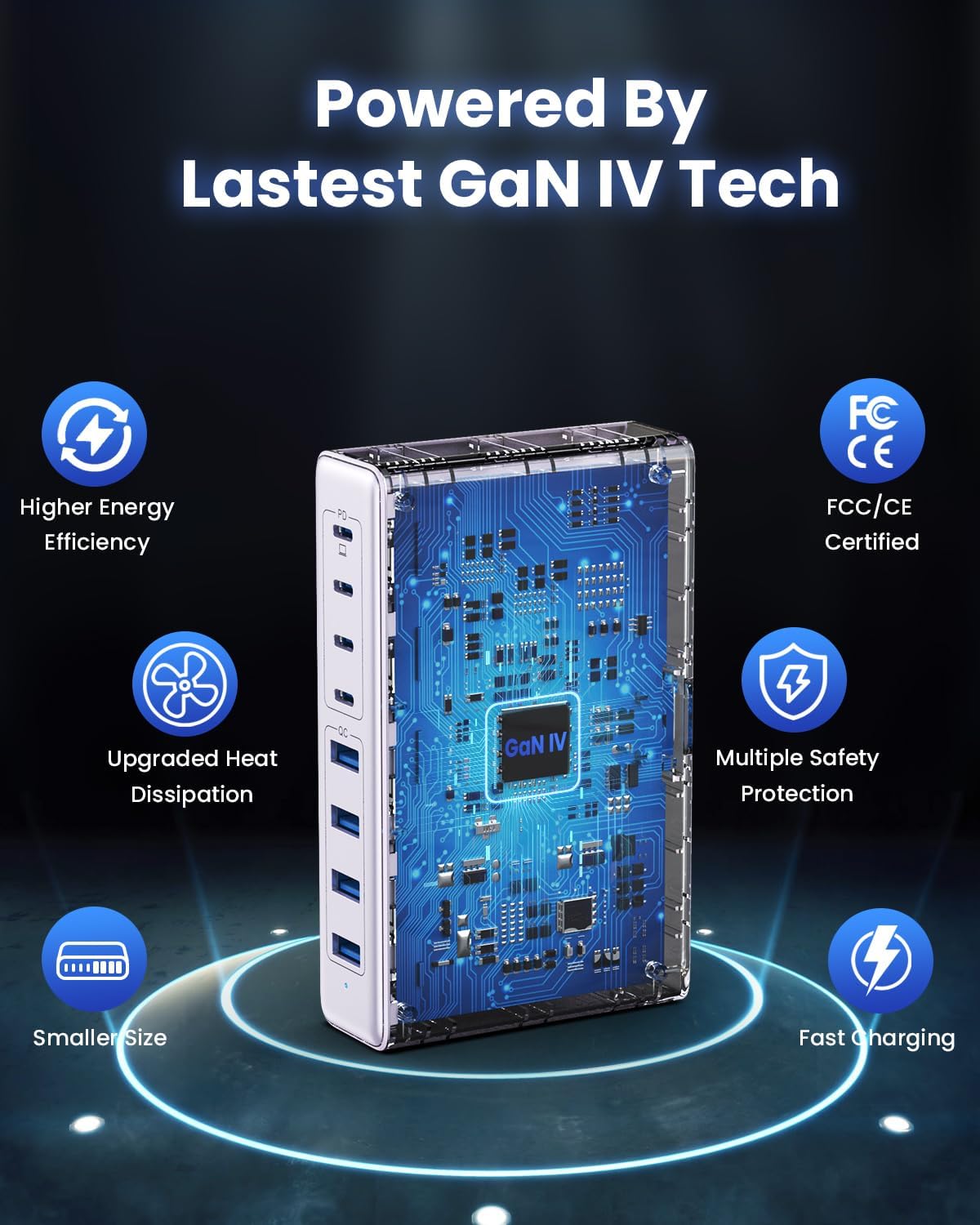
Image: Diagram illustrating the benefits of GaN IV technology, including higher energy efficiency, upgraded heat dissipation, smaller size, multiple safety protections, and fast charging.

Image: Visual representation of the charging station connecting to 8 different devices (4 USB-C, 4 USB-A).

Image: Infographic showing the universal compatibility with laptops/tablets (MacBook Pro, Dell XPS, iPad Pro), smartphones (iPhone, Samsung Galaxy, Google Pixel), and gaming devices/others (ROG ALLY, Steam Deck, AirPods, Switch).

Image: Illustration highlighting the USB-C1 port's 65W output, perfect for laptops, showing a MacBook charging.
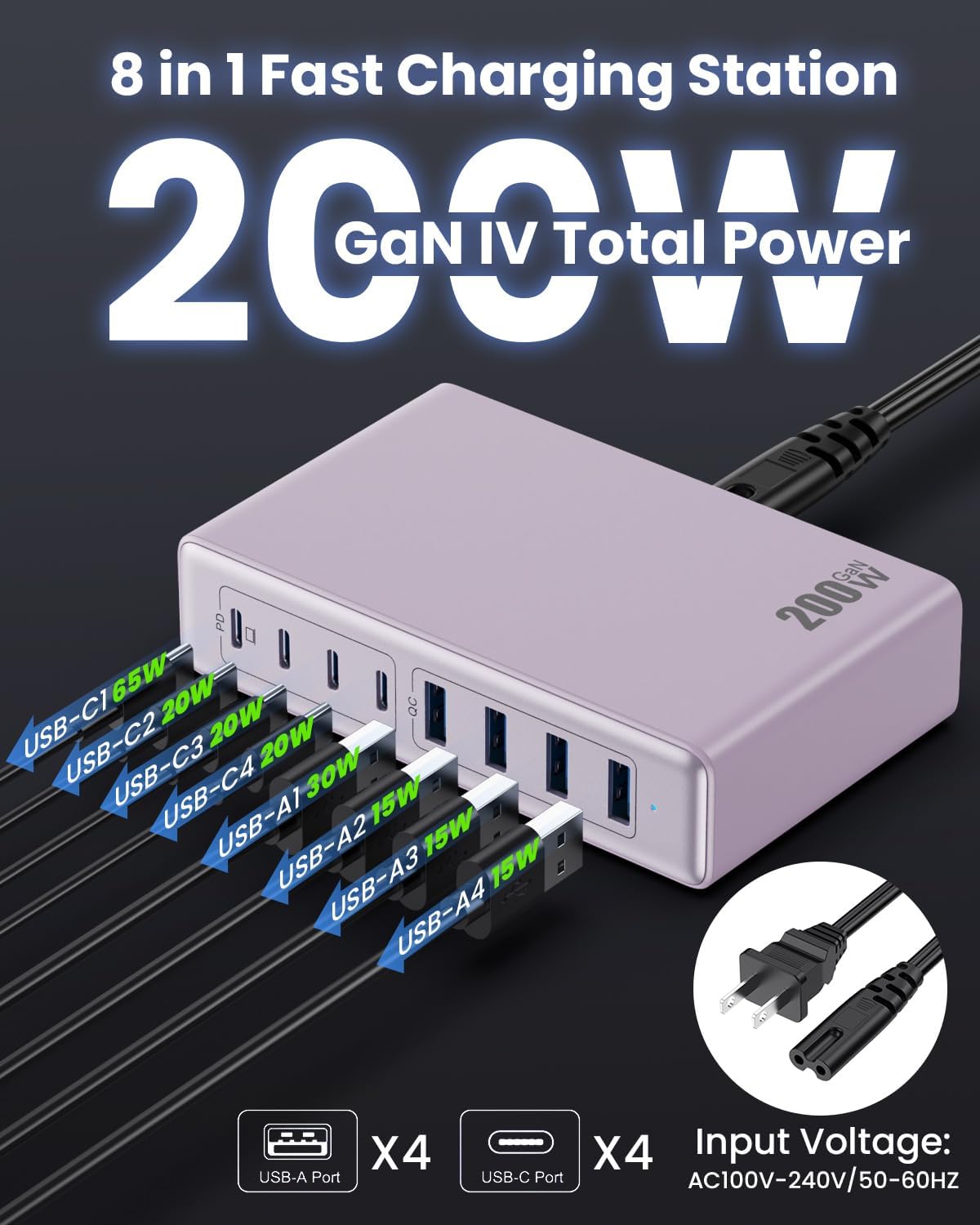
Obrázek: Podrobný view of the charging station's ports and their individual power outputs (USB-C1 65W, USB-C2 20W, USB-C3 20W, USB-C4 20W, USB-A1 15W, USB-A2 15W, USB-A3 15W, USB-A4 15W).

Image: Comparison chart showing the LanLuk charger's advantages over other chargers in terms of total max output, one port output, number of ports, devices charged, portability, and sustainability.
5. Nastavení
- Rozbalit: Opatrně vyjměte nabíjecí stanici a veškeré příslušenství z obalu.
- Připojte napájecí kabel: Insert the included power cord into the AC input port on the back of the charging station.
- Zapojte do zásuvky: Plug the other end of the power cord into a standard AC wall outlet (100-240V, 50/60Hz).
- Připraven k použití: The charging station is now ready to charge your devices.
6. Návod k obsluze
- Identify Port Type: Determine whether your device requires a USB-C or USB-A connection.
- Připojit zařízení: Plug your device's charging cable into the appropriate port on the charging station. For optimal laptop charging, use the 65W PD USB-C1 port.
- Zahájit nabíjení: Your device should begin charging automatically. The intelligent chip will identify the device and deliver the optimal charging current.
- Nabíjení monitoru: Some devices may display a charging indicator.
- Odpojit: Once charging is complete, safely disconnect your device from the charging station.
7. Specifikace
| Funkce | Popis |
|---|---|
| Značka | LanLuk |
| Číslo modelu | HX-P21 |
| Wattage | 200 wattů (celkem) |
| Celkový počet portů USB | 8 (4 USB-C, 4 USB-A) |
| Výstup USB-C | PD USB C (up to 65W on one port) |
| Výstup USB-A | QC4.0 USB-A |
| Vstupní objemtage | 100–240 voltů (stř.), 50–60 Hz |
| Výstupní proud | 4 Amps (Max) |
| Materiál | Plastic (ABS and PC fireproof materials) |
| Speciální funkce | GaN IV Technology, Fast Charging, Lightweight Design, Charging Indicator, Universal Compatibility, Short Circuit Protection |
| Rozměry | Approximately 5 inches x 3 inches (portable) |
| Zdroj napájení | Elektrický kabel |
8. Řešení problémů
- Zařízení se nenabíjí:
- Ensure the charging station is properly plugged into a live power outlet.
- Check if the charging cable is securely connected to both the charging station and your device.
- Zkuste jiný nabíjecí kabel nebo port, abyste vyloučili vadný kabel nebo port.
- Verify your device is compatible with the charging station's output specifications.
- Pomalé nabíjení:
- Ensure you are using a fast-charging compatible cable for your device.
- For laptops, use the dedicated 65W PD USB-C1 port.
- Charging multiple devices simultaneously may distribute the total power, potentially reducing individual port speeds.
- Check if your device supports fast charging protocols (PD, QC).
- Přehřívání:
- Ensure the charging station has adequate ventilation and is not covered.
- If excessive heat persists, discontinue use and contact customer support.
9. Údržba
- Čištění: Před čištěním odpojte nabíjecí stanici ze zásuvky. K otření povrchu použijte měkký, suchý hadřík. Nepoužívejte tekuté čisticí prostředky ani aerosoly.
- Skladování: Pokud zařízení nepoužíváte, skladujte jej na chladném a suchém místě mimo dosah přímého slunečního záření a vlhkosti.
- Péče o kabely: Avoid bending or crimping charging cables excessively to prevent damage.
10. Záruka a podpora
LanLuk provides a 3-letá záruka for free replacement. If you encounter any issues or have questions regarding your product, please contact our customer support team for assistance.
Zákaznická podpora: Prosím, kontaktujte nás na obalu produktu nebo na našich oficiálních kontaktních údajích. webstránky pro podporu.