
1. Úvod
Děkuji za nákupasing the LogiLink SP0063 Bluetooth 5.1 TWS Speaker. This compact yet powerful speaker delivers clear and robust sound, offering stable and fast connectivity via Bluetooth 5.1. It supports True Wireless Stereo (TWS) for an enhanced audio experience with two speakers simultaneously. The integrated hands-free function allows you to answer calls without needing to pick up your smartphone. This manual provides essential information for setting up, operating, and maintaining your speaker.
2. Bezpečnostní pokyny
- Nevystavujte reproduktor extrémním teplotám, přímému slunečnímu záření ani vysoké vlhkosti.
- Vyvarujte se pádu reproduktoru nebo jej nevystavujte silným nárazům.
- Do not disassemble, repair, or modify the device yourself. Contact qualified service personnel for any repairs.
- Chraňte reproduktor před vodou a jinými kapalinami. Tento výrobek není vodotěsný.
- Používejte pouze dodaný nabíjecí kabel nebo jeho certifikovaný ekvivalent.
- Uchovávejte mimo dosah dětí.
3. Obsah balení
Zkontrolujte prosím balení, zda neobsahuje následující položky:
- 1 x LogiLink SP0063 Bluetooth Speaker
- 1 x Micro USB Charging Cable (30 cm)
- 1 x řemínek na zápěstí
- 1 x Uživatelská příručka

Image: Micro USB Charging Cable for charging the speaker.

Image: The included wrist strap for easy portability.
4. Konec produktuview
The LogiLink SP0063 is a compact and portable Bluetooth speaker designed for convenience and quality audio. It features intuitive controls and a durable design.
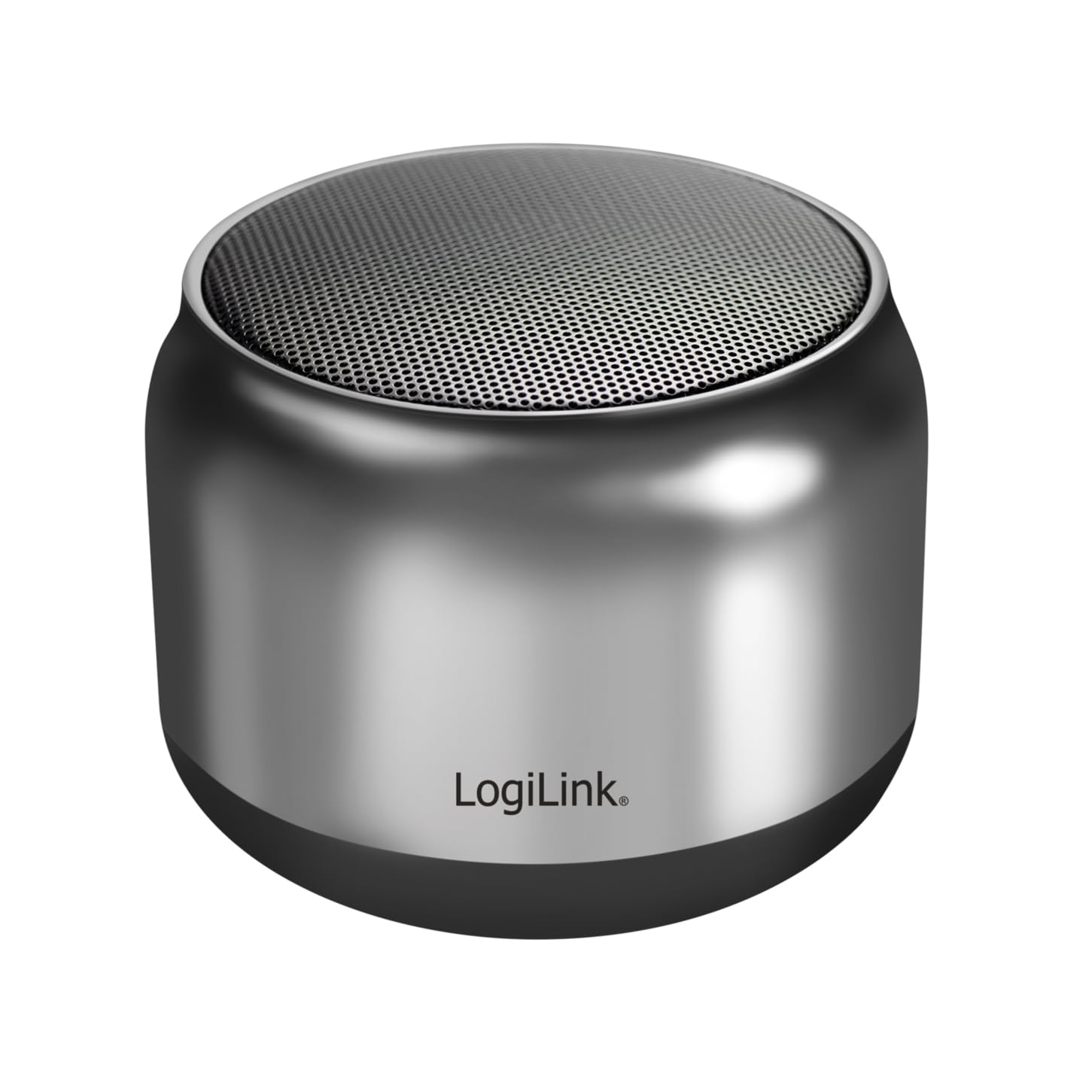
Image: The LogiLink SP0063 Bluetooth speaker on a table, emitting sound waves.
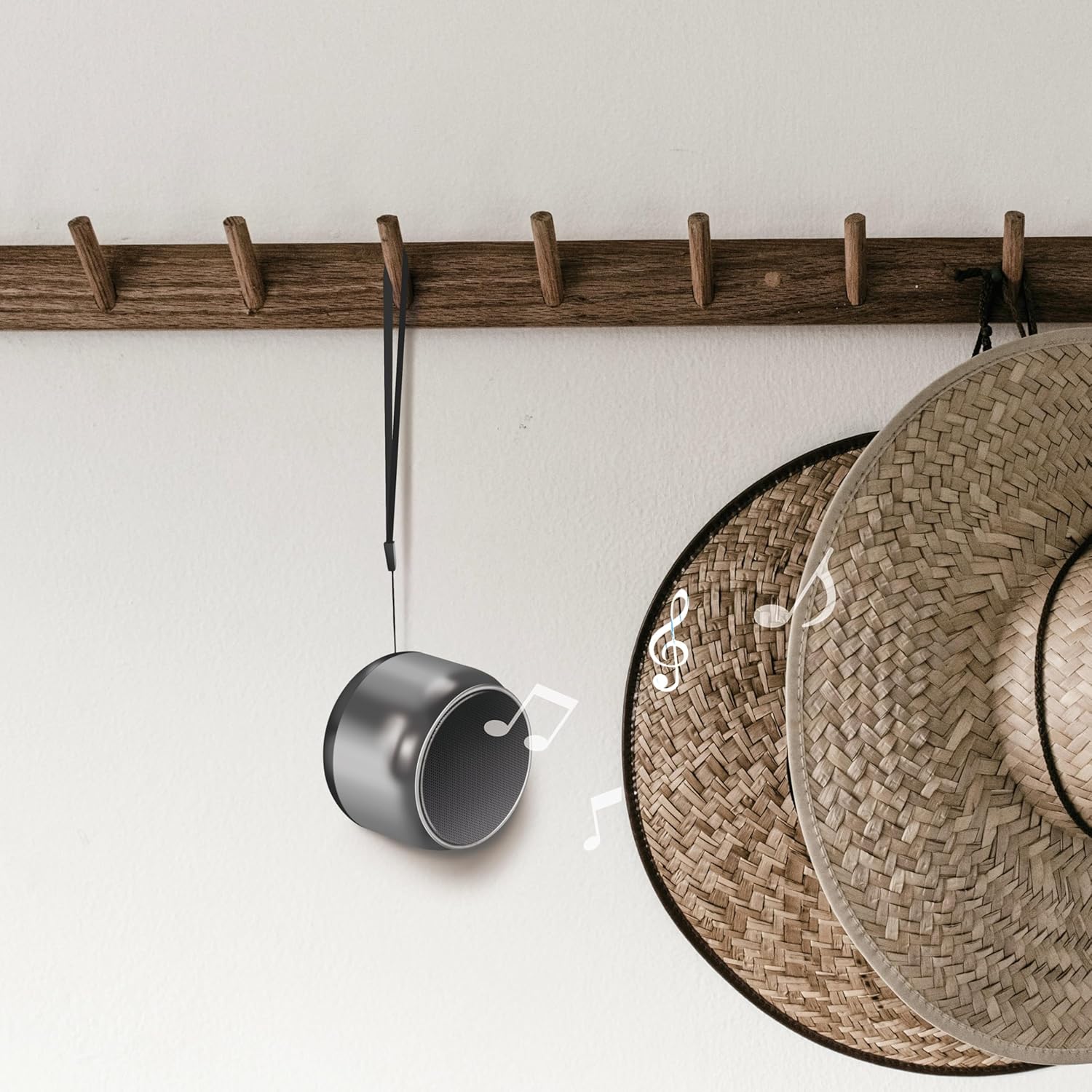
Image: The speaker hanging by its wrist strap, demonstrating its portability.
4.1. Ovládací prvky a porty

Obrázek: Nahoře view of the speaker showing the control buttons. These buttons allow you to manage power, playback, and calls.
- Vypínač: Stisknutím a podržením zapnete nebo vypnete reproduktor.
- Tlačítko Přehrát/Pozastavit: Stisknutím spustíte nebo pozastavíte hudbu.
- Zvýšení hlasitosti/další skladba: Krátké stisknutí pro zvýšení hlasitosti, dlouhé stisknutí pro další skladbu.
- Snížit hlasitost/předchozí stopa: Krátké stisknutí pro snížení hlasitosti, dlouhé stisknutí pro předchozí skladbu.
- Volací tlačítko: Stisknutím přijmete/ukončíte hovory.
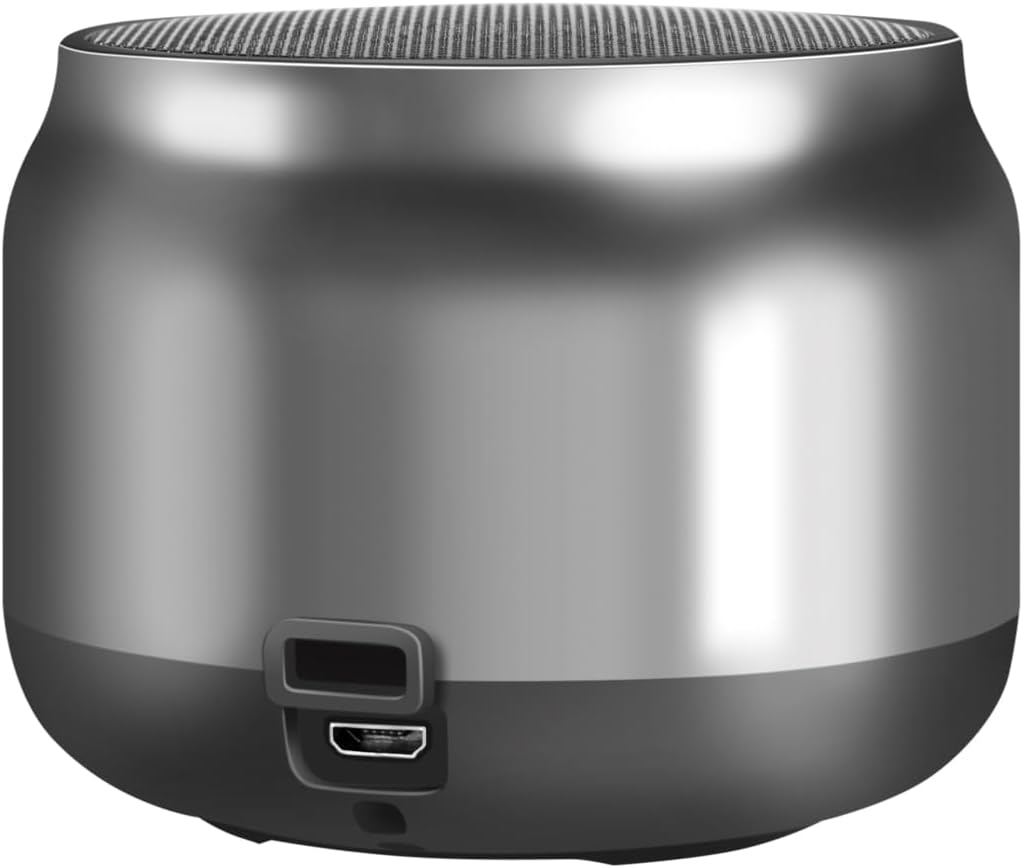
Obrázek: Zpět view of the speaker, highlighting the Micro USB charging port.
- Micro USB port: Slouží k nabíjení reproduktoru.
- LED indikátor: Shows charging status and Bluetooth connection status.
5. Nastavení
5.1. Nabíjení reproduktoru
- Připojte nabíjecí kabel Micro USB k portu Micro USB na reproduktoru.
- Connect the other end of the USB cable to a 5V/0.5A (2.5W) USB power adapter or a computer's USB port.
- The LED indicator will illuminate during charging. Once fully charged, the LED indicator may change color or turn off (refer to specific LED behavior in your product's quick start guide if available).
- Plné nabití poskytuje až 10.5 hodin přehrávání.
5.2. Zapnutí/vypnutí
- Zapnutí: Press and hold the Power button for approximately 3 seconds until you hear an audible prompt or the LED indicator flashes.
- Vypnutí: Press and hold the Power button for approximately 3 seconds until you hear an audible prompt or the LED indicator turns off.
5.3. Párování Bluetooth
Připojení reproduktoru k zařízení s podporou Bluetooth:
- Ujistěte se, že je reproduktor nabitý a zapnutý. LED indikátor bude blikat, což znamená, že je v režimu párování.
- Na svém zařízení (chytrý telefon, tablet, počítač) povolte Bluetooth a vyhledejte dostupná zařízení.
- Select "SP0063" from the list of found devices.
- Po připojení reproduktor vydá zvukové potvrzení a LED indikátor přestane blikat a zůstane svítit nepřetržitě.
- The speaker has a wireless range of up to 10 meters in open air.
5.4. Párování True Wireless Stereo (TWS)
To pair two LogiLink SP0063 speakers for a stereo sound experience:

Image: Two LogiLink SP0063 speakers connected via True Wireless Stereo (TWS) for a richer audio experience.
- Ensure both SP0063 speakers are powered off.
- Turn on both speakers simultaneously. They will automatically attempt to pair with each other.
- Once successfully paired, one speaker will act as the master (left channel) and the other as the slave (right channel). You will hear an audible confirmation.
- Now, connect your Bluetooth device to the master speaker (the one whose LED is flashing for pairing).
- Oba reproduktory nyní budou přehrávat zvuk stereo.
6. Ovládání reproduktoru
6.1. Přehrávání hudby
After successfully pairing with your device, you can control music playback using the speaker's buttons:
- Přehrát/pozastavit: Press the Play/Pause button once to play or pause the current track.
- Další skladba: Long press the Volume Up button to skip to the next track.
- Předchozí skladba: Long press the Volume Down button to go to the previous track.
- Nastavení hlasitosti: Short press the Volume Up or Volume Down buttons to adjust the volume.

Image: The LogiLink SP0063 speaker actively playing music, indicated by sound waves.
6.2. Hands-free volání
The built-in microphone allows you to make and receive calls directly through the speaker when connected to your smartphone.

Image: Illustration of the built-in microphone function, showing icons for answering and hanging up calls.
- Přijmout hovor: When a call comes in, press the Call button once to answer.
- Ukončit hovor: During a call, press the Call button once to end the conversation.
- Odmítnout hovor: During an incoming call, press and hold the Call button for 2 seconds to reject the call.
- Znovu vytočit poslední číslo: Double-press the Call button to redial the last number.
7. Údržba
- Čištění: K čištění reproduktoru používejte měkký, suchý hadřík. Nepoužívejte abrazivní čisticí prostředky ani rozpouštědla.
- Skladování: Pokud reproduktor delší dobu nepoužíváte, skladujte jej na chladném a suchém místě.
- Péče o baterie: Pro prodloužení životnosti baterie reproduktor pravidelně nabíjejte, i když jej nepoužíváte často. Nevystavujte baterii úplnému vybíjení na delší dobu.
8. Řešení problémů
If you encounter issues with your LogiLink SP0063 speaker, please refer to the following common solutions:
| Problém | Možná příčina | Řešení |
|---|---|---|
| Reproduktor se nezapne. | Slabá baterie. | Reproduktor plně nabijte pomocí dodaného USB kabelu. |
| Nelze spárovat se zařízením Bluetooth. | Reproduktor není v režimu párování; Bluetooth na zařízení je vypnutý; zařízení je příliš daleko. | Ensure speaker is on and LED is flashing. Enable Bluetooth on your device. Move device closer to speaker (within 10m). Forget previous pairings on your device and try again. |
| Žádný zvuk nebo nízká hlasitost. | Hlasitost reproduktoru nebo zařízení je příliš nízká; reproduktor není připojen. | Increase volume on both the speaker and your connected device. Ensure the speaker is properly paired. |
| Párování TWS selhalo. | Speakers not reset; incorrect pairing sequence. | Ensure both speakers are powered off before attempting TWS pairing. Power them on simultaneously and allow them to connect to each other first, then connect your device to the master speaker. |
| Zkreslení zvuku. | Příliš vysoká hlasitost; zařízení příliš daleko; rušení. | Snižte hlasitost. Přesuňte zařízení blíže k reproduktoru. Vyhněte se překážkám mezi reproduktorem a zařízením. |
9. Specifikace
Here are the technical specifications for the LogiLink SP0063 Bluetooth Speaker:
- Model: SP0063
- Verze Bluetooth: 5.1
- Bezdrátový dosah: Až 10 metrů (v otevřeném prostoru)
- Reproduktorová jednotka: 52 mm diameter, 5 W
- Citlivost reproduktoru: 88 ± 3 dB
- Impedance: 4 ohmů
- Baterie: Integrated 1200 mAh Lithium-ion battery
- Životnost baterie: Až 10.5 hodin
- Nabíjecí port: Micro USB
- Nabíjecí vstup: 5 V / 0.5 A (2.5 W)
- Podporované zvukové formáty: MP3, WAV
- Rozměry (D x Š x V): 7.6 x 7.6 x 6 cm
- Hmotnost položky: 212 gramů
- Barva: Tmavě šedá
- Speciální vlastnosti: True Wireless Stereo (TWS) connection, Lightweight, Integrated Microphone, Portable
- Režim výstupu zvuku: Stereo
- Zdroj napájení: Napájení z baterie
- Výrobce: 2direct GmbH
- Země původu: Čína
10. Záruka a podpora
LogiLink products are manufactured with quality and reliability in mind. For warranty information, technical support, or service inquiries, please refer to the warranty card included with your purchase or visit the official LogiLink webstránky pro kontaktní údaje.