
1. Úvod
The Axis Communications AXIS C1310-E Mk II Network Horn Speaker is designed for outdoor environments, providing clear audio for various applications. This standalone unit allows for remote warnings, emergency instructions, and general voice messages. It features built-in memory for pre-recorded messages and supports live speak functionality. Digital Signal Processing (DSP) ensures high-quality sound. The speaker integrates easily with network video, access control, analytics, and VoIP systems (supporting SIP) through open standards. Its flexible and scalable design makes it a cost-effective solution for system integration.
Mezi klíčové vlastnosti patří:
- Reproduktorový systém vše v jednom
- Connects to standard network
- Simple installation with Power over Ethernet (PoE)
- Remote health testing capabilities
- Two input/outputs (GPIO)
2. Bezpečnostní informace
Please read all safety instructions before installing or operating the AXIS C1310-E Mk II Network Horn Speaker. Keep this manual for future reference.
- Instalace: Instalaci musí provést kvalifikovaný personál v souladu se všemi místními předpisy a předpisy.
- Zdroj napájení: Use only Power over Ethernet (PoE) compliant power sources. Do not connect to non-PoE power sources directly.
- Prostředí: The speaker is designed for outdoor use and is waterproof. However, avoid submerging the device or exposing it to extreme conditions beyond its specified operating range.
- Kabely: Ujistěte se, že všechny kabely jsou řádně zajištěny a chráněny před poškozením.
- Montáž: Mount the speaker securely to a stable surface capable of supporting its weight.
3. Obsah balení
Ověřte, zda jsou v balení přítomny všechny položky:
- AXIS C1310-E Mk II Network Horn Speaker
- Instalační příručka / Dokumentace
- Grommets (for cable entry)
- Mounting bracket and hardware (may vary by region/kit)
4. Nastavení
This section outlines the steps for installing and connecting your AXIS C1310-E Mk II Network Horn Speaker.
4.1 Montáž reproduktoru
The AXIS C1310-E Mk II is designed for wall or pole mounting. Ensure the chosen mounting surface is robust enough to support the speaker's weight (approximately 4 pounds) and withstand environmental conditions.
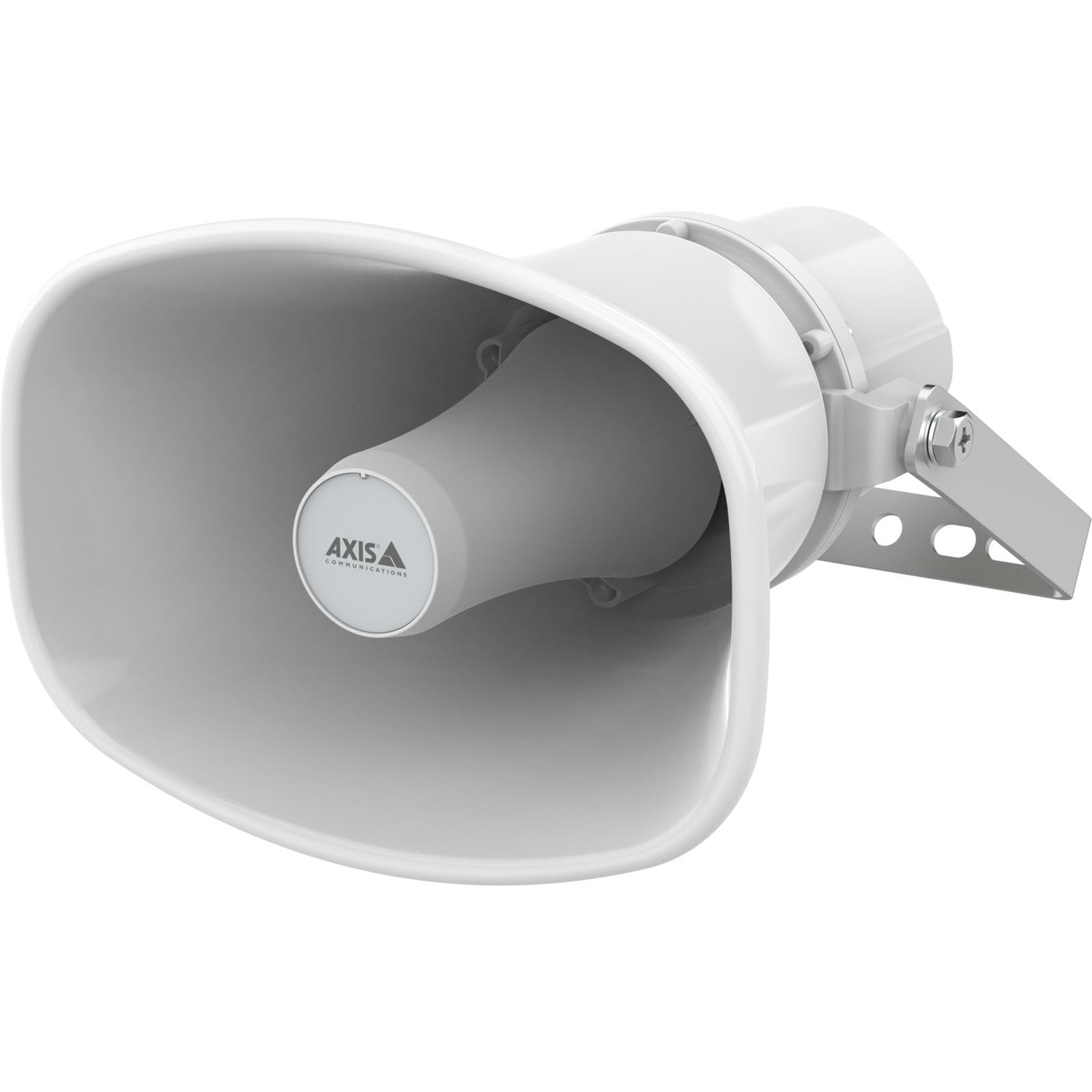
An image showing the Axis Communications AXIS C1310-E Mk II Network Horn Speaker, typically mounted on a wall or pole, highlighting its robust design.
- Select a suitable mounting location, considering optimal sound coverage and cable routing.
- Attach the mounting bracket (if separate) to the desired surface using appropriate screws and anchors.
- Secure the speaker to the mounting bracket according to the instructions provided with the bracket.
4.2 Napájení a síťové připojení
The speaker connects to your network and receives power via a single Ethernet cable using Power over Ethernet (PoE).
- Route an Ethernet cable from a PoE-enabled network switch or PoE injector to the speaker's Ethernet port.
- Ensure the cable is properly sealed using the provided grommets to maintain the speaker's waterproof rating.
- Once connected, the speaker will power on and attempt to obtain an IP address from your network.
5. Ovládání reproduktoru
The AXIS C1310-E Mk II is managed and operated through a network interface or compatible software/app.
5.1 Počáteční konfigurace
- Use Axis IP Utility or a similar network discovery tool to locate the speaker's IP address on your network.
- Access the speaker's web rozhraní zadáním jeho IP adresy do a web prohlížeč.
- Follow the on-screen prompts to set up administrator credentials and configure basic network settings.
5.2 Správa zvuku
- Live Speak: Utilize the integrated microphone and speaker for two-way communication or live announcements through the web interface or integrated VMS (Video Management System).
- Pre-recorded Messages: Upload and manage pre-recorded audio files for automated announcements or scheduled playback.
- Ovládání hlasitosti: Adjust the speaker's output volume via the web interface or connected control system.
5.3 Integration with Other Systems
The speaker supports open standards for integration with network video, access control, analytics, and VoIP systems (SIP). Refer to the Axis Communications website for detailed integration guides and APIs.
6. Údržba
Regular maintenance ensures optimal performance and longevity of your AXIS C1310-E Mk II Network Horn Speaker.
- Čištění: Periodically clean the exterior of the speaker with a soft, damp tkanina. Nepoužívejte agresivní chemikálie nebo abrazivní čisticí prostředky.
- Inspekce: Regularly inspect the mounting hardware and cables for any signs of wear, corrosion, or damage. Tighten any loose connections.
- Aktualizace firmwaru: Check the Axis Communications website for available firmware updates. Keeping the firmware updated ensures the latest features and security patches.
7. Řešení problémů
Tato část obsahuje řešení běžných problémů, se kterými se můžete setkat.
| Problém | Možná příčina | Řešení |
|---|---|---|
| Žádné napájení/Reproduktor se nezapíná | No PoE power; Faulty Ethernet cable; PoE switch issue | Verify PoE source is active; Check Ethernet cable for damage; Test with a different PoE port/injector. |
| Žádné síťové připojení | Incorrect network settings; Cable issue; Firewall blocking access | Check IP address configuration; Verify cable connection; Ensure network firewall allows communication. |
| Žádný audio výstup | Volume too low; Muted; Audio source issue; Speaker fault | Increase volume; Unmute speaker; Verify audio source is active; Perform a factory reset if necessary. |
| Zkreslený zvuk | Volume too high; Environmental interference; Speaker damage | Reduce volume; Check for sources of interference; Contact support if distortion persists. |
8. Specifikace
Technical specifications for the AXIS C1310-E Mk II Network Horn Speaker.
| Funkce | Detail |
|---|---|
| Název modelu | C1310-E MK II |
| Typ montáže | Držák na zeď |
| Materiál | Kov, Plast |
| Typ reproduktoru | Venkovní |
| Speciální funkce | Vestavěný mikrofon |
| Rozměry produktu | 12"H x 7"Š x 9"V |
| Hmotnost položky | 4 libry |
| Úroveň odolnosti proti vodě | Vodotěsný |
| Kontrolní metoda | App |
| Velikost reproduktoru | 12 palce |
| Zdroj napájení | Kabelové napájení (přes PoE) |
| Maximální výstupní výkon reproduktoru | 100 wattů |
| Frekvenční odezva | 20 Hz (minimum) |
| Technologie připojení | Ethernet |
| Režim zvukového výstupu | Mono |
| Kompatibilní zařízení | Laptop, Smartphone, Tablet, Television (for control/integration) |
9. Záruka a podpora
Záruka: The AXIS C1310-E Mk II Network Horn Speaker comes with a Limited Warranty. Please refer to the official Axis Communications webKonkrétní podmínky týkající se záručního krytí a doby trvání naleznete na webových stránkách nebo v dokumentaci k nákupu.
Technická podpora: For technical assistance, troubleshooting beyond this manual, or warranty claims, please contact Axis Communications support directly. Visit the official Axis Communications website for contact information, support resources, and frequently asked questions.


