
Zavedení
This instruction manual provides essential information for the proper installation, use, and maintenance of your IYOUBOL Protective Case with Hand Strap. This case is designed to enhance the durability and ergonomics of your Zebra TC51, TC52, TC56, TC57, and TC510K handheld barcode scanners. Please read this manual thoroughly before use to ensure optimal performance and longevity of your device and case.
Kompatibilita
This protective case is specifically engineered to fit the following Zebra handheld barcode scanner models:
- Zebra TC51
- Zebra TC52
- Zebra TC56
- Zebra TC57
- Zebra TC510K
Ensure your device model matches one of the listed compatible models for a secure and proper fit.

Figure 1: Visual representation of compatible Zebra TC5X series scanner models with the IYOUBOL protective case.
Klíčové vlastnosti
- Custom-Fit Durability: Engineered for precise compatibility with TC51, TC52, TC56, TC57, and TC510K devices, ensuring maximum protection with a snug, secure fit.
- Ergonomic Hand Strap: Provides a comfortable and secure grip for extended use, reducing user fatigue and enhancing device handling. The non-slip design improves security during operation.
- Enhanced Device Safety: Robust construction designed to guard against drops and impacts, offering comprehensive protection for your handheld barcode scanner in demanding environments.
- Rozšiřitelná funkcionalita: The case design supports the simple addition of trigger handles (sold separately, e.g., Part Number: TRG-TC51-SNP1-01), allowing for enhanced scanning efficiency and versatility.
- Přístupný design: Maintains full access to all device ports, buttons, and scanner functions without needing to remove the case.
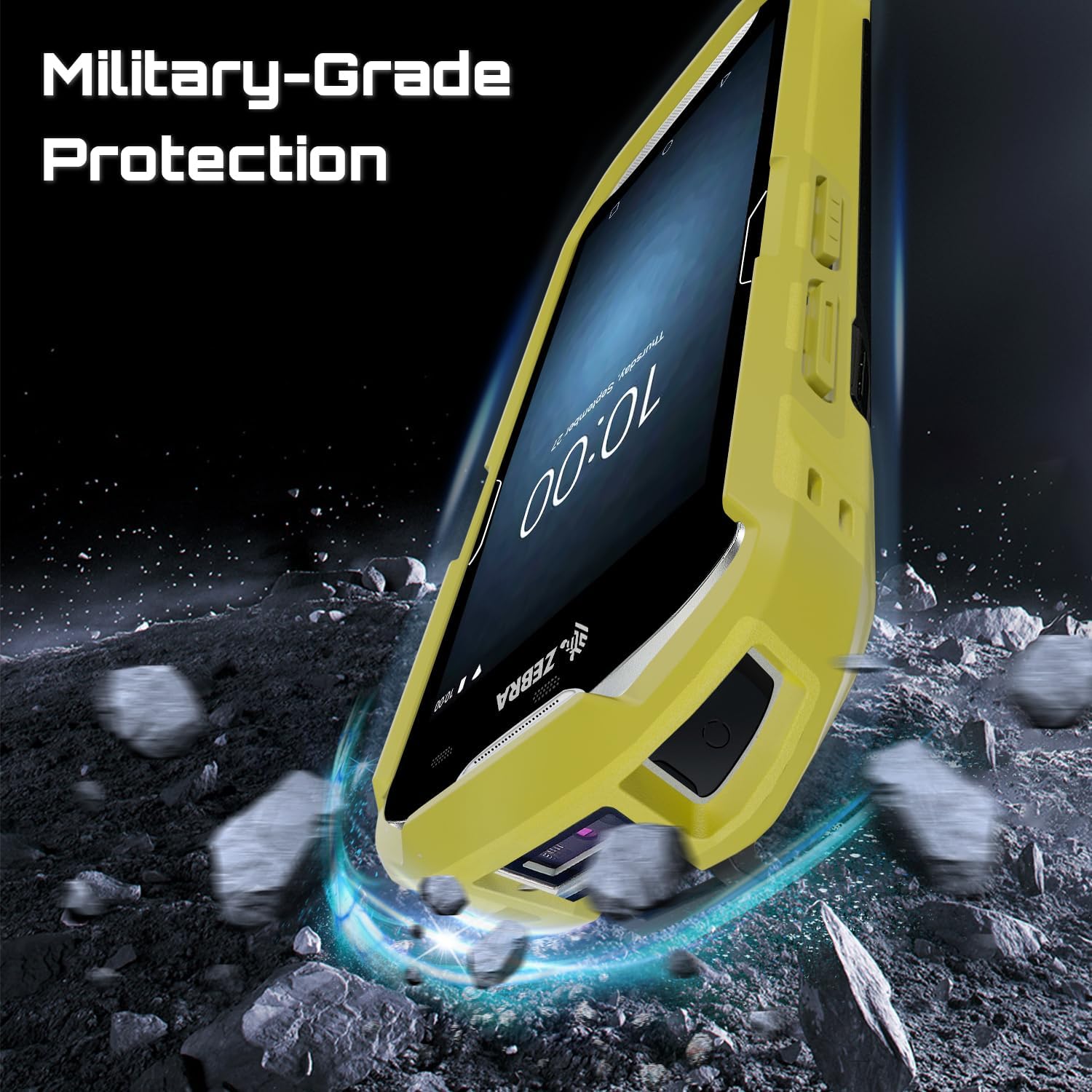
Figure 2: The ergonomic hand strap provides a secure and comfortable grip.

Figure 3: The robust construction offers enhanced device safety against impacts.

Figure 4: The case supports attachment of optional trigger handles for increased efficiency.
Nastavení: Instalace pouzdra
Follow these steps to correctly install your Zebra TC5X series scanner into the IYOUBOL protective case:
- Připravte zařízení: Ensure your Zebra TC5X series scanner is clean and free of debris.
- Zarovnejte případ: Hold the case with the hand strap facing outwards. Align the top edge of your scanner with the top opening of the case.
- Vložit horní okraj: Gently push the top portion of the scanner into the case, ensuring the corners and edges align with the case's contours.
- Zajištění spodního okraje: Once the top is seated, carefully press the bottom portion of the scanner into the case until it snaps securely into place. Ensure all edges are fully enclosed by the case.
- Kontrola přizpůsobení: Verify that the scanner is firmly seated within the case and that all buttons, ports, and the scanner window are accessible and unobstructed.

Figure 5: Step-by-step visual guide for installing the protective case.
Návod k obsluze
Once the case is installed, your Zebra TC5X series scanner is ready for use with enhanced protection and ergonomics.
- Using the Hand Strap: Slide your hand through the adjustable strap on the back of the case. Adjust the strap for a snug and comfortable fit to prevent accidental drops and reduce strain during prolonged use.
- Accessing Functions: The case is designed with precise cutouts, allowing full access to the scanner's camera, charging port, headphone jack, and all buttons. Operate your device as usual.
- Připevnění příslušenství: If using an optional trigger handle (e.g., TRG-TC51-SNP1-01), align the handle with the designated attachment points on the bottom of the case and secure it according to the handle's instructions.
Údržba a péče
To ensure the longevity and effectiveness of your IYOUBOL protective case, follow these maintenance guidelines:
- Čištění: Pravidelně otírejte pouzdro měkkým hadříkemamp hadříkem. Na odolné nečistoty lze použít jemný mýdlový roztok. Vyhněte se agresivním chemikáliím nebo abrazivním čisticím prostředkům, protože by mohly poškodit materiál.
- Inspekce: Periodically inspect the case for any signs of wear, tear, or damage, especially after significant impacts. Replace the case if its protective integrity is compromised.
- Hand Strap Care: Ensure the hand strap remains clean and free of excessive tension. If the strap becomes frayed or damaged, consider replacing the case or strap if possible, to maintain secure handling.
- Skladování: When not in use, store the case and scanner in a clean, dry environment away from extreme temperatures and direct sunlight.
Odstraňování problémů
| Problém | Možná příčina | Řešení |
|---|---|---|
| Case does not fit the scanner. | Incorrect scanner model or improper installation. | Verify your scanner is one of the compatible models (TC51, TC52, TC56, TC57, TC510K). Re-attempt installation following the steps in the "Setup" section. |
| Buttons are difficult to press or misaligned. | Scanner not fully seated in the case. | Remove the scanner and re-install, ensuring it is fully seated and aligned within the case. |
| Hand strap feels loose or uncomfortable. | Strap not adjusted correctly. | Adjust the hand strap to achieve a snug and comfortable fit for your hand. |
| Case appears damaged after a drop. | Impact exceeded case's protective limits. | Inspect the scanner for damage. If the case is significantly compromised, it may need replacement to ensure continued protection. |
Specifikace
- Typ produktu: Protective Case with Hand Strap
- Kompatibilita: Zebra TC51, TC52, TC56, TC57, TC510K Handheld Barcode Scanners
- Materiál: Durable, impact-resistant material
- Barva: Yellow (as per current product variant) - other colors may be available
- Čísla dílů výrobce: SG-TC5X-EXO1-01 (Case), SG-TC5X-EXONHS-01 (Hand Strap)
- Technologie připojení: N/A (case only)
- Zdroj napájení: N/A (case only)
Informace o záruce
The IYOUBOL Protective Case with Hand Strap comes with a Záruka 6 měsíců from the date of purchase. This warranty covers manufacturing defects and material flaws under normal use. It does not cover damage caused by misuse, accidents, unauthorized modifications, or normal wear and tear. Please retain your proof of purchase for warranty claims.
Zákaznická podpora
For any questions, concerns, or support regarding your IYOUBOL Protective Case, please contact our customer service team. Refer to the retailer's webkonkrétní kontaktní údaje naleznete na webových stránkách nebo v nákupní dokumentaci.
When contacting support, please have your product model (TC5X Series Case) and purchase information ready.