
1. Konec produktuview
The Beyution RC860 is a replacement voice remote control designed for Casper 2020 TV models. It features a built-in microphone for voice control functionality, enhancing your television viewing experience. This remote utilizes Bluetooth connectivity for reliable operation.

Obrázek 1.1: Přední strana view of the Beyution RC860 Voice Remote Control. This image displays the remote's layout, including the power button, navigation pad, volume controls, and dedicated buttons for streaming services like Netflix and YouTube, along with the microphone icon indicating voice control capability.
2. Specifikace
- Model: RC860
- Konektivita: Bluetooth
- Maximum Control Distance: Přibližně 10 metrů (30 stop)
- Materiál: ABS Plastic and soft rubber
- Barva: Černý
- Speciální funkce: Voice search function, Ergonomic design
- Zdroj napájení: 2 x AAA baterie (nejsou součástí balení)
- Rozměry produktu: 6.3 x 1.57 x 0.39 palce (16 x 4 x 1 cm)
- Hmotnost položky: 2.12 unce (60 gramů)

Image 2.1: Diagram showing the dimensions of the Beyution RC860 remote control. The image indicates a length of 15.6 cm (6.14 inches) and a width of 4 cm (1.57 inches), providing a clear understanding of its physical size.
3. Nastavení a párování
Before using the voice control features, the RC860 remote must be paired with your TV. Ensure your TV is powered on and a stable internet connection is available for voice recognition functions.
3.1 Instalace baterie
- Najděte přihrádku na baterie na zadní straně dálkového ovladače.
- Otevřete kryt bateriového prostoru.
- Vložte dvě (2) baterie typu AAA a dbejte na správnou polaritu (+/-).
- Bezpečně zavřete kryt bateriového prostoru.
3.2 Párování Bluetooth
- Turn on your Casper 2020 TV.
- Navigate to the TV's settings menu. The exact path may vary, but typically involves going to Settings > Remotes & Accessories > Add Accessory nebo podobné.
- Postupujte podle pokynů na obrazovce a přepněte televizor do režimu párování.
- On the RC860 remote, press and hold the designated pairing button (refer to your TV's manual if specific remote pairing instructions are provided, otherwise, the remote may automatically enter pairing mode upon battery insertion).
- Once the remote appears on your TV's screen, select it to complete the pairing process.
- A confirmation message should appear on your TV, indicating successful pairing.
Note: If pairing fails, ensure the remote is within 10 meters of the TV and try the process again.
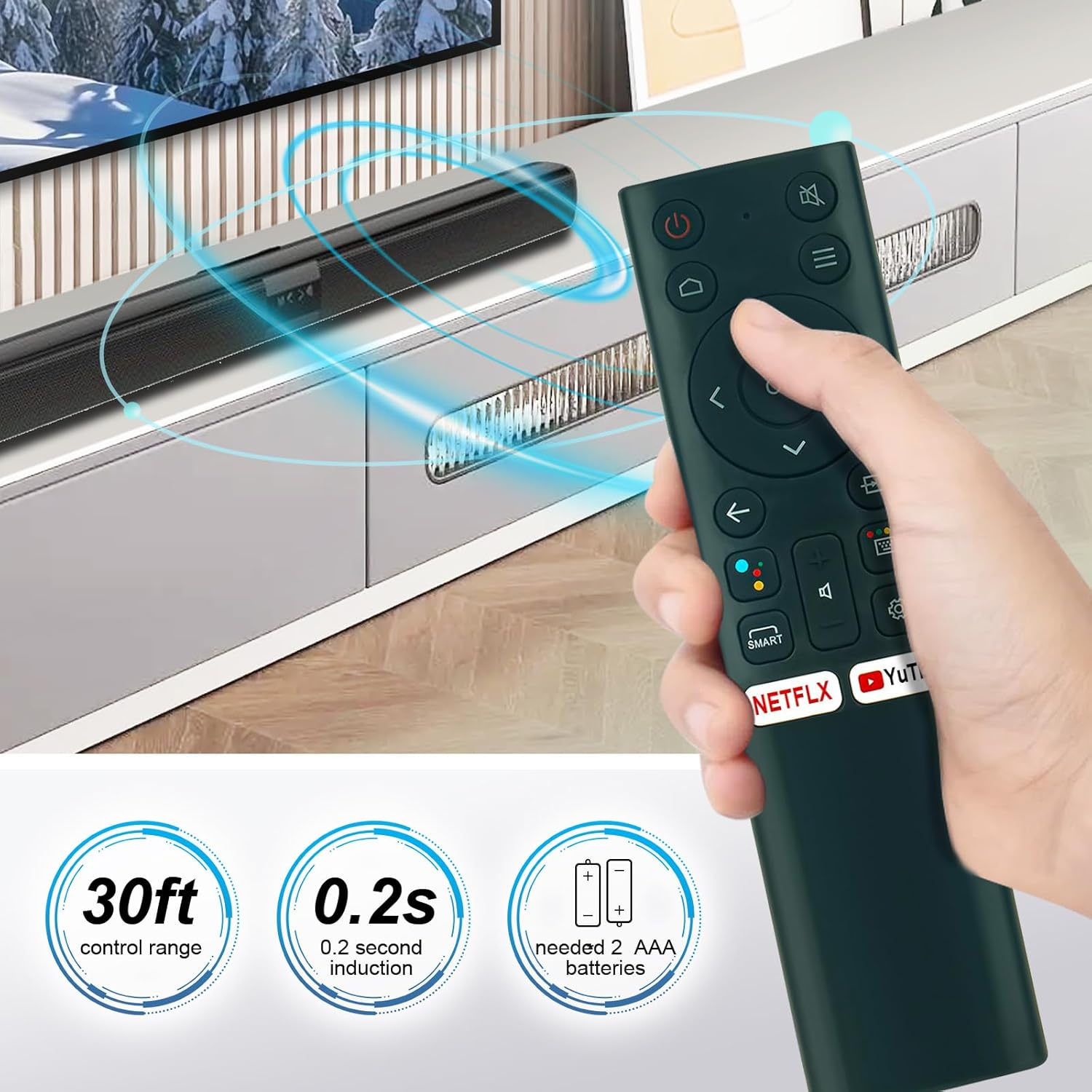
Image 3.1: This image illustrates the operational range of the Beyution RC860 remote control, indicating a 30ft control range and a 0.2-second induction time. It also specifies the requirement for 2 AAA batteries for power.
4. Návod k obsluze
Once paired, your Beyution RC860 remote control is ready for use.
4.1 Základní funkce
- Vypínač: Zapíná nebo vypíná televizor.
- Navigační tlačítko (nahoru/dolů/vlevo/vpravo/OK): Používá se k navigaci v nabídkách a výběru položek.
- Zvýšení/Snížení hlasitosti: Upravuje hlasitost televizoru.
- Tlačítko ztlumení: Ztlumí nebo zapne zvuk televizoru.
- Tlačítko Zpět: Vrátí se na předchozí obrazovku nebo nabídku.
- Tlačítko Domů: Návrat na hlavní domovskou obrazovku televizoru.
- Quick Access Buttons (Netflix, YouTube, etc.): Poskytuje přímý přístup k určeným streamovacím aplikacím.
4.2 Funkce hlasového ovládání
The RC860 remote features a voice search function. To use it:
- Stiskněte a podržte příslušné tlačítko Voice Control / Microphone button na dálkovém ovládání.
- Mluvte jasně do mikrofonu umístěného na dálkovém ovladači.
- Po domluvení tlačítko uvolněte.
- Your TV will process the voice command and perform the requested action (e.g., search for content, open an app, change settings).
Note: A stable internet connection is required for the voice recognition function to operate correctly.

Image 4.1: A user operating the Beyution RC860 remote control while watching television. This demonstrates the remote's ergonomic design and ease of use in a typical home entertainment setting.
5. Údržba
Abyste zajistili dlouhou životnost a optimální výkon vašeho dálkového ovladače, dodržujte tyto pokyny pro údržbu:
- Čištění: Dálkový ovladač otírejte měkkým, suchým hadříkem. Nepoužívejte tekuté čisticí prostředky ani abrazivní materiály, protože by mohly poškodit povrch nebo vnitřní součásti.
- Výměna baterie: Replace batteries when the remote's response becomes sluggish or it stops functioning. Always replace both batteries at the same time with new AAA batteries.
- Skladování: Dálkový ovladač skladujte na chladném a suchém místě mimo dosah přímého slunečního záření a extrémních teplot.
- Vyhněte se kapkám: While designed to be durable, avoid dropping the remote control to prevent internal damage.
6. Řešení problémů
If you encounter issues with your Beyution RC860 remote control, refer to the following common solutions:
6.1 Dálkové ovládání nereaguje
- Zkontrolujte baterie: Ujistěte se, že jsou baterie vloženy správně a nejsou vybité. V případě potřeby je vyměňte za nové baterie typu AAA.
- Rozsah: Make sure the remote is within the operational range (up to 10 meters) of your TV.
- překážky: Odstraňte všechny předměty, které by mohly blokovat signál mezi dálkovým ovladačem a televizorem.
- Opravit: Attempt to re-pair the remote control with your TV following the steps in Section 3.2.
6.2 Hlasové ovládání nefunguje
- Internetové připojení: Verify that your TV has a stable internet connection. Voice recognition requires network access.
- Párování: Ensure the remote is successfully paired via Bluetooth. Voice functionality relies on this connection.
- Použití mikrofonu: Make sure you are pressing and holding the voice control button while speaking and releasing it afterward. Speak clearly and at a normal volume.
- Nastavení TV: Check your TV's settings to ensure voice control features are enabled.
7. Kompatibilita
The Beyution RC860 remote control is specifically designed to be compatible with Casper 2020 TV models. While it may function with other devices, full functionality, especially voice control, is guaranteed for the specified models.
If your TV model is not a Casper 2020 TV, or if you are unsure about compatibility, please contact customer support for assistance before purchasing or if you experience issues.
8. Záruka a podpora
This Beyution RC860 remote control comes with a 3měsíční záruční doba od data nákupu.
If you receive a damaged or non-functional remote control, or if you encounter any issues that cannot be resolved using the troubleshooting guide, please contact Beyution customer support. Provide your purchase details and a description of the problem for prompt assistance.
Kontakt na zákaznickou podporu: Refer to your purchase documentation or the seller's contact information for support.