
1. Úvod
Thank you for choosing the boAt Airdopes 311 Pro Truly Wireless Earbuds. This manual provides essential information for setting up, operating, and maintaining your earbuds to ensure optimal performance and longevity. Please read this manual carefully before using the product.
2. Obsah balení
- boAt Airdopes 311 Pro Earbuds (Left and Right)
- Nabíjecí pouzdro
- Nabíjecí kabel USB typu C.
- Additional Ear Cushions (S, M, L sizes)
- Uživatelská příručka
3. Konec produktuview
The boAt Airdopes 311 Pro features a compact design with advanced audio technology for a superior listening experience.

Figure 3.1: boAt Airdopes 311 Pro Earbuds and Charging Case.
This image displays the boAt Airdopes 311 Pro earbuds in their charging case. The earbuds are a soft lavender color, matching the base of the charging case. The case features a transparent lid, allowing visibility of the earbuds inside. A small LED indicator is visible on the front of the case, and the boAt logo is prominently displayed on the case lid.

Figure 3.2: Transparent Minimalistic Design.
This image highlights the transparent and minimalistic design of the boAt Airdopes 311 Pro charging case. The lavender-colored earbuds are visible through the clear lid, nestled securely in their matching base. The design emphasizes a clean and modern aesthetic.
4. Nastavení
4.1 Nabíjení sluchátek a pouzdra
Before first use, fully charge the earbuds and charging case. Use the provided USB Type-C cable to connect the charging case to a power source.
- Vložte sluchátka do nabíjecího pouzdra.
- Connect the Type-C cable to the charging port on the case and a USB power adapter.
- LED indikátor na pouzdře bude ukazovat stav nabíjení.
- ASAP Charging: A 10-minute charge provides approximately 150 minutes of playtime.
- Plné nabití s nabíjecím pouzdrem poskytuje až 50 hodin celkové doby přehrávání.
Obrázek 4.1: Nabíjecí port typu C.
This image shows a close-up of the boAt Airdopes 311 Pro charging case, highlighting the Type-C charging port located at the bottom. The port is designed for convenient and fast charging of the device.

Figure 4.2: Playtime and ASAP Charging.
This graphic illustrates the impressive battery life of the boAt Airdopes 311 Pro, boasting up to 50 hours of total playback. It also highlights the ASAP Charging feature, indicating that a mere 10 minutes of charge can provide 150 minutes of playtime, emphasizing quick power-up capabilities.
4.2 Párování s vaším zařízením
The earbuds utilize Bluetooth v5.3 for stable and efficient wireless connectivity.
- Otevřete nabíjecí pouzdro. Sluchátka se automaticky přepnou do režimu párování.
- Na smartphonu nebo zařízení s podporou Bluetooth přejděte do nastavení Bluetooth.
- Hledat available devices and select "boAt Airdopes 311 Pro".
- Po připojení uslyšíte zvukový signál a LED indikátor na sluchátkách se změní.

Figure 4.3: Bluetooth v5.3 Connectivity.
This image depicts a smartphone screen displaying the Bluetooth v5.3 connection. The boAt Airdopes 311 Pro earbuds are shown connected to the device, illustrating the seamless wireless pairing process.
5. Návod k obsluze
5.1 Dotykové ovládání
The boAt Airdopes 311 Pro features intuitive touch controls on each earbud for managing calls, music, and voice assistant functions.
- Přehrát/pozastavit: Jediným klepnutím na jedno sluchátko.
- Další skladba: Dvakrát klepněte na pravé sluchátko.
- Předchozí skladba: Dvakrát klepněte na levé sluchátko.
- Přijmout/ukončit hovor: Jediným klepnutím na jedno sluchátko.
- Odmítnout hovor: Dlouze stiskněte libovolné sluchátko.
- Aktivovat Voice Assistant: Trojitě klepněte na kterékoli sluchátko.

Figure 5.1: One-Touch Voice Assistant.
This image shows a single boAt Airdopes 311 Pro earbud, highlighting its capability for one-touch voice assistant activation. The design of the earbud is sleek and ergonomic, indicating ease of use for touch controls.
5.2 Call Management with Dual Mics
The earbuds are equipped with Dual Mics featuring ENx™ Technology for clear voice calls, reducing environmental noise.

Figure 5.2: Dual Mics with ENx™ Technology.
This detailed diagram provides an internal view of a boAt Airdopes 311 Pro earbud, specifically illustrating the placement and function of the Dual Mics with ENx™ Technology. This technology is designed to enhance call clarity by filtering out ambient noise, ensuring clear voice transmission during conversations.
5.3 Low-Latency Beast Mode
Activate Beast Mode for a low-latency experience (50ms), ideal for gaming and video streaming where audio-visual synchronization is critical.
- Refer to the full user manual (available via the boAt Hearables App) for specific activation instructions for Beast Mode.
6. Údržba
Správná údržba zajistí dlouhou životnost a výkon vašich sluchátek.
6.1 Čištění
- Jemně otřete sluchátka a nabíjecí pouzdro měkkým, suchým hadříkem, který nepouští vlákna.
- Nepoužívejte agresivní chemikálie nebo abrazivní materiály.
- Sejměte náušníky a v případě potřeby je očistěte samostatně jemným mýdlem a vodou. Před opětovným nasazením se ujistěte, že jsou zcela suché.
6.2 Voděodolnost
The earbuds are rated IPX4, providing resistance against water splashes and sweat. They are not designed for submersion in water.
- Avoid exposing the earbuds to heavy rain or direct water jets.
- Nenoste je při plavání nebo sprchování.
- Pokud navlhnou, ihned je před vložením zpět do nabíjecího pouzdra otřete dosucha.

Figure 6.1: IPX4 Water and Sweat Shield.
This image visually represents the IPX4 water and sweat resistance of the boAt Airdopes 311 Pro earbuds and charging case. The product is shown in an environment with water splashes, indicating its ability to withstand sweat and light water exposure, making it suitable for workouts and outdoor activities.
7. Řešení problémů
If you encounter issues with your boAt Airdopes 311 Pro, try the following solutions:
- Žádný zvuk: Ujistěte se, že jsou sluchátka nabitá a správně spárovaná. Zkontrolujte hlasitost zařízení.
- Nelze spárovat: Ensure Bluetooth is enabled on your device. Place earbuds back in case, close, then reopen to re-enter pairing mode. Forget previous pairings on your device.
- Jedno sluchátko nefunguje: Place both earbuds back in the case, close the lid, wait a few seconds, then open again. This often re-syncs them.
- Problémy s nabíjením: Ensure the charging cable is securely connected and the power source is active. Clean charging contacts on earbuds and case.
- Špatná kvalita hovoru: Ensure earbuds are clean and positioned correctly. Check for strong Bluetooth signal.
8. Specifikace
| Název modelu | Airdopes 311 Pro |
| Technologie připojení | Bluetooth |
| Technologie bezdrátové komunikace | Bluetooth |
| Verze Bluetooth | 5.3 |
| Zvuková latence | 50 Milliseconds (Beast Mode) |
| Úroveň odolnosti proti vodě | IPX4 (voděodolný) |
| Kontrolní metoda | Dotek |
| Tvar sluchátka | Do ucha |
| Typ zvukového ovladače | Dynamický ovladač |
| Hmotnost položky | 110 gramů (3.88 unce) |
| Rozměry produktu | 1.54 x 3.58 x 5 palce |
| Baterie | 1 lithium-polymerová baterie (součástí balení) |
9. Záruka a podpora
For detailed warranty information, additional support, and to access the full user manual, please download the boAt Hearables App.
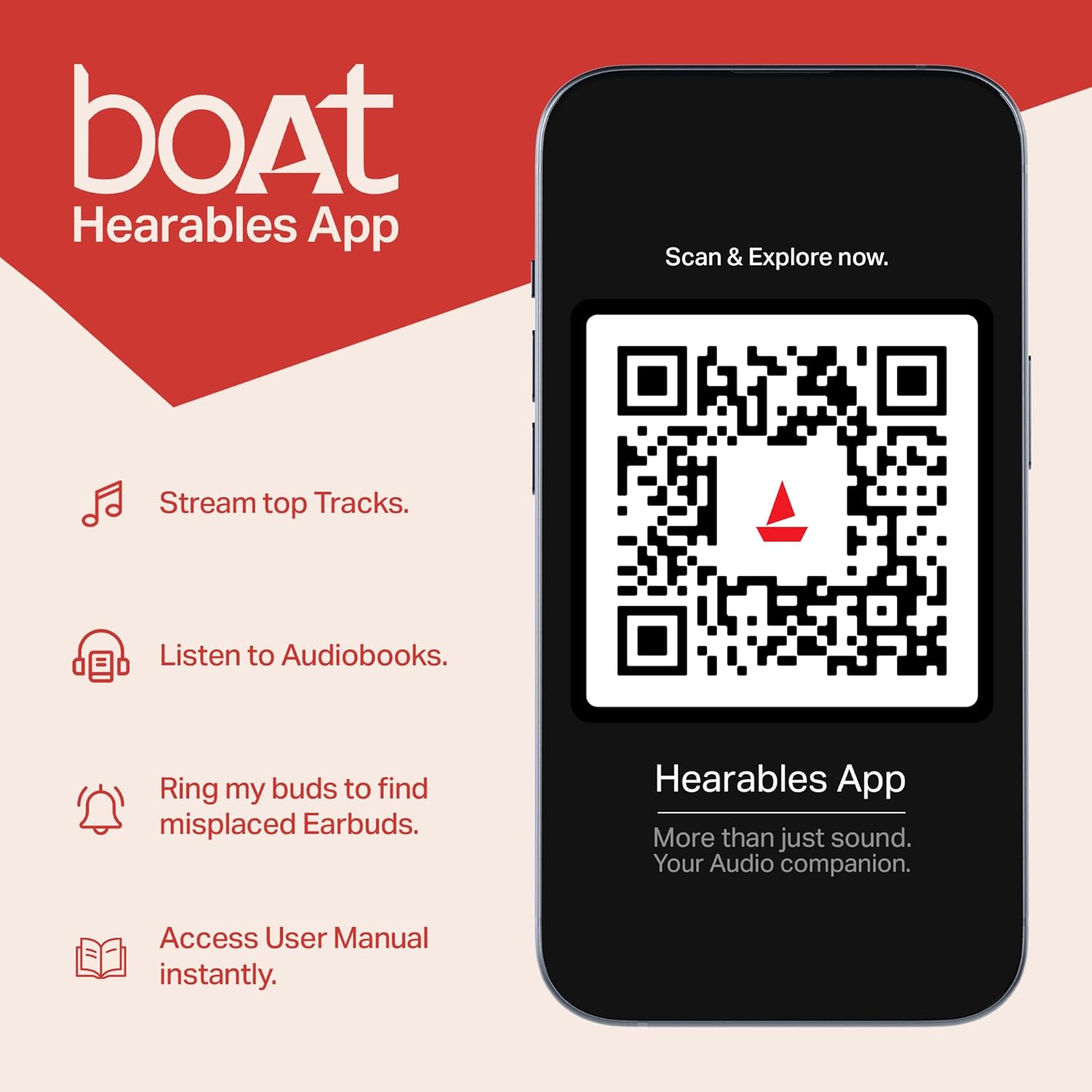
Figure 9.1: boAt Hearables App.
This image shows a smartphone displaying the boAt Hearables App interface. The app offers features like streaming top tracks, listening to audiobooks, finding misplaced earbuds, and accessing the user manual instantly. A QR code is visible for easy scanning to download or access the app. You can also access the app via this link: https://l.ead.me/bdAX6k
For further assistance, please visit the official boAt support webnebo kontaktujte zákaznický servis.