
Zavedení
Thank you for choosing the EMANER Smart Security Light Motion Sensor. This advanced flood light combines powerful illumination with smart control features, including motion sensing, adjustable color temperature, dimmable brightness, and compatibility with smart home systems like Alexa and Google Home. This manual provides detailed instructions for installation, operation, maintenance, and troubleshooting to ensure optimal performance and safety.
Vlastnosti produktu
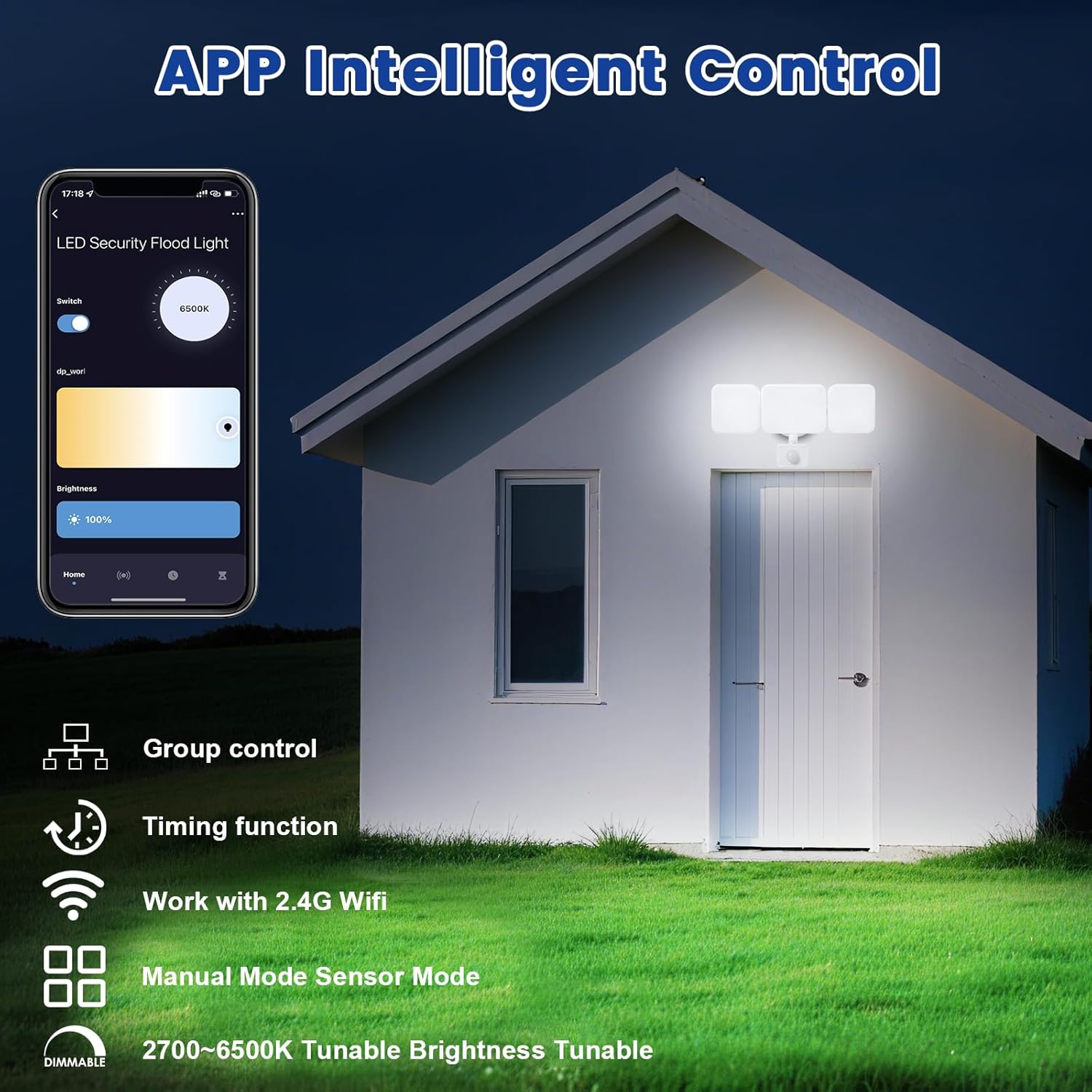
- Dálkové ovládání APP: Connects to "Smart Life" and "Tu Ya Smart" APP via 2.4Ghz WIFI for comprehensive control over brightness, color temperature, sensing distance, and light duration. Eliminates the need for manual adjustments on the fixture.
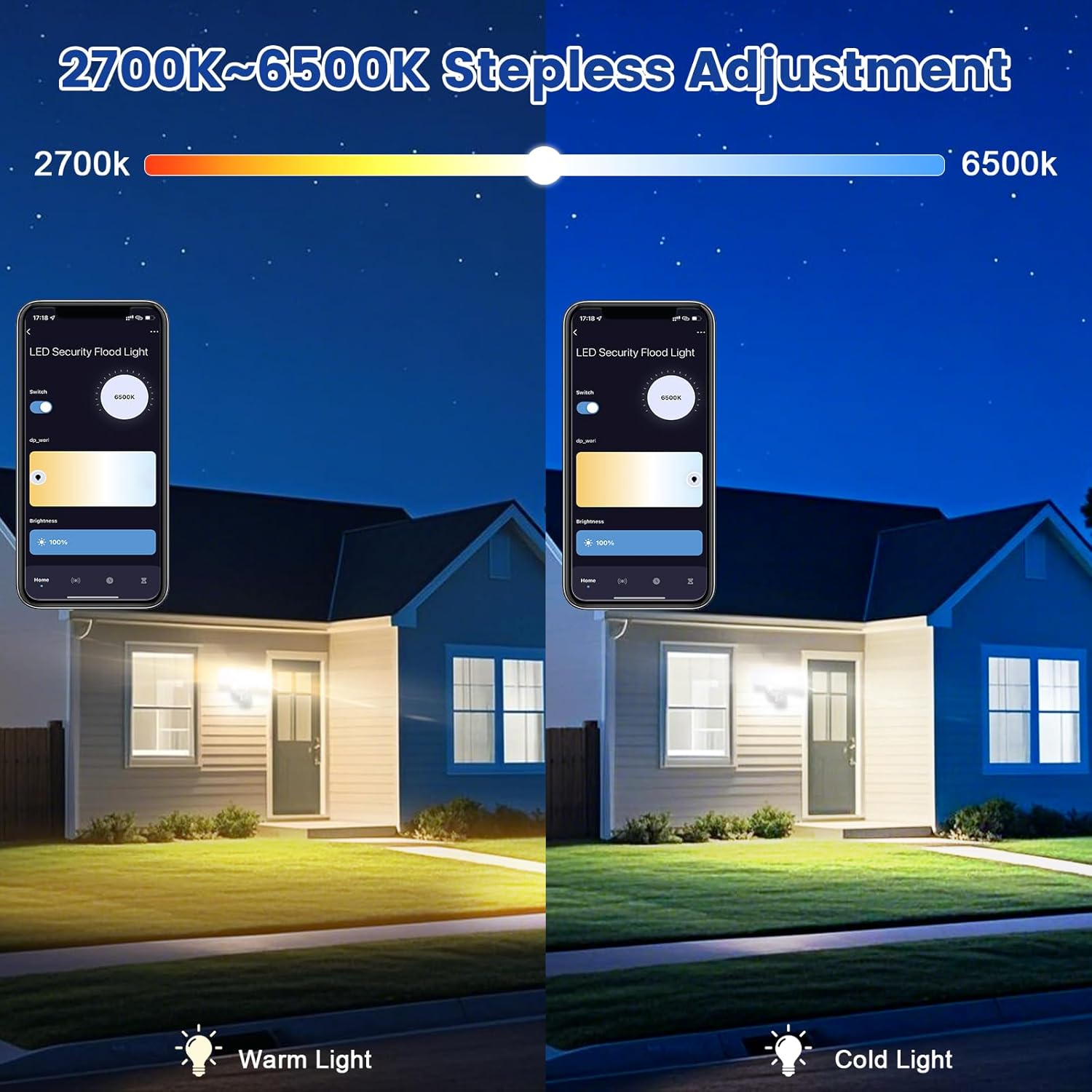
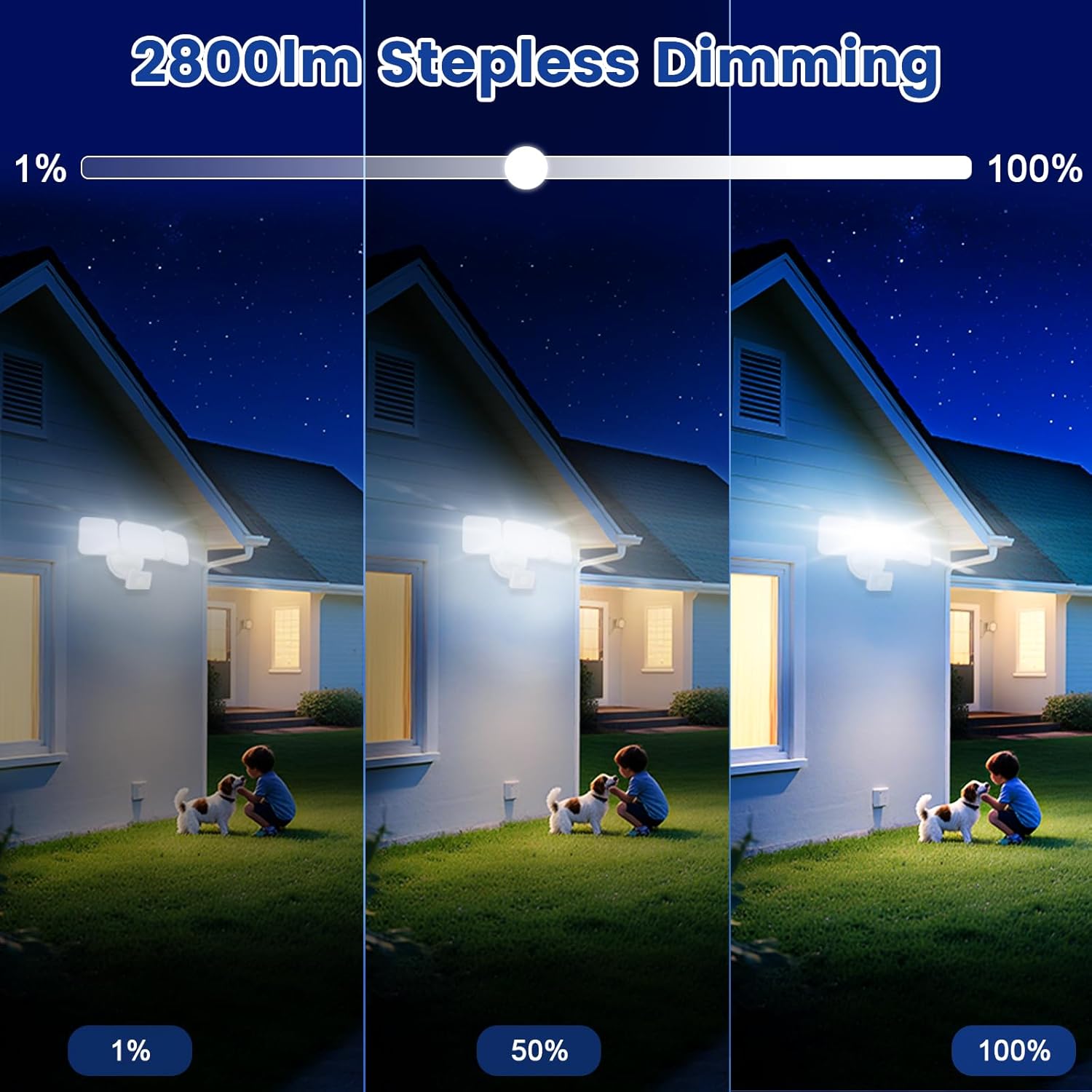
- Tunable White and Dimmable: Stepless adjustment of color temperature from 2700K (Warm White) to 6500K (Cool White). Brightness is adjustable from 1% to 100%. Features a memory function for preferred settings.
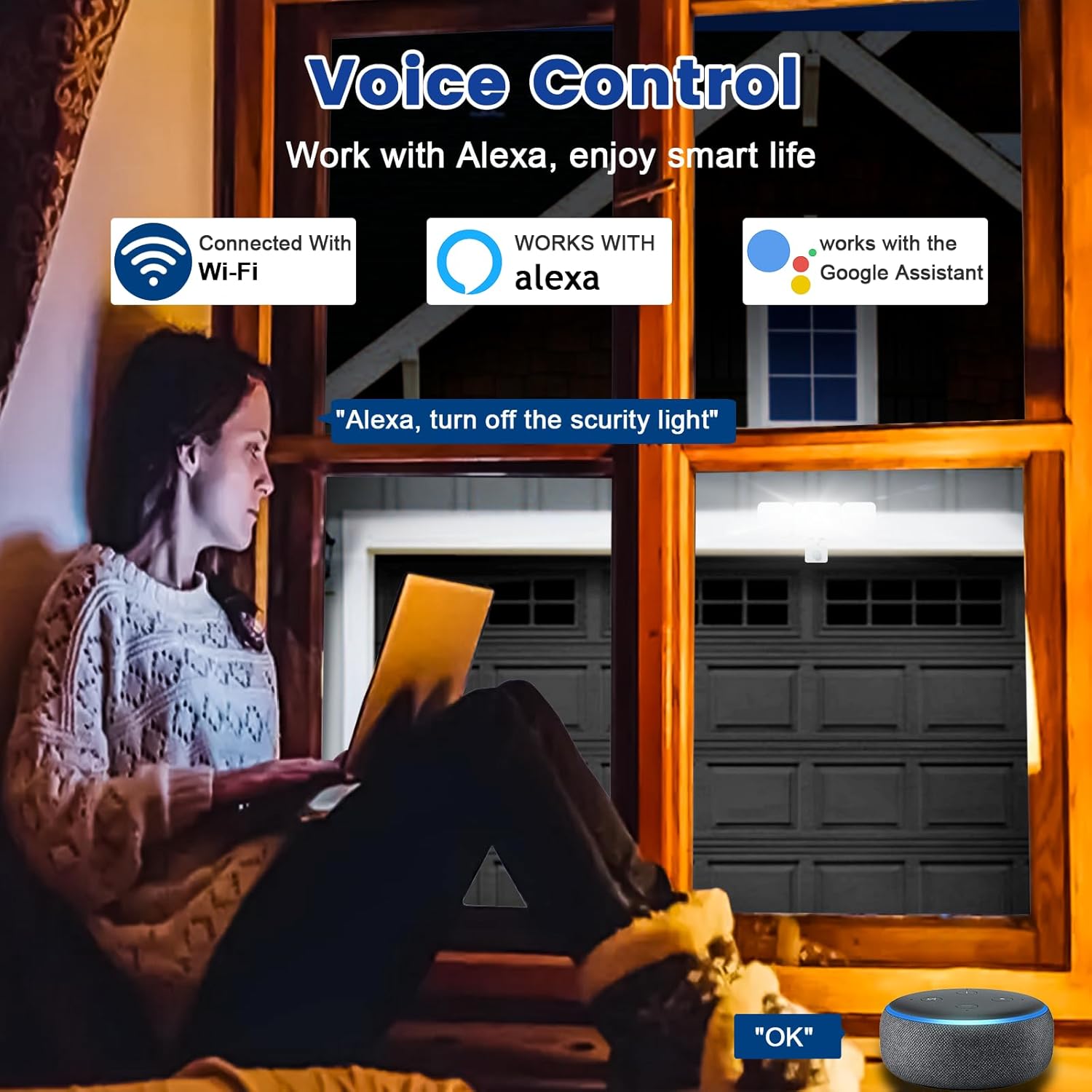
- Kompatibilita hlasového ovládání: Works seamlessly with Amazon Alexa (Echo/Dot/Tap) and Google Assistant for hands-free operation using simple voice commands.
- Dva provozní režimy:
- Manuální režim: Functions as a normal light, can be set to turn on/off at specific times with adjustable brightness and color temperature.
- Režim senzoru: Activates the PIR motion sensor, allowing customization of sensor settings via the APP.
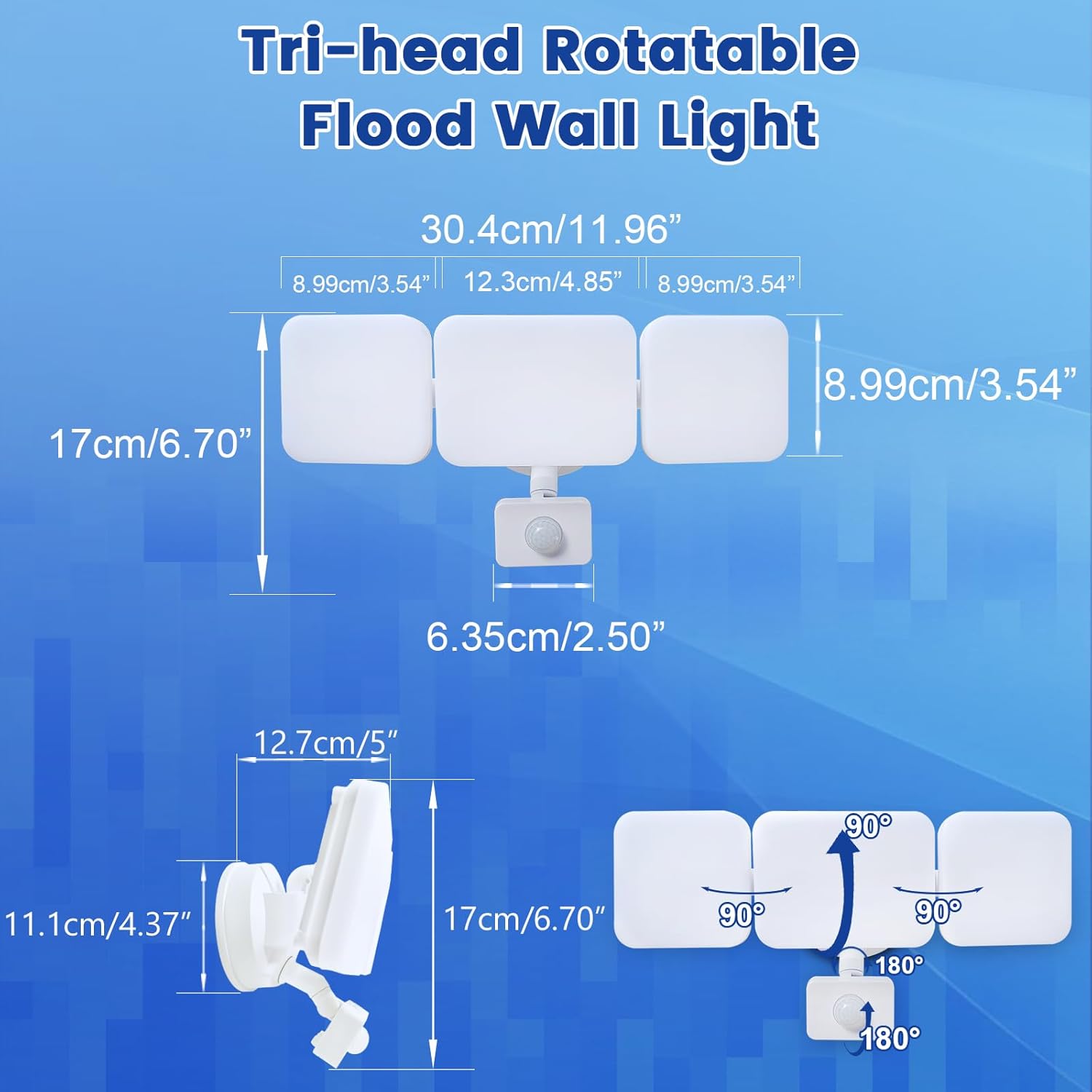
- Motion Sensor & Adjustable Design: PIR sensor detects motion up to 26ft. Full light duration is adjustable from 5 seconds to 60 minutes. The three light heads and motion detector head are flexibly adjustable to desired angles.
- Group Control & Linked Devices: Control multiple lights with one mobile phone and create connections for synchronized operation (e.g., one light activating another). Device pairing can be shared with family members.
- Super Bright & Energy Saving: Delivers a maximum of 2800 lumens at 28W, equivalent to a 150W halogen light, resulting in over 80% electricity savings.
- Easy Installation & Weatherproof: Simple wiring steps for wall, eave, or soffit mounting. IP65 waterproof rating ensures durability against rain, sleet, and snow for outdoor use.
Obsah balení
The EMANER Smart Security Light Motion Sensor package includes the following items:
- EMANER Smart Security Light Motion Sensor (1 unit)
- Návod k použití (tento dokument)
- Montážní materiál (šrouby, matice atd.)
Specifikace
| Specifikace | Hodnota |
|---|---|
| Značka | EMANER |
| Typ světla | LED |
| Speciální funkce | Nastavitelná teplota barev |
| Wattage | 28 wattů |
| Velikost tvaru žárovky | PAR14 |
| Základna žárovky | Přírubové |
| Ekvivalent žárovky Wattage | 280 wattů |
| Specifické použití pro produkt | Domov |
| Světlá barva | Bílý |
| svtage | 120 voltů |
| Počet jednotek | 1.0 Počet |
| Teplota barev | 2700K-6500K (nastavitelná) |
| Počet položek | 1 |
| Jas | Max 2800 lumen (Dimmable) |
| Tvar | Reflektor (R) |
| Materiál | Plast |
| Název modelu | White 1Pack |
| Technologie připojení | Wi-Fi (2.4 GHz) |
| Vnitřní/venkovní použití | Venkovní |
| Typ ovladače | Google Assistant, Amazon Alexa, App |
| Zdroj napájení | Elektrický kabel |
| Index podání barev | 80 |
| Frekvence | 60 Hz |
| Úhel paprsku | 120 stupňů |
| Hmotnost položky | 2 libry |
| Rozměry produktu | 12 cm Š x 6.7 cm V |
Průvodce instalací
Before beginning installation, ensure the power supply to the installation area is turned off at the circuit breaker to prevent electrical shock. It is recommended to consult a qualified electrician for installation if you are not familiar with electrical wiring.
- Připravte si místo pro montáž: Choose a suitable outdoor location such as a wall, under an eave, or soffit. Ensure the surface is stable and can support the light fixture.
- Namontujte přípravek: Use the provided mounting hardware to securely attach the light fixture to the chosen surface. Ensure all connections are tight and stable.
- Kabelová připojení: Connect the light's wires to your household electrical wiring according to local electrical codes. Typically, this involves connecting live, neutral, and ground wires. Use appropriate wire nuts to secure connections.
- Seal the Base: For outdoor use and IP65 waterproofing, ensure the lamp base between the wall and the fixture is properly sealed to prevent water ingress.
- Nastavení světelných hlavic a senzoru: Once mounted, adjust the three light heads and the motion detector head to cover the desired area. The heads are rotatable for flexible positioning.

Návod k obsluze
The EMANER Smart Security Light is primarily controlled via its dedicated mobile application. Basic operation involves powering on the device after installation.
Počáteční zapnutí
After successful installation and restoring power, the light will typically turn on. Proceed to the "App Control & Voice Control" section to pair your device and customize settings.
App Control & Voice Control
The EMANER Smart Security Light offers extensive control through the "Smart Life" or "Tu Ya Smart" mobile applications, available for both iOS and Android devices. It also integrates with popular voice assistants.
App Pairing and Setup
- Stáhněte si aplikaci: Hledat "Smart Life" or "Tu Ya Smart" in your device's app store and install it.
- Registrace/Přihlášení: Vytvořte si nový účet nebo se přihlaste ke svému stávajícímu účtu.
- Přidat zařízení: Follow the in-app instructions to add a new device. Ensure your phone is connected to a 2.4GHz Wi-Fi network. The app will guide you through the pairing process, which may involve putting the light into pairing mode (refer to app for specific steps).
- Přizpůsobit nastavení: Once paired, you can adjust all light settings, including:
- Brightness (1% to 100%)
- Color Temperature (2700K Warm White to 6500K Cool White)
- Operating Modes (Manual or Sensor)
- Motion Sensor Sensitivity and Duration
- Plánování a časovače
- Group Control with other EMANER smart lights
Integrace hlasového ovládání
To enable voice control, link your "Smart Life" or "Tu Ya Smart" account with Amazon Alexa or Google Assistant through their respective apps. Once linked, you can use commands such as:
- "Alexa, turn on the smart security light."
- „Hej Google, nastav bezpečnostní světlo na teplou bílou.“
- „Alexo, ztlum bezpečnostní světlo na 50 %.“
Official Product Video: Outdoor Security Lighting Motion Sensor Dusk to Dawn
Video 1: This video demonstrates the EMANER Smart Security Light's motion sensing capabilities and its performance in outdoor settings, showcasing its ability to illuminate areas from dusk till dawn.
Motion Sensor Configuration
The integrated PIR motion sensor can be configured to suit your security and lighting needs. All adjustments are made through the mobile application.
- Access Sensor Settings: In the "Smart Life" or "Tu Ya Smart" app, navigate to the device settings and select "Sensor Mode".
- Upravit snímací vzdálenost: Customize the detection range of the motion sensor. The maximum sensing range is approximately 26 feet.
- Set Full Light Duration: Determine how long the light stays on after motion is detected. This duration can be set from 5 seconds to 60 minutes.
- Nastavení citlivosti: Some app versions may allow for sensitivity adjustments. If the light is triggering too frequently or not enough, adjust this setting.


Údržba
Regular maintenance ensures the longevity and optimal performance of your EMANER Smart Security Light.
- Čištění: Pravidelně čistěte svítidlo a čočku pohybového senzoru měkkým hadříkem.amp hadříkem. Nepoužívejte abrazivní čisticí prostředky ani rozpouštědla. Před čištěním se ujistěte, že je přístroj vypnutý.
- Zkontrolujte kabeláž: Annually inspect the wiring and connections for any signs of wear, damage, or corrosion. Ensure the lamp base remains properly sealed against the wall to maintain its IP65 rating.
- Aktualizace softwaru: Keep the "Smart Life" or "Tu Ya Smart" app updated to the latest version to ensure compatibility and access to new features or bug fixes.
Odstraňování problémů
If you encounter issues with your EMANER Smart Security Light, refer to the following common troubleshooting steps:
| Problém | Možná příčina | Řešení |
|---|---|---|
| Světlo se nerozsvítí. | Žádný proud, uvolněné zapojení, vadné zařízení. | Check circuit breaker. Ensure all wiring connections are secure. If problem persists, contact support. |
| Light does not respond to app/voice commands. | Wi-Fi connectivity issue, app not paired, incorrect voice command. | Ensure light is connected to 2.4GHz Wi-Fi. Re-pair device in app. Verify voice command syntax with Alexa/Google Home. |
| Motion sensor not detecting or detecting too often. | Incorrect sensitivity setting, obstruction, environmental factors. | Adjust motion sensor sensitivity in the app. Clear any obstructions from the sensor's field of view. |
| Light flickers or changes brightness unexpectedly. | Nestabilní napájení, problém s vnitřními součástkami. | Ensure stable power. If problem persists, contact EMANER support. |
Záruka a podpora
EMANER products are designed for reliability and performance. For warranty information or technical assistance, please contact EMANER customer support.
You can typically find contact information on the EMANER brand store page or through the retailer where you purchased the product. Please have your model number (EMR-8030) and purchase details ready when contacting support.
For additional resources and product information, visit the official EMANER store: EMANER Store on Amazon.