
karuisrc K417
Uživatelská příručka k dronu K417 s kamerou 1080P HD
Model: K417 | Brand: karuisrc
1. Úvod
The karuisrc K417 Drone is a versatile and user-friendly quadcopter designed for both beginners and experienced adults. Equipped with dual 1080P HD cameras and advanced flight features, it offers an immersive aerial photography and videography experience. Its compact, foldable design and included carrying case make it highly portable. This manual provides essential information for safe operation, setup, maintenance, and troubleshooting to ensure optimal performance of your K417 Drone.

Image: The K417 Drone, its remote control, and the included carrying case.
2. Bezpečnostní informace
Always prioritize safety when operating the K417 Drone. Failure to follow these guidelines may result in injury, damage to property, or legal consequences.
- Předletová kontrola: Before each flight, ensure the drone, remote control, and batteries are in good working condition. Check propellers for damage and ensure they are securely attached.
- Podmínky prostředí: Fly in open areas, away from people, animals, buildings, and obstacles. Avoid flying in strong winds (the K417 has Level 4 wind resistance, but caution is advised in adverse conditions), rain, or extreme temperatures.
- Bezpečnost baterie: Use only original or approved batteries. Do not overcharge or puncture batteries. Discontinue use if batteries show signs of swelling or damage.
- Přímá viditelnost: Během letu vždy udržujte vizuální linii s dronem.
- Respektujte soukromí: Be mindful of privacy laws and avoid flying over private property without permission.
- Doporučený věk: This drone is recommended for adults. Supervise minors if they are operating the drone.
- Weight and Regulations: The K417 Drone weighs less than 249g, which may exempt it from certain FAA registration requirements in some regions. Always check local regulations before flying.
3. Obsah balení
Verify that all items are present in your K417 Drone package:
- K417 Drone x 1
- Dálkové ovládání x 1
- Batteries x 1 (Lithium Ion)
- Propellers x 4 (Spare)
- Ochranný rám x 4
- Šroubovák x 1
- USB kabel x 1
- Přepravní kufřík x 1
- Návod k použití x 1
4. Konec produktuview
4.1. K417 Drone
The K417 Drone features a foldable design for portability, dual 1080P HD cameras, and blue LED lights for enhanced visibility and aesthetics. It is equipped with brushless motors for efficient and stable flight.

Image: The K417 Drone and its remote control unit.
Klíčové vlastnosti:
- Dual 1080P HD Cameras: Offers 1920x1080p resolution for high-quality aerial photography and videography. The front camera is 90° electrically adjustable, and a bottom camera assists with real-time monitoring and multi-angle shooting.
- Modrá LED světla: Enhances visibility during nighttime flights and assists with navigation in low-light environments.
- Bezkartáčové motory: Provides efficient, powerful thrust with reduced friction, longer lifespan, and improved wind resistance (Level 4).
- Skládací design: Increases portability and protects the drone during transport.

Obrázek: Podrobný view of the K417 Drone's 1080P HD camera system.

Image: The K417 Drone with its blue LED lights illuminated, enhancing visibility.
4.2. Dálkové ovládání
The remote control provides intuitive command over the drone's flight and camera functions. It connects via Wi-Fi and can hold a smartphone for FPV viewIng.
5. Nastavení
5.1. Nabíjení baterie
The K417 Drone uses a modular Lithium Ion battery. Ensure the battery is fully charged before each flight for optimal performance and safety.
- Vyjměte baterii z dronu.
- Připojte baterii k dodanému nabíjecímu kabelu USB.
- Plug the USB cable into a compatible USB power source (e.g., computer USB port, USB wall adapter).
- The charging indicator light on the battery will show its status (refer to battery instructions for specific light patterns). Charging typically takes [Insert approximate charging time if known, otherwise omit].
- Po plném nabití odpojte baterii a znovu ji vložte do dronu.

Image: Diagram illustrating the modular battery design of the K417 Drone.
5.2. Installing Propellers and Protective Frames
Attach the propellers and protective frames as follows:
- Identify the correct propellers (A and B) and match them to the corresponding motor shafts.
- Securely fasten the propellers using the provided screwdriver.
- Snap the protective frames onto the drone's arms to shield the propellers during flight, especially for beginners.

Image: The K417 Drone equipped with its protective propeller brackets.
5.3. Instalace a připojení aplikace
To unlock full features and FPV viewing, download the K417 drone's dedicated app on your smartphone.
- Scan the QR code in the quick start guide or search for the 'K417' app in your device's app store.
- Nainstalujte aplikaci.
- Zapněte dron a dálkové ovládání.
- On your smartphone, go to Wi-Fi settings and connect to the drone's Wi-Fi network (e.g., 'K417-XXXX').
- Open the K417 app. The app should automatically connect to the drone, displaying the live camera feed.
6. Návod k obsluze
6.1 Základní ovládací prvky letu
Seznamte se s funkcemi dálkového ovladače:
- Vzlet/přistání jedním tlačítkem: Press the dedicated button to automatically take off or land the drone.
- Držení nadmořské výšky: The drone maintains a stable altitude, making it easier for beginners to control.
- Rychlostní režimy: Cycle through 3-speed modes (low, medium, high) to match your flying skill level and environment.
- Polohování optického toku: Utilizes a bottom camera to gather image data and calculate displacement, enabling precise hovering and stable flight.

Image: The K417 Drone demonstrating stable hovering, aided by optical flow positioning.
6.2. Pokročilé letové funkce
Explore the K417 Drone's advanced capabilities:
- 3D převrácení: Execute impressive aerial acrobatics with a single button press.
- Ovládání gesty: Use specific hand gestures to trigger photo or video recording, allowing for hands-free operation.
- Custom Path Flight: Draw a desired flight route on the app screen, and the drone will automatically follow the trajectory.

Image: The K417 Drone executing a dynamic 3D flip maneuver.

Image: Hands positioned to demonstrate gesture control functionality for the drone's camera.

Image: The K417 Drone executing a custom flight path, following a pre-defined route.
6.3. Camera Operation and FPV Transmission
The K417 Drone's dual 1080P cameras provide clear visuals, and 5GHz WiFi transmission ensures real-time FPV (First Person View) streaming to your mobile device.
- Pořízení fotografie/videa: Use the dedicated buttons on the remote or the app interface to take photos or start/stop video recording.
- 90° Electric Adjustable Camera: Adjust the angle of the front camera remotely via the app or remote control to capture different perspectives.
- Přenos FPV: The 5GHz WiFi connection provides fast and precise data transfer, allowing you to view záznam z kamery dronu v reálném čase na vašem chytrém telefonu.

Image: A person observing the K417 Drone in flight, highlighting its 5GHz WiFi transmission capability for extended range.
7. Údržba
Proper maintenance ensures the longevity and performance of your K417 Drone.
- Čištění: Gently wipe the drone and remote control with a soft, dry cloth after each use. Avoid using harsh chemicals or liquids.
- Kontrola vrtule: Regularly check propellers for cracks, bends, or chips. Replace damaged propellers immediately using the provided spares and screwdriver.
- Péče o baterie: Baterie skladujte na chladném a suchém místě. Plně nabité nebo zcela vybité baterie neskladujte delší dobu. Pro dlouhodobé skladování je nabijte přibližně na 50 %.
- Skladování: When not in use, store the drone and its accessories in the carrying case to protect them from dust, moisture, and physical damage.
8. Řešení problémů
If you encounter issues with your K417 Drone, refer to the following common problems and solutions:
| Problém | Možná příčina | Řešení |
|---|---|---|
| Dron se nezapne | Slabá baterie; Baterie není správně vložena | Charge the drone battery; Ensure battery is securely connected. |
| Remote control does not connect | Slabá baterie v dálkovém ovladači; Není správně spárován. | Replace remote batteries; Follow pairing instructions in the quick start guide. |
| V aplikaci není žádný FPV signál | Not connected to drone's Wi-Fi; App not open or crashed | Verify Wi-Fi connection to drone; Restart app and drone. |
| Dron se během letu unáší | Není kalibrováno; Rušení větrem | Perform gyroscope calibration (refer to quick start guide); Fly in calmer conditions. |
| Špatná kvalita fotoaparátu | Lens dirty; Insufficient lighting | Clean camera lens gently; Ensure adequate lighting for optimal recording. |
9. Specifikace
Detailed technical specifications for the K417 Drone:
| Funkce | Specifikace |
|---|---|
| Značka | karuisrc |
| Název modelu | K417 |
| Věkové rozmezí (popis) | Dospělý |
| Barva | Modrý |
| Rozlišení záznamu videa | 1080p (1920x1080 pixelů) |
| Technologie připojení | Wi-Fi (5 GHz) |
| Zahrnuté komponenty | Camera, Carrying Case, Propeller |
| Hmotnost položky | 147 gramů (5.2 unce) |
| Formát záznamu videa | MP4 |
| Technologie dálkového ovládání | Wi-Fi |
| Typ ovládání | Ovládání gesty |
| Maximální dosah | 0.25 Kilometers (821 ft / 250m) |
| Složení článků baterie | Lithium Ion |
| Baterie jsou součástí dodávky | Ano (vyžaduje 1 lithium-iontovou baterii) |
| Provozní teplota | 10 stupňů Celsia |
| Technologie optických senzorů | CMOS nebo CCD |
| Rozměry produktu | 0.65 cm D x 0.49 cm Š x 0.16 cm V |
| Výrobce | KARUISRC |
| Číslo modelu položky | 2024032105 |
| Datum první dostupnosti | 21. března 2024 |
10. Záruka a podpora
For warranty information, technical support, or any inquiries regarding your K417 Drone, please contact karuisrc customer service.
- Výrobce: KARUISRC
- Značková prodejna: Visit the karuisrc Store on Amazon
- Telefon: +44 7419 298225
- E-mail: Karuisrc@gmail.com
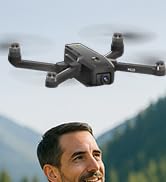
Image: Customer support contact information for karuisrc.
Ask a question about this manual
Ask about setup, troubleshooting, compatibility, parts, safety, or missing instructions. Manuals+ will review the question and use this page’s manual context to help answer it.