
HOCO TWS EW34
Uživatelská příručka k bezdrátovým sluchátkům HOCO EW34
Model: TWS EW34 | Brand: HOCO
Zavedení
Thank you for choosing the HOCO EW34 True Wireless Earphones. This manual provides essential information on how to set up, operate, maintain, and troubleshoot your earphones to ensure optimal performance and longevity. Please read this manual carefully before using the product.
Obsah balení
Než začnete, ujistěte se, že balení obsahuje všechny položky:
- Bezdrátová sluchátka HOCO EW34 True Wireless (levá a pravá)
- Nabíjecí pouzdro
- Nabíjecí kabel
- Uživatelská příručka (tento dokument)
Nastavení
1. Počáteční nabíjení
Before first use, fully charge the charging case and earphones. Place both earphones into the charging case. Connect the charging cable to the charging port on the case and to a USB power source.

Image: HOCO EW34 earphones placed inside their open charging case, showing the charging indicators.
The indicator light on the charging case will show the charging status. Ensure the case is fully charged before using the earphones for the first time.

Image: The HOCO EW34 charging case, closed, displaying the USB charging port on the side.
2. Párování Bluetooth
- Ujistěte se, že jsou sluchátka nabitá a vložená do nabíjecího pouzdra.
- Open the charging case. The earphones will automatically enter pairing mode, indicated by a flashing light (if applicable).
- Na svém zařízení (chytrém telefonu, tabletu atd.) povolte Bluetooth.
- Hledat "HOCO EW34" in the list of available Bluetooth devices.
- Select "HOCO EW34" to connect. Once connected, a voice prompt will confirm the successful pairing.
- Sluchátka se po vyjmutí z pouzdra automaticky znovu připojí k poslednímu spárovanému zařízení, pokud je na zařízení povoleno Bluetooth.
Návod k obsluze
Nošení sluchátek
Gently insert the earphones into your ears, ensuring a comfortable and secure fit. Adjust them slightly until the sound quality is optimal and they feel stable.
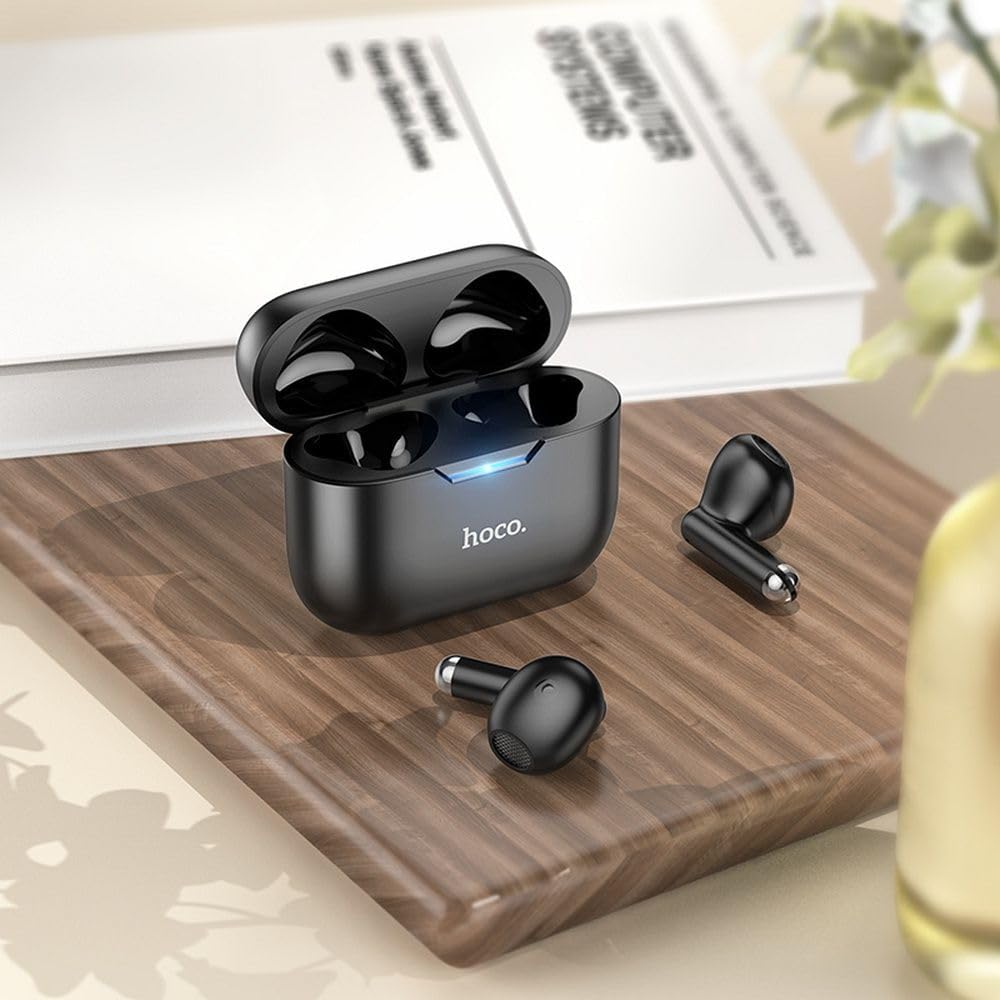
Image: The HOCO EW34 earphones and their charging case resting on a wooden surface next to a book, illustrating their compact size.
Basic Controls (Touch Sensitive)
The HOCO EW34 earphones feature touch-sensitive controls. Specific functions may vary slightly based on your device and application.
- Přehrát/pozastavit: Jedno klepnutí na kterékoli sluchátko.
- Další skladba: Dvakrát klepněte na pravé sluchátko.
- Předchozí skladba: Dvakrát klepněte na levé sluchátko.
- Přijmout/ukončit hovor: Během příchozího hovoru klepněte jedním klepnutím na kterékoli sluchátko.
- Odmítnout hovor: Během příchozího hovoru stiskněte a podržte kterékoli ze sluchátek po dobu 2 sekund.
- Aktivovat Voice Assistant: Trojité klepnutí na kterékoli sluchátko.
Údržba
Proper maintenance ensures the longevity and performance of your HOCO EW34 earphones.
- Čištění: K čištění sluchátek a nabíjecího pouzdra používejte měkký, suchý hadřík, který nepouští vlákna. Nepoužívejte agresivní chemikálie ani abrazivní materiály.
- Skladování: Pokud sluchátka nepoužíváte, uložte je do nabíjecího pouzdra, aby byly chráněny před prachem a poškozením.
- Péče o baterie: Avoid fully discharging the battery frequently. Charge the earphones and case regularly, even if not in constant use, to maintain battery health.
- Vyhněte se vodě: The earphones are not waterproof. Avoid exposure to water, sweat, or high humidity.
Odstraňování problémů
Pokud máte problémy se sluchátky HOCO EW34, vyzkoušejte následující řešení:
| Problém | Možné řešení |
|---|---|
| Sluchátka se nespárují se zařízením. |
|
| Z jednoho nebo obou sluchátek není slyšet žádný zvuk. |
|
| Nabíjecí pouzdro se nenabíjí. |
|
| Špatná kvalita zvuku. |
|
Specifikace
Here are the technical specifications for the HOCO EW34 True Wireless Earphones:
- Verze Bluetooth: 5.3
- Čip: JL AC6983
- Kapacita baterie nabíjecího pouzdra: 250 XNUMX mAh
- Kapacita baterie sluchátek: 30 mAh (každý)
- Čas mluvení/hudby: 4 hodin
- Pohotovostní doba: 150 hodin
- Rozměry (pouzdro): 57 × 46 × 23.5 mm
- Celková hmotnost: 42 g
- Název modelu: TWS EW34
- Barva: Černý
Záruka a podpora
For warranty information, please refer to the warranty card included with your purchase or visit the official HOCO webZáruční podmínky se mohou lišit v závislosti na regionu.
If you require further assistance or encounter issues not covered in this manual, please contact HOCO customer support through their official website or the retailer from whom you purchased the product. Please have your product model number (TWS EW34) and proof of purchase ready when contacting support.
Ask a question about this manual
Ask about setup, troubleshooting, compatibility, parts, safety, or missing instructions. Manuals+ will review the question and use this page’s manual context to help answer it.