1. Úvod
This manual provides essential information for the safe and efficient installation, operation, and maintenance of your Generic SFX-500W Power Supply. Please read this manual thoroughly before using the product and retain it for future reference.
The SFX-500W is a compact SFX form factor power supply designed for small form factor (ITX) personal computers, providing a rated output of 500W and a peak output of 600W.
2. Bezpečnostní informace
WARNING: Improper installation or use can lead to electric shock, fire, or damage to the power supply and other components. Always follow these safety guidelines.
- Odpojit napájení: Always disconnect the power cord from the wall outlet before installing, removing, or servicing the power supply.
- Kvalifikovaný personál: Instalaci a servis by měl provádět pouze kvalifikovaný personál.
- Větrání: Zajistěte dostatečné větrání kolem zdroje napájení. Neblokujte žádné větrací otvory.
- vlhkost: Nevystavujte napájecí zdroj vodě ani nadměrné vlhkosti.
- svtage: Zajistěte vstupní objtage matches the specifications of your region.
- Základy: Ensure the power supply and your computer system are properly grounded.
- Vysoký objemtage: Napájecí zdroj obsahuje vysokonapěťovétagkomponenty. Neotevírejte napájecí zdroj casing. Uvnitř nejsou žádné součásti, které by mohl uživatel opravit.
3. Nastavení a instalace
Follow these steps to install the SFX-500W power supply into your computer system.
3.1 Vybalení
Carefully remove the power supply from its packaging. Inspect for any visible damage. If damage is present, do not proceed with installation and contact your vendor.

Figure 3.1: The SFX-500W power supply shown with its packaging, indicating its compact dimensions suitable for ITX builds.
3.2 Montáž napájecího zdroje
- Ensure your computer case supports the SFX form factor.
- Align the power supply with the mounting holes in your computer case's PSU bay.
- Secure the power supply using the provided screws. Do not overtighten.

Obrázek 3.2: Strana view of the SFX-500W power supply, showing the model label and ventilation grille.
3.3 Propojovací kabely
The SFX-500W is a non-modular power supply, meaning its cables are permanently attached. Connect the necessary cables to your motherboard and other components.
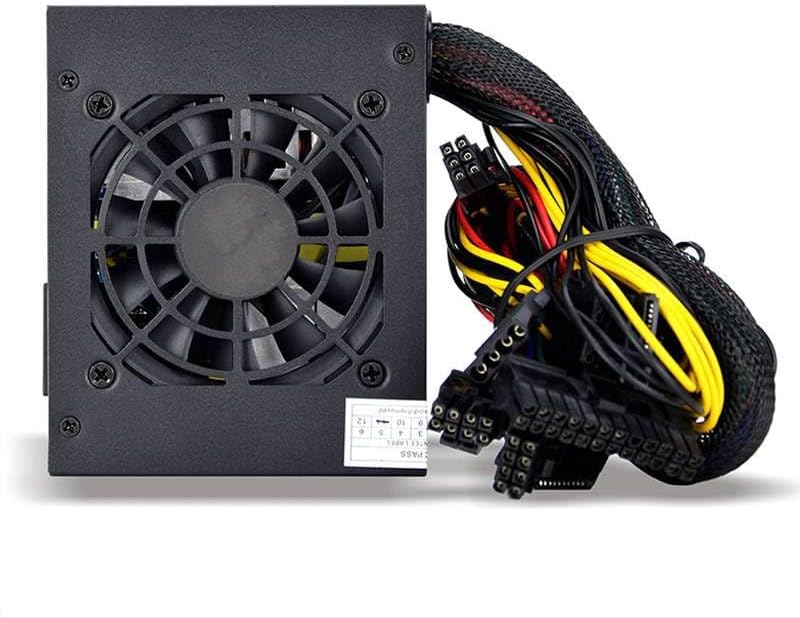
Figure 3.3: The SFX-500W power supply showing its integrated cooling fan and permanently attached power cables.

Figure 3.4: This image illustrates the difference between non-modular (cables permanently attached, like the SFX-500W) and full modular power supplies (cables detachable). The SFX-500W is a non-modular unit.
- 24pinový konektor základní desky ATX: Connect to the main power socket on your motherboard.
- 4+4-pin EPS/ATX 12V Connector: Connect to the CPU power socket on your motherboard.
- PCI-E Connectors: Connect to your graphics card(s) if required.
- Napájecí konektory SATA: Připojte se k zařízením SATA, jako jsou SSD, HDD a optické mechaniky.
- Periferní konektory (Molex): Connect to older peripherals or case fans if needed.
Ensure all connections are secure. Loose connections can cause system instability or damage.
4. Návod k obsluze
4.1 Zapnutí
- After all components are securely connected and the power supply is mounted, connect the AC power cord to the power supply's inlet and then to a grounded wall outlet.
- Přepněte vypínač na zadní straně napájecího zdroje do polohy „ON“ (I).
- Stiskněte tlačítko napájení na skříni počítače pro spuštění systému.
4.2 Cooling Fan Operation
The SFX-500W features an integrated cooling fan to dissipate heat. The fan speed is automatically regulated based on the power supply's temperature and load to maintain optimal operating conditions and minimize noise.
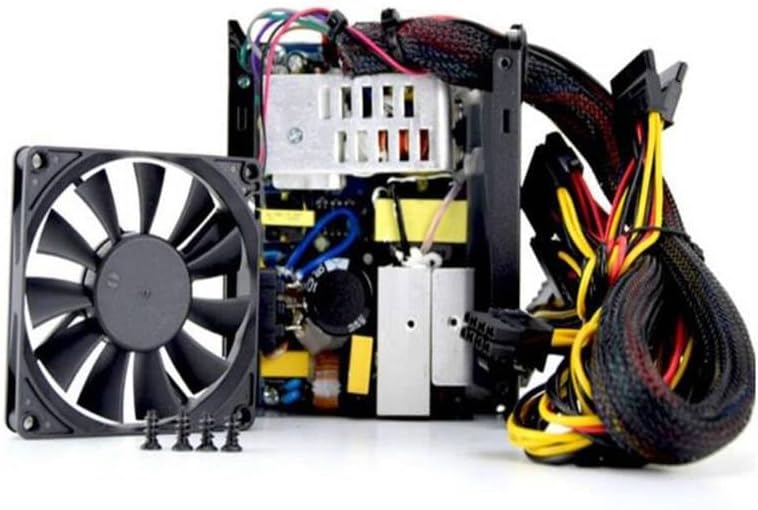
Obrázek 4.1: Vnitřní view of the SFX-500W power supply, highlighting the cooling fan and internal circuitry.
5. Údržba
Proper maintenance ensures the longevity and stable operation of your power supply.
- Čištění: Periodically clean the exterior of the power supply and its fan grille to prevent dust buildup. Use a soft, dry cloth or compressed air. Ensure the power supply is turned off and unplugged before cleaning.
- Větrání: Ensure that the air intake and exhaust vents are clear of obstructions.
- Podmínky prostředí: Operate the power supply within its specified temperature and humidity ranges. Avoid extreme temperatures and dusty environments.
6. Řešení problémů
If you encounter issues with your SFX-500W power supply, refer to the following common problems and solutions:
| Problém | Možná příčina | Řešení |
|---|---|---|
| Systém se nezapne. |
|
|
| Systém se zapne, ale nečekaně se vypne. |
|
|
| Ventilátor se netočí nebo je příliš hlučný. |
|
|
Pokud problém přetrvává i po vyzkoušení těchto řešení, obraťte se na zákaznickou podporu a požádejte o další pomoc.
7. Specifikace
| Funkce | Specifikace |
|---|---|
| Značka | Obecný |
| Název modelu | SFX-500W |
| Číslo dílu | ZZlH_DNC_18980 |
| Form Factor | SFX |
| Ohodnoceno Wattage | 500 wattů |
| Peak Output Wattage | 600 wattů |
| Kompatibilní zařízení | Osobní počítač |
| Způsob chlazení | Vzduch |
| Typ kabelu | Nemodulární |
8. Záruka a podpora
For warranty information and technical support, please refer to the documentation provided with your purchase or contact the vendor directly. Keep your proof of purchase for warranty claims.


