
1. Úvod
Thank you for choosing the Devoko Height Adjustable Desk. This manual provides essential information for the safe and efficient assembly, operation, and maintenance of your new desk. This electric sit-stand desk is designed to promote a healthier work environment by allowing you to easily switch between sitting and standing positions, reducing fatigue and enhancing productivity.
Key features include a robust industrial-grade steel frame, an FSC certified MDF solid wood tabletop, a quiet and powerful motor system, and a user-friendly control panel with memory presets and an anti-collision system. Integrated cable management solutions ensure a tidy workspace.

Image 1.1: The Devoko Height Adjustable Desk in a typical office setup, showcasing its spacious black tabletop and sturdy frame.
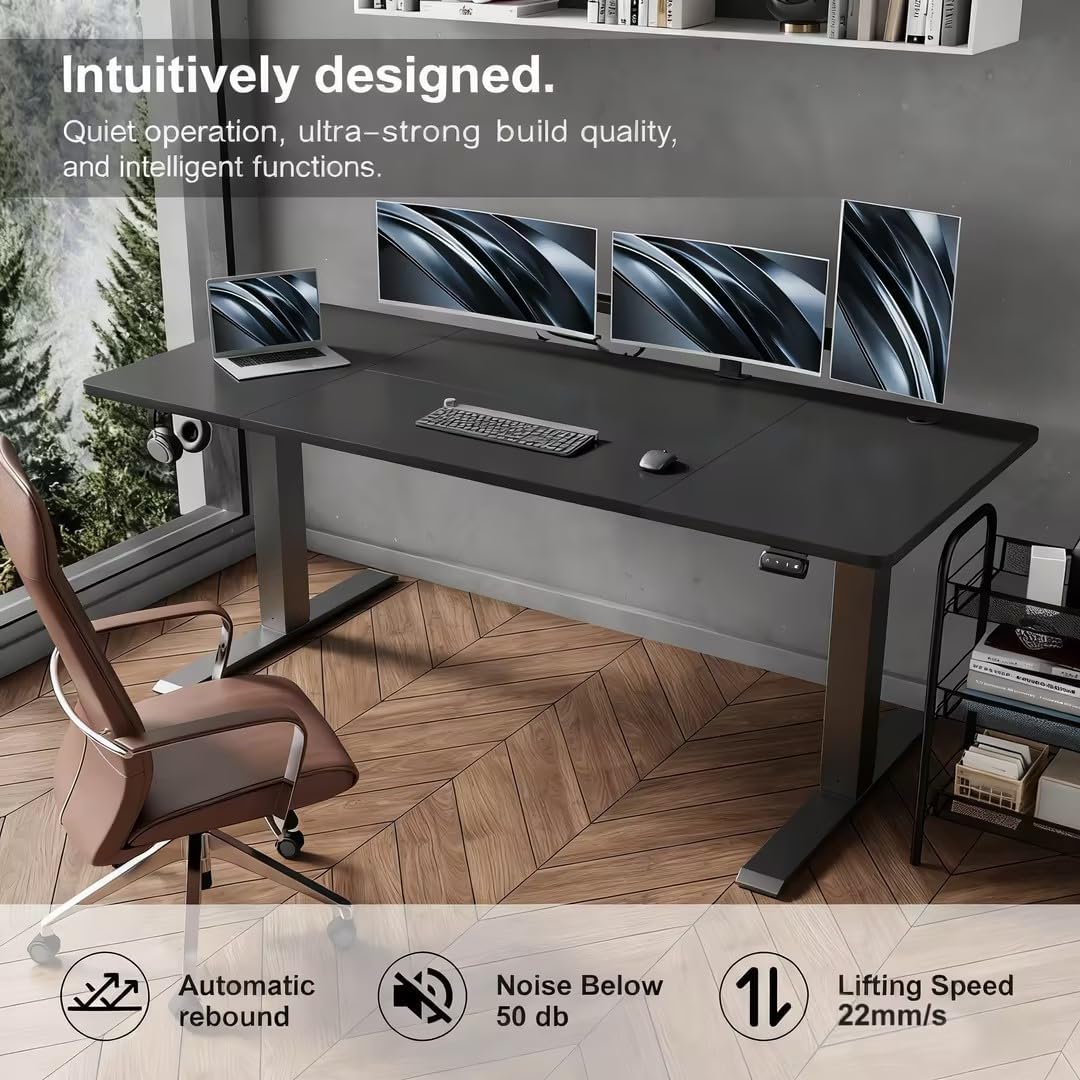
Image 1.2: The desk integrated into a modern office space, highlighting its quiet operation, strong build quality, and intelligent features for an enhanced user experience.
2. Nastavení a montáž
Before beginning assembly, please ensure all parts are present and undamaged. It is recommended to assemble the desk on a soft, clean surface to prevent scratches. The tabletop is designed in multiple sections for easier handling and assembly.
2.1. Obsah balení
Refer to the parts list below to verify all components are included in your package. If any parts are missing or damaged, please contact customer support before proceeding.
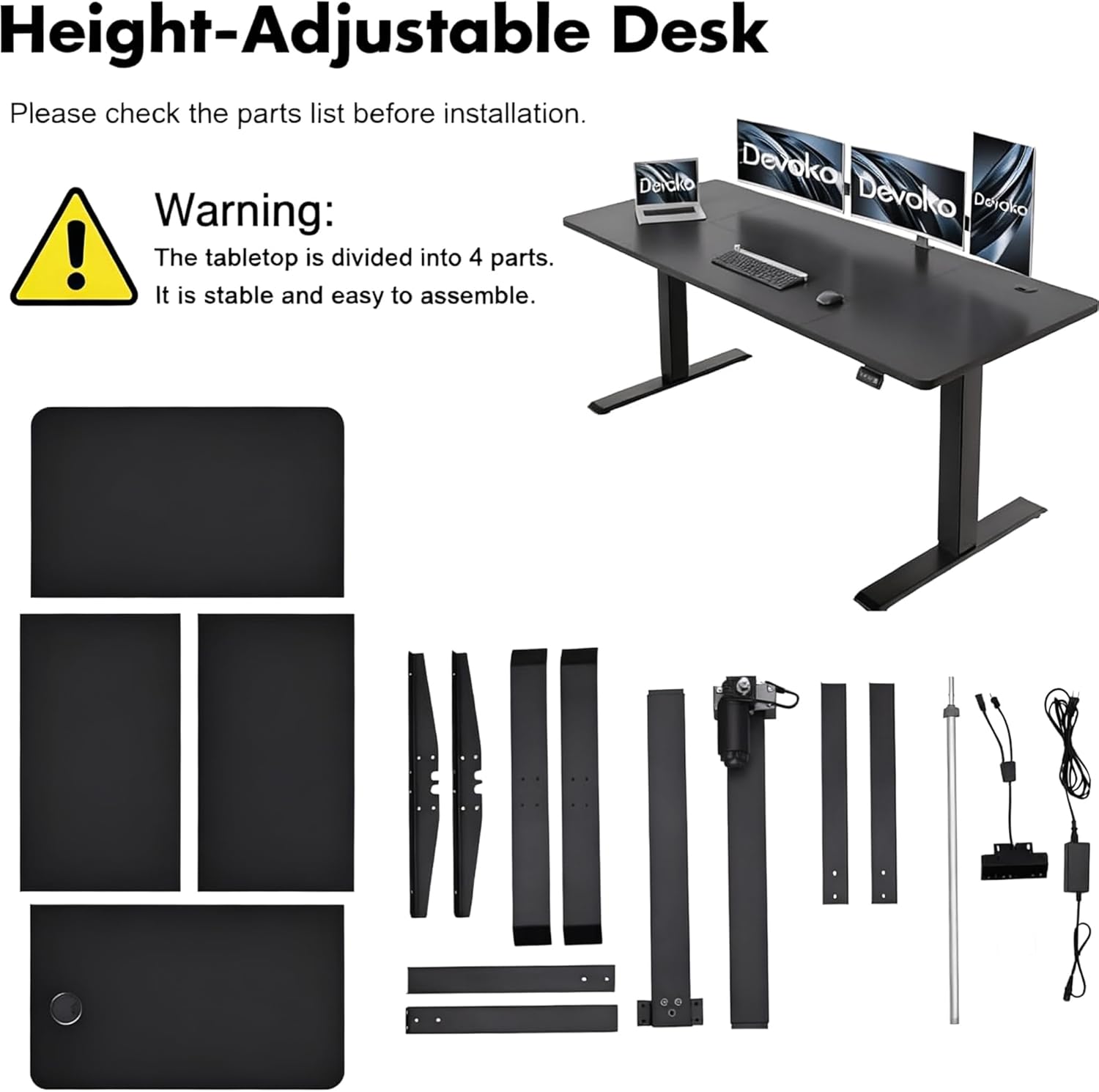
Image 2.1: A visual representation of all components included in the Devoko Height Adjustable Desk package, along with a warning that the tabletop is divided into 4 parts for stable and easy assembly.
2.2. Montážní kroky
- Rozbalte a identifikujte: Carefully unpack all components and lay them out. Compare them with the parts list (Image 2.1).
- Sestavte rám: Follow the detailed instructions provided in the separate assembly guide to construct the desk frame. Ensure all screws are tightened securely.
- Připevnění sekcí stolní desky: Connect the tabletop sections as per the assembly guide. The multi-part design ensures stability and simplifies handling.
- Install Control Panel and Motor: Mount the control panel and connect the motor and power cables according to the instructions.
- Správa kabelů: Utilize the integrated cable holes and foldable cable trough to organize all wires neatly. Attach the complimentary headphone hook if desired.
- Počáteční zapnutí: Plug the desk into a power outlet. The desk may perform an initial calibration cycle.
3. Návod k obsluze
Your Devoko Height Adjustable Desk is equipped with an intuitive control panel for easy height adjustments and memory functions.
3.1. Ovládací panel Overview

Image 3.1: The desk's control panel, detailing the buttons for electrical lifting adjustment, two-position memory, and the automatic return function. A headphone hook is also shown.
3.2. Nastavení výšky
- Stiskněte a podržte NAHORU (▲) tlačítko pro zvednutí stolu.
- Stiskněte a podržte DOLŮ (▼) tlačítko pro spuštění stolu.
- Release the button at your desired height. The desk can be adjusted between 71 cm and 119 cm.

Image 3.2: Visual demonstration of the desk's height adjustment capabilities, showing its minimum (71 cm) and maximum (119 cm) heights.
3.3. Předvolby paměti
The desk allows you to save two preferred height settings for quick access.
- Adjust the desk to your desired height (e.g., sitting position).
- Stiskněte tlačítko M tlačítko. Na displeji se zobrazí „S-“.
- Immediately press either 1 or 2. The display will show 'S-1' or 'S-2' to confirm the height is saved.
- Chcete-li vyvolat uloženou výšku, jednoduše stiskněte příslušné tlačítko 1 or 2 tlačítko. Stůl se automaticky přesune do uložené polohy.
3.4. Automatic Return Function
If the desk encounters an obstruction during adjustment, it may stop or reverse slightly. To cancel any reset state and return to the initial state, press and hold the M tlačítko.
3.5. Protikolizní systém
The desk is equipped with an intelligent anti-collision system. If the desk encounters an obstacle while moving up or down, it will automatically stop and reverse slightly to prevent damage or injury. This system is designed for safety and protection.
4. Údržba
Proper maintenance ensures the longevity and optimal performance of your Devoko Height Adjustable Desk.
- Čištění: Použijte měkký, damp cloth with a mild, non-abrasive cleaner to wipe down the desk surface and frame. Avoid harsh chemicals, abrasive pads, or excessive moisture.
- Správa kabelů: Periodically check and reorganize cables to prevent tangling or damage. Ensure cables are not pinched by moving parts.
- Kontrola součástí: Pravidelně kontrolujte všechny šrouby a spoje, zda jsou pevně utažené. V případě potřeby je dotáhněte.
- Kapacita zatížení: Do not exceed the maximum dynamic load capacity of 70 kg or static load capacity of 85 kg. Overloading can damage the motor and frame.
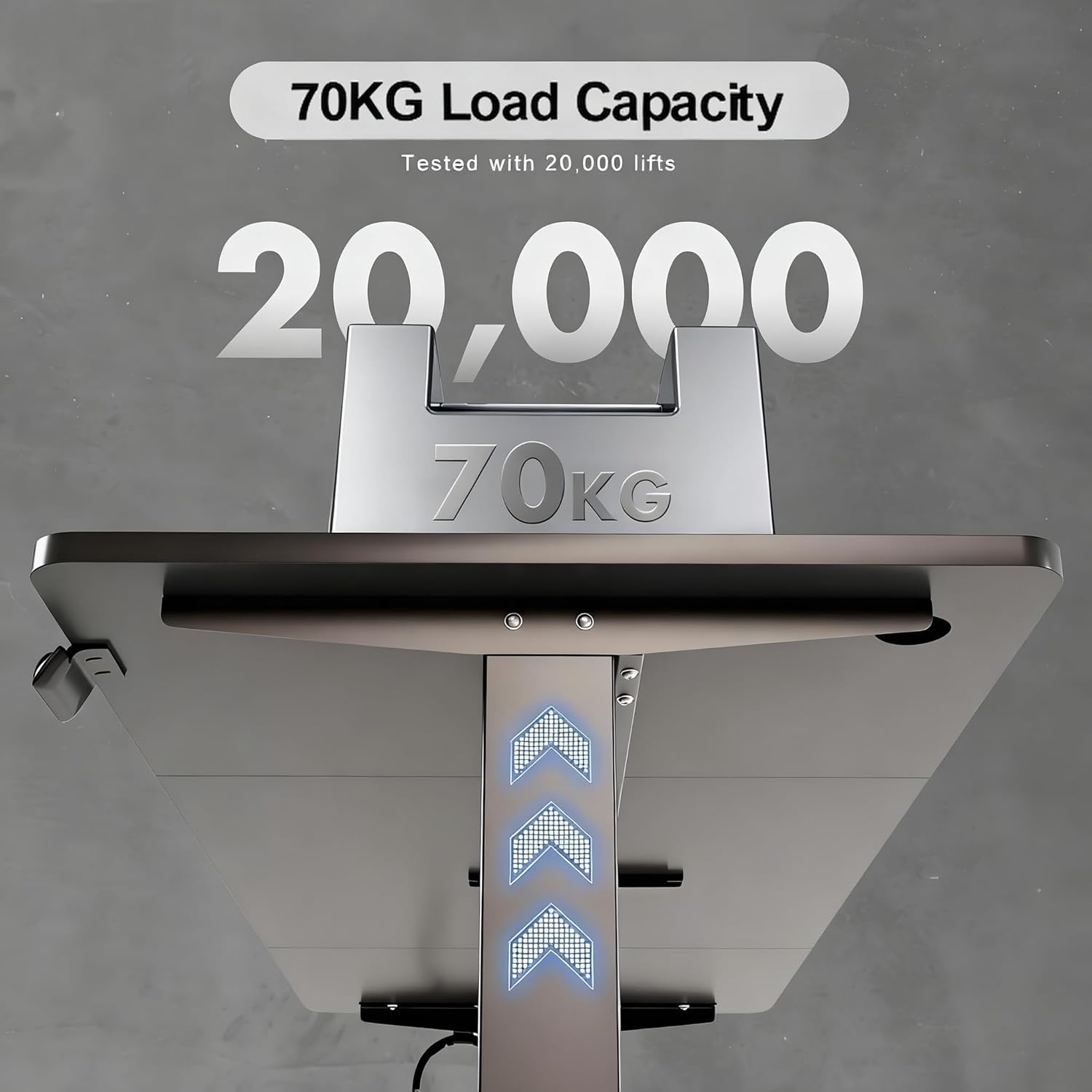
Image 4.1: Illustration of the desk's 70 kg dynamic load capacity, tested for durability over 20,000 lifts.
5. Řešení problémů
If you encounter any issues with your Devoko Height Adjustable Desk, please refer to the following common troubleshooting steps:
- Stůl se nehýbe:
- Zkontrolujte, zda je napájecí kabel bezpečně zapojený do stolu i do zásuvky.
- Ensure all cables connecting the motor and control panel are properly seated.
- If an error code is displayed, refer to the specific error code section in the full manual (if available) or contact support.
- Desk Stops During Adjustment:
- This may be due to the anti-collision system detecting an obstacle. Remove any obstructions and try again.
- If the desk is overloaded, remove some weight and try again.
- Předvolby paměti nefungují:
- Ensure you are following the correct procedure for saving memory positions (Press M, then 1 or 2).
- If the issue persists, try resetting the desk (see below).
- Postup resetování:
- Unplug the desk from the power outlet for at least 30 seconds.
- Plug it back in. The desk may perform a self-calibration.
- If the issue is still present, press and hold the M button for several seconds until the display shows 'RST' or similar, then release. The desk will move to its lowest position and reset.
For issues not covered here or if troubleshooting steps do not resolve the problem, please contact Devoko customer support.
6. Specifikace
| Funkce | Specifikace |
|---|---|
| Číslo modelu | 0427 |
| Značka | Devoko |
| Rozměry stolní desky (D x Š) | Rozměr 160 cm x 70 cm |
| Rozsah nastavení výšky | 71 cm - 119 cm |
| Dynamická únosnost | 70 kg |
| Kapacita statického zatížení | 85 kg |
| Úroveň hluku | < 50 dB |
| Materiály | Industrial-grade Steel Frame, FSC Certified MDF Tabletop |
| Funkce ovládacího panelu | Up/Down buttons, 2 Memory Presets, Automatic Return Function |
| Bezpečnostní funkce | Protikolizní systém |
| Správa kabelů | Cable holes, Foldable cable trough |
| Zahrnuté příslušenství | Háček na sluchátka |

Image 6.1: Noise level comparison, demonstrating the desk's quiet operation at less than 50 dB.
7. Záruka a podpora
Devoko products are manufactured to high-quality standards. For warranty information, please refer to the terms and conditions provided at the time of purchase or visit the official Devoko website. Typically, a limited warranty covers manufacturing defects.
If you require assistance, have questions, or need to report a problem, please contact Devoko customer support through the retailer where you purchased the product or via the contact information available on the official Devoko brand webweb. Před kontaktováním podpory si prosím připravte číslo modelu (0427) a podrobnosti o nákupu.