
1. Úvod
Thank you for choosing the kurdene P3+ Wireless Bluetooth Earbuds. These earbuds are designed to provide a high-quality audio experience with advanced features such as Bluetooth 5.3 connectivity, HiFi stereo sound, and a noise-cancelling microphone. This manual will guide you through the setup, operation, and maintenance of your new earbuds.
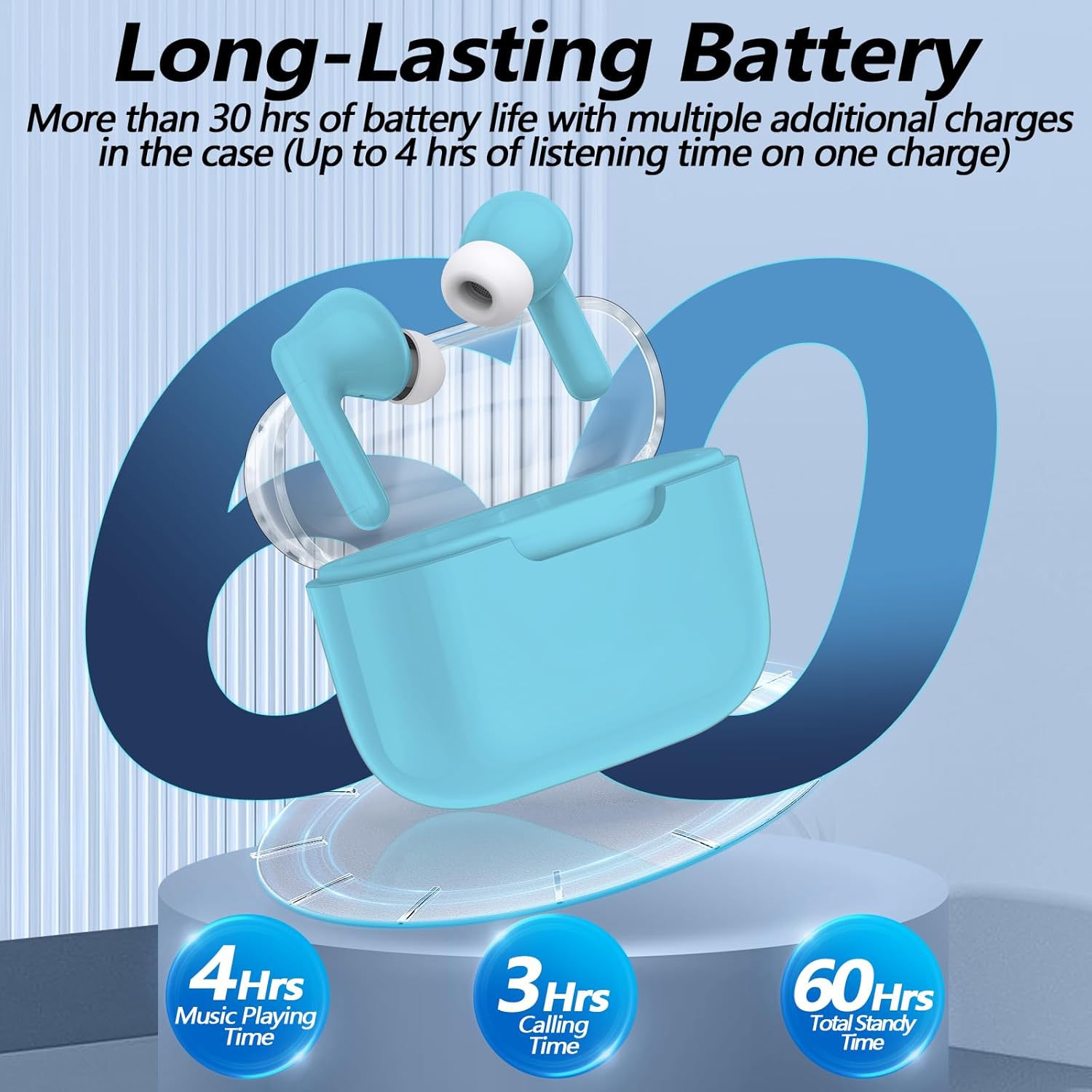
Image: kurdene P3+ Wireless Bluetooth Earbuds and their charging case.
2. Obsah balení
Zkontrolujte prosím obsah balení, abyste se ujistili, že jsou přítomny všechny položky:
- kurdene P3+ Wireless Earbuds (Left and Right)
- P3+ Charging Case
- Nabíjecí kabel USB-C
- Uživatelská příručka
- Ear Caps (Small, Medium, Large sizes)

Image: A visual representation of the items included in the kurdene P3+ earbud package.
3. Nastavení
3.1 Nabíjení sluchátek a pouzdra
Před prvním použitím sluchátka a nabíjecí pouzdro plně nabijte.
- Vložte sluchátka do nabíjecího pouzdra. Ujistěte se, že jsou správně usazena.
- Připojte nabíjecí kabel USB-C k nabíjecímu portu na pouzdře a druhý konec zapojte do zdroje napájení USB.
- The indicator lights on the case will show the charging status. A full charge typically takes approximately 1 hour for the earbuds and 1 hour for the charging case.

Image: The earbuds in their charging case, illustrating the battery life and charging process.
The earbuds provide up to 4 hours of music playing time on a single charge, with the charging case extending total usage to 30 hours.
3.2 Párování s vaším zařízením
The kurdene P3+ earbuds feature one-step auto-pairing for convenience.
- Ujistěte se, že je na vašem smartphonu nebo jiném audio zařízení povoleno rozhraní Bluetooth.
- Otevřete nabíjecí pouzdro. Sluchátka se automaticky přepnou do režimu párování.
- On your device, search for Bluetooth devices and select "P3+" from the list.
- Po připojení uslyšíte zvukové potvrzení a sluchátka budou připravena k použití.
- After the initial pairing, the earbuds will automatically connect to your device when the case is opened, provided Bluetooth is active on your device.

Image: A smartphone screen showing "P3+" available for Bluetooth connection, next to the open earbud charging case.

Image: The earbuds and charging case with a visual representation of a 10-meter barrier-free transmission range.
3.3 Nasazení sluchátek do uší
For optimal sound quality and comfort, choose the correct size ear caps.
- The earbuds come with liquid silicone ear caps in Small (S), Medium (M), and Large (L) sizes.
- Try each size to find the one that provides a secure and comfortable fit, creating a good seal in your ear canal.
- Gently insert the earbuds into your ears and twist slightly to ensure a snug fit.

Image: The kurdene P3+ earbuds displayed with various sizes of ear tips (S, M, L) to illustrate fit options.
4. Návod k obsluze
4.1 Inteligentní dotykové ovládání
The kurdene P3+ earbuds feature intuitive touch controls for managing music and calls.
| Akce | Funkce |
|---|---|
| Jedno klepnutí (levé/pravé sluchátko) | Přehrát/pozastavit hudbu, přijmout hovor |
| Dvojité klepnutí (levé sluchátko) | Předchozí skladba |
| Dvojité klepnutí (pravé sluchátko) | Další píseň |
| Trojité klepnutí (levé sluchátko) | Snížit hlasitost |
| Trojité klepnutí (pravé sluchátko) | Zvýšení hlasitosti |
| Dlouhé stisknutí (2 sekund) | Odmítnout hovor, aktivovat hlasového asistenta (Siri/Google Assistant) |

Image: A visual guide to the touch control functions on the earbuds, including play/pause, call management, and volume adjustment.
4.2 Uskutečňování a přijímání hovorů
The built-in noise-cancelling microphone ensures clear communication.
- Přijetí hovoru: Jedním klepnutím na kterékoli sluchátko.
- Ukončení hovoru: Během hovoru jednou klepněte na kterékoli sluchátko.
- Odmítnutí hovoru: Dlouze stiskněte jedno sluchátko na 2 sekundy.

Image: A user making a call with the earbuds, demonstrating the noise reduction feature for clear conversations.
4.3 Přehrávání zvuku
Enjoy high-quality stereo sound with deep bass and clear mid-range frequencies.
- Přehrávání hudby: Once connected, start playing audio from your device.
- Pausing Music: Jedním klepnutím na kterékoli sluchátko.
- Přeskakování skladeb: Double tap the right earbud for the next song, double tap the left earbud for the previous song.
- Nastavení hlasitosti: Triple tap the right earbud for volume up, triple tap the left earbud for volume down.

Obrázek: Explodoval view diagram of a 10mm speaker driver, highlighting the components responsible for HiFi stereo sound quality.
Video: An official product video demonstrating the features and usage of the Kurdene P3 Wireless Bluetooth Earbuds, including pairing, sound quality, and design aspects.
5. Údržba
Správná údržba zajistí dlouhou životnost a výkon vašich sluchátek.
- Čištění: Pravidelně čistěte sluchátka a nabíjecí pouzdro měkkým, suchým hadříkem, který nepouští vlákna. Nepoužívejte agresivní chemikálie ani abrazivní materiály.
- Náušníky: Silikonové náušníky pravidelně sundávejte a čistěte vodou a jemným mýdlem. Před opětovným nasazením se ujistěte, že jsou zcela suché.
- Skladování: Pokud sluchátka nepoužíváte, uložte je do nabíjecího pouzdra, abyste je chránili před prachem a poškozením.
- Voděodolnost: Sluchátka jsou voděodolná, ale ne vodotěsná. Neponořujte je do vody ani je nevystavujte silnému dešti. Pokud namoknou, důkladně je osušte.
6. Řešení problémů
If you encounter issues with your kurdene P3+ earbuds, try the following solutions:
- Sluchátka se nespárují:
- Ujistěte se, že jsou obě sluchátka nabitá.
- Vypněte a zapněte Bluetooth na vašem zařízení.
- Forget "P3+" from your device's Bluetooth list and try pairing again.
- Place earbuds back in the case, close, then open to reset pairing mode.
- Žádný zvuk nebo nízká hlasitost:
- Zkontrolujte úroveň hlasitosti na zařízení i ve sluchátkách.
- Ujistěte se, že jsou sluchátka správně připojena k vašemu zařízení.
- Vyčistěte reproduktory sluchátek od nečistot.
- Problémy s nabíjením:
- Ověřte, zda nabíjecí kabel a adaptér fungují správně.
- Ujistěte se, že nabíjecí port na pouzdře je čistý a bez nečistot.
- Ujistěte se, že jsou sluchátka správně usazena v nabíjecím pouzdře.
- Jedno sluchátko nefunguje:
- Vložte obě sluchátka zpět do nabíjecího pouzdra, zavřete víko, počkejte několik sekund a poté jej znovu otevřete.
- Try resetting the earbuds (refer to specific reset instructions if available in a full manual, otherwise, the above step is a common soft reset).
7. Specifikace
| Funkce | Detail |
|---|---|
| Název modelu | P3+ |
| Technologie připojení | Bezdrátové připojení (Bluetooth 5.3) |
| Typ zvukového ovladače | Dynamický ovladač |
| Velikost zvukového ovladače | 12 milimetrů |
| Výdrž baterie (sluchátka) | Až 4 hodin |
| Celková výdrž baterie (s pouzdrem) | Až 30 hodin |
| Nabíjecí port | USB-C |
| Úroveň odolnosti proti vodě | Vodě odolný |
| Kontrolní metoda | Dotek |
| Hmotnost položky | 0.03 kilogramů (1.13 uncí) |
| Kompatibilní zařízení | Bluetooth-enabled devices (iPhone, Android, etc.) |
| Materiál | Guma, silikon |
8. Záruka a podpora
kurdene products are designed for reliability and performance. For warranty information, technical support, or customer service inquiries, please refer to the contact details provided on the product packaging or visit the official kurdene webmísto.
Uschovejte si prosím doklad o koupi pro uplatnění záruky.