
1. Úvod
Thank you for choosing the MARVO HG9086W-BK Wireless RGB Gaming Headset. This manual provides essential information for setting up, operating, and maintaining your headset to ensure optimal performance and longevity. Please read this guide thoroughly before use.
2. Obsah balení
Ověřte, zda jsou v balení přítomny všechny položky:
- 1 x MARVO HG9086W-BK Wireless RGB Gaming Headset
- 1 x Bezdrátový přijímač USB
- 1 x Odnímatelný mikrofon
- 1 x nabíjecí kabel (USB-C)
- 1 x Uživatelská příručka
3. Konec produktuview
The MARVO HG9086W-BK is a lightweight, ergonomic gaming headset designed for comfort during extended use. It features 40mm drivers for immersive sound, dynamic RGB lighting, and a versatile tri-mode connection system.
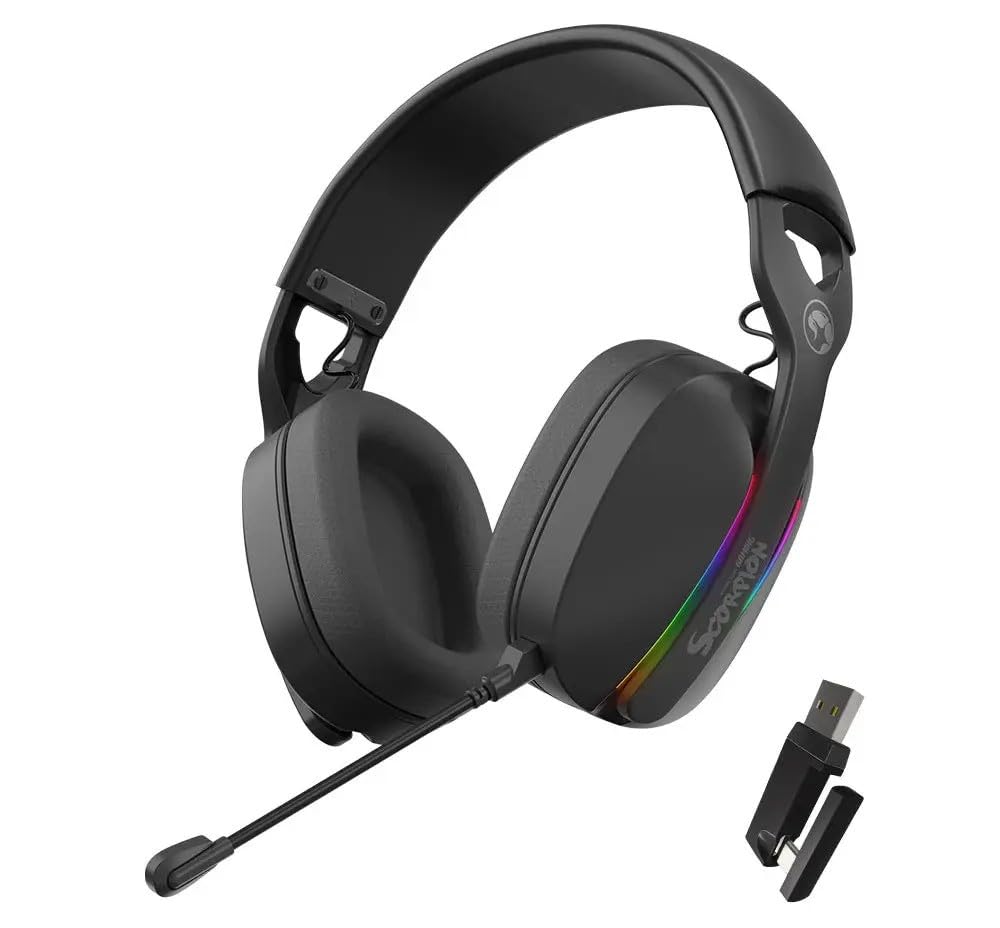
Obrázek 3.1: Přední view of the MARVO HG9086W-BK Gaming Headset, showcasing its overall design and earcups.

Obrázek 3.2: Left earcup of the headset, showing control buttons for power, volume, and mode selection.
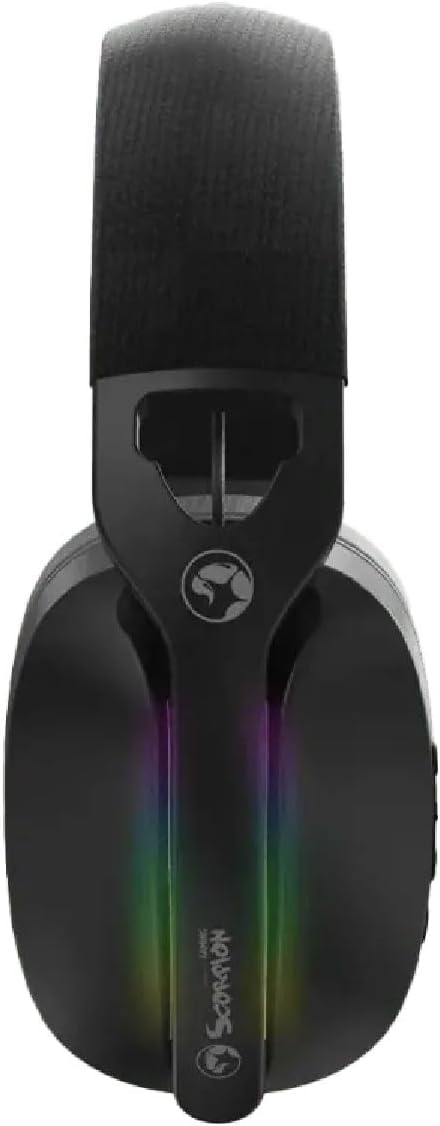
Obrázek 3.3: Nahoru view of the headset, highlighting the adjustable headband and the integrated RGB lighting strip on the earcups.
4. Nastavení a připojení
The HG9086W-BK headset offers three connection modes: 2.4G Wireless, Bluetooth 5.3, and Wired.
4.1. 2.4G Wireless Connection (Recommended for Gaming)
- Insert the USB wireless receiver into an available USB port on your PC or compatible device.
- Zapněte sluchátka stisknutím a podržením tlačítka napájení, dokud se nerozsvítí kontrolka.
- The headset will automatically connect to the receiver. The indicator light will turn solid blue when connected.
- Ensure the headset is selected as the default audio input and output device in your device's sound settings.
4.2. Připojení Bluetooth 5.3
- Zapněte náhlavní soupravu.
- Press and hold the Mode button (or a dedicated Bluetooth button if available) until the indicator light flashes blue rapidly, indicating pairing mode.
- On your device (smartphone, tablet, etc.), go to Bluetooth settings and search for "MARVO HG9086W-BK".
- Select the headset to pair. The indicator light will turn solid blue upon successful connection.
4.3. Kabelové připojení
For wired use, connect a 3.5mm audio cable (not included) from the headset's audio jack to your device's 3.5mm audio port. The headset will function as a passive wired headset. Note that RGB lighting and some wireless functions may not be available in wired mode.
5. Návod k obsluze
5.1. Zapnutí/vypnutí
- Zapnutí: Stiskněte a podržte tlačítko napájení přibližně 3 sekundy.
- Vypnout: Stiskněte a podržte tlačítko napájení přibližně 3 sekundy.
5.2. Ovládání hlasitosti
- Zvýšit hlasitost: Stiskněte tlačítko pro zvýšení hlasitosti.
- Snížit hlasitost: Stiskněte tlačítko pro snížení hlasitosti.
5.3. Použití mikrofonu
- Připojení mikrofonu: Insert the detachable microphone into the designated port on the left earcup.
- Ztlumit/Zapnout: Use the microphone mute button located on the earcup or the microphone itself.
- Upravte flexibilní rameno mikrofonu pro optimální snímání hlasu.
5.4. RGB osvětlení
The headset features dynamic RGB lighting. The lighting typically activates automatically when the headset is powered on. Specific controls for changing RGB modes or turning them off may be available via a dedicated button or software (if applicable). Refer to the product's official website for any software downloads.
6. Nabíjení
The MARVO HG9086W-BK headset is equipped with a durable battery for extended gameplay. When the battery is low, the indicator light may flash red or an audible alert may sound.
- Connect the included USB-C charging cable to the charging port on the headset.
- Druhý konec kabelu připojte k USB zdroji napájení (např. k USB portu počítače, USB adaptéru do zásuvky).
- Kontrolka obvykle během nabíjení svítí červeně a po úplném nabití zhasne nebo změní barvu.
Poznámka: Avoid using the headset while charging for optimal battery health, though it may be possible depending on the device.
7. Údržba
Správná údržba zajistí dlouhou životnost a výkon vaší sluchátkové soupravy.
- Čištění: K otření sluchátek s mikrofonem použijte měkký, suchý hadřík. V případě náušníků použijte mírněamp Lze použít hadřík, ale dbejte na to, aby se do mřížek reproduktoru nedostala vlhkost.
- Skladování: Sluchátka skladujte na chladném a suchém místě mimo dosah přímého slunečního záření a extrémních teplot.
- Vyhněte se tekutinám: Nevystavujte sluchátka vodě ani jiným kapalinám.
- Zacházejte opatrně: Zabraňte pádu sluchátek z náhlavní soupravy nebo jejich vystavení silným nárazům.
8. Řešení problémů
Pokud narazíte na problémy s náhlavní soupravou, podívejte se na následující běžná řešení:
| Problém | Možné řešení |
|---|---|
| Z sluchátek se nehlásí žádný zvuk |
|
| Mikrofon nefunguje |
|
| Headset not connecting |
|
| RGB podsvícení nefunguje |
|
9. Specifikace
| Funkce | Specifikace |
|---|---|
| Značka | MARVO |
| Název modelu | HG9086W-BK |
| Technologie připojení | Wireless (2.4G, Bluetooth 5.3), Wired (3.5mm) |
| Form Factor | Přes ucho |
| Velikost ovladače | 40 mm |
| Mikrofon | Integrated, Detachable, Omnidirectional |
| Osvětlení | Dynamické RGB |
| Hmotnost položky | 12.7 unce (přibližně 360 g) |
| Rozměry balení | 7.8 x 7.09 x 3.31 palce |
| Barva | Černý |
10. Záruka a podpora
MARVO products are designed for quality and reliability. For warranty information and technical support, please refer to the warranty card included with your product or visit the official MARVO webUschovejte si doklad o koupi pro případné reklamace.
For further assistance, you may contact MARVO customer support through their official channels.