
Zavedení
This manual provides comprehensive instructions for the ASWEE P4 Smart Watch, a versatile fitness tracker with call capabilities, a 1.85" TFT display, and various health monitoring features. Please read this manual thoroughly before using your device.
Co je v krabici
- ASWEE P4 Smart Watch
- Nabíjecí kabel
- Uživatelská příručka
Konec produktuview
The ASWEE P4 Smart Watch features a rectangular 1.85-inch TFT-LCD display with a 240x280 resolution. It includes a physical button on the side for navigation and interaction. The watch is designed for comfortable wear and easy access to its functions.
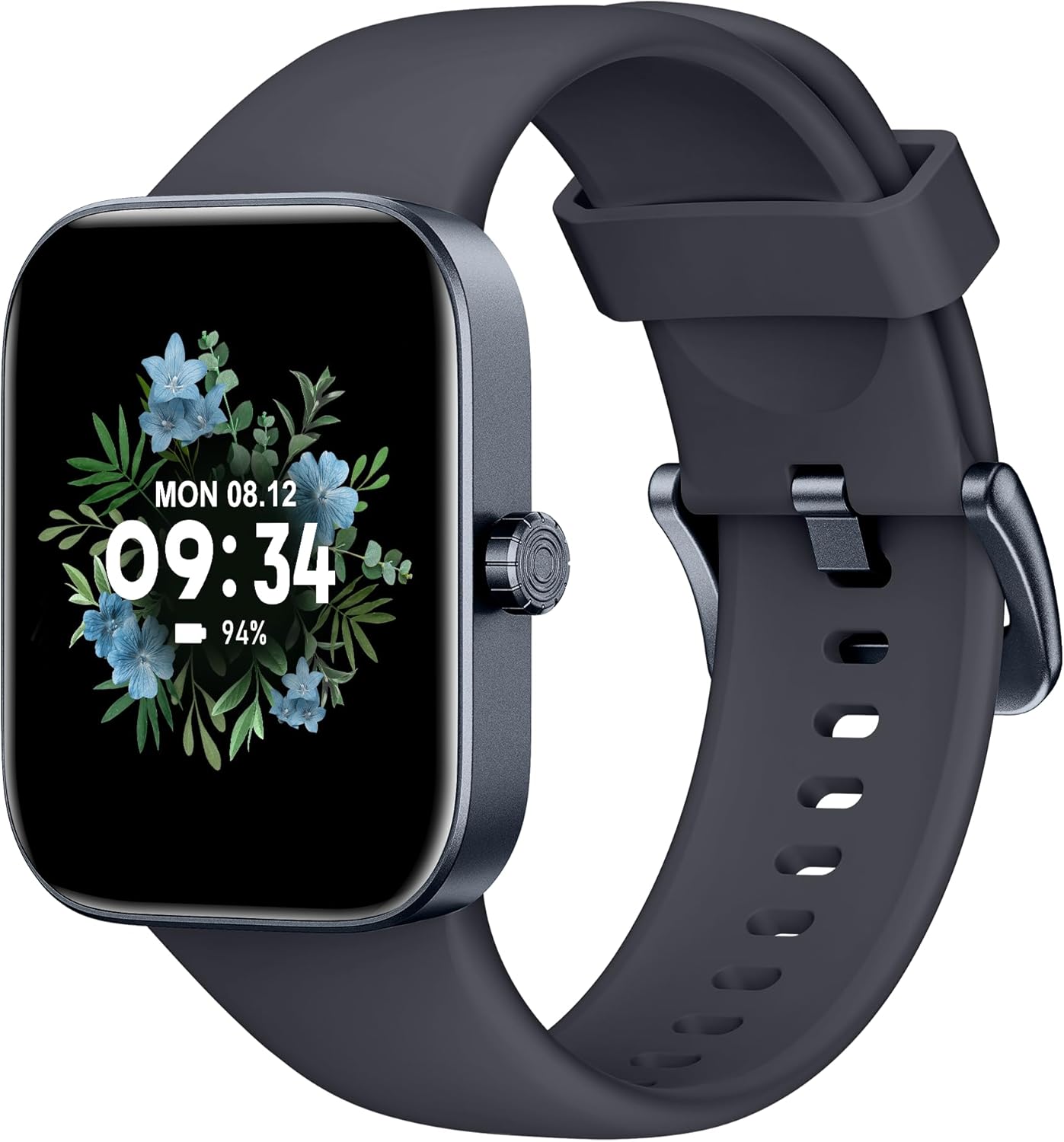
Přední view of the ASWEE P4 Smart Watch, displaying time and date with a floral background.
Nastavení
Nabíjení zařízení
The ASWEE P4 Smart Watch comes with a magnetic charging cable. Align the magnetic end of the cable with the charging contacts on the back of the watch. The watch will indicate when it is charging. A full charge typically takes approximately 2 hours and provides up to 7 days of active use or 15 days on standby.

Illustration showing the magnetic charging cable connected to the back of the ASWEE P4 Smart Watch, highlighting battery life indicators.
Instalace a párování aplikací
To utilize all features of your ASWEE P4 Smart Watch, you need to download and install the "FitPro" application on your smartphone. Scan the QR code provided in the watch's packaging or search for "FitPro" in your device's app store.
Spárování s iPhone
Follow these steps to pair your watch with an iPhone:
- Ujistěte se, že je na vašem iPhone povoleno Bluetooth.
- Open the "FitPro" app.
- Navigate to "Setting" and then "Bind device".
- Select your watch (e.g., KM13Pro) from the scan results.
- Confirm the pairing request by clicking "Pair" and then "Allow" for notifications.
- Go to your iPhone's Bluetooth settings and connect to "KM13Pro Audio" for call functionality.
Video tutorial demonstrating how to bind the ASWEE P4 Smart Watch to an iPhone and how to unbind it.
Pairing with Android Phone
Follow these steps to pair your watch with an Android phone:
- Ujistěte se, že máte v telefonu Android povoleno Bluetooth.
- Open the "FitPro" app.
- Navigate to "Set" and then "Bind device".
- Select your watch (e.g., KM13Pro) from the scan results.
- Confirm the pairing request by clicking "Pair".
Video tutorial demonstrating how to bind the ASWEE P4 Smart Watch to an Android phone and how to unbind it.
Návod k obsluze
Základní navigace
The watch features a touch-sensitive screen for navigation. Swipe left/right or up/down to access different functions and menus. The side button typically serves as a home or back button.
Call and Text Functionality
With its built-in speaker and microphone, the ASWEE P4 allows you to answer/dial calls directly from your wrist when connected via Bluetooth. You can also receive SMS text and SNS messages (Facebook, Twitter, WhatsApp, etc.) with vibration alerts.

Image showing the ASWEE P4 Smart Watch on a wrist, with notification icons for various messaging apps, indicating Bluetooth 5.0 connectivity for calls and texts.
Sledování zdraví
The watch provides comprehensive health monitoring:
- Srdeční frekvence: 24-hour tracking with a high-precision PPG sensor. Stores 7 days of resting heart rate data.
- Krevní kyslík: Measures SpO2 levels using a reflective-light based sensor.
- Monitorování spánku: Tracks sleep quality through Awake, Light, and Deep sleep stages, helping to improve sleep duration and quality.
- Sledování stresu: Provides insights into stress levels.

Image illustrating the ASWEE P4 Smart Watch's 24-hour data tracking capabilities, including heart rate, stress level, and blood oxygen monitoring.

Image depicting the ASWEE P4 Smart Watch's sleep health assistant feature, showing sleep duration and patterns.
Fitness režimy
The ASWEE P4 supports multiple workout modes, including running, bike riding, basketball, and tennis. It accurately monitors data points like heart rate, time, and calories burned to enhance workout efficiency.

Ukázka obrázkůasing the ASWEE P4 Smart Watch's various sports modes, including running, bike riding, basketball, and jumping jack, with activity data like steps, distance, and calories.
Přizpůsobení
Choose from over 100 stylish watch faces or create your own using photos from your phone gallery.
Údržba
Čištění
Pravidelně čistěte hodinky a řemínek měkkým hadříkemamp tkanina. Vyhněte se používání agresivních chemikálií nebo abrazivních materiálů.
Skladování
Pokud hodinky nepoužíváte, skladujte je na chladném a suchém místě.
Odstraňování problémů
Hodinky se nezapínají
- Ujistěte se, že jsou hodinky plně nabité. Připojte je k nabíjecímu kabelu a zdroji napájení na dobu alespoň 30 minut.
Problémy s párováním
- Ujistěte se, že máte v telefonu zapnutou funkci Bluetooth a hodinky jsou v dosahu.
- Restartujte telefon i hodinky.
- If previously paired, try "forgetting" the device in your phone's Bluetooth settings and re-pairing through the FitPro app.
- Ensure the FitPro app has necessary permissions (Bluetooth, location).
Nepřesné zdravotní údaje
- Ujistěte se, že hodinky máte na zápěstí pevně připevněné, ne příliš těsné ani příliš volné.
- Vyčistěte senzor na zadní straně hodinek.
- Naměřené hodnoty mohou ovlivnit faktory prostředí a individuální fyziologie.
Oznámení se nezobrazují
- Check app permissions for FitPro to ensure it can access notifications.
- Verify that notification push settings are enabled within the FitPro app for desired applications.
- Ujistěte se, že jsou hodinky připojeny k telefonu přes Bluetooth.
Specifikace
| Funkce | Detail |
|---|---|
| Název modelu | P4 |
| Značka | ASWEE |
| Velikost obrazovky | 1.85 palce |
| Technologie displeje | TFT LCD |
| Rezoluce | 240 x 280 PPI |
| Operační systém | Wear OS |
| Konektivita | Bluetooth 5.3 |
| Voděodolnost | IP68, 5 ATM |
| Životnost baterie (typické použití) | Až 7 dní |
| Pohotovostní doba | Až 15 dní |
| Doba nabíjení | Přibl. 2 hodin |
| Speciální funkce | Fitness Tracker, Sleep Monitor, Reminders, Multimedia control, Answer/Dial Call, Heart Rate Monitor, Blood Oxygen Monitor, Stress Monitor |
| Hmotnost položky | 2.89 unce |
Poznámka: Specifikace se mohou změnit bez předchozího upozornění.
Záruka a podpora
For warranty information and technical support, please refer to the official ASWEE webnebo kontaktujte jejich zákaznický servis. Uschovejte si účtenku jako doklad o koupi.