
1. Úvod
This manual provides detailed instructions for the setup, operation, and maintenance of your CZEview ZY-D1 Babyphone. Please read this manual thoroughly before using the device to ensure proper functionality and safety. The CZEview ZY-D1 is designed to help you monitor your baby with advanced features such as 2K Ultra HD video, AI-powered detection, two-way audio, and environmental monitoring.
2. Obsah balení
- CZEview ZY-D1 Babyphone Camera
- Napájecí adaptér a kabel
- Montážní příslušenství (pro montáž na zeď)
- Uživatelská příručka (tento dokument)
3. Konec produktuview a funkce
Česká republikaview ZY-D1 Babyphone offers a comprehensive monitoring solution with the following key features:
- 2K Ultra HD video: Poskytuje jasný a detailní video dohled.
- 360° AI Tracking: Intelligent AI technology tracks movements, ensuring no blind spots with 355° horizontal and 90° vertical rotation.
- Okamžitá upozornění: Receive immediate alerts for detected motion, noise, or crying.
- Obousměrný zvuk: Communicate with your baby remotely using the built-in microphone and speaker.
- Stable Dual-Band Wi-Fi: Compatible with both 2.4 GHz and 5 GHz Wi-Fi networks for reliable connectivity.
- Infračervené noční vidění: Clear monitoring even in low-light or dark conditions.
- Comfort Night Light & Lullabies: Features a looping night light and 14 pre-installed lullabies to soothe your baby.
- Monitorování teploty a vlhkosti: Keep track of the nursery environment.
- Analýza spánku: Monitor and analyze your baby's sleep patterns.
- Integrace Alexa: Seamlessly integrates with Amazon Alexa for voice control and viewIng.

Obrázek 1: Česká republikaview ZY-D1 Babyphone camera, featuring a white body and colorful ears, designed for monitoring infants.
4. Nastavení
4.1 Zapnutí
- Připojte dodaný napájecí kabel k napájecímu portu kamery.
- Zapojte napájecí adaptér do standardní elektrické zásuvky.
- Kamera se zapne a její stav bude indikovat kontrolka.
4.2 Instalace aplikace
- Scan the QR code provided on the product packaging or in the quick start guide to download the official CZEview aplikace
- Nainstalujte si aplikaci na svůj smartphone nebo tablet.
- Zaregistrujte si nový účet nebo se přihlaste, pokud již nějaký máte.
4.3 Wi-Fi připojení
- Otevřete CZEview app and follow the on-screen instructions to add a new device.
- Select your Wi-Fi network (supports both 2.4 GHz and 5 GHz).
- Zadejte heslo Wi-Fi.
- The app will guide you through pairing the camera with your network. This usually involves scanning a QR code displayed on your phone with the camera lens.
- Once connected, the camera's indicator light will change, and you will see the live feed in the app.

Obrázek 2: Illustration of the CZEview Babyphone's compatibility with both 5GHz and 2.4GHz dual-band Wi-Fi for a stable connection.
4.4 Montáž fotoaparátu
Česká republikaview ZY-D1 Babyphone can be placed on a flat surface or mounted to a wall. If wall mounting, use the provided accessories and ensure the camera is securely fastened at a safe distance from the crib, out of reach of children.
5. Návod k obsluze
5.1 Živě View a ovládání otáčení/náklonu
- Otevřete CZEview aplikaci a vyberte fotoaparát, který chcete view živé vysílání.
- Pomocí ovládacích prvků na obrazovce můžete otáčet (355° horizontálně) a naklánět (90° vertikálně) objektiv fotoaparátu a upravovat tak viewúhel.
- The automatic tracking feature will detect and follow moving objects within its field of view.
5.2 Obousměrný zvuk

Obrázek 3: A parent using the CZEview app on a smartphone to engage in two-way communication with a baby in a crib.
- Zatímco v přímém přenosu view, klepněte v aplikaci na ikonu mikrofonu.
- Mluvte do mikrofonu telefonu, aby se váš hlas přenášel přes reproduktor fotoaparátu.
- Release the microphone icon to listen to your baby.
5.3 AI Detection and Notifications

Obrázek 4: Česká republikaview Babyphone camera positioned near a baby in a crib, highlighting its intelligent AI detection capabilities for motion, noise, and crying.
- Access the detection settings in the app.
- Enable Motion Detection, Noise Detection, and Cry Detection as needed.
- Upravte úrovně citlivosti, abyste minimalizovali falešné poplachy.
- You will receive instant push notifications on your smartphone when an event is detected.
5.4 Night Vision and Lullabies

Obrázek 5: Česká republikaview Babyphone emitting a soft glow as a night light, with musical notes floating around a sleeping baby, illustrating its infrared night vision and lullaby features.
- Noční vidění se aktivuje automaticky za zhoršených světelných podmínek.
- To play lullabies or activate the night light, navigate to the respective controls in the app.
- Select from the 14 available lullabies to soothe your baby.
5.5 Monitorování teploty a vlhkosti
The app displays real-time temperature and humidity readings from the camera's environment. You can set alerts for specific temperature or humidity ranges.
5.6 Analýza spánku

Obrázek 6: A visual representation of a sleep analysis timeline on a smartphone screen, showing snapshots of a baby at different times during sleep.
Česká republikaview app provides a timeline view of your baby's activity, which can be used to analyze sleep patterns. Review recorded events and snapshots to understand sleep duration and disturbances.
5.7 Integrace s Amazon Alexou
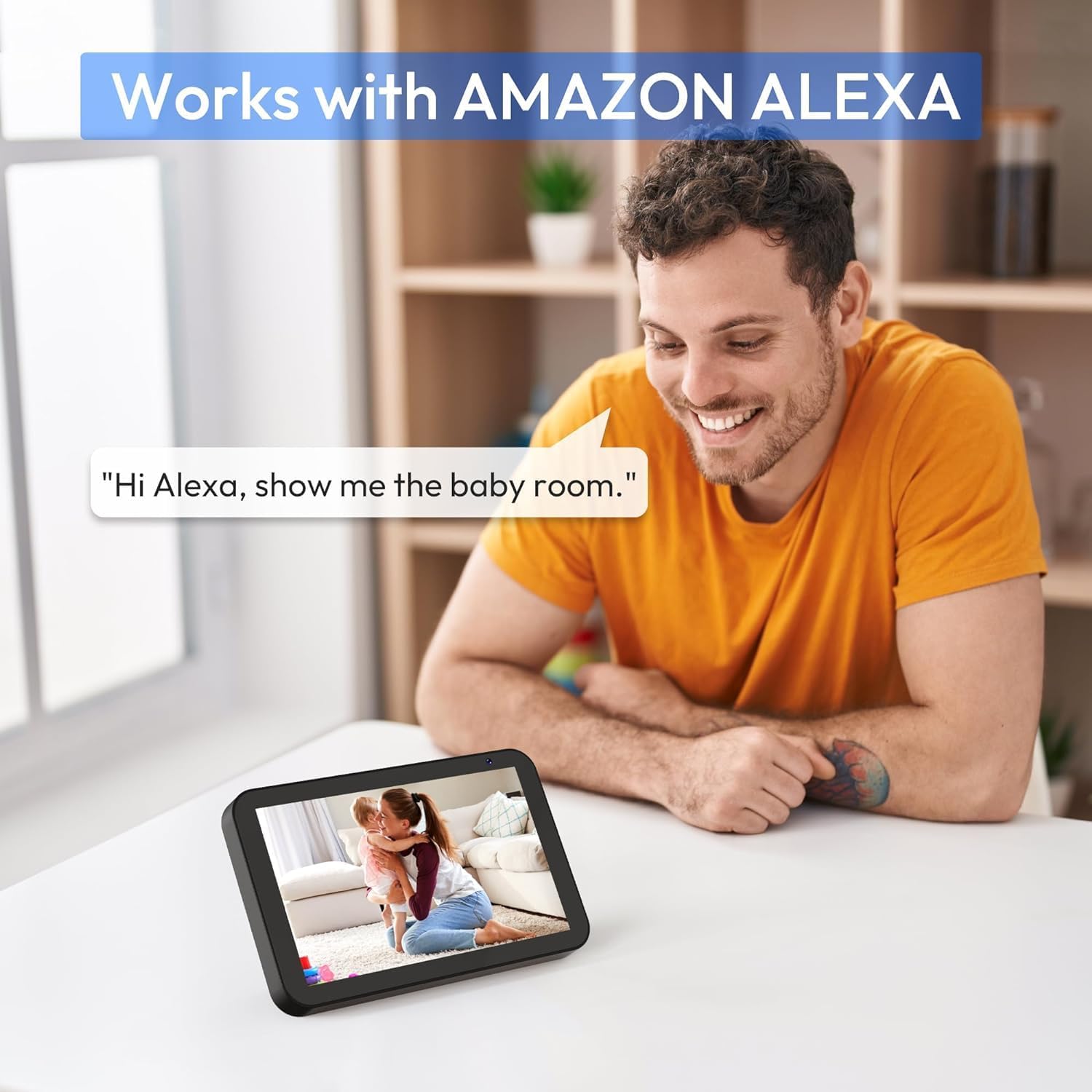
Obrázek 7: A person interacting with an Amazon Echo Show device, displaying the live feed from the CZEview Babyphone, demonstrating Alexa integration.
- Enable the CZEview skill in your Amazon Alexa app.
- Link your CZEview account with Alexa.
- Use voice commands such as "Alexa, show me the baby room" to view the camera feed on compatible Alexa devices.
5.8 Multi-User Access and SD Card Recording
- Rodinné sdílení: You can invite family members to view the camera feed through the app. Invited users may have limited control functions compared to the primary account holder.
- Místní úložiště: Insert an SD card (not included) into the camera's designated slot for local video recording and to enable certain features like playing lullabies directly from the camera.
6. Údržba
- Čištění: K čištění objektivu a těla fotoaparátu používejte měkký, suchý hadřík. Nepoužívejte tekuté čisticí prostředky ani aerosoly.
- Aktualizace firmwaru: Pravidelně kontrolujte aplikaci, zda nejsou k dispozici aktualizace firmwaru, abyste zajistili optimální výkon a zabezpečení.
- Umístění: Ensure the camera is placed in a well-ventilated area and not exposed to extreme temperatures or direct sunlight.
7. Řešení problémů
- Bez napájení: Ensure the power cable is securely connected to both the camera and the power outlet. Try a different outlet.
- Problémy s připojením Wi-Fi: Verify your Wi-Fi password. Ensure the camera is within range of your router. Restart your router and the camera. Confirm your network is 2.4 GHz or 5 GHz compatible.
- Špatná kvalita obrazu: Check your internet connection speed. Ensure the camera lens is clean and free from obstructions. Adjust the video quality settings in the app if available.
- Špatná kvalita zvuku: Ensure there are no obstructions near the camera's microphone or speaker. Check the volume settings in the app.
- Nepřijatá oznámení: Check app notification settings on your phone and within the CZEview app. Ensure the camera is connected to Wi-Fi.
- Kamera nereaguje: Unplug the camera, wait 10 seconds, and plug it back in to restart.
8. Specifikace
| Funkce | Specifikace |
|---|---|
| Číslo modelu | ZY-D1 |
| Technologie bezdrátové komunikace | Wi-Fi (2.4 GHz a 5 GHz) |
| Viewúhel | 360 Degrees (355° horizontal, 90° vertical) |
| Materiál | Plast |
| Rozměry položky (D x Š x V) | 12.7 x 7.62 x 7.62 cm |
| Protokol připojení | Wi-Fi |
| Typ ovladače | Amazon Alexa |
| Typ montáže | Držák na zeď |
| Barva | Bílý |
| Komponenty v ceně | Kabel |
| Doporučená použití | Babyphone, Baby Monitoring, Night Vision |
9. Bezpečnostní informace
- Keep the camera and all accessories out of reach of children.
- Do not place the camera or its power cord within 1 meter (3 feet) of the crib or playpen to prevent strangulation hazards.
- Používejte pouze dodaný napájecí adaptér. Použití neschválených adaptérů může poškodit zařízení a vést ke ztrátě záruky.
- Nevystavujte zařízení vodě, vlhkosti ani extrémním teplotám.
- Nepokoušejte se zařízení sami otevírat ani opravovat. Požádejte o pomoc zákaznickou podporu.
10. Záruka a podpora
For warranty information and customer support, please refer to the warranty card included in your product packaging or visit the official CZEview website. If you encounter any issues not covered in this manual, please contact CZEview zákaznický servis o pomoc.