
Zavedení
Thank you for choosing the litokam 2.5K 4MP QHD Outdoor PTZ Security Camera. This manual provides detailed instructions for setting up, operating, and maintaining your camera to ensure optimal performance and security for your home. This camera features 2.5K 4MP QHD resolution, 360° pan/tilt monitoring, AI motion detection, color night vision, and two-way audio communication.
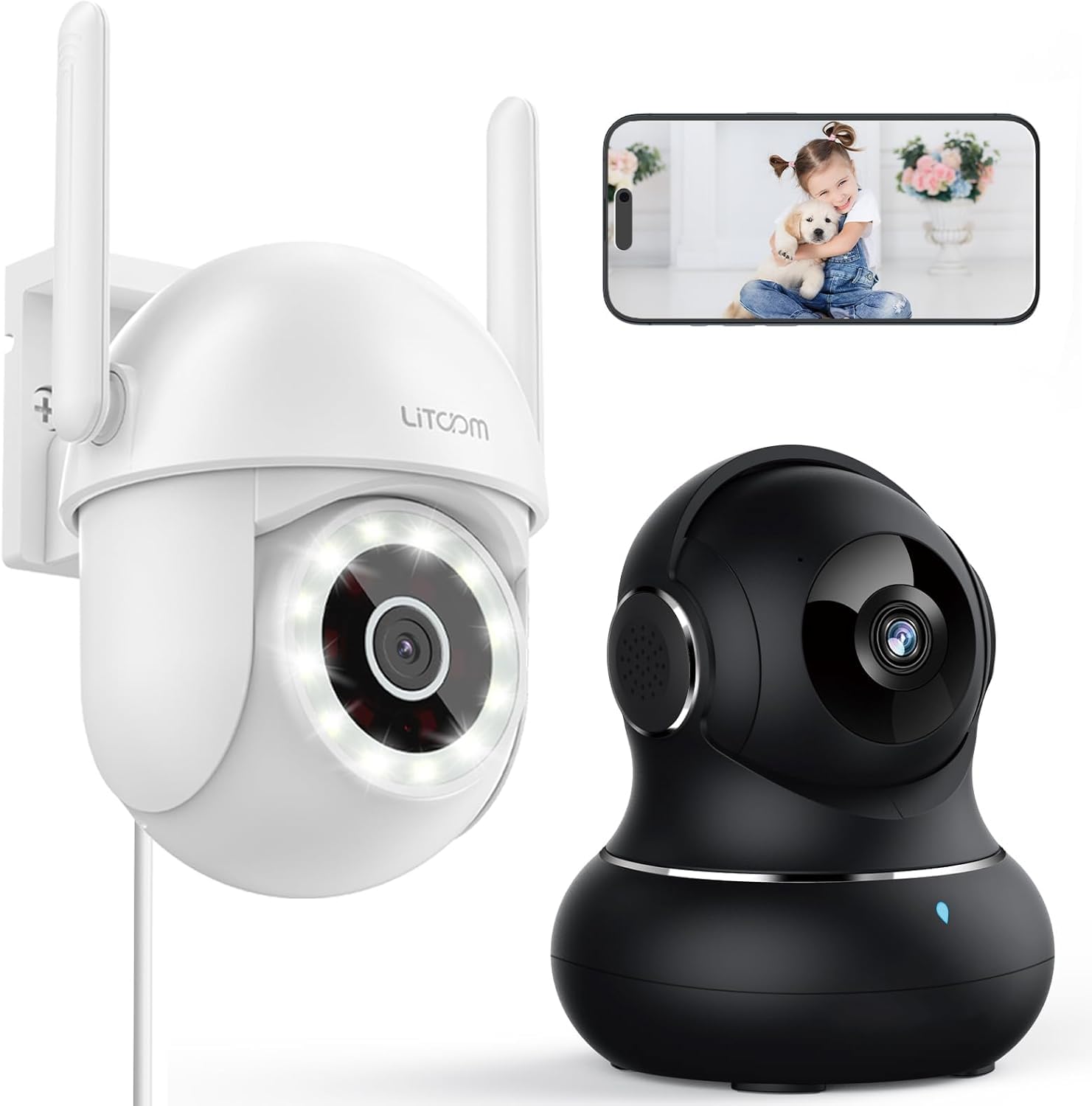
Obrázek: Overview of the litokam 2.5K 4MP QHD Outdoor PTZ Security Camera.
Průvodce nastavením
1. Obsah balení
Před instalací se prosím ujistěte, že jsou přítomny všechny komponenty:
- litokam 2.5K 4MP QHD Outdoor PTZ Security Camera
- Napájecí adaptér
- Montážní šrouby a kotvy
- Uživatelská příručka (tento dokument)
2. Napájení kamery
The camera requires a direct power supply. Connect the provided power adapter to the camera's power input port and then plug it into a standard electrical outlet. Ensure the power source is stable.
3. Montáž kamery
Kamera je určena k montáži na zeď. Vyberte vhodné místo, které poskytuje požadovaný viewing angle and is within range of your 2.4GHz Wi-Fi network. Use the included screws and anchors to securely mount the camera.
- Označte si na zdi body pro vrtání pomocí základny kamery jako šablony.
- Na vyznačených místech vyvrtejte otvory.
- Vložte plastové kotvy do vyvrtaných otvorů.
- Align the camera base with the holes and secure it with the screws.
4. Instalace aplikace a připojení k Wi-Fi
To operate the camera, you need to download the litokam app on your smartphone (compatible with Android and iOS). The camera only works with 2.4GHz Wi-Fi networks.
- Download the litokam app from your device's app store.
- Zaregistrujte se nebo se přihlaste ke svému účtu.
- Follow the in-app instructions to add your new camera. This typically involves scanning a QR code on the camera or manually selecting the device type and entering Wi-Fi credentials.
- Ensure your phone is connected to a 2.4GHz Wi-Fi network during the setup process.
Návod k obsluze
1. Živě View a ovládání otáčení/náklonu
Access the live video feed through the litokam app. The camera offers 360° pan and tilt functionality, allowing you to remotely adjust the viewing angle. Use the on-screen controls in the app to pan horizontally and tilt vertically.

Image: Remote Pan/Tilt/Zoom (PTZ) control via the mobile application, showing 360° horizontal viewing angle and 3X digital zoom.
The camera also supports 3X digital zoom to view details more closely within the live feed.
2. Detekce pohybu a upozornění s umělou inteligencí
The camera features PIR motion detection and advanced AI analytics to accurately identify and differentiate between people and vehicles, significantly reducing false alarms. When motion is detected, real-time alerts are sent to your phone.

Image: AI analysis detecting a vehicle in the surveillance area, reducing false alarms.

Image: The camera detecting motion, with options for real-time alerts and app notifications.
You can customize alert settings, including siren activation and flashing white light, to deter unwanted visitors.
3. Obousměrná zvuková komunikace
With a built-in microphone and speaker, the camera enables two-way audio. Use the app to speak with visitors, family members, or pets directly through the camera, or to warn intruders.

Image: Demonstrating two-way audio, allowing communication with a person at the door.
4. Režimy nočního vidění
The camera offers three night vision options for clear monitoring up to 33 feet in low-light conditions:
- Infračervený režim: Standardní černobílé noční vidění s využitím infračervených LED diod.
- Plnobarevný režim: Utilizes the built-in LED spotlight to provide full-color video even at night.
- Inteligentní režim: Automatically switches between infrared and full-color mode based on detected motion or light conditions.

Image: Comparison of standard night vision (left) and full-color night vision (right) with LED spotlight activated.

Image: Visual representation of 4MP HD resolution for clearer images, comparing it to lower resolution.
5. Sdílení pro více uživatelů
The litokam app allows you to share camera access with multiple users, such as family members. This enables several people to view živý přenos a zároveň přijímat upozornění.

Image: The litokam app interface showing multi-user access and sharing capabilities across different devices (Android, iOS, Tablet, PC Software).
Údržba
1. Čištění fotoaparátu
To ensure clear image quality, periodically clean the camera lens and housing. Use a soft, damp hadříkem setřete prach a nečistoty. Nepoužívejte agresivní chemikálie ani abrazivní materiály, které by mohly poškodit čočku nebo povrchovou úpravu.
2. Aktualizace firmwaru
Keep your camera's firmware updated to benefit from the latest features and security enhancements. Check for available updates within the litokam app and follow the on-screen instructions to install them.
3. Odolnost vůči povětrnostním vlivům
The camera has an IP65 rating, indicating it is protected against dust and water jets. This allows for efficient, all-weather operation, withstanding rain, snow, and harsh conditions. No special weather-related maintenance is typically required beyond ensuring the power connection remains secure and protected.
Odstraňování problémů
If you encounter issues with your litokam security camera, refer to the following common solutions:
- Fotoaparát offline:
- Ensure the camera is properly powered and the power adapter is securely connected.
- Verify your Wi-Fi router is working and the camera is within range of a 2.4GHz Wi-Fi signal.
- Restartujte kameru odpojením a opětovným připojením napájecího adaptéru.
- Check the litokam app for any network status indicators or troubleshooting guides.
- Nelze se připojit k Wi-Fi:
- Confirm your Wi-Fi network is 2.4GHz. The camera does not support 5GHz Wi-Fi.
- Ujistěte se, že zadáváte správné heslo Wi-Fi.
- Během nastavení přesuňte kameru blíže k Wi-Fi routeru.
- Reset the camera (refer to the app for specific reset instructions, usually a small button).
- Špatná kvalita obrazu:
- Očistěte čočku fotoaparátu měkkým hadříkem.
- Ujistěte se, že před objektivem nejsou žádné překážky.
- Zkontrolujte rychlost připojení k internetu; pomalé připojení může ovlivnit kvalitu streamování.
- Detekce pohybu nefunguje:
- Verify motion detection settings are enabled in the litokam app.
- Adjust sensitivity levels if necessary.
- Ujistěte se, že fotoaparát view není bráněno.
For further assistance, please contact litokam customer support or refer to the FAQ section within the litokam app.
Specifikace
| Funkce | Detail |
|---|---|
| Model | 2.5K 4MP QHD Outdoor PTZ Security Camera |
| Rozlišení záznamu videa | 2.5K, 4 MP (2560*1440) |
| Digitální zoom | 3X |
| Pokrytí otáčení/naklápění | 360° |
| Protokol připojení | Wi-Fi (pouze 2.4 GHz) |
| Zdroj napájení | Wired (Direct Power Supply) |
| Detekce pohybu | PIR Motion Detection, Advanced AI Analytics (Person/Vehicle Differentiation) |
| Noční vidění | Full-Color, Infrared, Smart Mode (up to 33ft visible range) |
| Zvuk | Obousměrný zvuk (vestavěný mikrofon a reproduktor) |
| Odolnost vůči povětrnostním vlivům | Stupeň krytí IP65 |
| Kompatibilní zařízení | Smartphone (Android, iOS), PC Software |
| Typ montáže | Držák na zeď |
| ASIN | B0CX91MDJ4 |
Záruka a podpora
Informace o záruce
For detailed warranty information, please refer to the warranty card included with your product or visit the official litokam webZáruční podmínky se mohou lišit v závislosti na regionu a datu nákupu.
Zákaznická podpora
If you require technical assistance, have questions about your product, or need to report an issue, please contact litokam customer support. You can typically find contact information (email, phone, or support portal) on the official litokam website or within the litokam mobile application.
Please have your product model and ASIN (B0CX91MDJ4) ready when contacting support for faster service.