
Zavedení
This manual provides detailed instructions for setting up and operating your Majority Frameo Snap10 WiFi Digital Picture Frame. This 10.1-inch digital frame allows you to display photos and videos shared via the Frameo app, offering a convenient way to share memories with family and friends. It features a touchscreen, 32GB of internal storage, auto-rotate functionality, and a motion sensor for efficient use.

The Majority Frameo Snap10 Digital Picture Frame, showcasing a family photo on its 10.1-inch screen.
Co je v krabici
Zkontrolujte prosím obsah balení, abyste se ujistili, že jsou přítomny všechny položky:
- Majority Frameo Snap10 Digital Picture Frame
- Kickstand
- Napájecí adaptér
- Dálkové ovládání
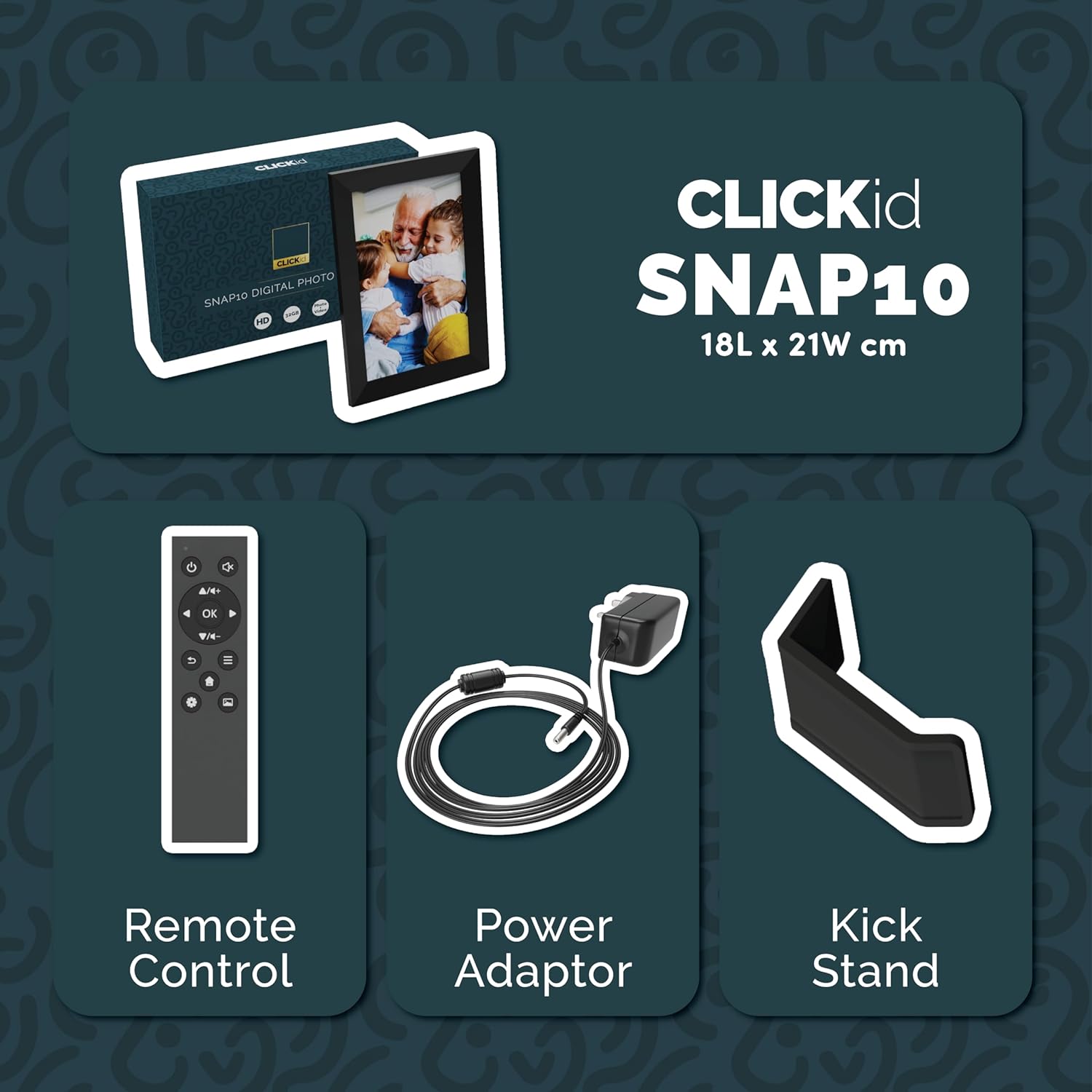
Included accessories: Remote Control, Power Adapter, and Kickstand.
Průvodce nastavením
- Rozbalte rám: Opatrně vyjměte digitální fotorámeček a veškeré příslušenství z obalu.
- Attach the Kickstand: Insert the kickstand into the designated slot on the back of the frame. The frame supports both horizontal and vertical orientations.
- Připojte napájení: Plug the power adapter into the DC port on the back of the frame, then connect it to a power outlet. The frame will automatically power on.
- Počáteční nastavení: Follow the on-screen instructions to select your language, time zone, and connect to a Wi-Fi network.
- Install Frameo App: Download the "Frameo" app from your smartphone's app store (available for iOS and Android).
- Connect Frame to App: Open the Frameo app and create an account. On your digital frame, tap "Add Friend" to get a unique code. Enter this code into the Frameo app on your smartphone to link the devices.

The back of the frame features essential ports for power, USB, and Micro SD card.
Návod k obsluze
Odesílání fotografií a videí
Once your frame is connected to the Frameo app, you can easily send photos and short videos from your smartphone.
- Otevřete aplikaci Frameo ve svém chytrém telefonu.
- Vyberte fotografie nebo videa, která chcete odeslat.
- Choose the connected digital frame as the recipient.
- Add a caption if desired, then tap "Send."

The Frameo app simplifies photo and video uploads from your smartphone.
Použití dotykové obrazovky
The 10.1-inch LCD touchscreen allows for intuitive navigation. Swipe left or right to browse photos, tap to view options, and pinch to zoom.
Funkce dálkového ovládání
The included remote control provides convenient access to various frame functions from a distance.
- Navigace: Use arrow keys to move through menus and photos.
- OK/Enter: Potvrďte výběr.
- Zadní: Návrat na předchozí obrazovku.
- Přehrát/pozastavit: Control slideshows or video playback.
- Objem: Úprava zvuku pro videa.

Součástí balení je dálkové ovládání pro pohodlné ovládání.
Pohybový senzor
The integrated motion sensor can be enabled to automatically turn the display on when movement is detected and off when the area is vacant, conserving energy. This setting can be adjusted in the frame's system settings.
Funkce automatického otáčení
The frame automatically adjusts the photo orientation (portrait or landscape) based on how the frame is positioned. Ensure the auto-rotate feature is enabled in the settings for optimal display.

The auto-rotate feature adjusts display based on frame orientation.
Funkce Overview
- 10.1palcový dotykový LCD displej: Provides a clear display and interactive control.
- 32GB interní úložiště: Ample space to store thousands of photos and videos.
- Wi-Fi připojení: Enables seamless photo and video sharing from anywhere via the Frameo app.
- Integrace aplikace Frameo: Manage your frame, send media, and invite friends/family to share their moments.
- Pohybový senzor: Automatically turns the screen on/off to save energy.
- Automatické otáčení: Adjusts photo orientation automatically.
- Weather and Calendar Display: Integrated widgets provide current weather and calendar information.
- Slot pro paměťovou kartu: Supports Micro SD cards for additional storage or direct media import.
Údržba
- Čištění: K čištění obrazovky a rámu používejte měkký, suchý hadřík. Nepoužívejte abrazivní čisticí prostředky ani spreje přímo na obrazovku.
- Aktualizace softwaru: The frame may receive automatic software updates via Wi-Fi. Ensure your frame is connected to the internet to receive the latest features and improvements.
- Správa úložiště: Pravidelně znovuview your stored photos and videos. You can delete unwanted media directly from the frame or through the Frameo app to free up space.
Odstraňování problémů
- Rám se nezapíná:
- Ujistěte se, že je napájecí adaptér bezpečně připojen k rámu i k funkční zásuvce.
- Nelze se připojit k Wi-Fi:
- Verify your Wi-Fi password. Ensure the frame is within range of your Wi-Fi router. Try restarting your router and the frame.
- Fotografie se na snímku nezobrazují:
- Confirm that the frame is connected to Wi-Fi and linked to your Frameo app account. Check the Frameo app to ensure photos were successfully sent. Allow some time for photos to download, especially large batches.
- Frame is stuck on a white screen with a loading bar:
- This may indicate a software issue. Try performing a soft reset by disconnecting the power for 30 seconds and then reconnecting. If the issue persists, a factory reset might be necessary (refer to the frame's settings for this option, noting it will erase all data).
- Dálkové ovládání nefunguje:
- Check if the batteries in the remote control need replacement. Ensure there are no obstructions between the remote and the frame's IR receiver.
Specifikace
| Značka | Většina |
| Číslo modelu | Snap10 |
| Barva | Černý |
| Velikost obrazovky | 10.1 palce |
| Rezoluce | 800*1280 |
| Poměr stran | 2.10:1 |
| Kapacita paměti | 32 GB |
| Technologie připojení | Wi-Fi |
| Kontrolní metoda | App, Touchscreen, Remote |
| Zdroj napájení | Elektrický kabel |
| Hmotnost položky | 491 gramů |
| Rozměry položky (D x Š) | 7.08"D x 8.26"Š |
Záruka a podpora
The Majority Frameo Snap10 Digital Picture Frame comes with a 2letá prodloužená záruka. Registration is required to activate the extended warranty. Please refer to the product packaging or the manufacturer's website for details on how to register your product.
For technical support, troubleshooting assistance, or warranty claims, please contact Majority customer service through their official webwebu nebo kontaktních informací uvedených v dokumentaci k produktu.
Video o produktu
This video demonstrates the ease of sharing photos and videos with the Frameo app and viewing them on the digital picture frame, highlighting its use for connecting family members.