
1. Konec produktuview
The Amkette Hush Pro Astra is a wireless mouse designed for comfort and efficiency. It features 2.4 GHz wireless connectivity, silent switches for quiet operation, an ergonomic design, and adjustable DPI settings for precise control. The mouse also includes an On/Off switch and a smart auto-sleep function to conserve battery life.
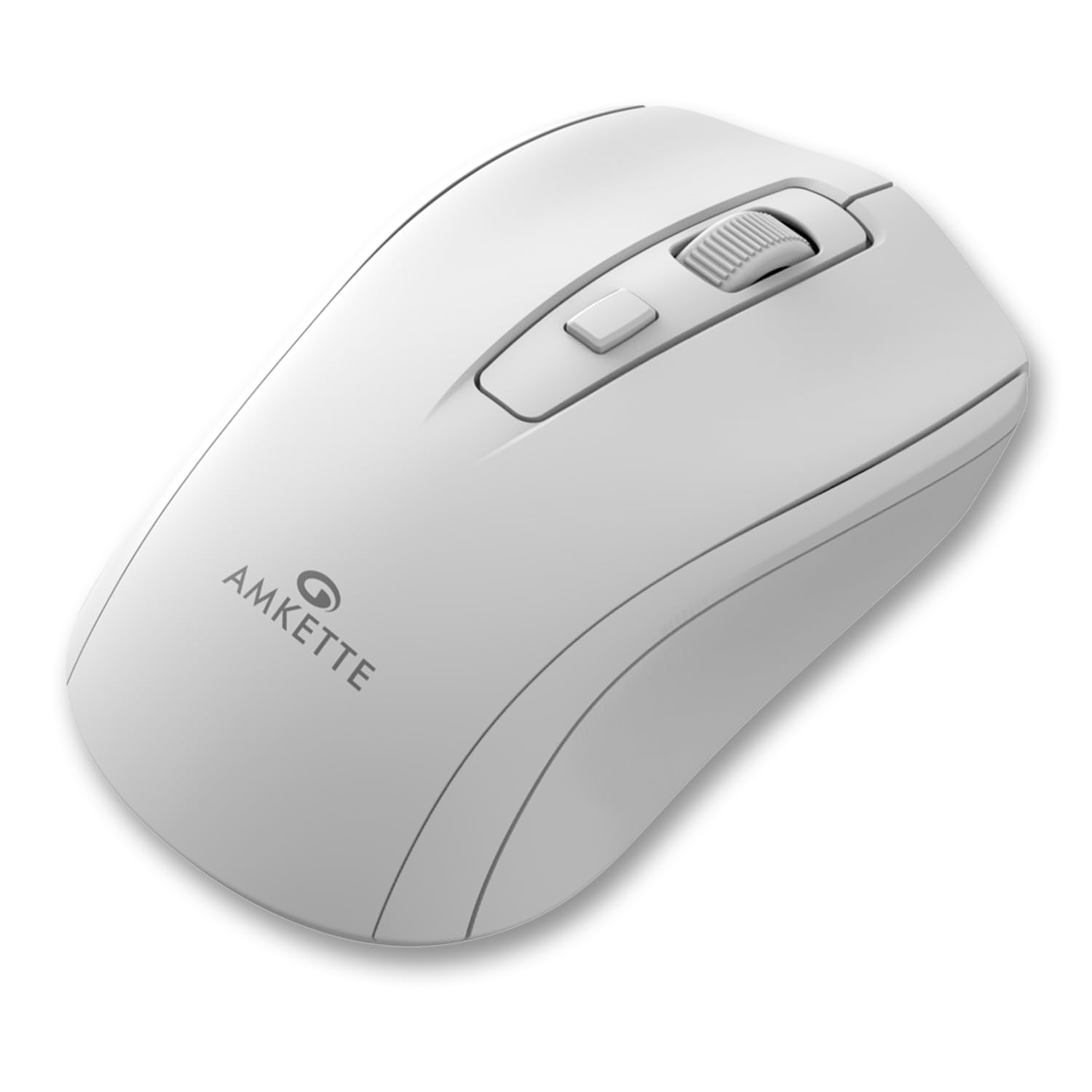
Figure 1: Amkette Hush Pro Astra Wireless Mouse (White)
Klíčové vlastnosti:
- Advanced 2.4 GHz Wireless Connectivity: Ensures a stable, lag-free connection.
- Tiché spínače: Provides noiseless clicks for an undisturbed work environment.
- Ergonomický design: Shaped for comfortable long-term use.
- Nastavitelné nastavení DPI: Three levels (800-1000-1200 DPI) for customizable cursor sensitivity.
- Vypínač: For manual power control.
- Smart Auto Sleep Function: Automatically conserves battery when not in use.
- Kompaktní a přenosné: Easy to carry in a laptop bag.

Figure 2: Ergonomic grip design with matte finish for enhanced comfort.

Figure 3: Silent click switches for quiet operation.

Figure 4: Universal compatibility with Windows, Mac OS, Chrome OS, and Linux.
2. Pokyny k nastavení
2.1 Obsah balení
Before you begin, ensure your package contains the following:
- Amkette Hush Pro Astra Wireless Mouse
- USB Nano přijímač
Note: 1 AA battery is required and not included in the box.
2.2 Instalace baterie
- Najděte přihrádku na baterie na spodní straně myši.
- Jemně posuňte kryt baterie a otevřete ho.
- Vložte jednu baterii typu AA a ujistěte se, že kladný (+) a záporný (-) pól správně odpovídají označením uvnitř přihrádky.
- Close the battery cover until it clicks securely into place.

Figure 5: Battery compartment and On/Off switch location.
2.3 Připojení myši
- Remove the USB Nano receiver from its storage slot, usually located within the battery compartment or on the underside of the mouse.
- Plug the USB Nano receiver into an available USB port on your computer (PC, Mac, Laptop, etc.).
- Zapněte myš pomocí vypínače, který se nachází na spodní straně.
- Váš počítač by měl automaticky detekovat a nainstalovat potřebné ovladače. Myš bude připravena k použití během několika sekund.

Figure 6: Connecting the USB Nano receiver to a laptop.
3. Návod k obsluze
3.1 Zapnutí/vypnutí
To turn the mouse on or off, use the slide switch located on the underside of the mouse. Slide it to the 'ON' position for use and 'OFF' to conserve battery when not in use.
3.2 Nastavení DPI
The mouse features a dedicated DPI button, usually located behind the scroll wheel. Press this button to cycle through three different DPI (Dots Per Inch) settings: 800, 1000, and 1200. A higher DPI setting results in faster cursor movement, while a lower DPI setting provides more precise control.

Figure 7: DPI button and available sensitivity levels.
3.3 Funkce tichého kliknutí
The Amkette Hush Pro Astra is equipped with silent switches, significantly reducing the clicking noise. This feature is ideal for quiet environments, ensuring minimal disturbance during use.
3.4 Smart Auto Sleep Function
To extend battery life, the mouse will automatically enter a sleep mode after a period of inactivity. To wake the mouse, simply move it or click any button.
4. Údržba
4.1 Čištění
- K otření povrchu myši použijte měkký, suchý hadřík.
- Pro odolnou špínu lehceampOtřete hadřík vodou nebo jemným čisticím roztokem. Vyhněte se agresivním chemikáliím.
- Neponořujte myš do vody ani žádné tekutiny.
- Clean the optical sensor on the underside periodically with a cotton swab to ensure smooth tracking.
4.2 Skladování
- When not in use for extended periods, turn off the mouse using the On/Off switch.
- Store the USB Nano receiver inside the mouse's designated slot to prevent loss.
- Keep the mouse in a cool, dry place away from direct sunlight and extreme temperatures.
5. Řešení problémů
5.1 Myš nereaguje
- Zkontrolujte baterii: Ujistěte se, že je baterie AA správně vložena a dostatečně nabitá. V případě potřeby ji vyměňte.
- Vypínač: Verify that the On/Off switch on the underside of the mouse is in the 'ON' position.
- Připojení přijímače: Ensure the USB Nano receiver is securely plugged into a working USB port on your computer. Try a different USB port.
- Opětovné spárování: In rare cases, the mouse and receiver might lose connection. Try unplugging and re-plugging the receiver, then turn the mouse off and on again.
5.2 Nepravidelný pohyb kurzoru
- Čistit senzor: Vyčistěte optický senzor na spodní straně myši.
- Povrch: Používejte myš na čistém, nereflexním a rovnoměrném povrchu. Vyhněte se sklu nebo vysoce reflexním povrchům.
- Rušení: Přesuňte myš blíže k USB přijímači. Jiná bezdrátová zařízení nebo velké kovové předměty by mohly způsobovat rušení.
5.3 Krátká výdrž baterie
- Vypnout, když se nepoužívá: Always turn off the mouse using the On/Off switch when not in use for extended periods.
- Kvalita baterie: Use high-quality AA alkaline batteries.
- Automatické uspání: The mouse has an auto-sleep function, but manual power-off provides maximum battery conservation.
6. Specifikace
| Funkce | Specifikace |
|---|---|
| Značka | Amkette |
| Číslo modelu | 516 |
| Série | Hush Pro Astra |
| Technologie připojení | Bezdrátové připojení 2.4 GHz (USB Nano přijímač) |
| Technologie detekce pohybu | Optický |
| Nastavení DPI | 800-1000-1200 DPI (nastavitelné) |
| Speciální funkce | Silent Clicks, Ergonomic Design, On/Off Switch, Smart Auto Sleep Function |
| Zdroj napájení | Napájení z baterie (vyžaduje 1 AA baterii, není součástí balení) |
| Kompatibilita operačního systému | Linux, Windows 7, Windows XP, Mac OS, Chrome OS |
| Rozměry produktu | 11 x 6 x 0.1 cm |
| Hmotnost položky | 30 g |
| Barva | Bílý |
7. Záruka a podpora
7.1 Informace o záruce
The Amkette Hush Pro Astra Wireless Mouse comes with a hassle-free 1letá záruka od výrobce od data nákupu. Tato záruka se vztahuje na výrobní vady vzniklé za běžných podmínek používání.
7.2 Zákaznická podpora
For any assistance, queries, or warranty claims, please contact our support team. You can reach them via call or WhatsApp for prompt assistance with any issues.
Please refer to the product packaging or the official Amkette webstránky s nejaktuálnějšími kontaktními údaji.
8. Produktová videa
Video 1: Amkette Hush Pro Astra Wireless Mouse Overview. This video highlights the ergonomic design, adjustable DPI settings, and silent click features of the mouse.
Video 2: Amkette Hush Pro Astra Wireless Mouse Features. This video demonstrates the advanced 2.4 GHz connectivity, silent operation, and portability of the mouse.