
Olafus 3-LBC65M
Olafus Floodlight Camera Outdoor User Manual
Model: 3-LBC65M
Zavedení
Thank you for choosing the Olafus Floodlight Camera Outdoor. This smart security camera combines powerful floodlighting with advanced surveillance features to provide comprehensive outdoor protection for your home or property. This manual will guide you through the installation, operation, and maintenance of your new device.
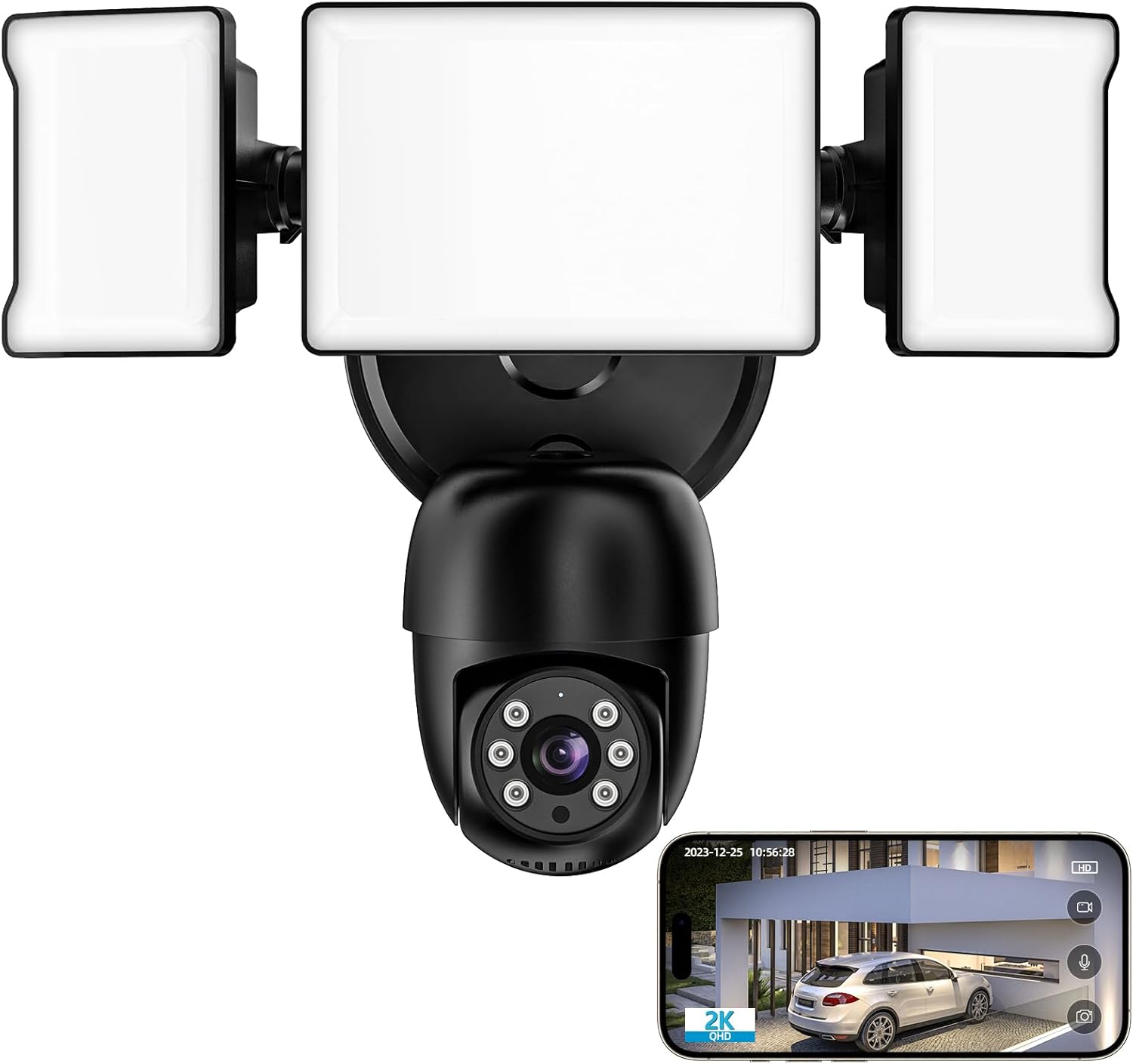
The Olafus Floodlight Camera Outdoor, featuring two adjustable floodlights and a central camera unit, shown with a smartphone displaying its live video feed.
Bezpečnostní informace
Před instalací a použitím si pečlivě přečtěte všechny bezpečnostní pokyny. Nedodržení těchto pokynů může vést k úrazu elektrickým proudem, požáru nebo jiným zraněním.
- Elektrická bezpečnost: Installation should be performed by a qualified electrician or in accordance with local electrical codes. Ensure power is disconnected at the circuit breaker before installation.
- Montáž: Mount the camera securely on a stable surface that can support its weight.
- Voděodolnost: Kamera je vodotěsná s krytím IP65, vhodná pro venkovní použití. Neponořujte ji však do vody.
- Rozsah teplot: Operate the device within the specified temperature range (-22°F to 140°F / -30°C to 60°C).
- Děti a domácí mazlíčci: Uchovávejte zařízení a jeho součásti mimo dosah dětí a domácích zvířat.
Obsah balení
Ověřte, zda jsou v balení přítomny všechny položky:
- Olafus Floodlight Camera Outdoor (1 unit)
- Montážní materiál (šrouby, hmoždinky)
- Uživatelská příručka (tento dokument)
Konec produktuview
Familiarize yourself with the main components of your floodlight camera:
- Světlomety: Two adjustable LED light panels providing 55W 5500LM brightness.
- Objektiv fotoaparátu: Nahrává 2K QHD video.
- PIR Motion Sensor: Detects movement within its 180° field.
- Mikrofon: Pro obousměrnou audio komunikaci.
- Reproduktor: Pro obousměrnou audio komunikaci a sirénu.
- Mechanismus otáčení/naklápění: Allows 340° horizontal and 120° vertical rotation.
- Slot pro kartu Micro SD: Podporuje až 128 GB lokálního úložiště (karta není součástí balení).

Nadview of the 4MP Floodlight Camera's key features, including 360° view, AI lock & tracking, color night vision, 2-way audio, motion detection push, 2.4GHz & 5GHz WiFi, and waterproof design.
Nastavení
Follow these steps to install and set up your Olafus Floodlight Camera:
- Stáhněte si aplikaci: Scan the QR code below or search for "Smart Life" in the App Store (iOS) or Google Play Store (Android) to download the application.

Step-by-step guide for setting up the camera: 1. Download 'Smart Life' APP (QR code provided). 2. Connect to 2.4GHz & 5GHz WiFi. 3. Install the floodlight camera. 4. Camera is online.
You can also access the app directly via this link: http://app.ubianet.com/app/ubox/
- Vypnout: Before installation, ensure the power to the installation area is turned off at the circuit breaker.
- Montáž: Securely mount the floodlight camera to a wall using the provided mounting hardware. Ensure it is positioned to cover your desired surveillance area.
- Zapojení: Connect the camera's wiring to your existing outdoor electrical wiring. If unsure, consult a qualified electrician.
- Zapnutí: Restore power at the circuit breaker. The camera will power on and enter pairing mode.
- Připojení k Wi-Fi: Open the Smart Life app, register or log in, and follow the in-app instructions to add your new device. The camera supports both 2.4GHz and 5GHz Wi-Fi networks.
- Počáteční konfigurace: Once connected, you can adjust camera settings, such as pan/tilt angles, motion detection zones, and light brightness, through the app.
Provozní
Your Olafus Floodlight Camera offers a range of features for enhanced security and convenience:
2K QHD Clarity & Color Night Vision
The camera delivers crisp 2K QHD video resolution for clear day and night viewing. Its advanced color night vision ensures vivid recordings even in low-light conditions, providing round-the-clock surveillance.

The camera provides crystal clear images by day and vibrant color images by night, ensuring comprehensive surveillance.

The camera offers Smart Night Mode, Color Night Vision, and traditional IR Black & White modes for clear visibility in various low-light conditions.
360 ° panoramatické View a automatické sledování
Control the camera's pan (340° horizontal) and tilt (120° vertical) functions via the app to monitor every corner of your property. The camera can automatically lock onto and track moving objects, ensuring continuous coverage.

The camera provides 360° surveillance, eliminating blind spots around your property.

The camera's 'Lock and Track' feature records every detail by automatically following moving objects.

With AI Lock and Tracking, the camera's rotating lens automatically tracks movement when people pass through its field of view.
55W Super Brightness & Adjustable Heads
The integrated floodlights provide 55W (5500LM) of super brightness. The three adjustable heads allow you to direct light precisely where needed. Customize brightness levels through the app for personalized lighting.

The 5500LM dimmable sensor light can be adjusted from 10% to 100% brightness, illuminating your outdoor space effectively.

The powerful 5500LM floodlight with 6500K color temperature effectively turns night into day, covering an area of 1150 sq ft, with adjustable brightness and motion activation.

Tailor your lighting timetable through the app to ensure the lights activate precisely when required.
Advanced Motion Detection with Alerts
The 180° PIR motion sensor triggers instant illumination upon detecting movement. Receive real-time notifications on your phone, keeping you informed about any detected activity.

The camera features motion-activated lights and a sound alarm, triggered by PIR motion detection, sending instant alerts to your phone.

Upon human body detection, the floodlight activates, and a notification is pushed to your phone, allowing you to deter intruders with a voice message.

The versatile motion detector allows you to adjust sensitivity levels (Low, Medium, High) via the app to suit your environment and reduce false alarms.
Two-Way Talk & Versatile Storage Solutions
Communicate with visitors or deter intruders using the camera's built-in microphone and speaker. Choose between cloud storage (subscription required) or local storage via a Micro SD card (up to 128GB, not included) for surveillance footage.

Engage in two-way communication with visitors or delivery personnel directly through the camera.

Listen and talk in real-time, wherever you are, using the 2-way audio feature.

The camera supports both private cloud storage and local storage via an SD card (Max 128GB, not included) for video playback. Note: Cloud storage may incur a monthly fee.

Securely store your footage with encryption cloud storage or on a Micro SD card (up to 128GB).
Convenient App Management & Smart Home Integration
Monitor your home from anywhere using the Smart Life app on your smartphone. The camera is compatible with Alexa Show and supports voice control for added convenience.
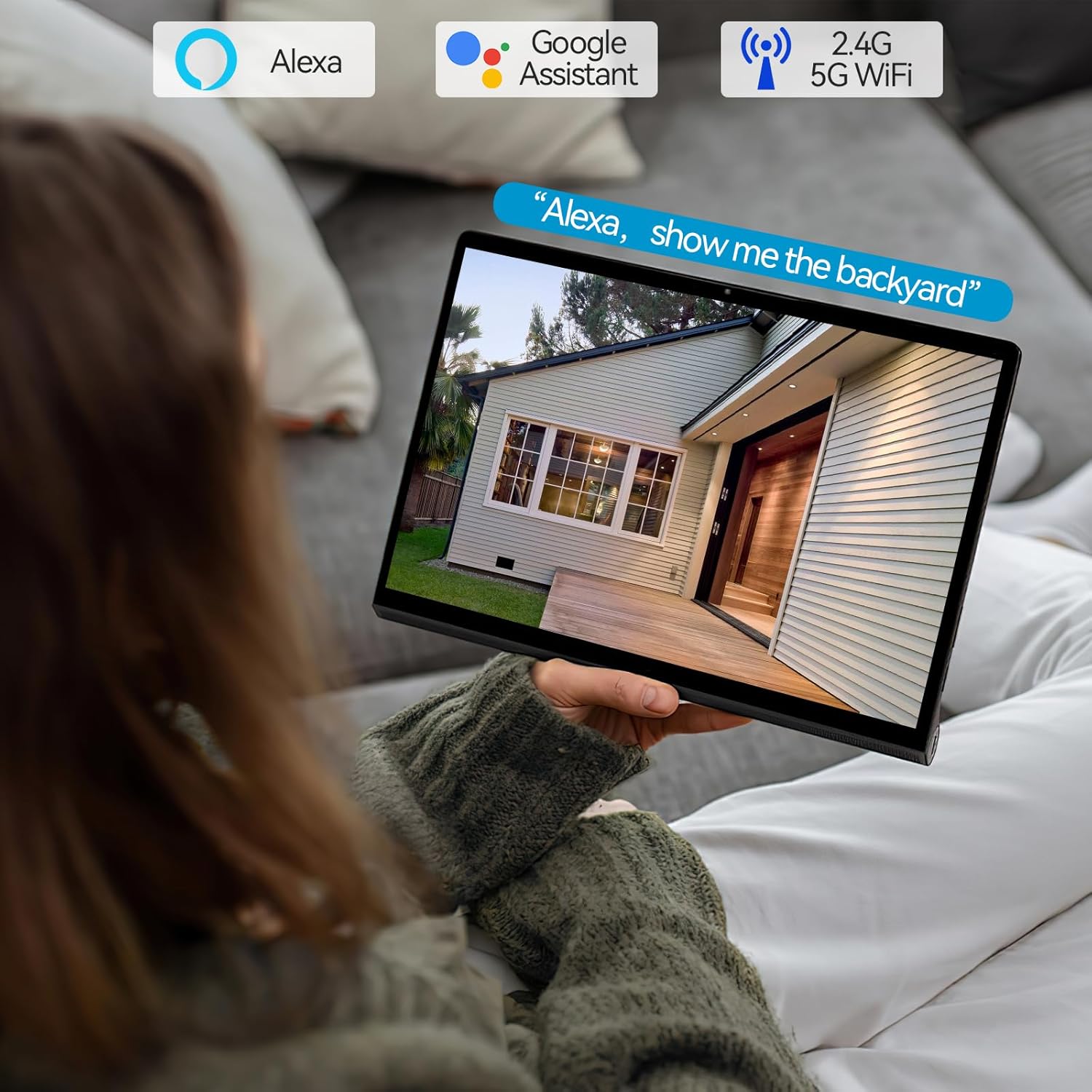
The camera works seamlessly with Alexa and Google Assistant, allowing voice control and viewna kompatibilních chytrých displejích.

Control your camera via the Smart Life app and integrate it with Amazon Alexa and Google Assistant for voice commands. Supports 2.4G and 5G WiFi.
Údržba
To ensure optimal performance and longevity of your Olafus Floodlight Camera, follow these maintenance guidelines:
- Čištění: Pravidelně otírejte objektiv kamery a povrch světlometu měkkým,amp hadříkem odstraňte prach a nečistoty. Nepoužívejte agresivní chemikálie ani abrazivní čisticí prostředky.
- Aktualizace firmwaru: Check the Smart Life app periodically for firmware updates. Keeping your device updated ensures you have the latest features and security enhancements.
- Kontrola kabelů: Periodically inspect the power cable and connections for any signs of wear or damage.
- Ochrana životního prostředí: While the camera is waterproof (IP65), extreme weather conditions (e.g., severe storms, prolonged heavy snow) may warrant additional protection or temporary removal if possible.

The camera boasts an IP65 waterproof rating, ensuring reliable operation in various weather conditions, from -22°F to 140°F.
Odstraňování problémů
If you encounter issues with your Olafus Floodlight Camera, try the following solutions:
| Problém | Možná příčina | Řešení |
|---|---|---|
| Kamera se nepřipojuje k Wi-Fi | Incorrect Wi-Fi password, weak signal, router issues, incorrect frequency band. | Ensure correct password. Move camera closer to router. Restart router. Confirm router supports 2.4GHz/5GHz and camera is connecting to the correct band. |
| Žádný kanál videa | Camera offline, network issue, power supply problem. | Check camera's power connection. Verify Wi-Fi connection. Restart camera. Check internet connection. |
| Motion detection too sensitive/not sensitive enough | Sensitivity settings, environmental factors. | Adjust motion detection sensitivity in the Smart Life app. Configure detection zones to exclude irrelevant areas. |
| Nefunguje obousměrný zvuk | Microphone/speaker blocked, app permissions, volume settings. | Ensure nothing is obstructing the microphone or speaker. Check app permissions for microphone access. Adjust volume settings in the app. |
| Nejasné noční vidění | Dirty lens, IR interference, insufficient ambient light for color night vision. | Clean the camera lens. Ensure no reflective surfaces are too close to the camera. Check night vision mode settings in the app. |
Specifikace
| Funkce | Specifikace |
|---|---|
| Číslo modelu | 3-LBC65M |
| Vnitřní/venkovní použití | Venkovní |
| Rozlišení záznamu videa | 2K QHD (4MP Effective Still Resolution) |
| Protokol připojení | Wi-Fi (2.4 GHz a 5 GHz) |
| Zdroj napájení | Elektrický kabel (110 V) |
| Wattage | 55 wattů |
| Světelný tok | 5500 LM |
| Rozsah otáčení/naklánění | 340° horizontálně, 120° vertikálně |
| Pohybový senzor | 180° PIR |
| Noční vidění | Color Night Vision, IR Black & White (5 Meters Range) |
| Možnosti úložiště | Micro SD karta (max. 128 GB), cloudové úložiště |
| Obousměrný zvuk | Podporováno |
| Integrace chytré domácnosti | Alexa, Google Assistant |
| Úroveň odolnosti proti vodě | IP65 Vodotěsný |
| Provozní teplota | -22 °F až 140 °F (-30 °C až 60 °C) |
| Materiál | Hliník |
| Rozměry (D x Š x V) | 10.7 x 9.5 x 5.7 palce |
| Hmotnost položky | 2 libry |
Záruka a podpora
For warranty information and technical support, please refer to the official Olafus website or contact their customer service. You can also find additional resources and a downloadable PDF user manual via the following link:
Stáhnout oficiální uživatelskou příručku (PDF)
Pro další pomoc prosím navštivte Olafus Store on Amazon.
Ask a question about this manual
Ask about setup, troubleshooting, compatibility, parts, safety, or missing instructions. Manuals+ will review the question and use this page’s manual context to help answer it.