
1. Úvod
This user manual provides detailed instructions for the assembly, operation, and maintenance of your FLEXISPOT Lite Electric Standing Desk. Please read this manual thoroughly before installation and use to ensure proper function and safety. Keep this manual for future reference.
2. Důležité bezpečnostní informace
Nedodržení těchto bezpečnostních pokynů může vést ke zranění nebo poškození produktu.
- The desk has a maximum load capacity of 70 kg (154 lb)Nepřekračujte tento hmotnostní limit.
- Montáž musí provádět dospělá osoba.
- Před použitím se ujistěte, že jsou všechny šrouby a šrouby bezpečně utaženy.
- Během provozu držte děti a domácí zvířata v dostatečné vzdálenosti od stolu, abyste předešli zranění pohyblivými částmi.
- Do not place hands or other objects near the lifting mechanism while the desk is in motion.
- Před čištěním nebo prováděním jakékoli údržby odpojte napájení.
- Use only the power adapter supplied with the desk.
- Avoid spilling liquids on the control panel or motor components.
3. Konec produktuview a funkce
The FLEXISPOT Lite Electric Standing Desk is designed to promote a healthy work environment by allowing seamless transitions between sitting and standing positions. It features a robust motor, memory presets, and an anti-collision system.

Figure 3.1: FLEXISPOT Lite Electric Standing Desk setup with accessories.
Klíčové vlastnosti:
- Ergonomický design: Facilitates alternating between sitting and standing to reduce physical strain.
- Quiet and Durable Motor: Operates at less than 50 dB, ensuring a quiet workspace.
- Electric Height Adjustment with Memory: Easily adjust height with a control panel and save up to four preferred height settings.
- Robustní konstrukce: Steel frame with a T-foot design provides stability and supports up to 70 kg.
- Prostorná pracovní plocha: 140x60 cm maple tabletop with rounded corners and integrated wire holes.
- Anti-Collision Rebound Function: Automaticky se zastaví a couvá, pokud je během pohybu detekována překážka.
- Integrované příslušenství: Includes two hooks and a cup holder for convenience.
4. Nastavení a montáž
This section outlines the general steps for assembling your FLEXISPOT Lite Electric Standing Desk. Refer to the separate assembly guide included in your package for detailed, step-by-step instructions and diagrams.
4.1 Vybalení
- Opatrně otevřete obal a vyjměte všechny součásti.
- Place all parts on a clean, flat, and soft surface (e.g., a carpet) to prevent scratches.
- Ověřte, zda jsou přítomny všechny díly uvedené v montážním návodu.
4.2 Identifikace součásti
Seznamte se s hlavními komponenty:
- Desktop sections
- Leg columns (lifting columns)
- Opěrky na nohy
- Ovládací skříňka
- Ovládací panel
- Napájecí adaptér a kabel
- Hardware (screws, bolts, tools)
- Accessories (hooks, cup holder)
4.3 Kroky montáže (obecně)
- Připevněte zvedací sloupky k rámu pracovní desky.
- Připevněte podpěry nohou ke spodní části zvedacích sloupků.
- Mount the control box and control panel to the underside of the desktop.
- Connect all cables from the motors to the control box, and then connect the power adapter.
- Attach the desktop sections together (if applicable) and secure them to the frame.
- Install the cup holder and hooks as desired.
Note: Refer to the detailed assembly manual for specific screw types, torque requirements, and visual aids for each step.
5. Obsluha stolu
This section explains how to use the control panel to adjust your desk height and utilize its features.

Figure 5.1: Smart Control Panel.
5.1 Funkce ovládacího panelu
- LED displej: Zobrazuje aktuální výšku stolu v centimetrech.
- Tlačítka nahoru/dolů (▲ / ▼): Press and hold to continuously adjust the desk height upwards or downwards. Release the button to stop at the desired height.
- Sit/Stand Button (i): This button may function as a quick switch between a default sitting and standing height, or as a general indicator. Refer to your specific control panel model for exact functionality.
- Memory Preset Buttons (1, 2, 3, 4): Tato tlačítka umožňují uložit a vyvolat až čtyři preferovaná nastavení výšky.
5.2 Nastavení předvoleb paměti
- Nastavte stůl do požadované výšky pomocí tlačítek Nahoru/Dolů.
- Press the 'M' or 'Set' button (if available, otherwise proceed to step 3). The display may flash.
- Immediately press one of the number buttons (1, 2, 3, or 4) to save the current height to that preset. The display will show 'S-' followed by the number, confirming the setting.
5.3 Vyvolání předvoleb paměti
Simply press the desired number button (1, 2, 3, or 4). The desk will automatically move to the saved height.
5.4 Anti-Collision Rebound Function
The desk is equipped with an anti-collision system. If the desk encounters an obstruction while moving up or down, it will automatically stop and reverse slightly to prevent damage or injury.
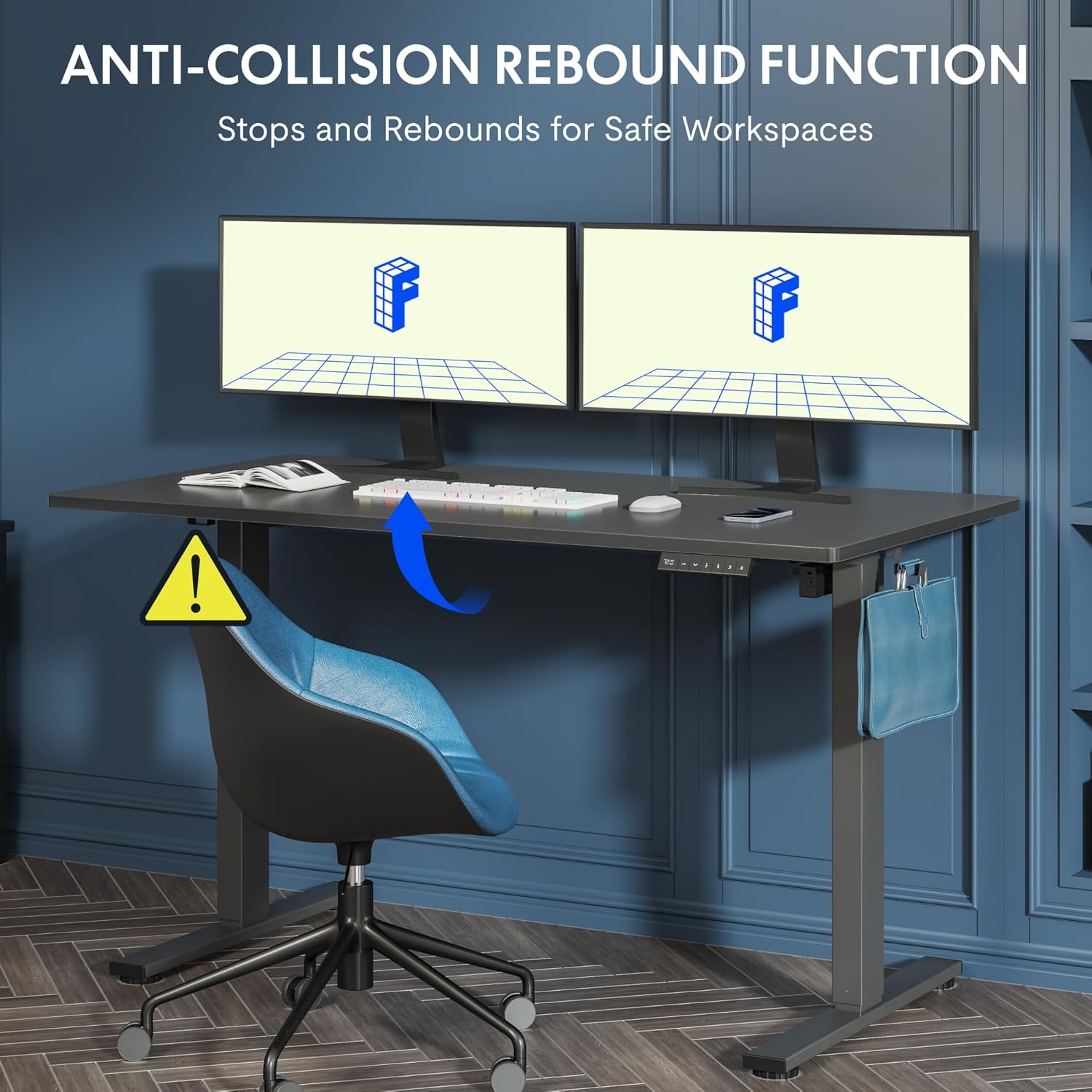
Figure 5.2: Anti-Collision Rebound Function in action.
6. Údržba a péče
Pravidelná údržba zajistí dlouhou životnost a optimální výkon vašeho stolu pro práci ve stoje.
- Čištění: Otřete pracovní plochu a rám měkkým hadříkemamp hadříkem. Nepoužívejte abrazivní čisticí prostředky ani agresivní chemikálie.
- Inspekce: Pravidelně kontrolujte všechny šrouby a vruty, zda jsou pevně utažené. V případě potřeby je dotáhněte.
- Správa kabelů: Ensure all cables are neatly routed and not pinched or tangled, which could affect operation.
- Kapacita zatížení: Do not overload the desk beyond its 70 kg capacity.
7. Průvodce odstraňováním problémů
Pokud narazíte na problémy se stolem, podívejte se na následující běžné problémy a jejich řešení:
| Problém | Možná příčina | Řešení |
|---|---|---|
| Stůl se nehýbe ani nereaguje na ovládací prvky. | Power cable disconnected; control box cable loose; motor cable loose. | Check all cable connections. Ensure the power cable is securely plugged into the wall outlet and the control box. |
| Stůl se pohybuje nerovnoměrně nebo vydává neobvyklé zvuky. | Přetížení; uvolněné šrouby; ucpání. | Reduce weight on the desk. Check and tighten all assembly screws. Ensure no obstructions are in the path of the lifting columns. |
| Desk stops moving unexpectedly. | Anti-collision system activated; motor overheating. | Check for obstructions and remove them. If no obstruction, allow the motor to cool down for 20 minutes before attempting operation again. |
| Na ovládacím panelu se zobrazuje chybový kód. | Specifická systémová chyba. | Refer to the detailed assembly manual for specific error code meanings and troubleshooting steps. If the issue persists, contact customer support. |
8. Technické specifikace

Figure 8.1: Desk Dimensions and Performance Metrics.
| Specifikace | Detail |
|---|---|
| Značka | FLEXISPOT |
| Číslo modelu | QS1M-1460-IE |
| Barva | Bílý rám + javorová deska |
| Rozměry pracovní desky (D x Š) | Rozměr 140 cm x 60 cm |
| Rozsah nastavení výšky | 73.5 cm - 118 cm |
| Materiál | Wood (Maple Top), Metal (Alloy Steel Frame) |
| Maximální nosnost | 70 kg |
| Hmotnost položky | 26.9 kg |
| Úroveň hluku | < 50 dB |
| Rychlost nastavení | 20 mm/s |
| Speciální funkce | Ergonomic, Adjustable, Anti-Collision, Memory Presets |
9. Záruka a zákaznická podpora
For warranty information, specific troubleshooting not covered in this manual, or to purchase replacement parts, please contact FLEXISPOT customer support directly. Refer to the product packaging or the official FLEXISPOT webstránky pro kontaktní údaje.