
1. Úvod
Děkuji za nákupasing the SOLUM 25W Type-C AC Adapter. This adapter is designed to provide efficient and safe charging for a wide range of devices, including smartphones, tablets, and laptops, utilizing Power Delivery (PD) and Programmable Power Supply (PPS) technologies. Please read this manual carefully before use to ensure proper operation and to maximize the lifespan of your product.
2. Bezpečnostní informace
- Nevystavujte adaptér vodě, vlhkosti ani extrémním teplotám.
- Zabraňte pádu adaptéru na zem nebo jeho vystavení silným nárazům.
- Do not attempt to disassemble, modify, or repair the adapter yourself. Contact qualified service personnel if needed.
- Ensure the adapter is used with devices that are compatible with its voltage a aktuální specifikace.
- Odpojte adaptér ze zásuvky, pokud jej nepoužíváte, nebo během bouřek.
- Uchovávejte mimo dosah dětí.
- This product is PSE certified, ensuring compliance with Japanese electrical appliance safety standards.
3. Obsah balení
- SOLUM 25W Type-C AC Adapter (Model: ADS025C1)
- Návod k použití
4. Konec produktuview
The SOLUM 25W Type-C AC Adapter is a compact and efficient charging solution. It features a single USB Type-C output port and a fixed plug design for enhanced durability.
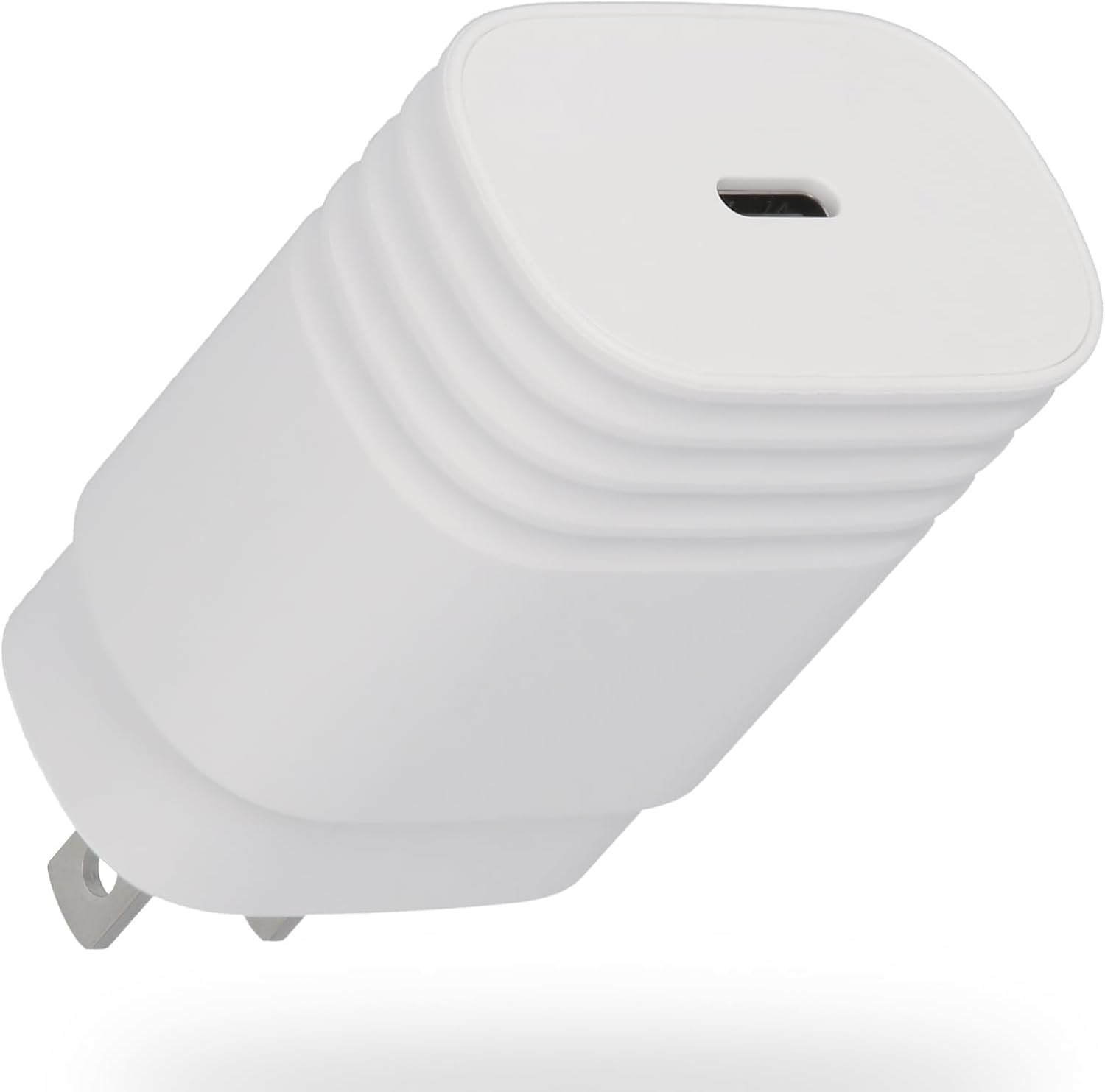
Obrázek 1: Přední strana view of the SOLUM 25W Type-C AC Adapter, showing the USB-C port.

Obrázek 2: Zadní strana view of the adapter, displaying model number, input/output specifications, and safety certifications.
5. Nastavení
- Unpack the SOLUM 25W Type-C AC Adapter from its packaging.
- Insert the adapter's plug into a standard AC power outlet (90-246V).
- Connect a compatible USB Type-C charging cable (not included) to the adapter's Type-C port.
- Připojte druhý konec nabíjecího kabelu k vašemu zařízení.
6. Návod k obsluze
Once connected, the adapter will automatically detect your device and begin charging. The adapter supports Power Delivery (PD) and Programmable Power Supply (PPS) for optimized fast charging, particularly for devices like Samsung Galaxy smartphones that utilize the 'Super Fast Charging' standard.
- For optimal charging speed, use a high-quality USB Type-C to Type-C cable that supports PD and PPS.
- Charging speed may vary depending on the device's battery level, device model, and the quality of the charging cable used.
- The adapter is designed to minimize heat generation during high-speed charging.

Image 3: Illustrates the compact size of the adapter next to a smartphone, highlighting its 25W fast charging capability and PD & PPS support.
7. Kompatibilita
This adapter offers broad compatibility with various devices equipped with a USB Type-C charging port. It is optimized for devices supporting PD and PPS protocols.
- chytré telefony: Compatible with most Android smartphones (e.g., Samsung Galaxy series, Google Pixel) and iPhones (iPhone 8 and later models) that support USB-C charging.
- Tablety: Compatible with iPads (e.g., iPad Pro, iPad Air, iPad mini) and Android tablets with a Type-C port.
- Notebooky: Can charge some smaller laptops and notebooks that support USB-C Power Delivery up to 25W.
Note: Charging performance may vary based on your device's specific charging requirements and the cable used. Always verify your device's power input specifications before use.

Image 4: A visual guide showing various SOLUM adapters and their compatibility with different devices like Android phones, iPhones, iPads, and AirPods.
8. Údržba
- To clean the adapter, disconnect it from the power outlet and your device. Wipe it gently with a dry, soft cloth.
- Nepoužívejte tekuté čisticí prostředky ani abrazivní materiály.
- Store the adapter in a cool, dry place away from direct sunlight and excessive heat.
9. Řešení problémů
Zařízení se nenabíjí:
- Ensure the adapter is securely plugged into a working power outlet.
- Check that the charging cable is properly connected to both the adapter and your device.
- Zkuste použít jiný nabíjecí kabel, abyste vyloučili vadný kabel.
- Test the adapter with another compatible device to confirm its functionality.
- Zkontrolujte, zda je nabíjecí port vašeho zařízení čistý a bez nečistot.
Pomalé nabíjení:
- Ensure your charging cable supports fast charging (PD/PPS) and is in good condition.
- Confirm that your device supports fast charging and is compatible with the adapter's output specifications.
- Close unnecessary applications running in the background on your device during charging.
- Avoid using your device intensively while it is charging.
10. Specifikace
| Funkce | Specifikace |
|---|---|
| Číslo modelu | ADS025C1 |
| Značka | SOLUM |
| Vstupní objemtage | 90-246V (International Voltage kompatibilní) |
| Výstupní výkon | Max 25W |
| Výstupní porty | 1x USB Type-C |
| Výstup (PD) | 5V/3A, 9V/2.77A |
| Podporované protokoly | Power Delivery (PD), Programmable Power Supply (PPS) |
| Certifikace | Certifikováno PSE |
| Rozměry | 2.6cm x 4cm x 6.7cm (approx. 41.4 x 26.2 x 67.0 mm) |
| Hmotnost | 52 g |
| Barva | Bílý |
11. Záruka a podpora
SOLUM products are manufactured with high-quality standards. While specific warranty details are not provided in this manual, SOLUM maintains a very low defect rate (0.00069%), reflecting its commitment to quality.
For product support, technical assistance, or warranty inquiries, please refer to the retailer where you purchased the product or visit the official SOLUM webstránky pro kontaktní informace.
Uschovejte si prosím doklad o koupi pro případné reklamace.