
1. Úvod
The Hama Bluetooth Audio Adapter Link.it solo (Model 00205321) allows you to upgrade your existing stereo system or active speakers with Bluetooth connectivity. Enjoy high-quality audio content from your mobile phone, tablet, or other Bluetooth-enabled devices. This versatile adapter features a 3.5 mm jack for universal connection, a USB-C port for power, and a microSD slot for direct playback of audio files.
This manual provides essential information for the safe and efficient operation of your device. Please read it thoroughly before use and keep it for future reference.
2. Co je v krabici
Zkontrolujte prosím obsah balení a ujistěte se, že jsou v něm přítomny všechny položky:
- 1x Hama Bluetooth Audio Adapter "Link.it solo"
- 1x USB Power Cable (USB-A to USB-C, 0.24 m)
- 1x Audio Cable (3.5 mm jack to 3.5 mm jack, 0.42 m)
- 1x Uživatelská příručka
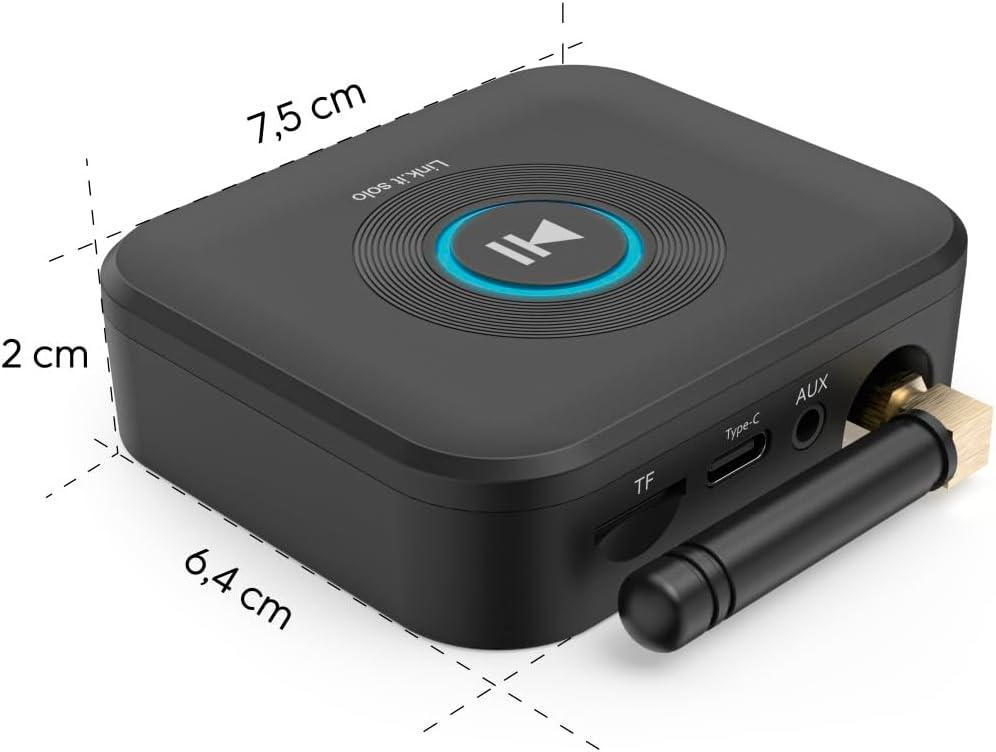
Image: The Hama Bluetooth Audio Adapter Link.it solo shown alongside its included USB-A to USB-C power cable and 3.5mm jack to 3.5mm jack audio cable.
3. Vlastnosti produktu
- Bluetooth připojení: Seamlessly stream audio from your smartphone, tablet, or other Bluetooth devices to your stereo system or active speakers.
- Universal Audio Output: Connects to audio systems via a standard 3.5 mm AUX jack.
- Slot microSD: Play playlists and audiobooks directly from a microSD card (up to 64 GB) in excellent sound quality.
- Napájení USB-C: Conveniently powered via USB-C, allowing connection to a USB port on a power strip, stereo system, or an external power supply.
- Párování více zařízení: Supports connection of two mobile phones simultaneously, with automatic reconnection to previously paired devices.
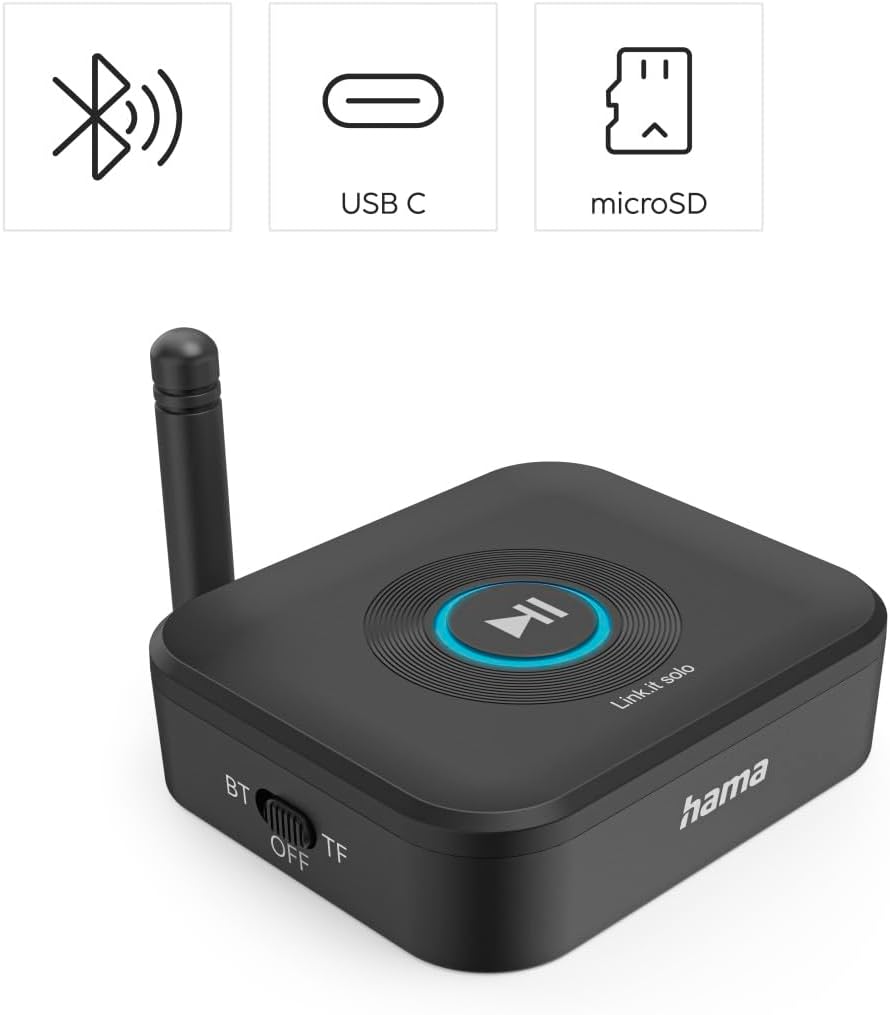
Obrázek: Pohled shora dolů view of the Hama Bluetooth Audio Adapter Link.it solo, highlighting its key features: Bluetooth connectivity, USB-C power input, and a microSD card slot. The central play/pause button is also visible.
4. Bezpečnostní informace
Dodržujte prosím následující bezpečnostní pokyny:
- This device uses radio frequency and may interfere with other wireless devices.
- Nevystavujte zařízení extrémním teplotám nebo vlhkosti.
- Do not use the device if operating instructions are not fully understood.
- Dispose of plastic responsibly.
- To avoid data loss, only use microSD cards that are formatted and supported by your device.
5. Nastavení
5.1 Připojení k napájení
- Connect the supplied USB-A to USB-C cable to the Type-C port on the adapter.
- Plug the USB-A end of the cable into a suitable USB power source (e.g., a USB port on your stereo system, a USB wall adapter, or a power strip with USB ports). The adapter requires 5 Volts (DC).
5.2 Připojení k audiosystému
- Connect one end of the supplied 3.5 mm jack audio cable to the AUX port on the Bluetooth adapter.
- Connect the other end of the 3.5 mm jack audio cable to the AUX input (or similar audio input) on your stereo system or active speakers.
- Ensure your stereo system or speakers are set to the correct input source (e.g., AUX, Line In).

Image: A user connecting the 3.5mm audio cable from the Hama Bluetooth adapter to the AUX input of a stereo receiver, demonstrating the audio connection setup.
5.3 Párování Bluetooth
- Once powered on, the adapter will automatically enter Bluetooth pairing mode, indicated by a blinking light on the device.
- On your mobile phone, tablet, or other Bluetooth device, go to the Bluetooth settings and enable Bluetooth.
- Hledat available devices. The Hama Bluetooth adapter should appear in the list (e.g., as "Link.it solo").
- Select the adapter to pair. Once paired, the indicator light on the adapter will become solid.
- The adapter supports connecting two mobile phones simultaneously. Pair the second device following the same steps.
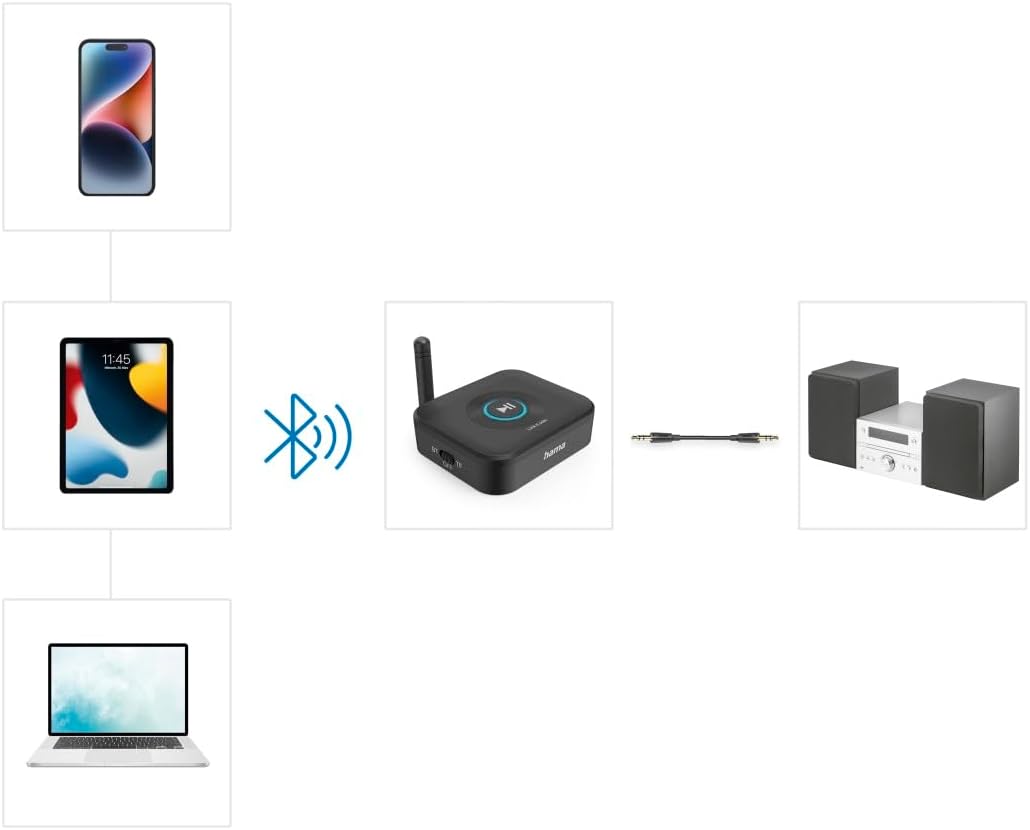
Image: A visual representation of how various devices like smartphones, tablets, and laptops can connect wirelessly via Bluetooth to the Hama adapter, which then transmits audio to a stereo system via a wired connection.
5.4 Vložení karty MicroSD
- Locate the TF (microSD) slot on the side of the adapter.
- Gently insert a formatted microSD card (up to 64 GB) into the slot until it clicks into place.
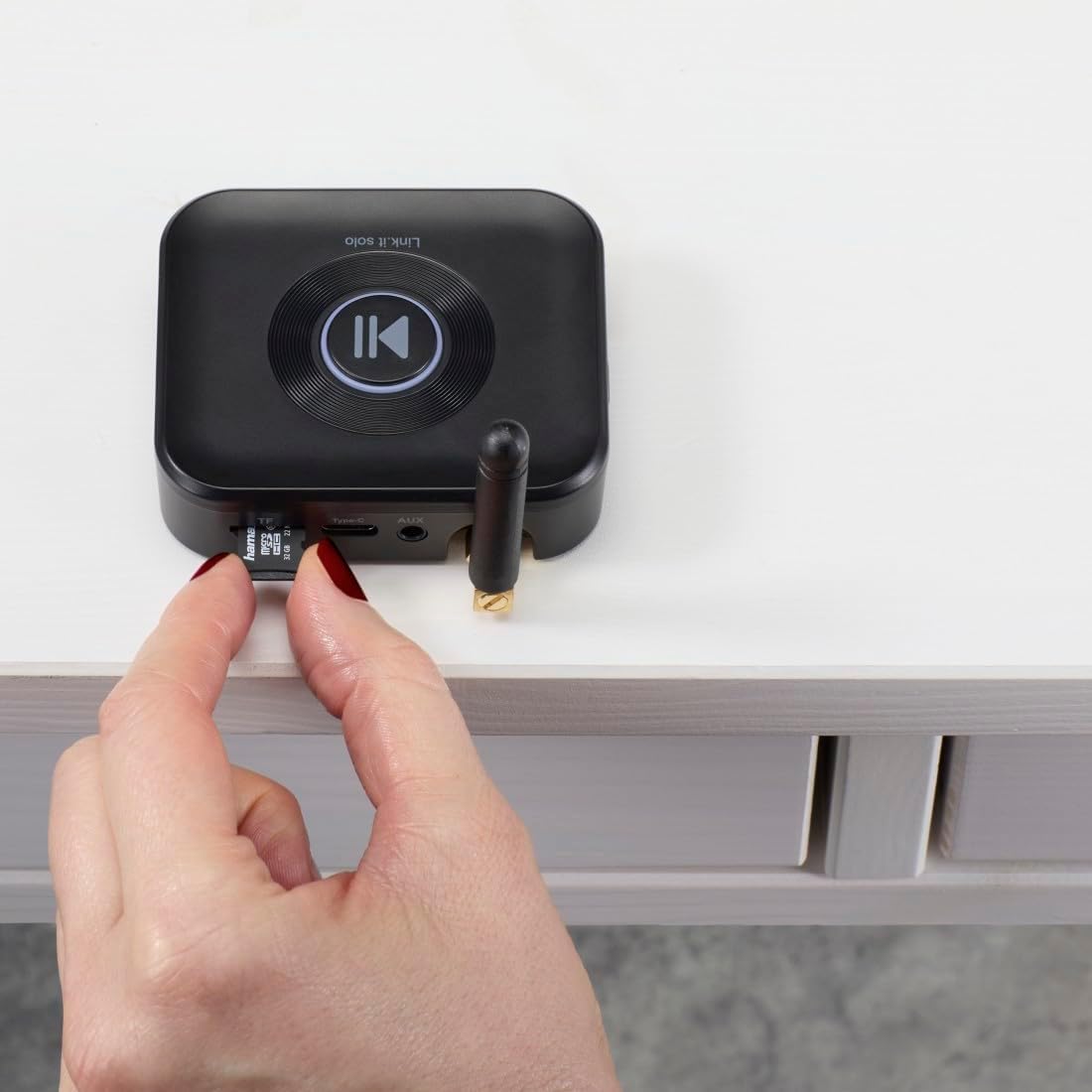
Image: A close-up of a hand inserting a microSD card into the designated TF slot on the side of the Hama Bluetooth Audio Adapter.
6. Provoz
6.1 Přehrávání zvuku přes Bluetooth
- Ensure the adapter is powered on and successfully paired with your Bluetooth device.
- Start playing audio on your connected device (e.g., music app, streaming service).
- The audio will be transmitted wirelessly to the adapter and then played through your connected stereo system or speakers.
- Use the controls on your connected device to manage playback (play, pause, skip tracks, volume). The large central button on the adapter can also be used for play/pause functionality.

Image: A setup showing both a smartphone and a tablet simultaneously connected to the Hama Bluetooth adapter, which is then linked to a stereo system, illustrating the multi-device playback capability.
6.2 Přehrávání z karty MicroSD
- Vložte kartu microSD se zvukem files into the TF slot (refer to Section 5.4).
- The adapter will automatically detect the microSD card and begin playing audio files.
- Use the central button on the adapter for play/pause control.
7. Údržba
To ensure the longevity and optimal performance of your Hama Bluetooth Audio Adapter, follow these maintenance guidelines:
- Čištění: Use a soft, dry, lint-free cloth to clean the device. Do not use abrasive cleaners, solvents, or strong detergents.
- Skladování: Přístroj skladujte na chladném a suchém místě mimo dosah přímého slunečního záření a extrémních teplot.
- Zacházení: Zabraňte pádu zařízení nebo jeho vystavení silným nárazům.
- vlhkost: Udržujte zařízení mimo dosah vody a vysoké vlhkosti.
8. Řešení problémů
If you encounter issues with your Hama Bluetooth Audio Adapter, refer to the following common problems and solutions:
| Problém | Možná příčina | Řešení |
|---|---|---|
| Žádné napájení/Zařízení se nezapíná | USB power cable not connected properly or power source is faulty. | Ensure the USB-C cable is securely connected to both the adapter and a working USB power source. Try a different USB port or power adapter. |
| Nelze spárovat přes Bluetooth | Adapter not in pairing mode; Bluetooth off on source device; device too far. | Ensure the adapter's indicator light is blinking (pairing mode). Turn Bluetooth off and on again on your source device. Move the source device closer to the adapter. |
| Žádný zvukový výstup | Audio cable not connected; incorrect input selected on stereo; volume too low. | Verify the 3.5 mm audio cable is securely connected to both the adapter and your stereo system. Select the correct AUX/Line In input on your stereo. Increase volume on both the source device and the stereo system. |
| MicroSD card not playing | Karta není správně vložena; nepodporovaný formát; kapacita karty je příliš velká. | Reinsert the microSD card firmly. Ensure the card is formatted correctly and contains supported audio file types. Use a microSD card up to 64 GB. |
| Přerušované připojení Bluetooth | Interference; device too far; low battery on source device. | Move the adapter and source device away from other wireless devices. Ensure the source device is within range (typically up to 10 meters). Charge your source device if its battery is low. |
9. Specifikace
| Funkce | Detail |
|---|---|
| Název modelu | 00205321 |
| Značka | Hama |
| Technologie připojení | Bluetooth |
| Zdroj napájení | Elektrické kabelové (USB-C) |
| svtage | 5 V (DC) |
| Materiál | Plast |
| Barva | Černý |
| Podporovaný typ média | Bluetooth, MicroSD |
| Zvukový vstup | 3.5 mm AUX |
| Režim zvukového výstupu | Stereo |
| Počet kanálů | 2 |
| Kompatibilní zařízení | Speaker, HiFi System, Smartphone, Tablet, TV |
| Kontrolní metoda | Stiskněte tlačítko |
| Hmotnost položky | 84.26 gramů |
Image: The Hama Bluetooth Audio Adapter Link.it solo displaying its physical dimensions: 7.5 cm in length, 6.4 cm in width, and 2 cm in height.
10. Záruka a podpora
Warranty information for your Hama Bluetooth Audio Adapter Link.it solo is typically provided with your purchase documentation or can be found on the official Hama website. For technical support, troubleshooting assistance beyond this manual, or warranty claims, please refer to the contact information provided by Hama or your retailer.
Uschovejte si prosím doklad o koupi pro účely záruky.


