
Zavedení
The Yesido YSP13 Air Conduction Bluetooth Earphones are designed to provide a comfortable and secure audio experience without blocking your ear canals. Featuring Bluetooth 5.3 for stable connectivity, an ear hook design for active use, and IPX4 waterproofing, these earphones are suitable for various activities. The included charging case offers extended battery life and a digital display for convenience.
Nastavení
1. Nabíjení sluchátek a nabíjecího pouzdra
Před prvním použitím sluchátka a nabíjecí pouzdro plně nabijte.
- Vložte sluchátka do nabíjecího pouzdra. Před zahájením nabíjení se ujistěte, že jsou správně usazena.
- Připojte nabíjecí pouzdro ke zdroji energie pomocí dodaného kabelu USB.
- Digitální displej na nabíjecím pouzdře bude zobrazovat stav baterie.
- Charging time for the earphones is approximately 1 hour. The charging case takes approximately 2.5 hours to fully charge.
- A fully charged earphone battery provides about 6 hours of music/call time. The charging case has a capacity of 600mAh, allowing for multiple earphone recharges.

Obraz: Earphones inside the charging case, showing the digital battery display. This display indicates the current charge level of the case and the charging status of the earbuds.
2. Párování Bluetooth
Follow these steps to pair your Yesido YSP13 earphones with your device:
- Ujistěte se, že jsou sluchátka nabitá.
- Otevřete nabíjecí pouzdro. Sluchátka se automaticky přepnou do režimu párování.
- Na smartphonu nebo zařízení s podporou Bluetooth přejděte do nastavení Bluetooth.
- Hledat available devices and select "YSP13" (or similar name) from the list.
- Po připojení se přehraje potvrzovací zvuk a sluchátka budou připravena k použití.
- The earphones utilize Bluetooth 5.3 for a fast and stable connection.
Obraz: Earphones shown next to a smartphone, illustrating quick connection and readiness for music playback.
Návod k obsluze
1. Nošení sluchátek
The Yesido YSP13 earphones feature a rotatable ear hook design for a secure and comfortable fit.
- Gently place the earphone over your ear, positioning the main body in front of your ear canal.
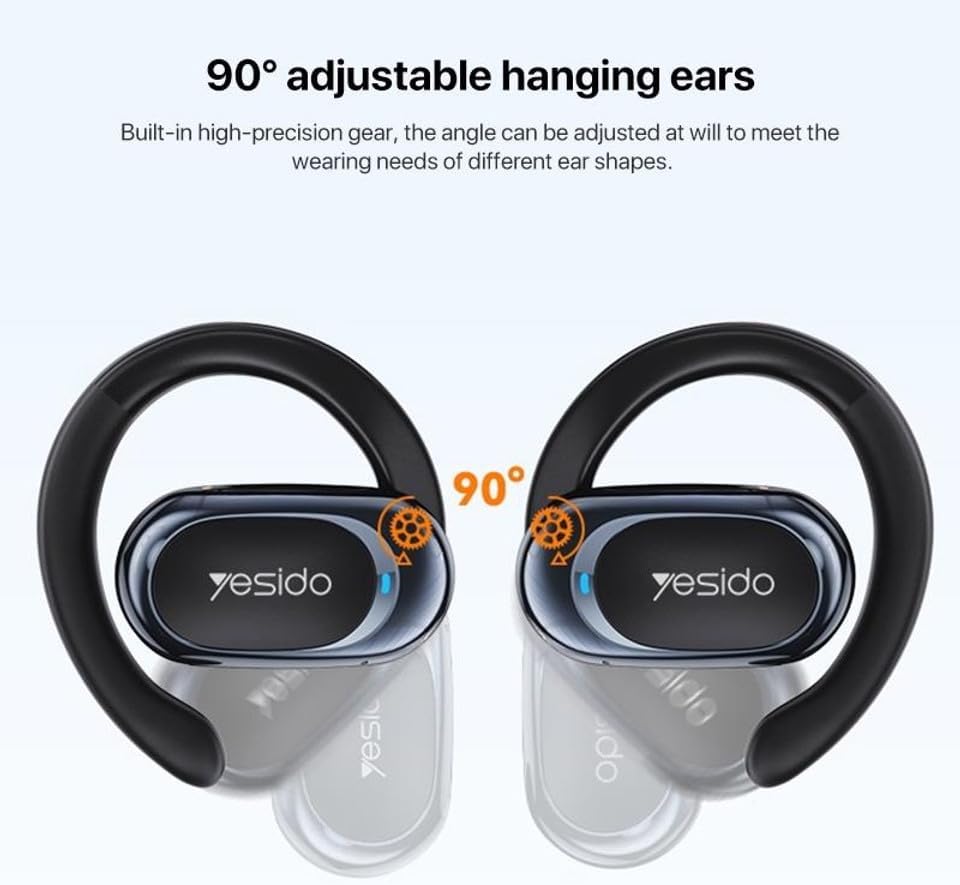
- Adjust the ear hook to fit snugly and comfortably around the back of your ear. The ear hooks are 90° adjustable to accommodate different ear shapes.
- The air conduction technology allows you to hear your audio while remaining aware of your surroundings.

Obraz: Illustration showing the 90° adjustable ear hooks, highlighting their flexibility for a custom fit.

Obraz: An earphone positioned on an ear, illustrating the adaptive directional sound transmission technology.
2. Stiskněte Ovládací prvky
The earphones feature intuitive touch controls for managing audio playback and calls. The specific touch functions are typically:
- Přehrát/pozastavit: Jedno klepnutí na kterékoli sluchátko.
- Další skladba: Dvakrát klepněte na pravé sluchátko.
- Předchozí skladba: Dvakrát klepněte na levé sluchátko.
- Přijmout/ukončit hovor: Jedno klepnutí na kterékoli sluchátko během příchozího nebo aktivního hovoru.
- Odmítnout hovor: Během příchozího hovoru stiskněte a podržte kterékoli sluchátko.
- Hlasový asistent: Triple tap on either earphone (functionality may vary by device).
Note: Specific touch control mappings may vary slightly. Refer to the quick start guide included in your product packaging for precise instructions.
3. Sound Quality and Calls
The Yesido YSP13 earphones deliver HiFi sound quality through master-level tuning, providing a balanced audio experience with clear highs, rich mids, and strong lows. The built-in microphone ensures clear voice transmission for hands-free calls.

Obraz: An exploded diagram illustrating the internal components responsible for the high-fidelity sound production.
Údržba
1. Čištění
To maintain optimal performance and hygiene, regularly clean your earphones.
- Sluchátka a nabíjecí pouzdro otřete měkkým, suchým hadříkem, který nepouští vlákna.
- Pro odolnou špínu je potřeba mírněamp cloth can be used, ensuring no moisture enters any openings.
- Vyhněte se používání abrazivních materiálů, rozpouštědel nebo agresivních chemikálií.
2. Voděodolnost
The Yesido YSP13 earphones feature an IPX4 waterproof design, providing protection against splashing water from any direction.
- This makes them suitable for workouts and light rain.
- Do not submerge the earphones in water or expose them to strong jets of water.
- Ensure the earphones are dry before placing them back into the charging case to prevent damage.
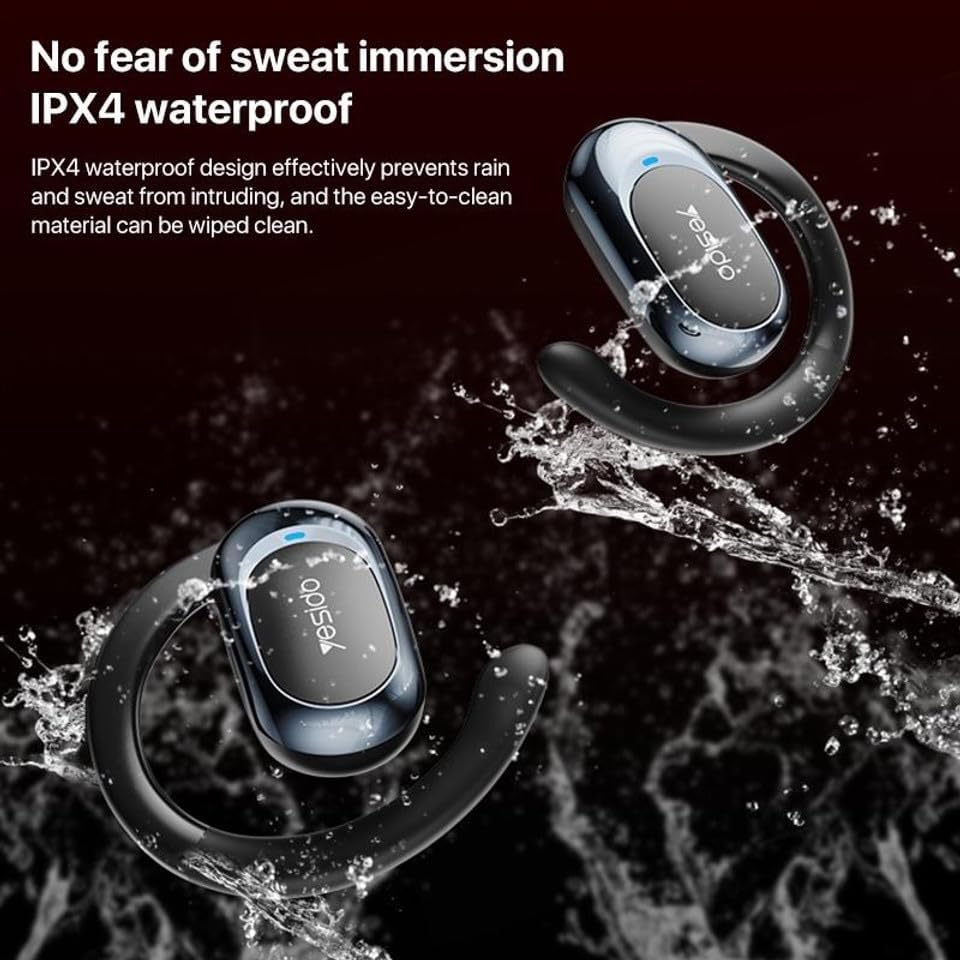
Obraz: Earphones shown with water splashing, demonstrating their IPX4 waterproof capability against sweat and light rain.
3. Skladování
Store the earphones in their charging case when not in use to protect them from dust, damage, and to keep them charged.
Odstraňování problémů
If you encounter issues with your Yesido YSP13 earphones, try the following solutions:
- No Sound/Cannot Connect:
- Ujistěte se, že jsou sluchátka nabitá.
- Ujistěte se, že je na vašem zařízení povoleno Bluetooth.
- Check if the earphones are paired with another device. Disconnect and re-pair if necessary.
- Try resetting the earphones (refer to specific reset instructions if available in the product's quick start guide, otherwise, place them in the case and close/open).
- Přibližte se k zařízení, abyste se ujistili, že jste v dosahu 10 metrů od Bluetooth.
- Jedno sluchátko nefunguje:
- Place both earphones back into the charging case and then take them out again.
- Ujistěte se, že jsou obě sluchátka nabitá.
- Zkuste znovu spárovat sluchátka se zařízením.
- Problémy s nabíjením:
- Ověřte, zda nabíjecí kabel a adaptér fungují správně.
- Ujistěte se, že nabíjecí kontakty na sluchátkách a uvnitř pouzdra jsou čisté a bez nečistot.
- Check the digital display on the charging case for charging indicators.
- Špatná kvalita hovoru:
- Ujistěte se, že mikrofon není nijak zakrytý.
- Přesuňte se do klidnějšího prostředí.
- Zkontrolujte síťový signál vašeho zařízení.
Specifikace
| Značka | YESIDO |
| Název modelu | YSP13 (Model Number: BUF58) |
| Technologie připojení | Bezdrátové připojení (Bluetooth 5.3) |
| Verze Bluetooth | BT8926B2 V5.3 |
| Dosah Bluetooth | Až 10 metrů |
| Kapacita baterie sluchátek | 50mAh x 2 |
| Kapacita baterie nabíjecího boxu | 600 XNUMX mAh |
| Hudba/Doba hovoru | Přibližně 6 hodiny |
| Doba nabíjení sluchátek | Přibližně 1 hodina |
| Doba nabíjení nabíjecího boxu | Přibližně 2.5 hodiny |
| Úroveň odolnosti proti vodě | IPX4 (vodotěsný) |
| Kontrolní metoda | Dotek |
| Materiál | PC+ABS+Electroplating UV |
| Form Factor | On Ear (Ear Hook Design) |
| Další funkce | Air Conduction Technology, Digital Display, Built-in Microphone |
Informace o záruce
The product comes with a manufacturer's warranty. For detailed information regarding the warranty period and terms, please refer to the warranty card included in your product packaging or contact your retailer. Please retain your proof of purchase for any warranty claims.
Zákaznická podpora
For further assistance, technical support, or inquiries, please visit the official YESIDO website or contact the customer service department of your retailer.