
1. Úvod
Děkuji za nákupasing the ZEBRONICS Music Bomb 2 Party Speaker. This manual provides essential information for the safe and efficient use of your speaker. Please read it thoroughly before operating the device and retain it for future reference.
Video 1: Konecview of the ZEBRONICS Music Bomb 2 Party Speaker, highlighting its key features and design.
2. Bezpečnostní pokyny
- Nevystavujte reproduktor vodě nebo vlhkosti.
- Neumísťujte reproduktor do blízkosti zdrojů tepla nebo na přímé sluneční světlo.
- Nepokoušejte se reproduktor rozebírat ani opravovat sami. Veškerý servis svěřte kvalifikovanému personálu.
- Používejte pouze určený nabíjecí kabel a adaptér.
- Udržujte reproduktor mimo dosah dětí a domácích zvířat.
- Zajistěte správné větrání, aby nedošlo k přehřátí.
3. Obsah balení
Balíček obsahuje následující položky:
- ZEBRONICS Music Bomb 2 Party Speaker - 1 unit
- Wireless Microphone - 1 unit
- Type-C Charging Cable - 1 unit
- AUX Cable - 1 unit
- Detachable Carry Strap - 1 unit
- User Manual (this document) - 1 unit
4. Konec produktuview
The Music Bomb 2 features a robust design with intuitive controls and multiple connectivity options. Familiarize yourself with the various parts of the speaker.

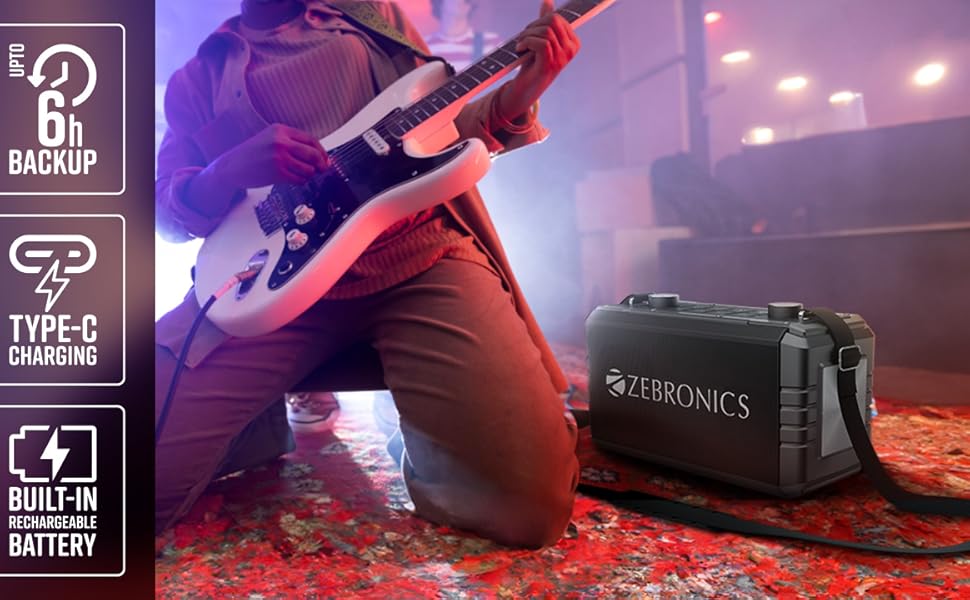
Obrázek 1: Přední strana view of the ZEBRONICS Music Bomb 2 Party Speaker, showcasinjeho mřížku chladiče a celkový design.
Obrázek 2: Zadní strana view of the speaker, highlighting the Type-C charging port, USB, mSD, AUX, and microphone/guitar input jacks.

Image 3: Close-up of the top control panel, featuring bass and volume knobs, and media control buttons.
5. Nastavení
5.1 Nabíjení reproduktoru
Before first use, fully charge the speaker. Connect the provided Type-C charging cable to the speaker's charging port and the other end to a compatible USB power adapter (not included). The charging indicator will show the charging status.
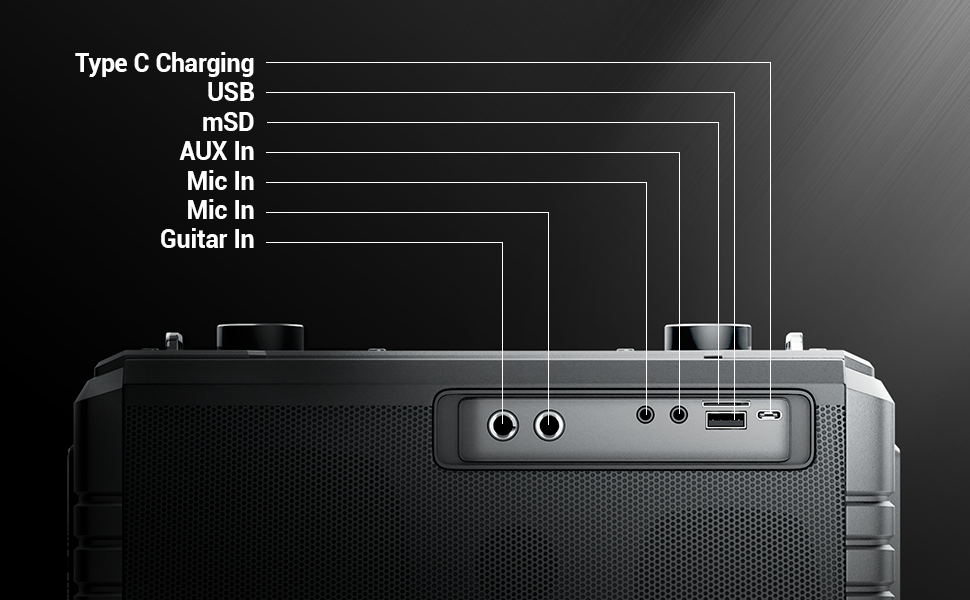
Image 4: Illustration of the speaker being charged via its Type-C port.
5.2 Zapnutí/vypnutí
Press and hold the power button on the control panel to turn the speaker on or off. A sound indicator will confirm the action.
6. Provoz
6.1 Bluetooth Connectivity (BT v5.1)
- Zapněte reproduktor. Automaticky se přepne do režimu párování Bluetooth.
- Enable Bluetooth on your mobile device and search for "ZEB-MUSIC BOMB 2".
- Vyberte reproduktor ze seznamu pro spárování. Po úspěšném připojení zazní potvrzovací tón.

Image 5: Visual representation of the speaker's Bluetooth 5.1 capability alongside other input options.
6.2 Přehrávání z USB/SD
Insert a USB drive or mSD card (up to 32GB) into the respective port. The speaker will automatically detect and play audio files from the storage device. Use the media control buttons to navigate tracks.
6.3 Vstup AUX
Connect an external audio device using the provided 3.5mm AUX cable to the AUX input port. The speaker will switch to AUX mode automatically. Ensure the volume on both the speaker and the connected device is adjusted appropriately.
6.4 Kytarový vstup
Connect your guitar to the 6.3mm guitar input port. Adjust the volume on your guitar and the speaker for optimal sound. This feature allows for direct amplification of your instrument.
Video 2: Demonstration of connecting a guitar to the ZEBRONICS Music Bomb 2 speaker and playing music.
6.5 Microphone Input (Karaoke)
Connect the wireless microphone or a wired microphone (6.3mm or 3.5mm) to the respective input ports. The speaker supports karaoke functionality, allowing you to sing along with your music. Adjust microphone volume and echo effects using the dedicated controls.

Obrázek 6: Detailní view of the speaker's control panel and the included wireless microphone.
Funkce 6.6 TWS (True Wireless Stereo)
To experience True Wireless Stereo, you need two ZEBRONICS Music Bomb 2 speakers. Follow these steps:
- Zapněte oba reproduktory.
- Ensure neither speaker is connected to any Bluetooth device.
- Na jednom reproduktoru stiskněte a podržte tlačítko „TWS“. Spustí se vyhledávání druhého reproduktoru.
- Once connected, a confirmation tone will sound, and the TWS indicator will light up.
- Now, connect your mobile device to one of the speakers via Bluetooth. Both speakers will play audio in stereo.
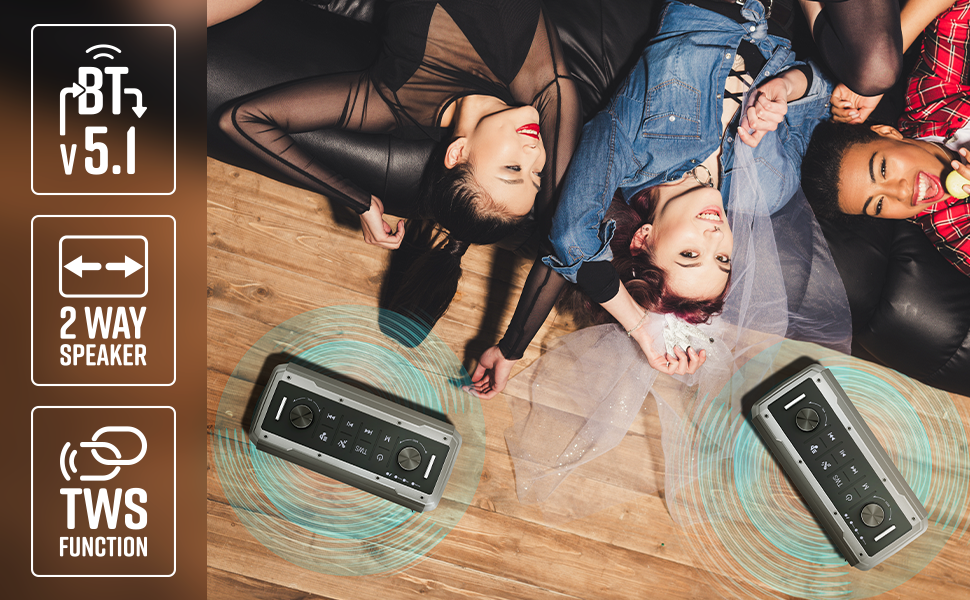
Image 7: Illustration of two Music Bomb 2 speakers paired using the TWS function for an immersive stereo audio experience.
7. Ovládací prvky
The speaker features a user-friendly control panel. Here's a breakdown of the main controls:
| Řízení | Funkce |
|---|---|
| Tlačítko napájení | Press and hold to turn the speaker ON/OFF. Short press to change modes (BT/USB/mSD/AUX). |
| Tlačítko TWS | Press and hold to initiate TWS pairing with another Music Bomb 2 speaker. |
| Tlačítko M (Mode) | Short press to switch between input modes (Bluetooth, USB, mSD, AUX). |
| Předchozí skladba / snížení hlasitosti | Krátké stisknutí pro předchozí skladbu. Dlouhé stisknutí pro snížení hlasitosti. |
| Přehrát/Pozastavit | Krátkým stisknutím přehrajete nebo pozastavíte zvuk. |
| Další stopa / zvýšení hlasitosti | Krátkým stisknutím přejdete na další skladbu. Dlouhým stisknutím zvýšíte hlasitost. |
| Basový knoflík | Otočením upravíte úroveň basů. |
| Ovladač hlasitosti | Otočením upravíte hlavní úroveň hlasitosti. |
| Knoflík hlasitosti mikrofonu | Upravuje hlasitost připojeného mikrofonu. |
| Knoflík Echo | Upravuje efekt ozvěny pro mikrofon. |
8. Údržba
- Čištění: K čištění reproduktoru používejte měkký, suchý hadřík. Nepoužívejte abrazivní čisticí prostředky ani rozpouštědla.
- Skladování: Reproduktor skladujte na chladném a suchém místě mimo dosah přímého slunečního záření a extrémních teplot.
- Péče o baterie: Chcete-li prodloužit životnost baterie, vyhněte se častému úplnému vybíjení reproduktoru. Pravidelně jej nabíjejte, i když jej delší dobu nepoužíváte.
9. Řešení problémů
| Problém | Řešení |
|---|---|
| Žádná síla | Ensure the speaker is charged. Connect the Type-C charging cable and allow it to charge for some time before attempting to power on. |
| Žádný zvuk | Check the volume levels on both the speaker and the connected device. Ensure the correct input mode is selected. Verify cable connections for AUX/Guitar inputs. |
| Párování Bluetooth se nezdařilo | Ensure the speaker is in pairing mode. Disable and re-enable Bluetooth on your device. Move the speaker closer to your device. Clear previous Bluetooth connections on your device. |
| Mikrofon nefunguje | Ensure the microphone is powered on (if wireless) and properly connected. Adjust the microphone volume and echo knobs. |
| Problémy s připojením TWS | Ensure both speakers are not connected to any other Bluetooth device. Follow the TWS pairing steps carefully. |
10. Specifikace
| Funkce | Detail |
|---|---|
| Výstupní výkon | 80W RMS |
| Verze Bluetooth | v5.1 |
| Možnosti připojení | Bluetooth, USB, mSD, AUX, 6.3mm Guitar Input, 6.3mm & 3.5mm Mic Inputs |
| Životnost baterie | Až 10 hodin (při 50% hlasitosti) |
| Typ nabíjení | Typ-C |
| Typ reproduktoru | 2-pásmový reproduktorový systém |
| Rozměry (D x Š x V) | 17.3 x 27.4 x 33.3 centimetrů |
| Hmotnost | 4040 gramů |
| Frekvenční odezva | 20 Hz (minimum) |
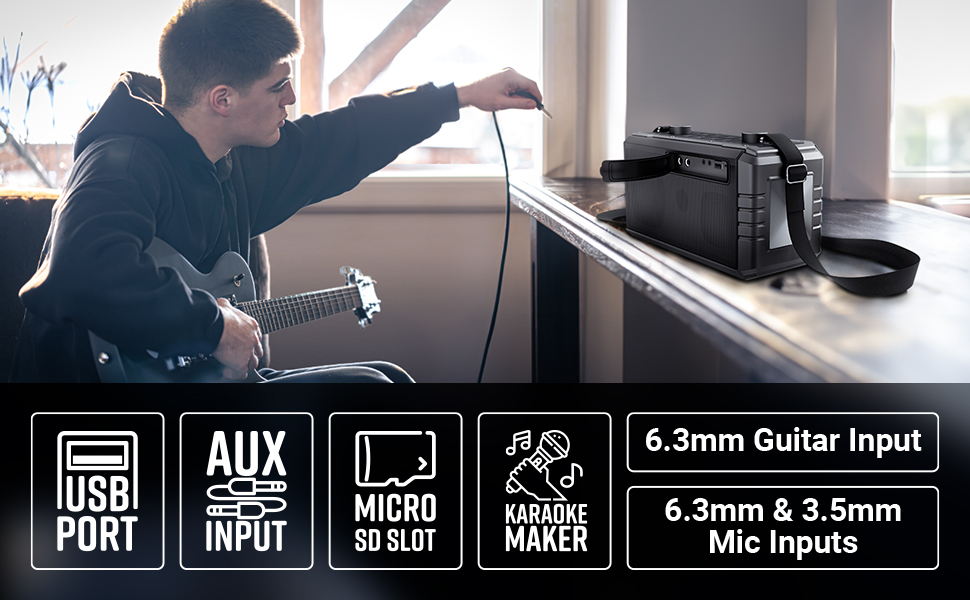
Image 8: Visual summary of the speaker's technical specifications.

Image 9: Diagram illustrating the length, width, and height of the ZEBRONICS Music Bomb 2 speaker.
11. Záruka a podpora
The ZEBRONICS Music Bomb 2 Party Speaker comes with a 1-year carry-in warranty to the service center. For warranty claims or technical support, please contact ZEBRONICS customer service. Keep your purchase receipt as proof of purchase.
Kontaktní údaje výrobce: 13/7, Smith Road, Royapettah CHENNAI-600002, Zebronics India Private Limited
Pro více informací navštivte oficiální Obchod ZEBRONICS na Amazonu.