
1. Konec produktuview
The Lexar SL500 Portable SSD is a high-performance external solid-state drive designed for fast data transfer and reliable storage. Its compact and durable design makes it ideal for professionals, gamers, and anyone needing portable, high-speed storage.
- Výjimečný výkon: Up to 2000MB/s read and 1800MB/s write speeds for efficient file převody.
- Slim & Lightweight Design: Solid aluminum unibody construction, easily fits in your pocket.
- Široká kompatibilita: Works with Type-C laptops, iPhone 15/16 series, smartphones, tablets, PS5, Xbox, and cameras.
- Apple ProRes Recording: Supports direct recording in up to 4K 60FPS with iPhone 15 Pro and iPhone 15 Pro Max.
- Thermal Control Design: Ensures optimal temperatures for sustained high performance.
- Zabezpečení dat: Includes Lexar DataShield 256-bit AES encryption software.
- Zapoj a hraj: Equipped with a Type-C data cable for immediate use.
1 video: Lexar SL500 Portable SSD Overview. This video provides a general introduction to the Lexar SL500 Portable SSD, highlighting its key features and design.
2 video: Meet The Lexar 2TB SL500 Portable SSD. A brief video showcasing the Lexar SL500 SSD's design and portability.
3 video: Konec produktuview Video. This video offers a detailed look at the Lexar SL500 Portable SSD and its features.
2. Nastavení
Setting up your Lexar SL500 Portable SSD is straightforward. It is designed for plug-and-play convenience across various devices.
2.1 Co je v krabici
- SL500 Portable SSD
- Kabel USB typu C
2.2 Připojení SSD disku
- Locate the USB Type-C port on your device (laptop, smartphone, gaming console, camera).
- Connect one end of the provided USB Type-C cable to the Lexar SL500 Portable SSD.
- Connect the other end of the USB Type-C cable to your device's USB Type-C port.
- The SSD should be automatically recognized by your device. For some operating systems, you may need to format the drive before first use. Refer to your device's operating system instructions for formatting external drives.
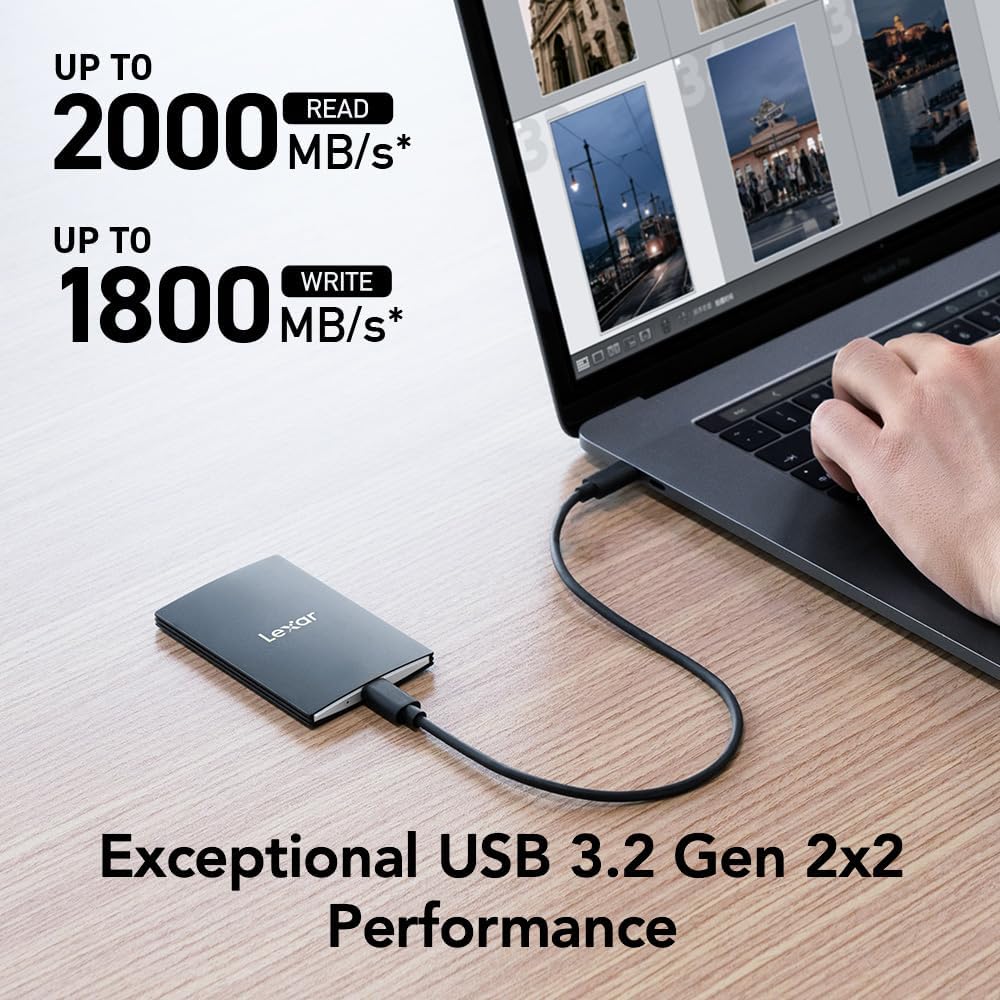
Obrázek 1: The Lexar SL500 Portable SSD connected to a laptop, demonstrating its high-speed data transfer capabilities.
3. Návod k obsluze
The Lexar SL500 Portable SSD offers versatile functionality for various tasks, from general file storage to specialized media recording.
3.1 File Převod
Once connected, you can drag and drop files to and from the Lexar SL500 SSD just like any other external drive. Its USB 3.2 Gen 2x2 interface ensures rapid transfer of large files, making it efficient for backups, project transfers, and media editing.
3.2 Kompatibilita a scénáře použití
- Laptops & PCs: Ideal for expanding storage, backing up important documents, and running applications directly from the drive.
- Smartphones & Tablets (Type-C): Transfer photos, videos, and other large files rychle.
- iPhone 15 Pro/Pro Max: Supports direct Apple ProRes video recording in up to 4K 60FPS, saving valuable internal storage space.
- Gaming Consoles (PS5, Xbox): Expand your game library and reduce load times for compatible games.
- Kamery: Use as an external recording device for high-resolution video capture.

Obrázek 2: The Lexar SL500 Portable SSD connected to an iPhone 15 Pro, enabling direct Apple ProRes video recording.

Obrázek 3: A visual representation of the Lexar SL500 Portable SSD's wide compatibility with multiple devices, including smartphones, cameras, gaming consoles, and laptops.
3.3 DataShield Encryption Software
The Lexar SL500 includes Lexar DataShield 256-bit AES encryption software to protect your sensitive files. Follow the instructions provided on the drive or Lexar's official website to install and configure the software for enhanced data security.
4. Údržba
To ensure the longevity and optimal performance of your Lexar SL500 Portable SSD, follow these maintenance guidelines:
- Správná manipulace: While durable, avoid dropping the SSD from excessive heights or subjecting it to extreme physical impact.
- Tepelný management: The unique thermal control design helps maintain optimal temperatures. Ensure the drive is not covered or placed in enclosed spaces during heavy use to allow for proper heat dissipation.
- Bezpečné vyhození: Always safely eject the SSD from your device before disconnecting the cable to prevent data corruption.
- Aktualizace firmwaru: Periodically check the Lexar official webPro zajištění nejlepšího výkonu a kompatibility vyhledejte na webu všechny dostupné aktualizace firmwaru.
- Čištění: Use a soft, dry cloth to clean the exterior of the SSD. Avoid using harsh chemicals or abrasive materials.

Obrázek 4: Vnitřní view highlighting the unique thermal control design of the Lexar SL500 Portable SSD, which helps maintain optimal operating temperatures.
5. Řešení problémů
If you encounter issues with your Lexar SL500 Portable SSD, try the following troubleshooting steps:
- Disk nebyl rozpoznán:
- Ensure the USB Type-C cable is securely connected to both the SSD and your device.
- Try connecting the SSD to a different USB Type-C port on your device.
- Test with a different compatible USB Type-C cable.
- Restartujte počítač nebo zařízení.
- Check your device's Disk Management (Windows) or Disk Utility (macOS) to see if the drive is detected but unformatted.
- Pomalé přenosové rychlosti:
- Ensure your device's USB port supports USB 3.2 Gen 2x2 for optimal performance. Older USB standards will result in lower speeds.
- Zavřete všechny nepotřebné aplikace běžící na pozadí, které by mohly spotřebovávat systémové prostředky.
- Verify the cable is the original Lexar cable or a high-quality USB 3.2 Gen 2x2 compatible cable.
- Performance on Mac and other systems not supporting USB 3.2 Gen 2x2 may be lower.
- Poškození dat:
- Před odpojením SSD disk vždy bezpečně vyjměte.
- If data corruption occurs, try running a disk check utility on your operating system.
- Přehřívání:
- Ensure the SSD has adequate airflow and is not covered during prolonged use.
- Reduce the intensity of data transfer operations if the drive consistently overheats.
6. Specifikace
Detailed technical specifications for the Lexar SL500 Portable SSD (Model: LSL500X002T-RNBNU).
| Funkce | Detail |
|---|---|
| Číslo modelu | LSL500X002T-RNBNU |
| Digitální kapacita úložiště | 2 TB |
| Rychlost čtení | Až 2000 MB/s |
| Rychlost zápisu | Až 1800 MB/s |
| Rozhraní | USB 3.2 Gen 2x2 (Type-C) |
| Rozměry (DxŠxV) | 3.15 x 2.76 x 1.97 palce (80 x 70 x 50 mm) |
| Hmotnost položky | 1.52 unce (43 gramů) |
| Barva | Černý |
| Speciální funkce | Compact, Thin, Durable Metal Design, Ultra Lightweight, Thermal Control Design |
| Kompatibilita | Camera, Gaming Console, Laptop, Smartphone (Type-C) |

Obrázek 5: Dimensions of the Lexar SL500 Portable SSD, highlighting its compact and slim profile.
7. Záruka a podpora
Lexar stands behind the quality of its products. Your Lexar SL500 Portable SSD comes with a limited warranty and additional support options.
7.1 Omezená záruka
The Lexar SL500 Portable SSD is covered by a Pětiletá omezená záruka. This warranty covers defects in materials and workmanship under normal use. For full terms and conditions, please refer to the warranty documentation included with your product or visit the official Lexar support webmísto.
7.2 Plány obnovy dat
For added peace of mind, optional data recovery plans are available:
- Dvouletý plán obnovy dat: Provides professional data recovery services for two years.
- Dvouletý plán obnovy dat: Extends professional data recovery services for three years.
These plans can be purchased separately to protect against accidental data loss. Contact Lexar customer support or your retailer for more information on purchasing and activating these plans.
7.3 Zákaznická podpora
For technical assistance, product inquiries, or warranty claims, please visit the official Lexar support website or contact their customer service team. You can find contact information and FAQs on the Lexar webmísto.