
Zavedení
Thank you for choosing the ADE WS2322 Digital Indoor Thermometer and Hygrometer. This device is designed to provide accurate measurements of indoor temperature and humidity, along with timekeeping and alarm functions. Please read this manual carefully before use to ensure proper operation and to maximize the lifespan of your device.
Bezpečnostní informace
- Chraňte zařízení před extrémními teplotami, přímým slunečním zářením a vysokou vlhkostí.
- Nevystavujte zařízení vodě nebo jiným kapalinám.
- Nepokoušejte se zařízení rozebírat ani opravovat sami. Kontaktujte kvalifikovaný servisní personál.
- Uchovávejte baterie mimo dosah dětí. Použité baterie řádně zlikvidujte v souladu s místními předpisy.
- Zařízení čistěte měkkým, suchým hadříkem. Nepoužívejte abrazivní čisticí prostředky ani rozpouštědla.
Obsah balení
Zkontrolujte prosím obsah balení, abyste se ujistili, že jsou přítomny všechny položky:
- 1 x ADE WS2322 Digital Indoor Thermometer and Hygrometer
- 1 x AAA baterie
- 1 x Návod k použití
Konec produktuview
The ADE WS2322 features a clear LCD display showing temperature, humidity, and time. It includes buttons for mode selection, setting adjustments, and switching between Celsius/Fahrenheit.
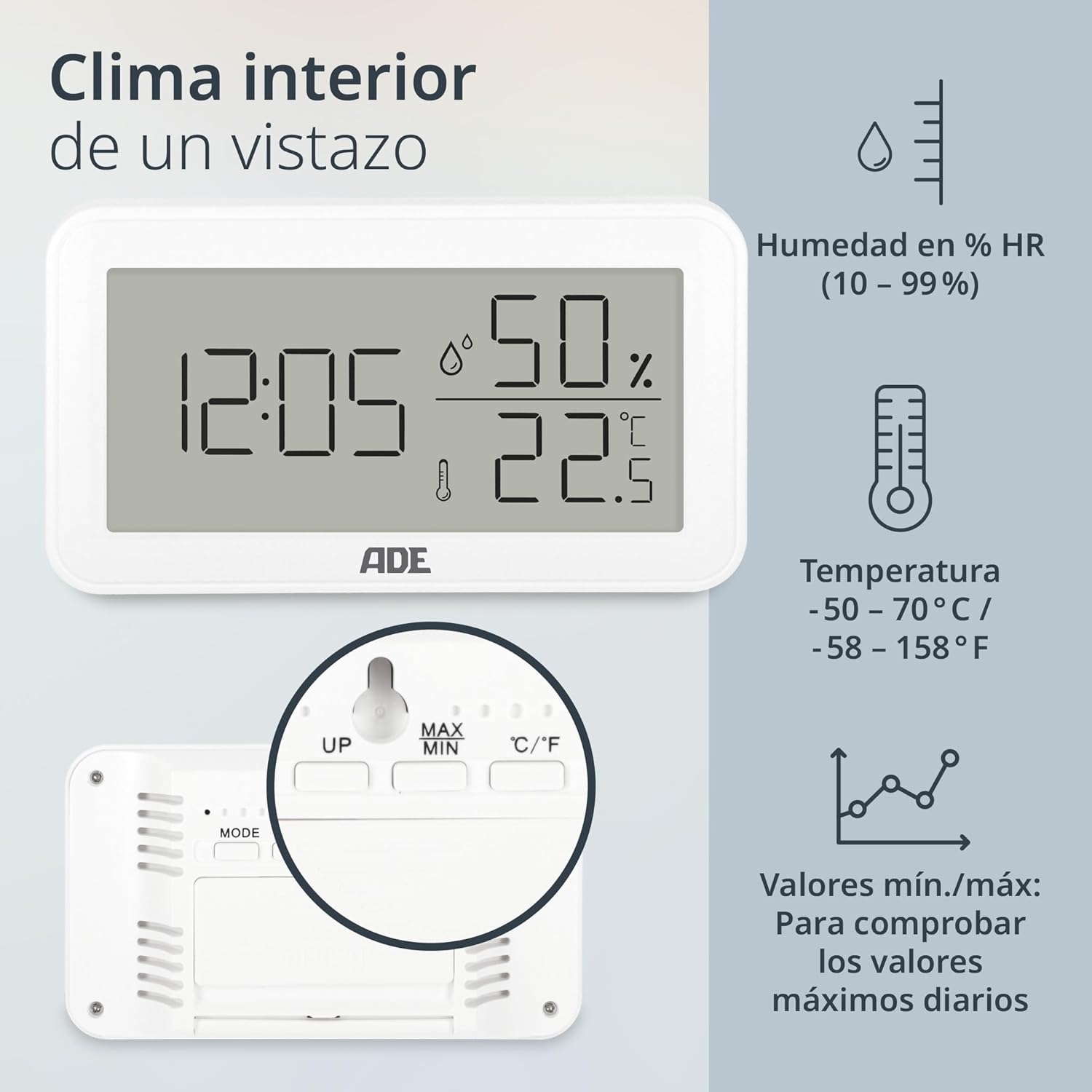
Obraz: Přední view of the ADE WS2322 display, illustrating current time, humidity percentage, and temperature in Celsius. The display also shows icons indicating humidity, temperature, and the min/max value tracking feature. This image highlights the primary information presented on the device's screen.
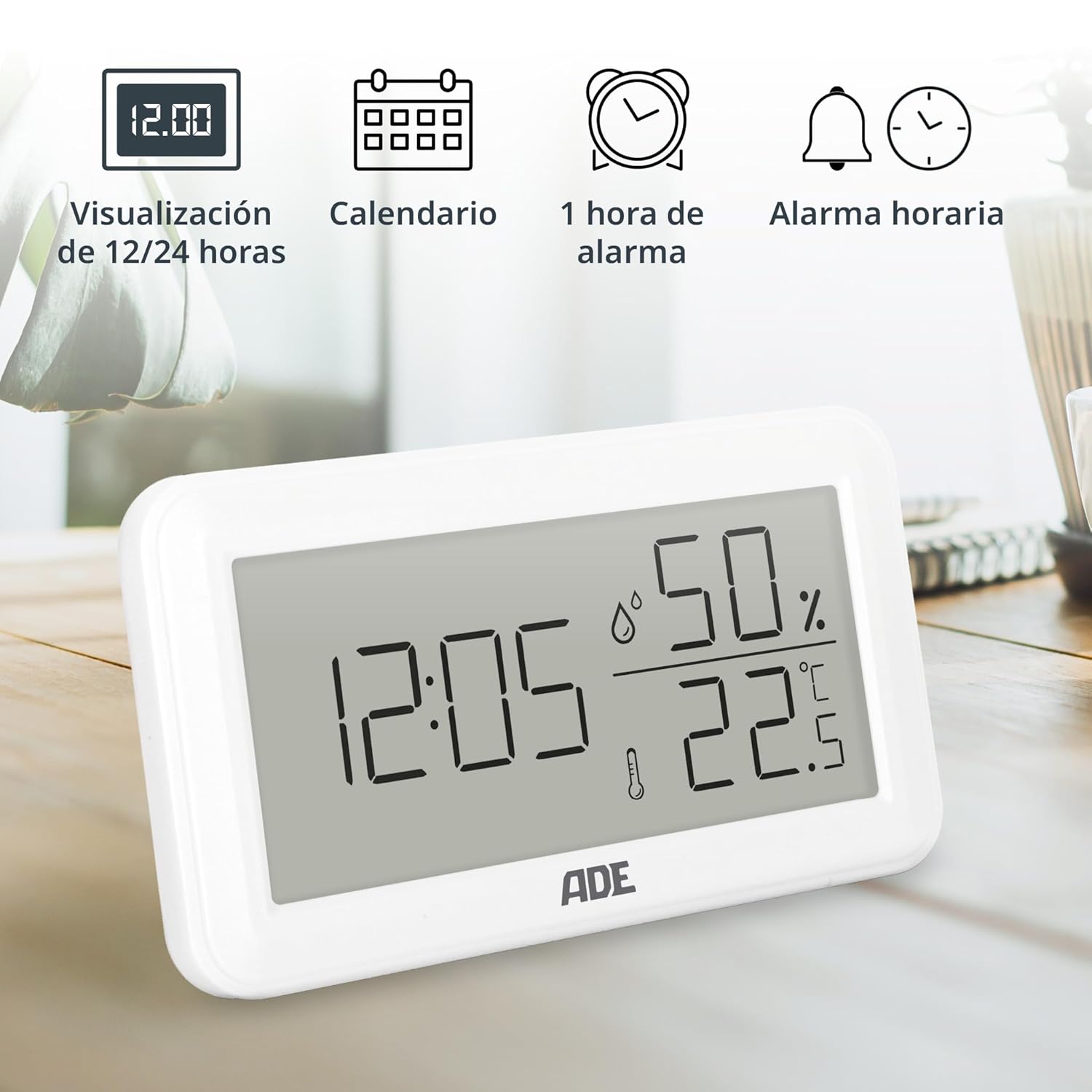
Obraz: The ADE WS2322 display, showcasing its various time-related functions. This includes the ability to switch between 12 and 24-hour time formats, a calendar display, a 1-hour alarm, and an hourly chime function. The image emphasizes the device's versatility beyond just temperature and humidity monitoring.
Nastavení
1. Instalace baterie
- Najděte přihrádku na baterie na zadní straně zařízení.
- Otevřete kryt bateriového prostoru.
- Vložte jednu baterii typu AAA a dbejte na správnou polaritu (+/-).
- Bezpečně zavřete kryt bateriového prostoru.
2. Počáteční umístění
The device can be placed on a flat surface using its integrated stand or mounted on a wall using the hanging loop.

Obraz: Zadní view of the ADE WS2322, highlighting its design for flexible placement. The image shows both the integrated stand for tabletop use and the hanging loop for wall mounting, demonstrating how the device can be adapted to various environments.
Návod k obsluze
1. Zapnutí/vypnutí
The device powers on automatically once batteries are inserted. There is no manual power off button; remove batteries to power off.
2. Nastavení času a data
- Stiskněte a podržte MODE po dobu 3 sekund pro vstup do režimu nastavení času. Číslice hodin budou blikat.
- Použijte UP or MAX/MIN tlačítka pro nastavení hodiny.
- Stiskněte MODE again to move to minute setting, then year, month, and day. Adjust each with UP or MAX/MIN.
- Stiskněte MODE naposledy pro ukončení režimu nastavení.
3. Výběr 12/24hodinového formátu
V normálním režimu zobrazení stiskněte UP tlačítko pro přepínání mezi 12hodinovým a 24hodinovým formátem času.
4. Výběr jednotky teploty (°C/°F)
V normálním režimu zobrazení stiskněte ° C / ° F tlačítko pro přepínání mezi teplotními jednotkami Celsia a Fahrenheita.
5. Nastavení alarmu
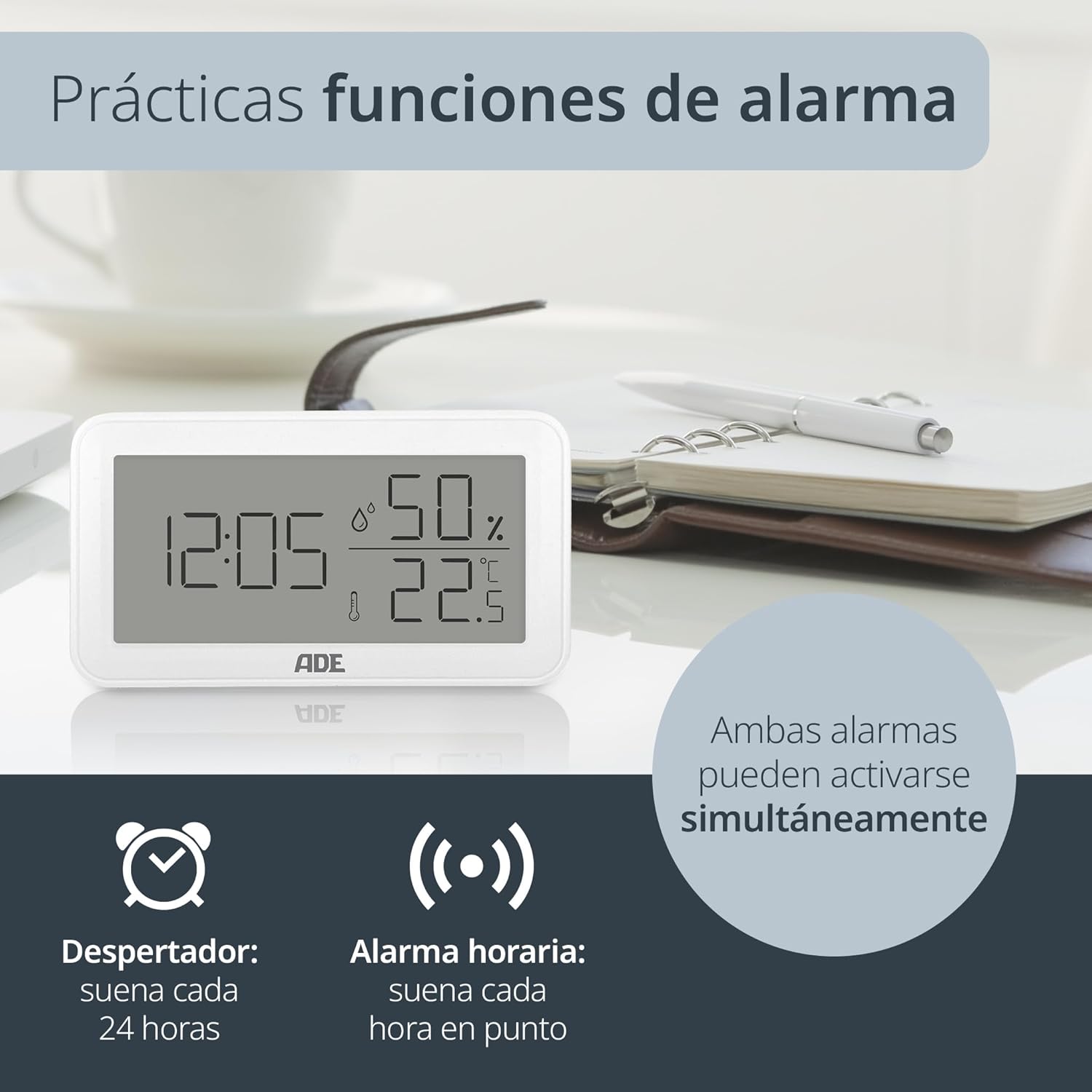
Obraz: The ADE WS2322 display, illustrating its practical alarm functions. It shows icons for both a daily alarm clock and an hourly chime, emphasizing that these two features can be activated concurrently to suit user preferences.
- Setting the Daily Alarm:
- Stiskněte tlačítko MODE button once to enter alarm display mode (AL).
- Stiskněte a podržte MODE for 3 seconds. The alarm hour digits will flash.
- Použití UP or MAX/MIN pro nastavení hodiny budíku.
- Stiskněte MODE again to set the alarm minute. Adjust with UP or MAX/MIN.
- Stiskněte MODE pro potvrzení a ukončení.
- Activating/Deactivating Daily Alarm: In alarm display mode (AL), press the UP tlačítko pro zapnutí/vypnutí budíku. Na displeji se zobrazí/zmizí ikona budíku.
- Aktivace/deaktivace Hourly Chime: V normálním režimu zobrazení stiskněte MAX/MIN tlačítko pro přepínání hourlZvonkohra ZAP/VYP. Ikona zvonkohry se zobrazí/zmizí.
6. Min/Max Temperature and Humidity Display
The device records the minimum and maximum temperature and humidity values over a period. To view tyto hodnoty:
- Stiskněte tlačítko MAX/MIN button once to display the maximum recorded temperature and humidity.
- Stiskněte MAX/MIN again to display the minimum recorded temperature and humidity.
- Stiskněte MAX/MIN a third time to return to the current temperature and humidity display.
- To reset the Min/Max values, press and hold the MAX/MIN tlačítko na 3 sekundy viewing the Min/Max values.
Údržba
Čištění
Wipe the device with a soft, dry cloth. Do not use liquid cleaners, aerosols, or abrasive materials, as these may damage the device.
Výměna baterie
When the display becomes dim or the device stops functioning, replace the AAA battery. Follow the battery installation steps in the Setup section.
Odstraňování problémů
| Problém | Možná příčina | Řešení |
|---|---|---|
| Žádný displej nebo tlumený displej | Low or dead battery; incorrect battery polarity. | Vyměňte baterii AAA; dbejte na správnou polaritu. |
| Nesprávné údaje o teplotě/vlhkosti | Device placed near heat/cold sources or in direct sunlight; sensor obstruction. | Relocate the device to a stable environment; ensure sensors are clear. |
| Alarm nezní | Alarm není aktivován. | Ensure the alarm icon is displayed (refer to "Activating/Deactivating Daily Alarm"). |
| Cannot set time/date | Not in setting mode; buttons not pressed correctly. | Stiskněte a podržte MODE tlačítko na 3 sekundy pro vstup do režimu nastavení. |
Specifikace

Obraz: The ADE WS2322 device, illustrating its compact dimensions. The image clearly labels the length (12 cm), height (6.8 cm), and depth (2.5 cm), emphasizing its suitability for various spaces due to its small footprint and clear, large-digit display.
- Model: WS2322
- Rozměry: 12 x 6.8 x 2.5 cm (Length x Height x Depth)
- Hmotnost: 110 g
- Rozsah teplot: -50 °C až 70 °C (-58 °F až 158 °F)
- Přesnost teploty: ±1 °C
- Rozsah vlhkosti: 10 % až 99 % RH
- Zdroj napájení: 1 x AAA baterie (součástí balení)
- Funkce: Thermometer, Hygrometer, Digital Clock (12/24h), Daily Alarm, Hourly Chime, Min/Max Value Display
- Typ montáže: Wall mount or tabletop stand
- Země původu: Čína
Záruka a podpora
For warranty information or technical support, please refer to the official ADE website or contact your retailer. You can also find additional language manuals and support resources by scanning the QR code in the printed instructions or visiting the product page on Amazon.
Pro další pomoc prosím navštivte ADE Brand Store.