
Zavedení
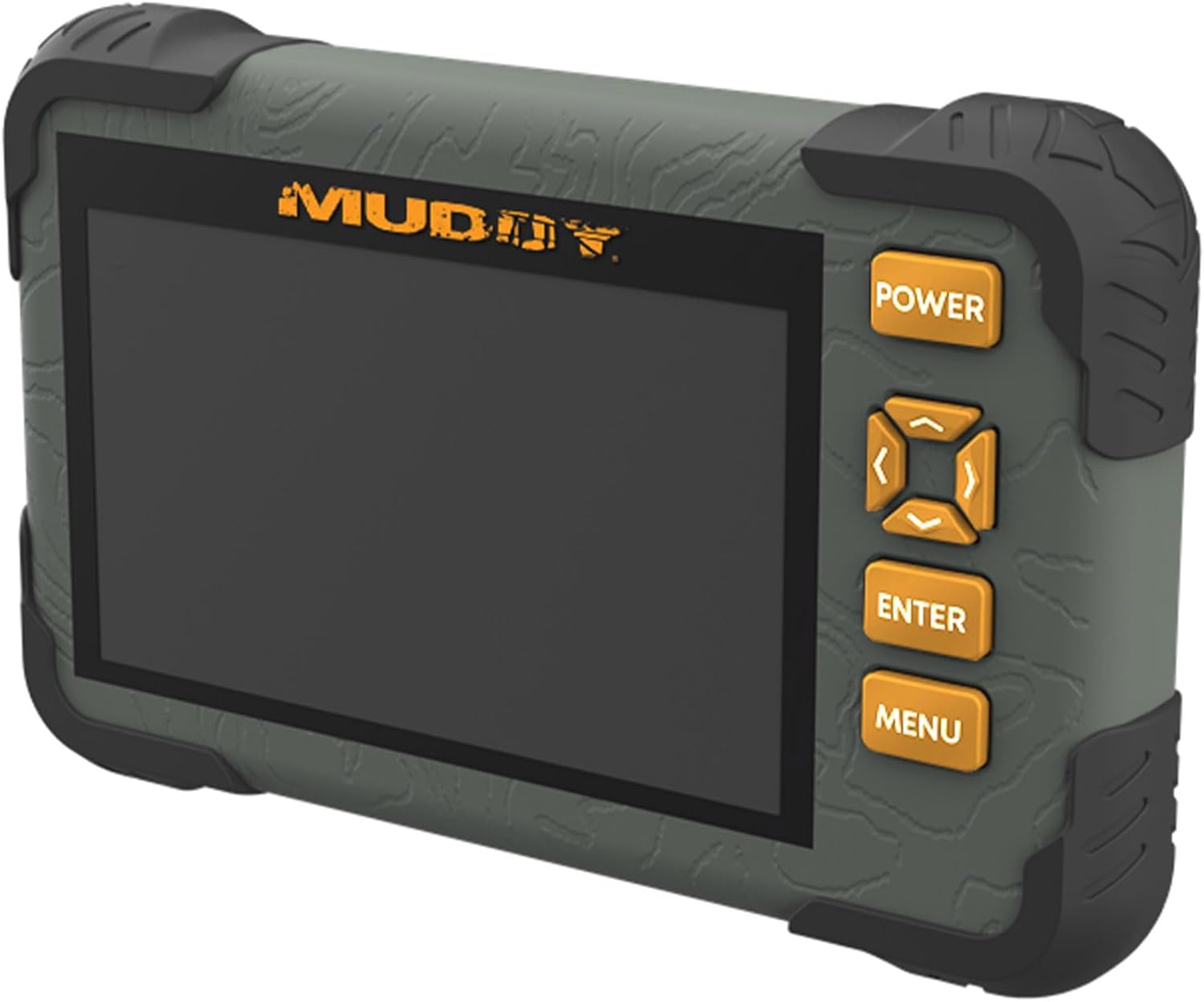
The Muddy CRV3 HD SD Card Viewer is designed for easy viewing of SD card captures with its high-definition, 4.3-inch color LCD screen. This device features durable, water-resistant housing, intuitive menu operation, and adjustable settings for optimal performance in outdoor environments. It supports 1080P video playback for SD cards up to 32GB and is powered by four AA batteries (not included).
Co je v krabici
- SD Card Reader/Viewer with 4.3" LCD Screen
- zápěstí na krk
Klíčové vlastnosti
- 1080P Video Playback: Supports high-definition video playback.
- 4.3" barevný LCD displej: Poskytuje přehledný displej pro viewmédia.
- Intuitivní ovládání pomocí menu: Easy-to-navigate menu for user convenience.
- Headphone Jack for Audio: Allows for private audio monitoring.
- Nastavitelný jas a hlasitost: Customize display and sound levels.
- Image Management: Možnosti k View, Transfer, and Delete images.
- Odolné voděodolné pouzdro: Zkonstruováno tak, aby odolalo venkovním podmínkám.
- Micro USB slot: For connectivity and data transfer.
- Slot pro SD kartu: Podporuje SD karty až do 32GB.
- Zdroj napájení: Operates on 4 AA Batteries (not included).
Nastavení
1. Instalace baterie
The Muddy CRV3 HD SD Card Viewer requires four (4) AA batteries (not included) for operation. To install batteries:
- Najděte přihrádku na baterie na zadní straně zařízení.
- Turn the locking tab counter-clockwise to unlock and open the battery cover.
- Vložte čtyři baterie typu AA a dbejte na správnou polaritu (+/-) vyznačenou uvnitř přihrádky.
- Close the battery cover and turn the locking tab clockwise to secure it.
Obrázek: Zadní view of the Muddy CRV3 HD SD Card Viewer showing the circular locking tab for the battery compartment. The compartment is opened to reveal four AA batteries.
2. Vložení SD karty
The device supports SD cards up to 32GB. To insert an SD card:
- Locate the SD card slot on the side of the viewehm.
- Gently insert the SD card into the slot with the metal contacts facing down until it clicks into place.
- To remove, push the SD card inward until it clicks, then release to eject.

Obrázek: Boční view of the Muddy CRV3 HD SD Card Viewer highlighting the SD card slot and Micro USB port.
Návod k obsluze
1. Zapnutí/vypnutí
- Zapnutí: Stiskněte a podržte MOC button located on the right side of the device until the screen changes color and the Muddy logo appears. The device will then initialize the SD card and display the main menu.
- Vypnutí: Stiskněte a podržte MOC button until the "POWER OFF" message appears on the screen, then release.
2. Navigace v menu
The Muddy CRV3 features an intuitive menu system. Use the directional arrow buttons (UP, DOLŮ, VLEVO, PRÁVO) to navigate through options. An orange border will highlight the currently selected item.
- Use the directional buttons to move the orange border to your desired menu icon.
- Stiskněte tlačítko ENTER potvrďte svůj výběr.
- Stiskněte tlačítko MENU button to go back to the previous screen or exit a function.
3. Viewing Obrázky a videa
From the main menu, select the appropriate icon to view images or videos stored on your SD card.
- Select the "View Images" icon (typically represented by a picture frame) and press ENTER.
- Use the directional buttons to scroll through thumbnails.
- Stiskněte ENTER na view a selected image or play a video in full screen.
- For videos, the device supports 1080P playback. Use the directional buttons for play/pause/fast-forward/rewind if available.
- Pro návrat k miniaturě view, stiskněte MENU.
4. Řízení Files (View/Transfer/Delete)
The device allows basic file management directly on the viewehm.
- Zatímco viewing an image or video, access the options menu (usually by pressing MENU or a dedicated button) to find options like "Delete" or "Transfer".
- Follow on-screen prompts to perform desired actions. Be cautious when deleting files as this action is often irreversible.
- K přenosu files, connect the Micro USB slot to a computer using a compatible cable. The device should appear as a removable drive.
5. Úprava nastavení
From the main menu, select the "Settings" icon (typically a gear symbol) to adjust various parameters.
- Jas: Adjust the screen brightness for better visibility in different lighting conditions.
- Objem: Ovládejte hlasitost zvukového výstupu, zejména při použití konektoru pro sluchátka.
- Other settings may include date/time, language, and device information.
Video: A user demonstrates the functions of the Muddy CRV3 HD SD Card Viewer, including navigating menus, viewing images, and adjusting settings.
Údržba
- Čištění: K čištění obrazovky a vnějšího povrchu zařízení používejte měkký, suchý hadřík. Nepoužívejte abrazivní čisticí prostředky ani rozpouštědla.
- Voděodolnost: The device features durable water-resistant housing. However, it is not designed for submersion. Ensure battery compartment and port covers are securely closed to maintain water resistance.
- Skladování: When not in use for extended periods, remove batteries to prevent leakage and store the device in a cool, dry place.
Odstraňování problémů
| Problém | Možná příčina | Řešení |
|---|---|---|
| Zařízení se nezapne. | Low or dead batteries; incorrectly inserted batteries. | Replace with fresh AA batteries; ensure correct polarity. |
| SD karta nebyla detekována. | SD card not inserted correctly; incompatible SD card; faulty SD card. | Re-insert SD card until it clicks; ensure card is up to 32GB; try a different SD card. |
| Nelze view obrázky/videa. | Zkorumpovaný files on SD card; unsupported file formát. | Pokus viewIng files on a computer; ensure files are standard image/video formats. |
| Z konektoru pro sluchátka nejde zvuk. | Volume too low; faulty headphones. | Adjust volume in settings; try different headphones. |
Specifikace
- Název modelu: CRV3 HD SD Card Viewer
- Obrazovka: 4.3" barevný LCD displej
- Přehrávání videa: 1080P
- Podpora karty SD: Až 32 GB
- Konektivita: Micro USB
- Zvuk: Jack pro sluchátka
- Moc: 4 AA baterií (nejsou součástí balení)
- Bydlení: Odolný, voděodolný
- Rozměry (D x Š x V): 9.26 cm x 8.43 cm x 2.95 cm
- Výrobce: GSM Venkovní
- UPC: 888151030974
Záruka a podpora
MUDDY is committed to quality, durability, and functionality. For warranty information or technical support, please refer to the product packaging or visit the official MUDDY webUschovejte si doklad o koupi pro případné reklamace.