
HP 15-DY5033DX
HP 15.6" Touch-Screen Laptop (Model 15-DY5033DX) User Manual
Zavedení
This manual provides essential information for setting up, operating, and maintaining your HP 15.6" Touch-Screen Laptop, model 15-DY5033DX. Designed for efficiency and portability, this laptop features an Intel 12th Generation Core i3 processor, 8GB of memory, a 256GB SSD, and runs on Windows 11 Home in S mode. Its touch-screen display enhances user interaction for various tasks.
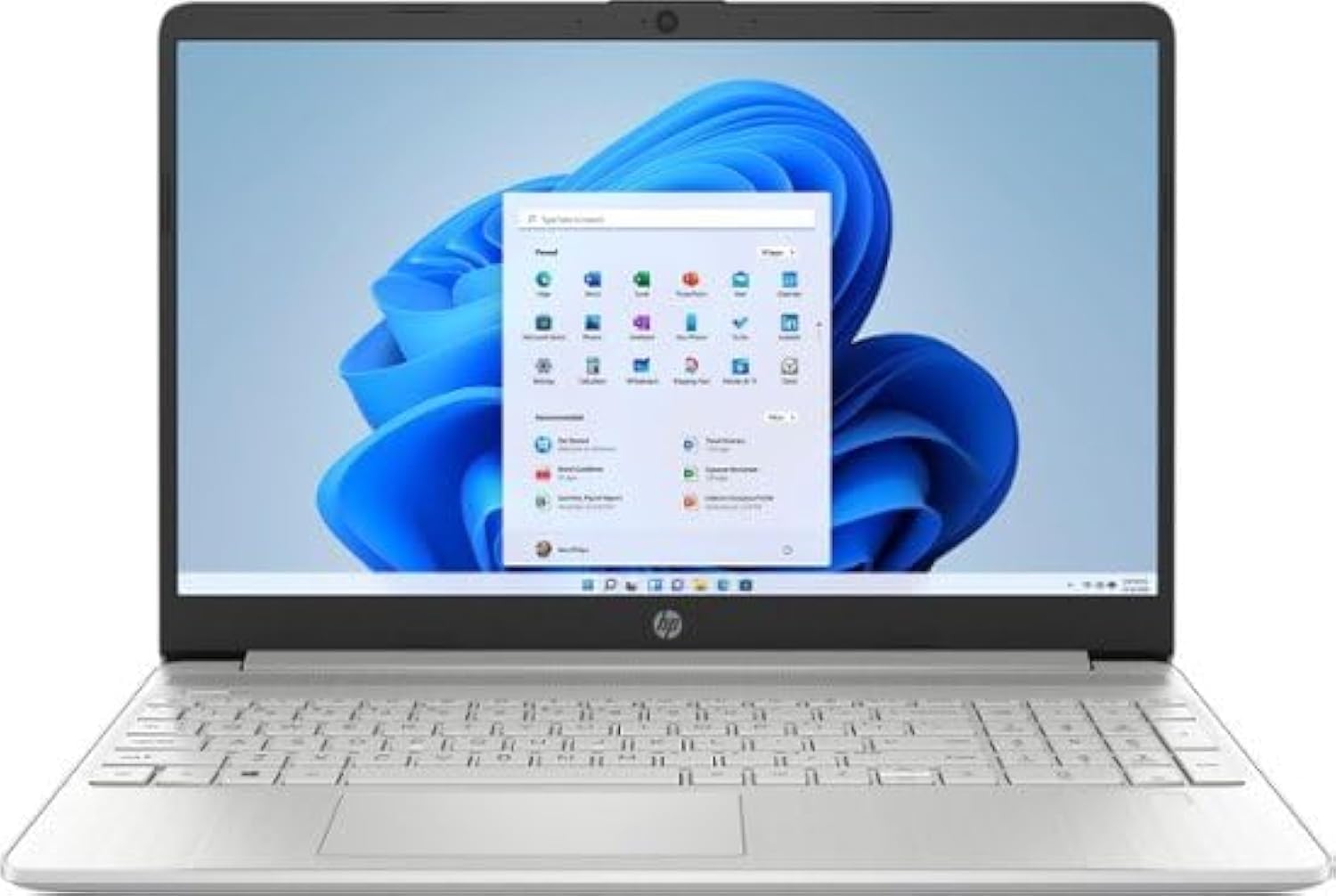
Obrázek 1: Přední strana view of the HP 15.6" Touch-Screen Laptop.
Průvodce nastavením
1. První zapnutí a nabíjení
Before first use, connect the laptop to a power outlet using the provided AC adapter. The laptop is equipped with HP Fast Charge technology, allowing it to charge from 0% to 50% in approximately 45 minutes. Press the power button, typically located on the top right of the keyboard, to turn on the device.
2. Nastavení systému Windows 11 Home
Follow the on-screen instructions to complete the initial setup of Windows 11 Home in S mode. This includes connecting to a Wi-Fi network, setting up your user account, and configuring privacy settings. Windows 11 in S mode offers enhanced security and faster boot times.
3. Connecting Peripherals and Ports
Your HP laptop features various ports for connecting external devices:
- SuperSpeed USB Type-C®: For high-speed data transfer and connecting compatible USB-C devices.
- HDMI 1.4b: Připojení k externím displejům nebo projektorům.
- Čtečka SD karet s více formáty: Pro čtení a zápis dat z SD karet.
- Kombinace sluchátek/mikrofonu: Pro audio vstup a výstup.
- Inteligentní PIN pro AC: Pro připojení napájecího adaptéru.
- SuperSpeed USB typu A: Pro připojení standardních USB zařízení.

Obrázek 2: Přesview of laptop ports for connectivity.
Ovládání notebooku
1. Touch-Screen Functionality
The 15.6-inch HD (1366 x 768) touch-screen display allows for intuitive interaction. Use gestures such as tapping, swiping, pinching, and zooming directly on the screen. This is particularly useful for applications requiring precise input or for general navigation.
2. Klávesnice a touchpad
The full-size keyboard provides a comfortable typing experience. The integrated touchpad supports multi-touch gestures for navigation, scrolling, and zooming. Refer to Windows 11 settings for customizing touchpad gestures.
3. Bezdrátové připojení
The laptop includes a Wi-Fi 5 (1x1) and Bluetooth 4.2 wireless card. To connect to Wi-Fi, click the network icon in the taskbar, select your desired network, and enter the password. For Bluetooth devices, go to Windows Settings > Bluetooth & devices to pair.
4. Kamera a zvuk
The HP True Vision HD Camera and dual array microphones ensure clear video calls and audio recordings. The advanced noise reduction technology helps minimize background distractions.
Údržba a péče
1. Čištění notebooku
Použijte měkký hadřík, který nepouští vlákna dampened with water or a screen cleaner specifically designed for electronics to clean the display. For the keyboard and chassis, use a soft, dry cloth. Avoid harsh chemicals or abrasive materials.
2. Aktualizace softwaru
Regularly check for and install Windows updates and HP driver updates to ensure optimal performance, security, and compatibility. Go to Windows Settings > Windows Update to check for updates.
3. Péče o baterie
Chcete-li prodloužit životnost baterie, vyhněte se extrémním teplotám a častému úplnému vybíjení baterie. Pro dlouhodobé skladování nabijte baterii přibližně na 50 % a skladujte notebook na chladném a suchém místě.
4. Ohledy na životní prostředí
This HP laptop is EPEAT Silver registered and ENERGY STAR certified, indicating its design with environmental sustainability in mind. It also contains post-consumer recycled plastics. Please dispose of the product and its components responsibly according to local regulations.
Odstraňování problémů
Pokud narazíte na problémy s notebookem, zvažte následující běžné kroky pro řešení problémů:
- Bez napájení: Ujistěte se, že je síťový adaptér bezpečně připojen k notebooku i k funkční zásuvce. Zkontrolujte kontrolku napájení.
- Problémy se zobrazením: If the screen is blank, try pressing the Fn key and the appropriate function key (often F4 or F5) to toggle the display output. Ensure external monitors are properly connected.
- Wi-Fi připojení: Verify that Wi-Fi is enabled in Windows settings and that you are connected to the correct network. Restart your router if necessary.
- Dotyková obrazovka nereaguje: Restart the laptop. If the issue persists, check for driver updates in Device Manager or consult HP support.
- Pomalý výkon: Close unnecessary applications, check for malware, and ensure sufficient free space on the SSD.
For more complex problems, refer to the HP support webnebo kontaktujte zákaznický servis.
Technické specifikace
| Funkce | Specifikace |
|---|---|
| Název modelu | 15-DY5033DX |
| Velikost obrazovky | 15.6 palce |
| Rozlišení obrazovky | 1366 x 768 pixelů (HD) |
| Procesor | Intel 12th Generation Core i3 1215U (4.1 GHz) |
| BERAN | 8GB DDR4-3200MHz |
| Skladování | 256GB PCIe NVMe SSD |
| Grafická karta | Integrovaná grafika Intel UHD Graphics |
| Operační systém | Windows 11 Home v režimu S |
| Bezdrátový typ | Wi-Fi 5 (802.11ac) and Bluetooth 4.2 |
| Porty | SuperSpeed USB Type-C®, HDMI 1.4b, Multi-format SD media card reader, Headphone/microphone combo, AC smart pin, SuperSpeed USB Type-A |
| Hmotnost položky | 3.75 libry |
| Rozměry (DxŠxV) | 14.11 x 9.53 x 0.71 palce |
| Barva | Přírodní stříbro |

Figure 3: Laptop dimensions.
Záruka a podpora
Your HP laptop comes with a standard manufacturer's warranty. For detailed information regarding warranty coverage, terms, and conditions, please refer to the warranty card included with your product or visit the official HP support website. For technical assistance, driver downloads, and troubleshooting guides, please visit support.hp.com.
Ask a question about this manual
Ask about setup, troubleshooting, compatibility, parts, safety, or missing instructions. Manuals+ will review the question and use this page’s manual context to help answer it.